Answer

Non-stock item import - Error: Item Class cannot be found

  • October 29, 2024
  • 9 replies
  • 153 views

jhouser
Captain II
Forum|alt.badge.img+6

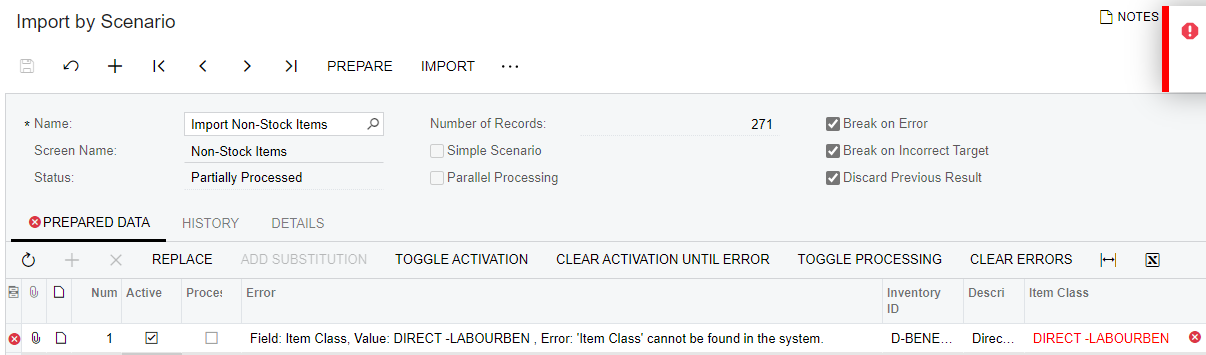
I exported items from one tenant and am trying to import to another tenant. Item classes have all been configured the same way. I get the following error: Field: Item Class, Value: DIRECT -LABOURBEN , Error: 'Item Class' cannot be found in the system.

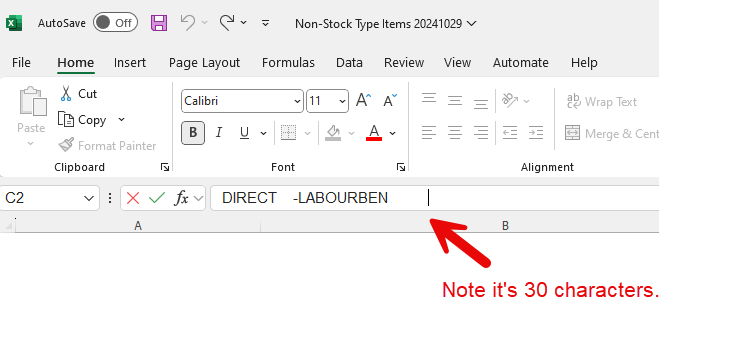
I suspect the issue is that item class is actually “DIRECT    -LABOURBEN          ” since segmented key is 30 characters. The values exported without all the spaces, so I tried adding them in Excel before uploading file. However, when preparing data on Import by Scenario screen, values appear without spaces on the end. Acumatica removes them.

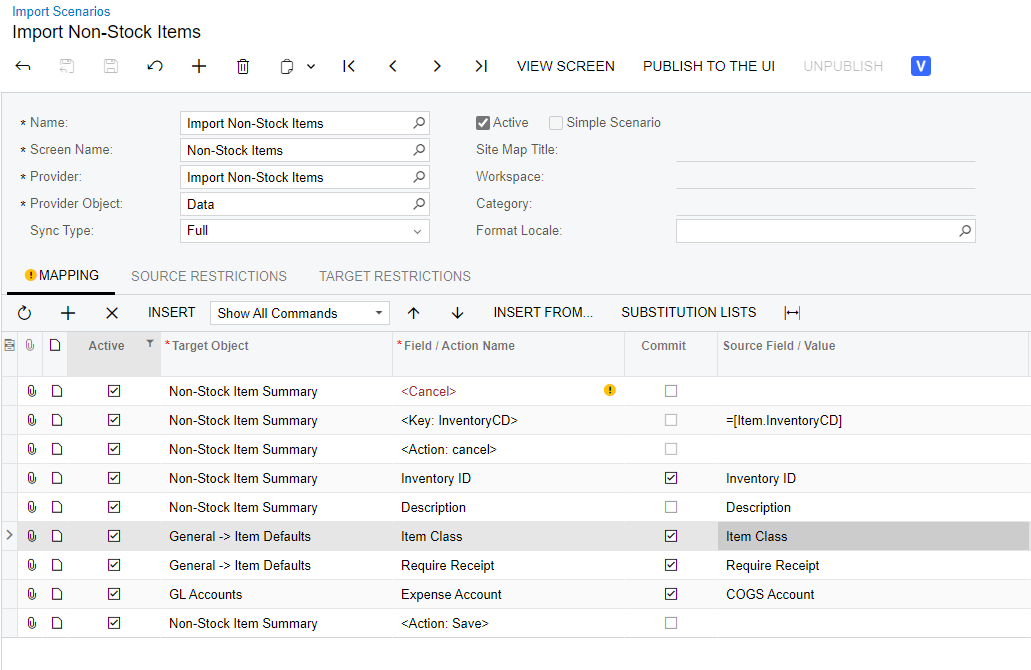
Anyone know how I can resolve this? Could be wrong about the cause, open to suggestions. Below are screenshots of the import scenario configuration, error message, and value in Excel. 

Thanks in advance!


Best answer by jhouser

I submitted a support case. They exported the item classes from SQL for me. Turns out the required format was to include the trailing spaces for each segment, but exclude the hyphen. 

9 replies

josborn02
Varsity III
Forum|alt.badge.img+1
  • Varsity III
  • October 29, 2024

Can you add the spaces directly into the import scenario Source Field using the & and “ characters?


jhouser
Captain II
Forum|alt.badge.img+6
  • Author
  • Captain II
  • October 29, 2024

@josborn02 Hmm, how would you format that in this example?


josborn02
Varsity III
Forum|alt.badge.img+1
  • Varsity III
  • October 29, 2024

Try: =CONCAT(Item Class,     ) or =CONCAT(Item Class,’     ‘)

I think the trailing spaces would be the only issue, as spaces between words would work just fine as they do for other fields (such as description).


jhouser
Captain II
Forum|alt.badge.img+6
  • Author
  • Captain II
  • October 30, 2024

@josborn02 Thanks for the idea. Tried that and similar formulas, not working unfortunately. 


jhouser
Captain II
Forum|alt.badge.img+6
  • Author
  • Captain II
  • Answer
  • November 5, 2024

I submitted a support case. They exported the item classes from SQL for me. Turns out the required format was to include the trailing spaces for each segment, but exclude the hyphen. 


Forum|alt.badge.img
  • Freshman I
  • September 25, 2025

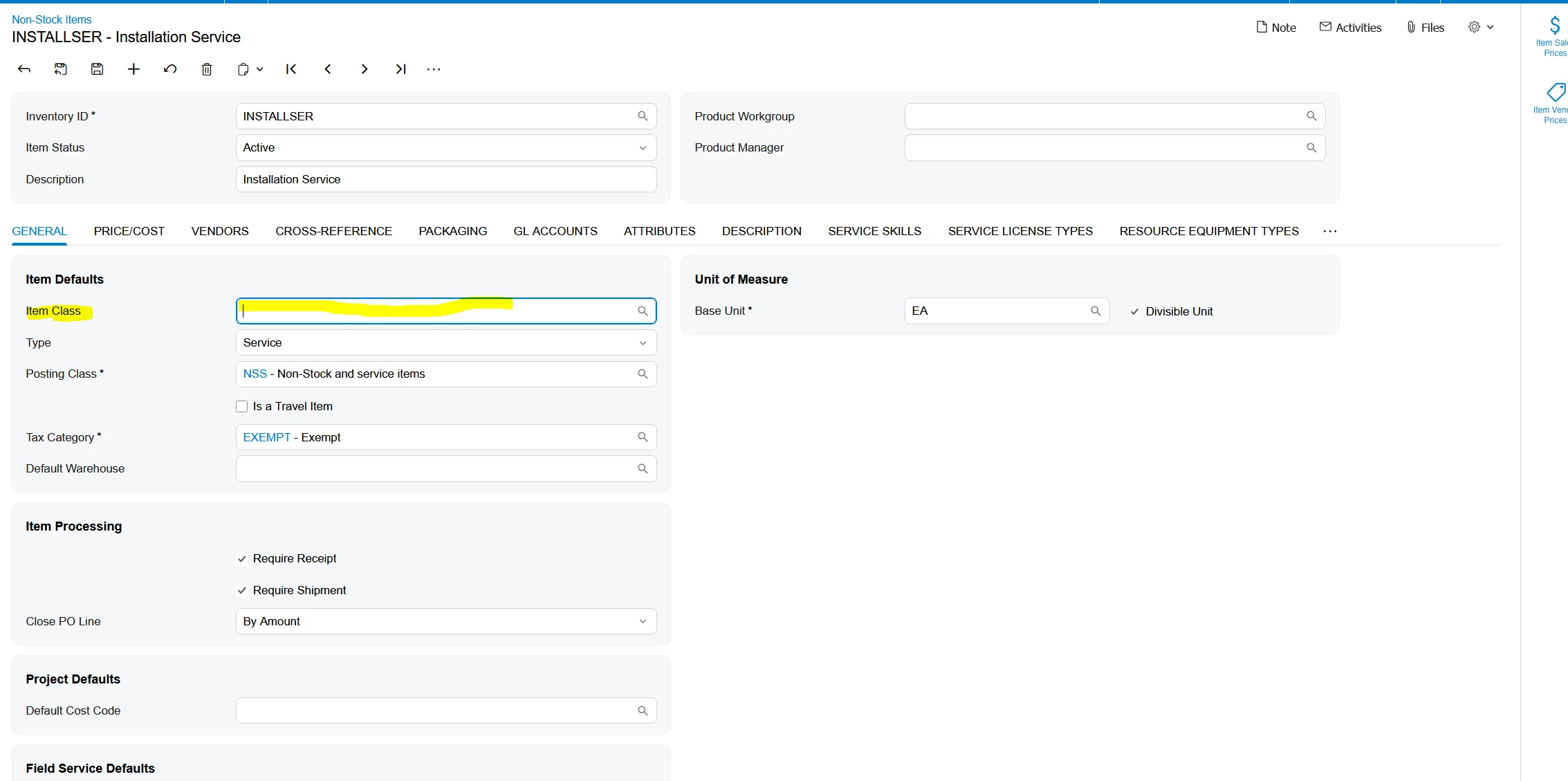
I am trying to setup installation service as a nonstock item but when I try to select Item Class none show up, despite me having Installation and other items setup in Item Class. Can someone help with this?


jhouser
Captain II
Forum|alt.badge.img+6
  • Author
  • Captain II
  • September 25, 2025

@jparoski72 Can you please share screenshots of the item you're trying to create, and also settings of the item class you're trying to use?


Forum|alt.badge.img
  • Freshman I
  • September 25, 2025


jhouser
Captain II
Forum|alt.badge.img+6
  • Author
  • Captain II
  • September 26, 2025

@jparoski72 Please include screenshot of the class settings on Item Classes screen.