Answer

Item Description and adding alternate vendor/part numbers to the stock item profile

  • October 27, 2021
  • 4 replies
  • 515 views

Forum|alt.badge.img

Good afternoon,

I have a couple of basic questions;

  1.  Change the class on item
  2.  Change/replace the existing description to a new one
  3. Add Alternate vendors and part numbers to the stock item profile
  4. Add weight and volume
  5. Add MSRP
  6. Add a data to a bunch of attributes..

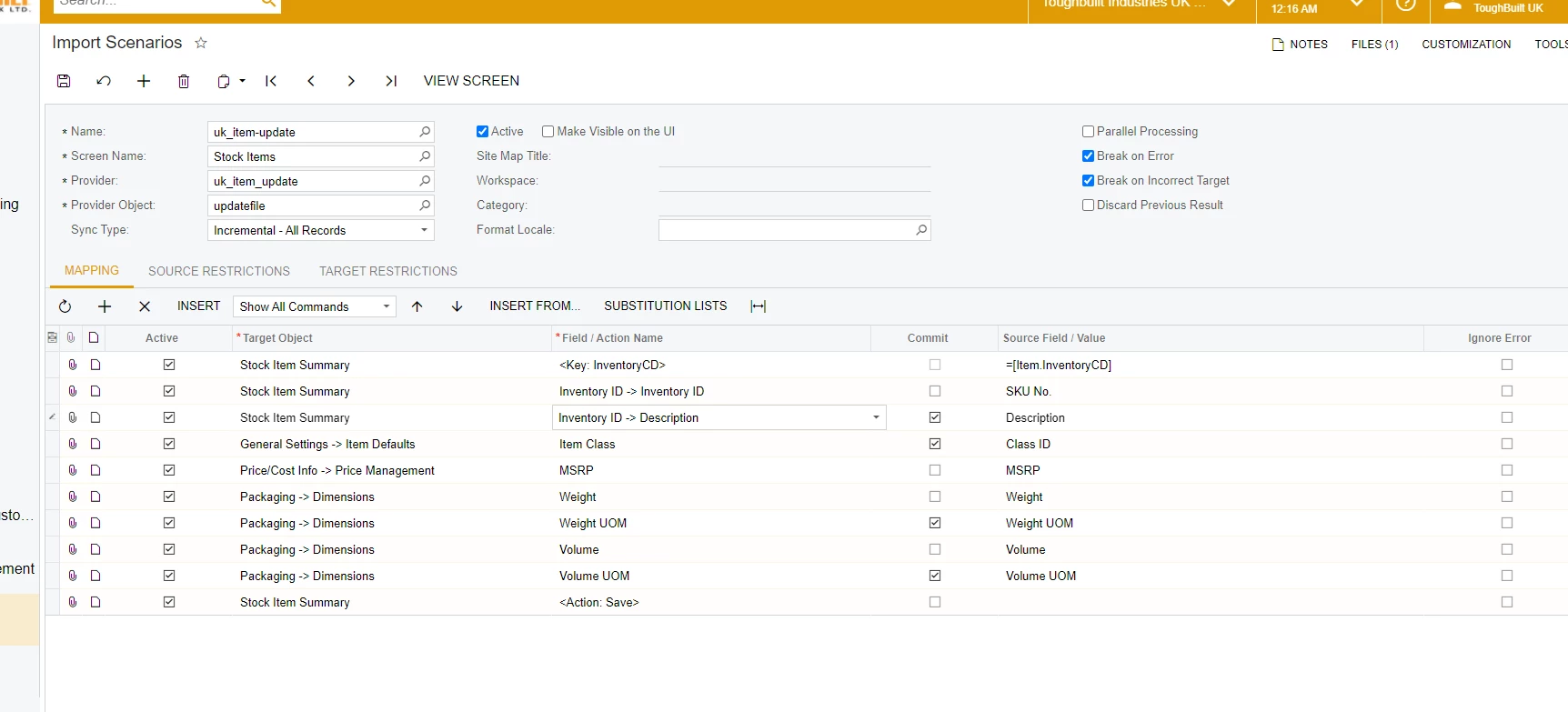
I would like to do this in one import scenario.  Does anyone have template?  Or possible can lead me to how to update the class and description.  Add alternate vendors/parts is missing something?  Attached is the sample/test file.  Below is screen of the beginning scenario.
Your assistance is greatly appreciated.
Best answer by wfilipiak67

@EvanG , 
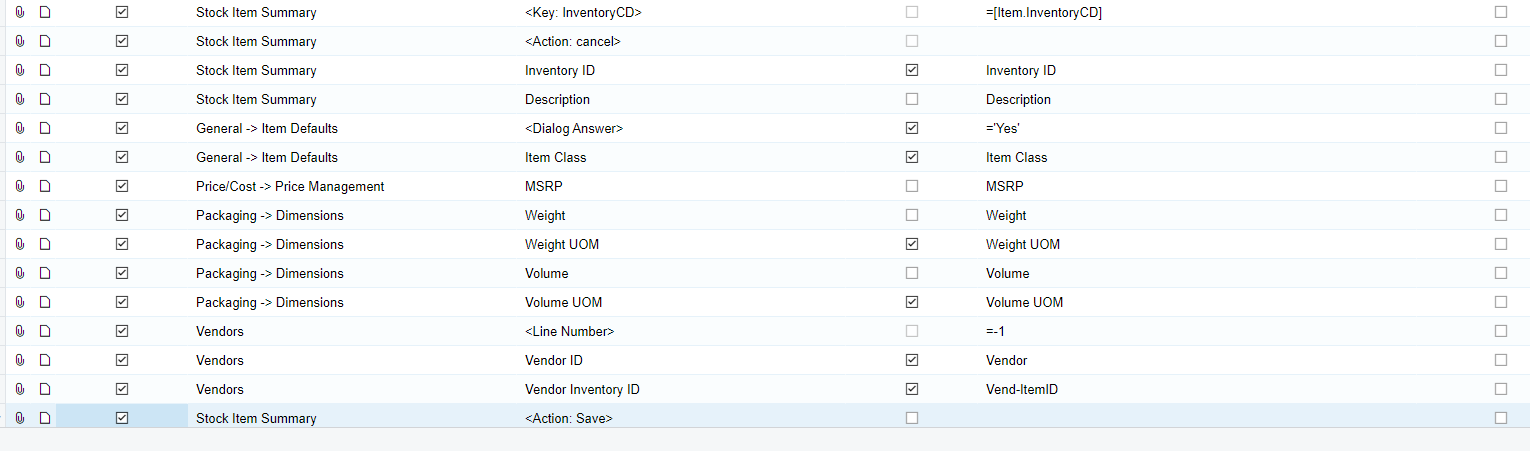
Here is a sample Import Scenario to update the item Class & Description & to add a new vendor to the Item. 
The key is you need to answer the Question (dialog box) that pops up when trying to change the Item Class. In my example, I answered YES to override the defaults.


4 replies

wfilipiak67
Captain II
Forum|alt.badge.img+3
  • Captain II
  • Answer
  • October 28, 2021

@EvanG , 
Here is a sample Import Scenario to update the item Class & Description & to add a new vendor to the Item. 
The key is you need to answer the Question (dialog box) that pops up when trying to change the Item Class. In my example, I answered YES to override the defaults.


wfilipiak67
Captain II
Forum|alt.badge.img+3
  • Captain II
  • October 28, 2021

@EvanG, Here is the xml for the above example.


Forum|alt.badge.img
  • Author
  • Varsity I
  • October 28, 2021

Thank you for you assistance.

I will give it a try

Evan


Forum|alt.badge.img
  • Author
  • Varsity I
  • October 29, 2021

Just an update.  The dialogue box is not working.  When I run the import scenario, I can an error about confirming that I want to update the defaults.  Any advice? 


Thank you