Solved

Issue with import Quick Process button to create and confirm shipment

  • Mar 31, 2025 11:41 AM UTC
  • 5 replies
  • 135 views
  • Translate All

Forum|alt.badge.img

Dear All,

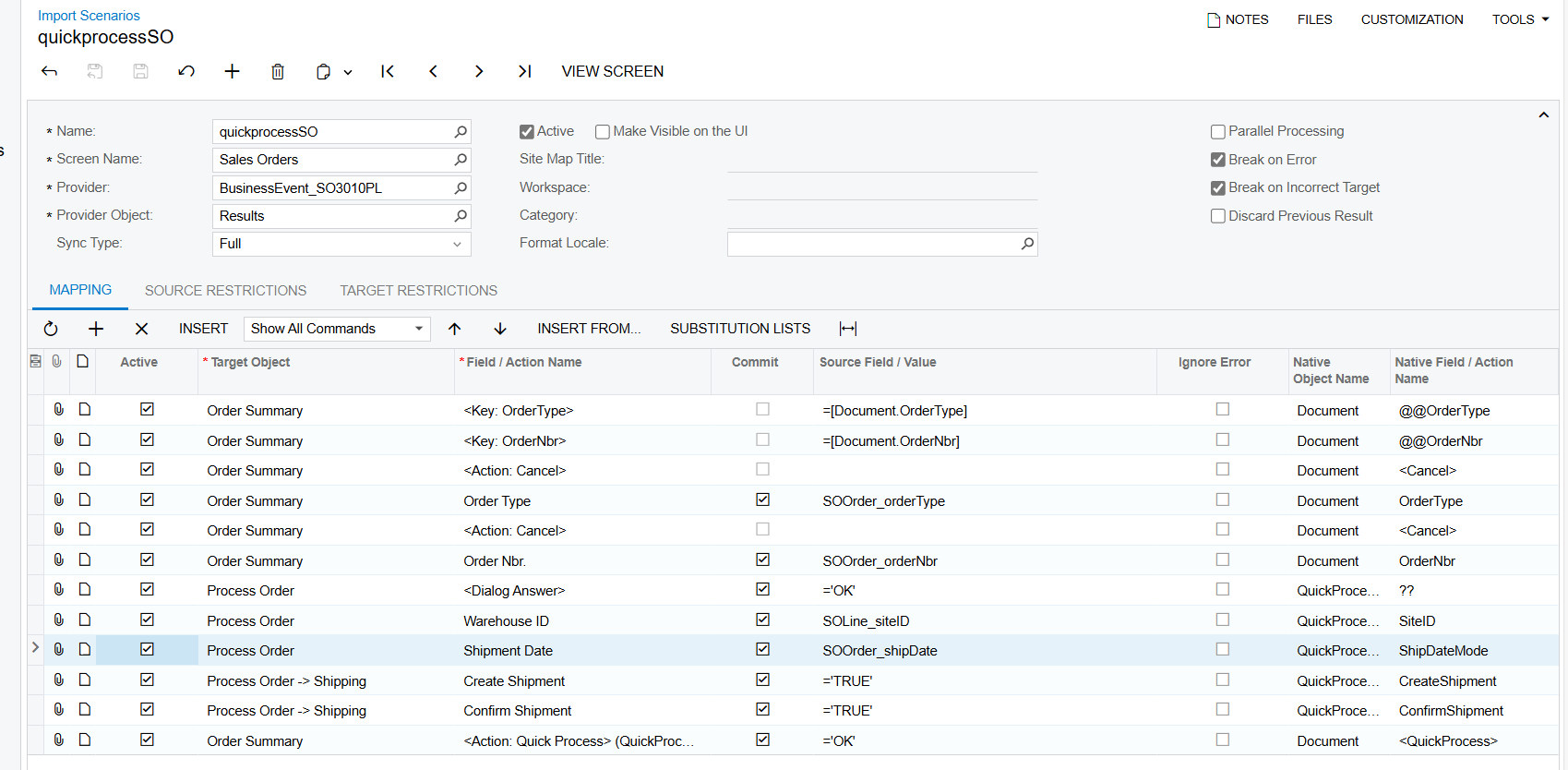
I want to create a business event where, if the Sales Order (SO) type is "SO" and the status is "Open," the system will automatically quick process to create and confirm the shipment. I have created an import scenario, but it is not working even though the business event history shows success. Could you please point out where I might have gone wrong?


Best answer by Manikanta Dhulipudi

​@hthuy24 

https://community.acumatica.com/import-and-export-scenarios-117/import-using-quick-process-in-sales-order-6795


View original

5 replies

dcomerford
Captain II
Forum|alt.badge.img+16
  • Captain II
  • Mar 31, 2025 12:06 PM UTC

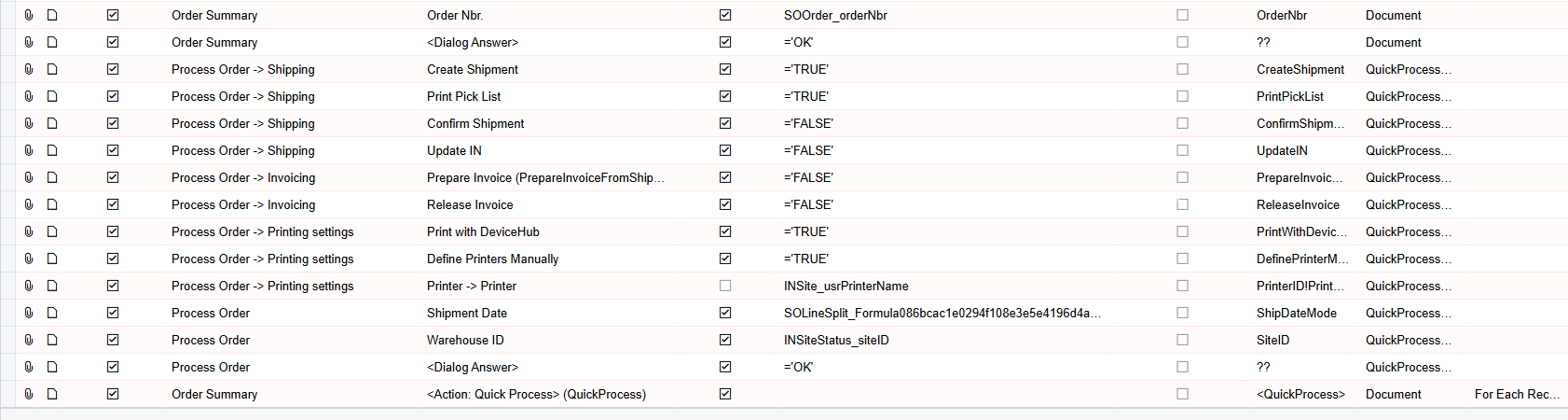
​@hthuy24 I think your order is slightly off see below, I am creating Shipment and Printing the Pick List through device hub (slightly different options to you) but it works


Translate

Forum|alt.badge.img
  • Author
  • Jr Varsity III
  • Apr 1, 2025 2:27 AM UTC

​@hthuy24 I think your order is slightly off see below, I am creating Shipment and Printing the Pick List through device hub (slightly different options to you) but it works


Thanks ​@dcomerford , even if I copy exactly what you do, my import scenarios are still the same. Do you have any ideas?

Translate

dcomerford
Captain II
Forum|alt.badge.img+16
  • Captain II
  • Apr 1, 2025 4:05 PM UTC

​@hthuy24 Can you share the versions based on what i suggested and i can try them locally

Translate

Forum|alt.badge.img
  • Author
  • Jr Varsity III
  • Apr 2, 2025 2:29 AM UTC

​@hthuy24 Can you share the versions based on what i suggested and i can try them locally

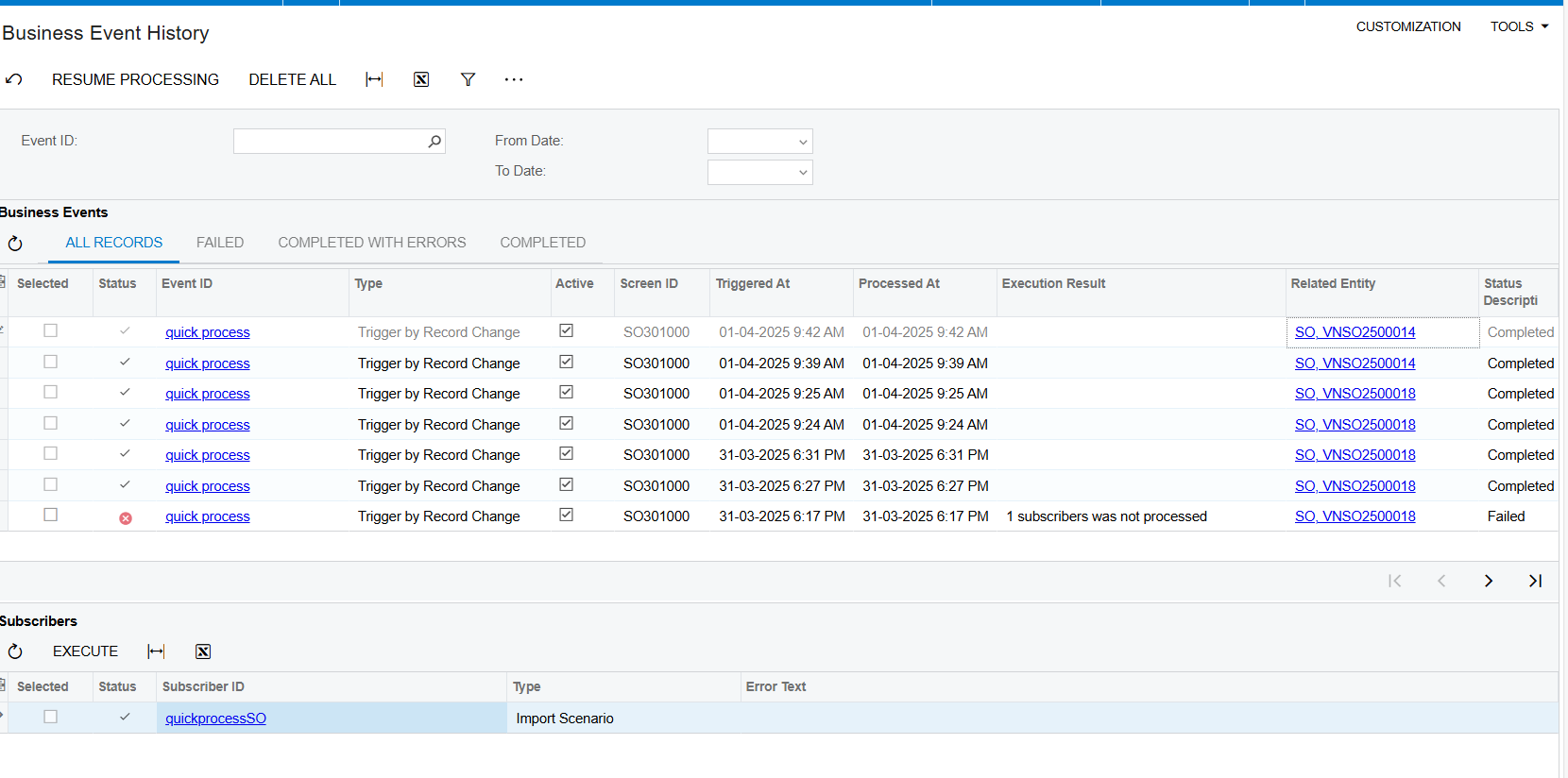
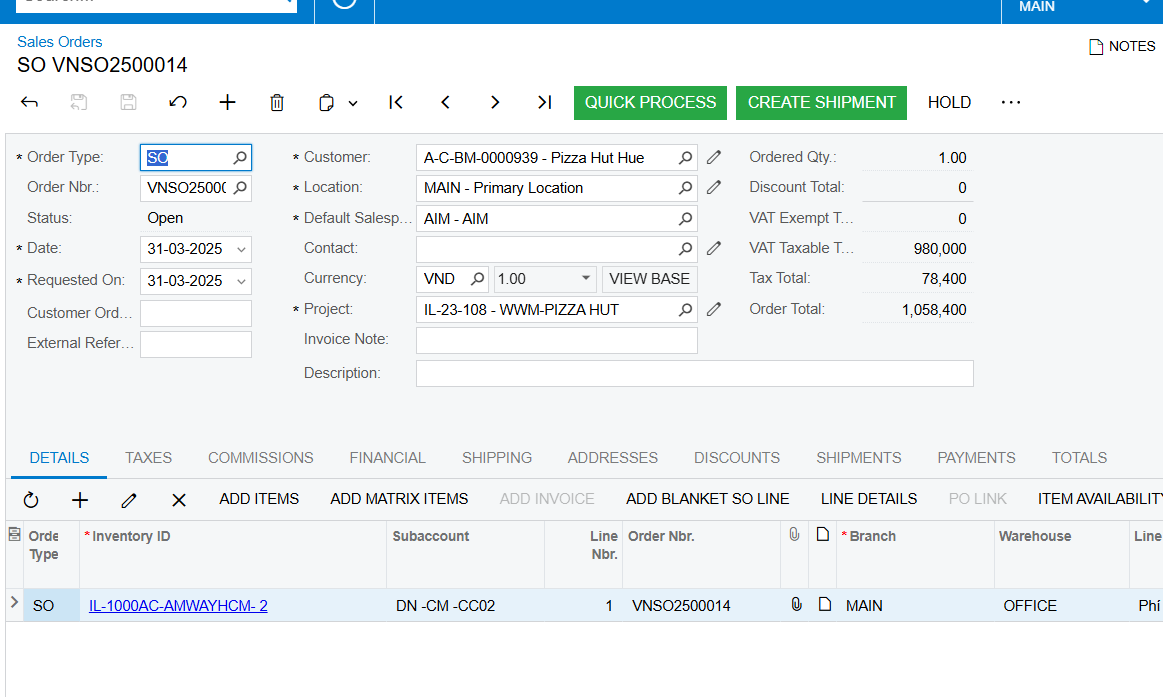
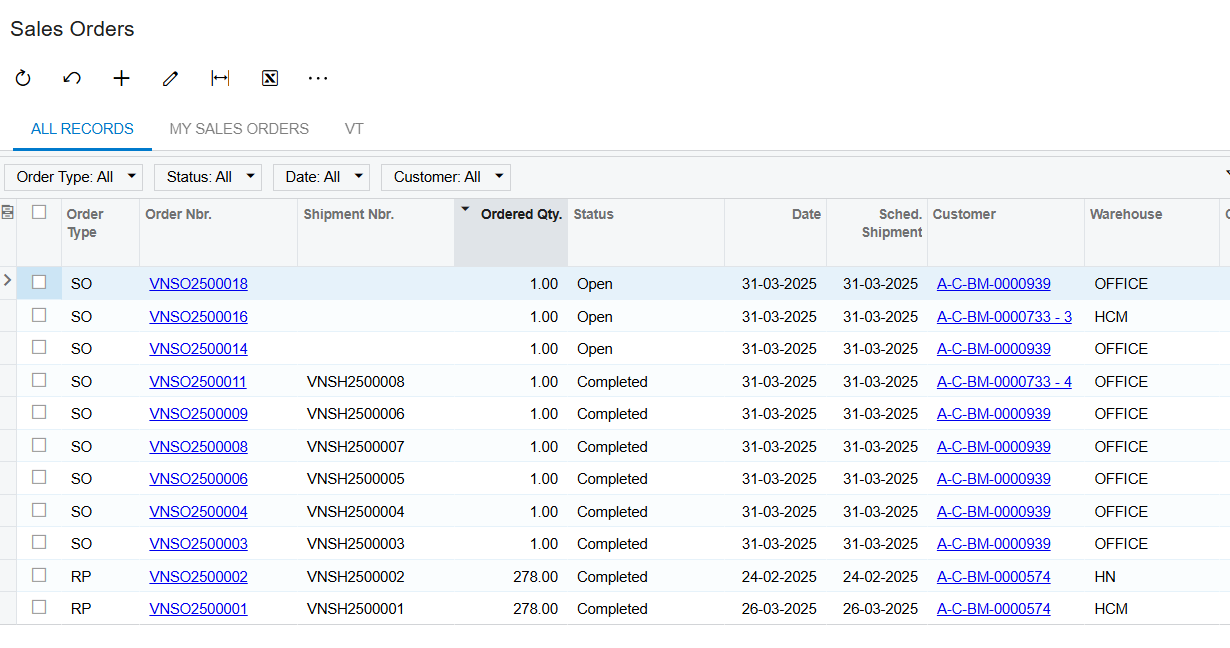
Pls help me me check, thanks in advanced, as the image below, you can see the business event success but the SO still open


Translate

Manikanta Dhulipudi
Captain II
Forum|alt.badge.img+16