Question

Is my automation schedule behaving as it should?

  • Nov 10, 2026 1:06 PM UTC
  • 4 replies
  • 21 views
  • Translate All

Forum|alt.badge.img+1

I have an automation schedule to prepare and import an import scenario. The prepare and import steps are 2 different schedules since the Prepare and Import function doesn’t work well in 2025R1. 

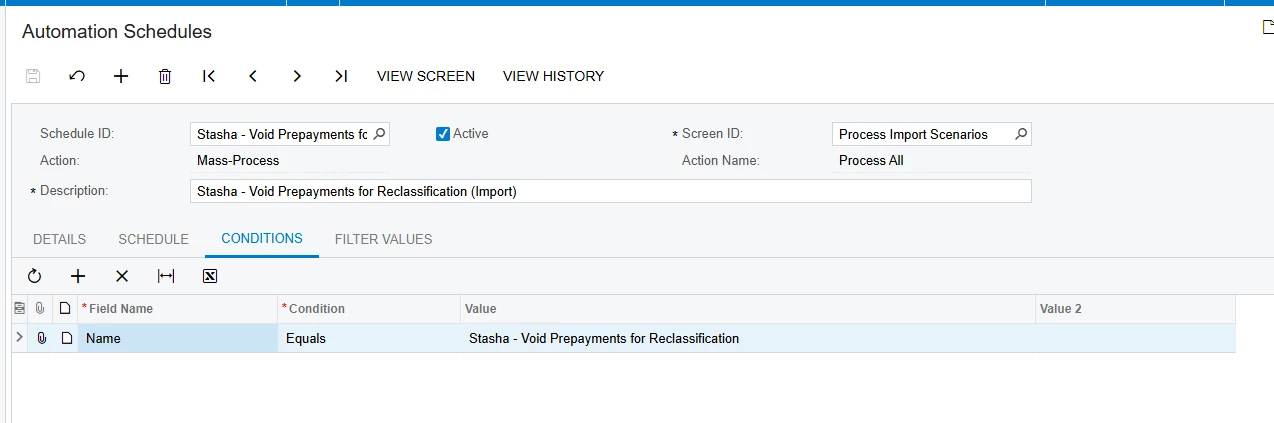
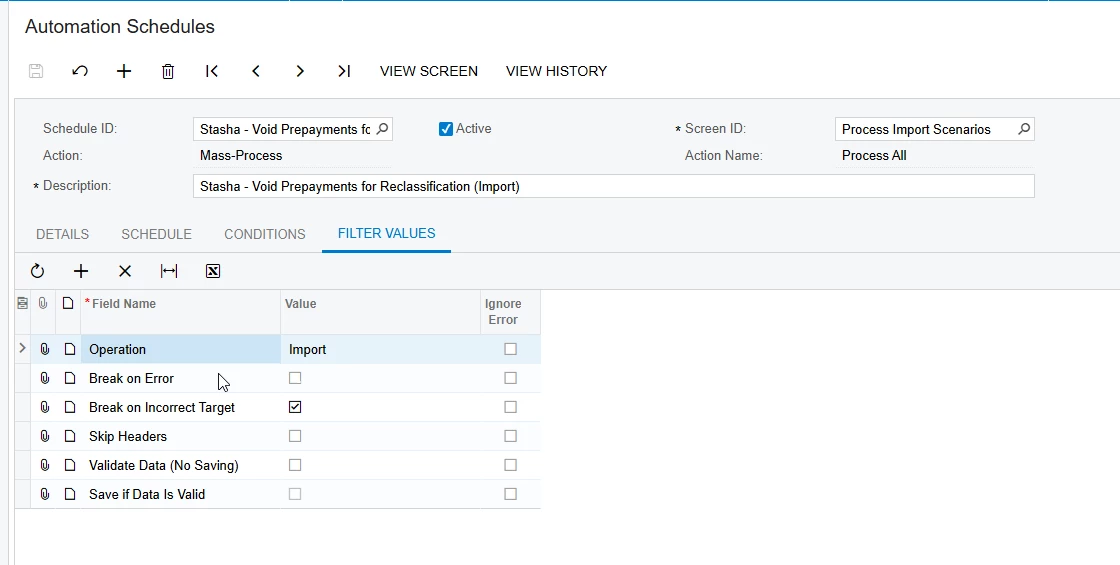
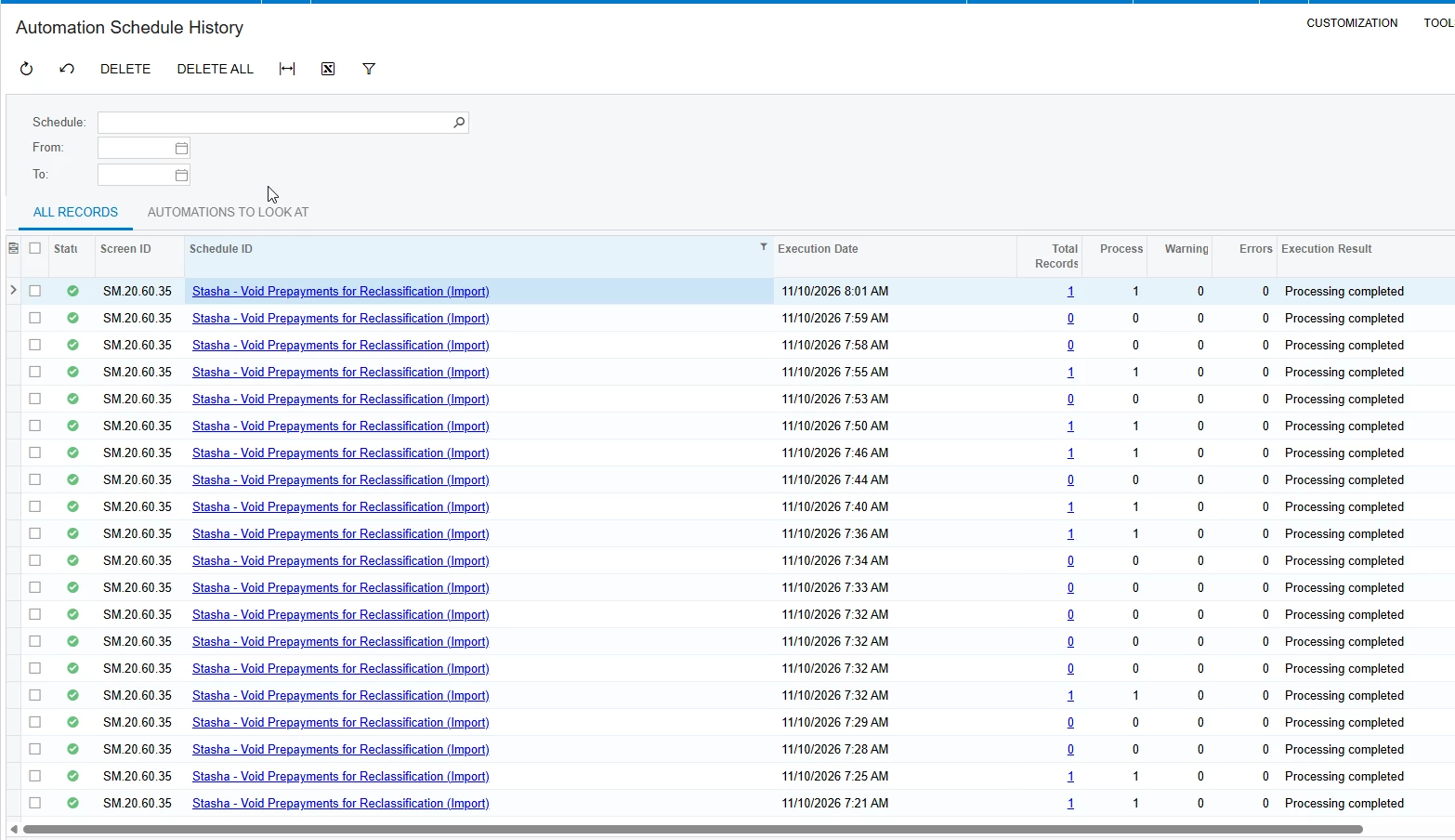
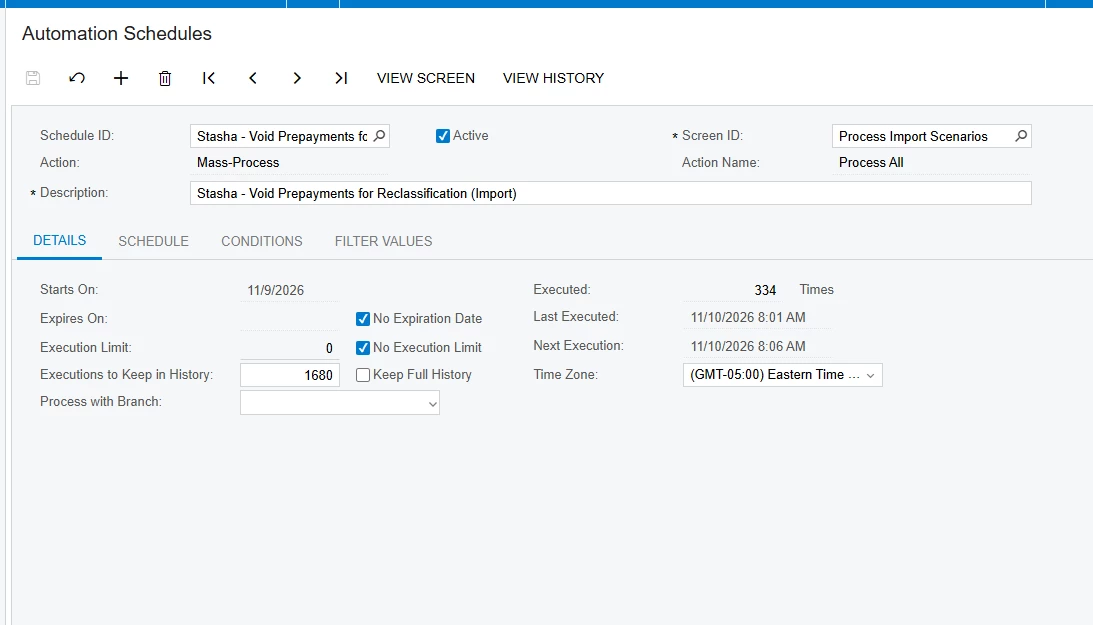
The prepare schedule is running as it should (every 5 minutes) but it looks like the import schedule is running more frequently. Below are screen shots of how the automation schedule is set up and the history.
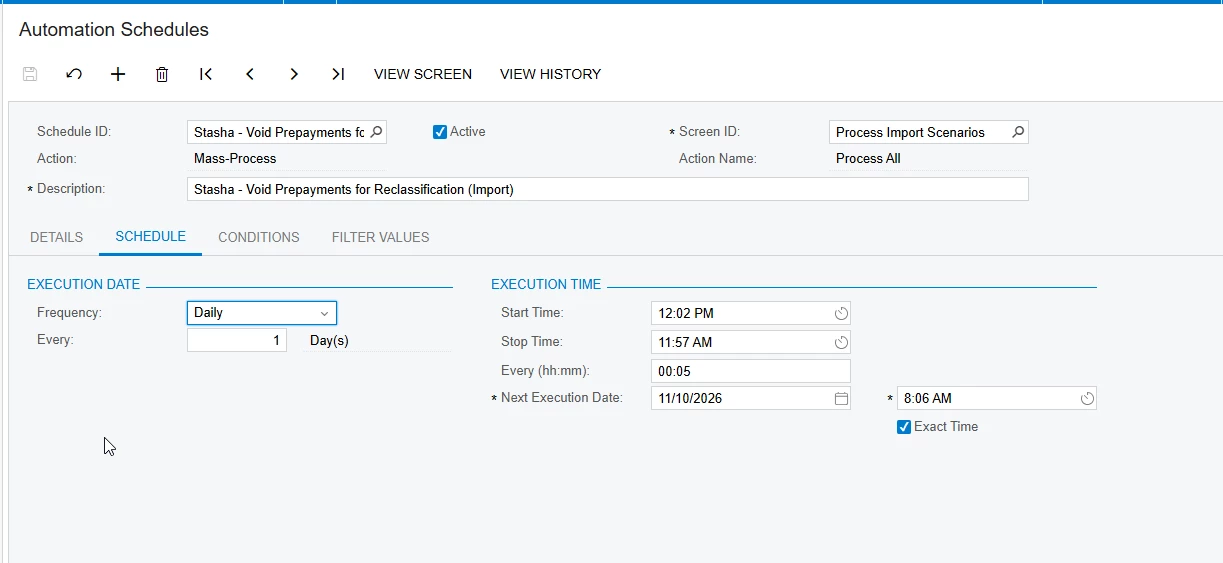
 

The schedule XSLX is also attached if that is easier to see.

Is this expected behavior or do I need to tweak my automation schedule? 

4 replies

I would recommend verifying that there are no other active automation schedules configured to run the same import scenario.

Translate

Forum|alt.badge.img+1
  • Author
  • Semi-Pro I
  • Nov 10, 2026 2:12 PM UTC

I would recommend verifying that there are no other active automation schedules configured to run the same import scenario.

Well as I explained in my post there are 2 automations that run this import scenario. One to prepare and one to import. The one to prepare is functioning as it should in the correct time interval. But in regards to a THIRD schedule running, I’m unable to find one. 

Translate

rkenna
Captain II
Forum|alt.badge.img+5
  • Captain II
  • Nov 10, 2026 2:51 PM UTC

​@SBaldwin, I would check your conditions. By looking at it, it does not appear that value is from the schema and therefore will need some ‘ ‘ around the value, and perhaps an = depending on the formatting of the field.

I would also check your timing on the prepare vs process. Ensure those are a few minutes apart so they do not try to overlap and prevent running.

-RJ

Translate

Steve Milner
Varsity III
Forum|alt.badge.img+7

@SBaldwin, this isn't expected, and it isn't a third schedule. Every extra row in your export carries this schedule's ID.

On 11/9 it ran every 5 minutes on the dot until midnight. At 12:02 AM it fired four times inside a second, then the gaps went 1, 2, 4, 8 and on up to 256 seconds, and kept doubling and wrapping past 5 minutes. Between 12:02 AM and 8:02 AM it ran 220 times. Every 5 minutes is 96.

The cause is how the next run is calculated when Exact Time is checked (AUScheduleExtensions.AddInterval). It snaps back to the Start Time grid using the absolute difference in clock time. A run earlier in the day than the Start Time snaps the wrong way, and with a 12:02 PM start that's every run from midnight to noon. The next run then lands only as far out as the current one started late, and that lateness doubles each time. It's the same code from 25.101 through 26.200.

Keep Exact Time, and change Start Time to 12:02 AM and Stop Time to 11:57 PM. You keep the same :02/:07 slots, and no run is earlier in the day than the Start Time. Check Next Execution after you save. Unchecking Exact Time also avoids it, but the help says runs can then shift by several minutes.

On RJ's timing point, keeping the two schedules a few minutes apart only works once the import stays on its slots, and this is what's been knocking it off after midnight. On the condition, 211 runs show Total Records 1, so it's finding the scenario as typed.

Translate