
Answer

IN302000 - Import scenario error for Inventory Issue

  • August 2, 2024
  • 3 replies
  • 210 views

jo70
Freshman II
Forum|alt.badge.img

Hi Acumatica community,

We are trying to create an Import Scenario for an ‘Issue’ / Screen: IN302000

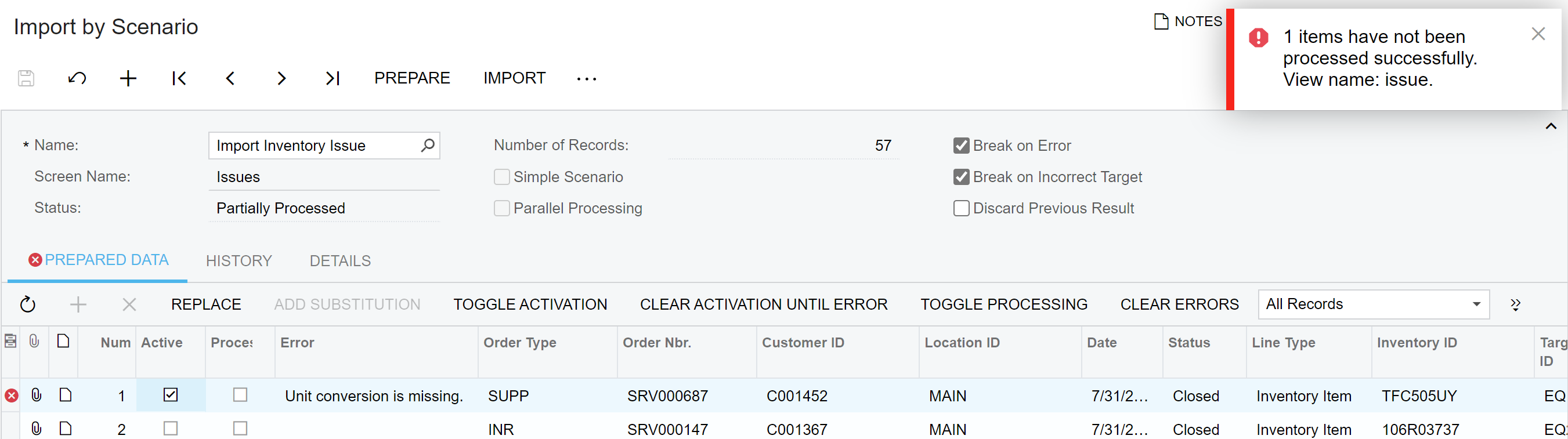
I need to auto-create some inventory issues after running some queries which let me know that stock was used for a certain Item class. I am getting an error message ‘unit conversion is missing.’

I am not sure if any one can share examples of this Import scenario or let me know what I can try to fix this error, or missing data possibly? Thank you in advance!!


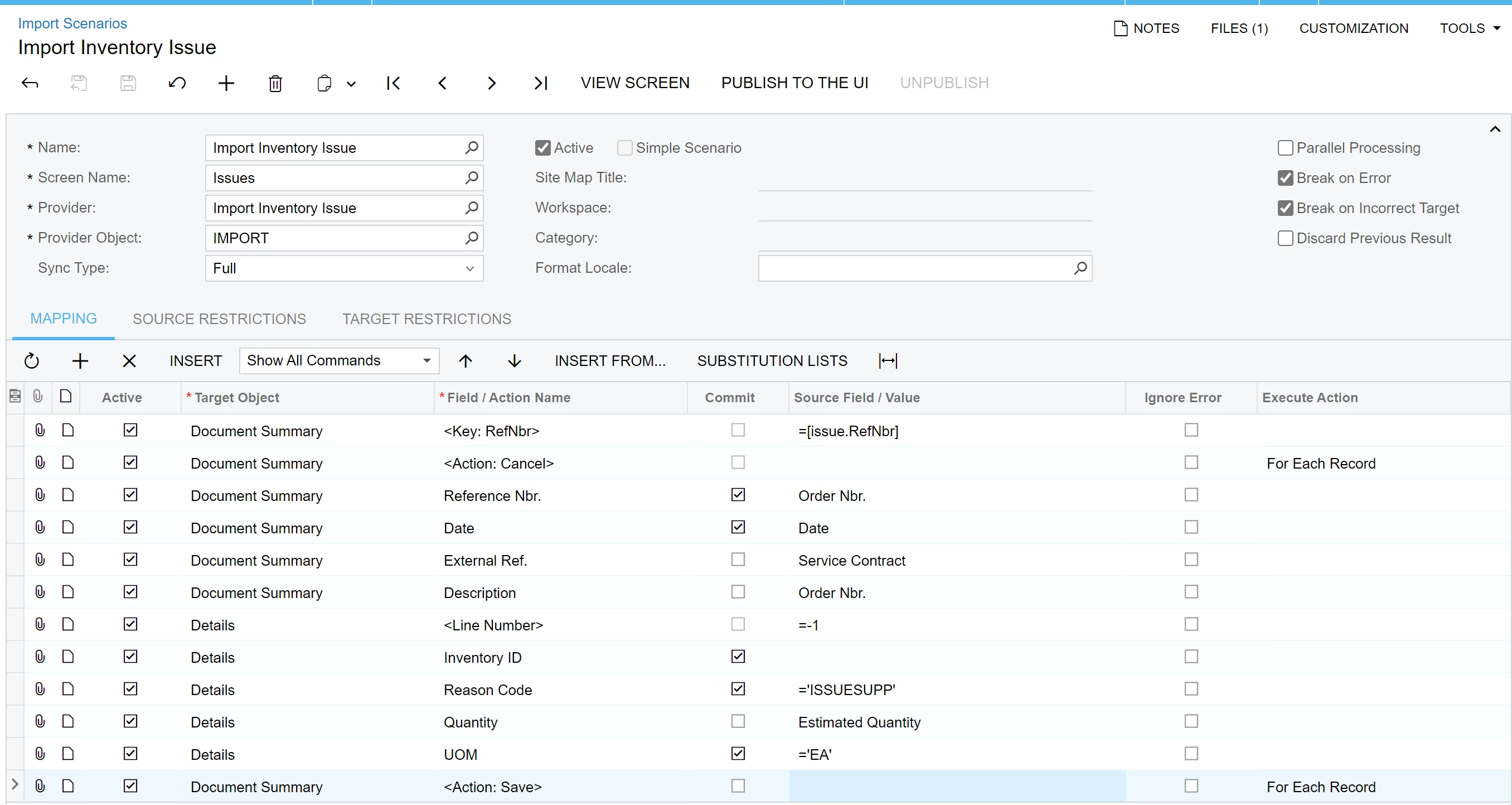
Import Scenario: Import Inventory Issue

(Should be an auto-number for the Inventory Issue# / Ref Nbr. - Do I leave this blank?)
 

Import Error: “unit conversion is missing”
 

Best answer by dcomerford

You have not got the InventoryID mapped to the column on your spreadsheet on your screenshot.

3 replies

riglesias
Acumatica Employee
Forum|alt.badge.img+2
  • Acumatica Employee
  • August 2, 2024

Hi @jo70 ,


Import scenario mapping looks fine. The error is probably related to configuration. If you manually mimic the actions from the import scenario under issues screen? If you do then I would check under Units of Measure screen to see if the corresponding unit conversion is setup for the item.

Hope this helps.


dcomerford
Captain II
Forum|alt.badge.img+15
  • Captain II
  • Answer
  • August 2, 2024

You have not got the InventoryID mapped to the column on your spreadsheet on your screenshot.


jo70
Freshman II
Forum|alt.badge.img
  • Author
  • Freshman II
  • August 2, 2024

Yes, I am missing the Inventory ID (I can’t believe I missed that) - it works now!