Answer

Importing Vendors 2022 R1. New Vendors

  • December 26, 2022
  • 9 replies
  • 280 views

Forum|alt.badge.img

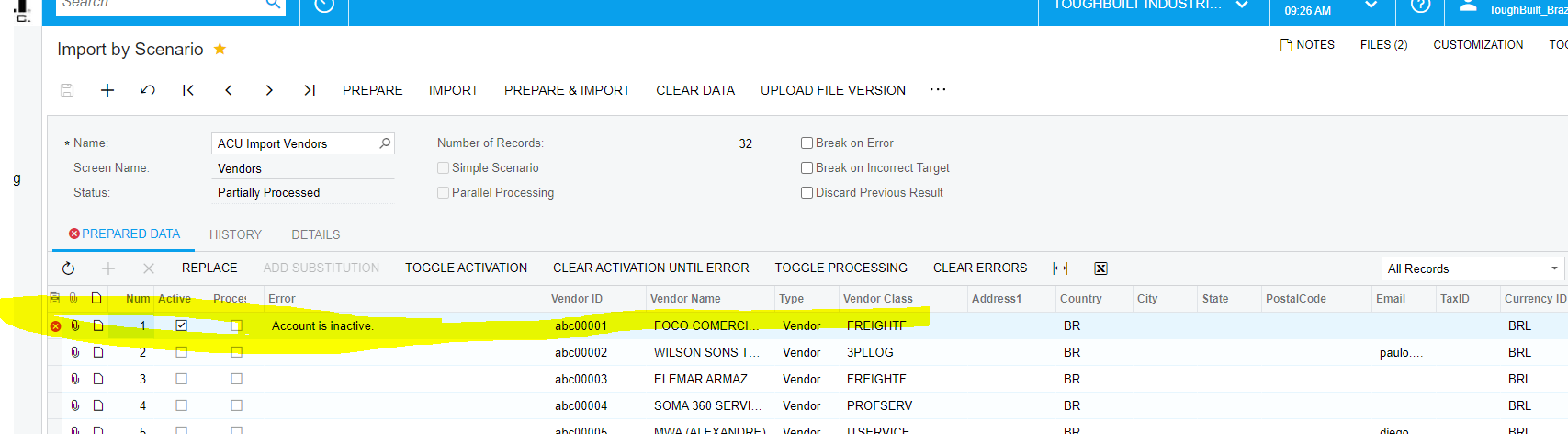
Good day,  All my import vendor and customer scenarios have changed when we upgraded to 2022 R1.  I am trying to load new vendors.  The error message BAccount is Inactive.  it is a new account.


see the attached HTML


Your assistance is greatly appreciated.

Evan


Best answer by Manikanta Dhulipudi

Hello @EvanG 

Few suggestions

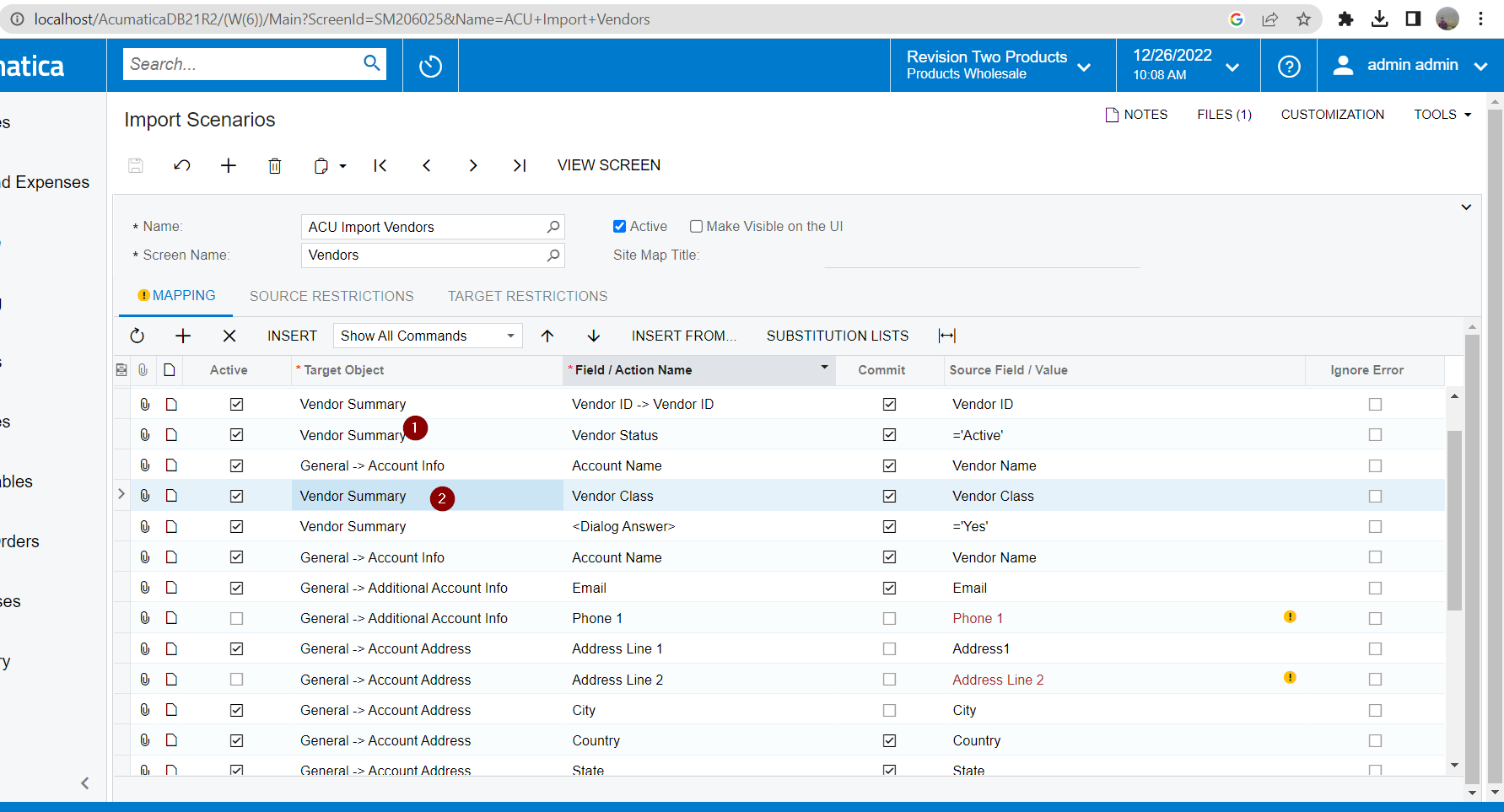
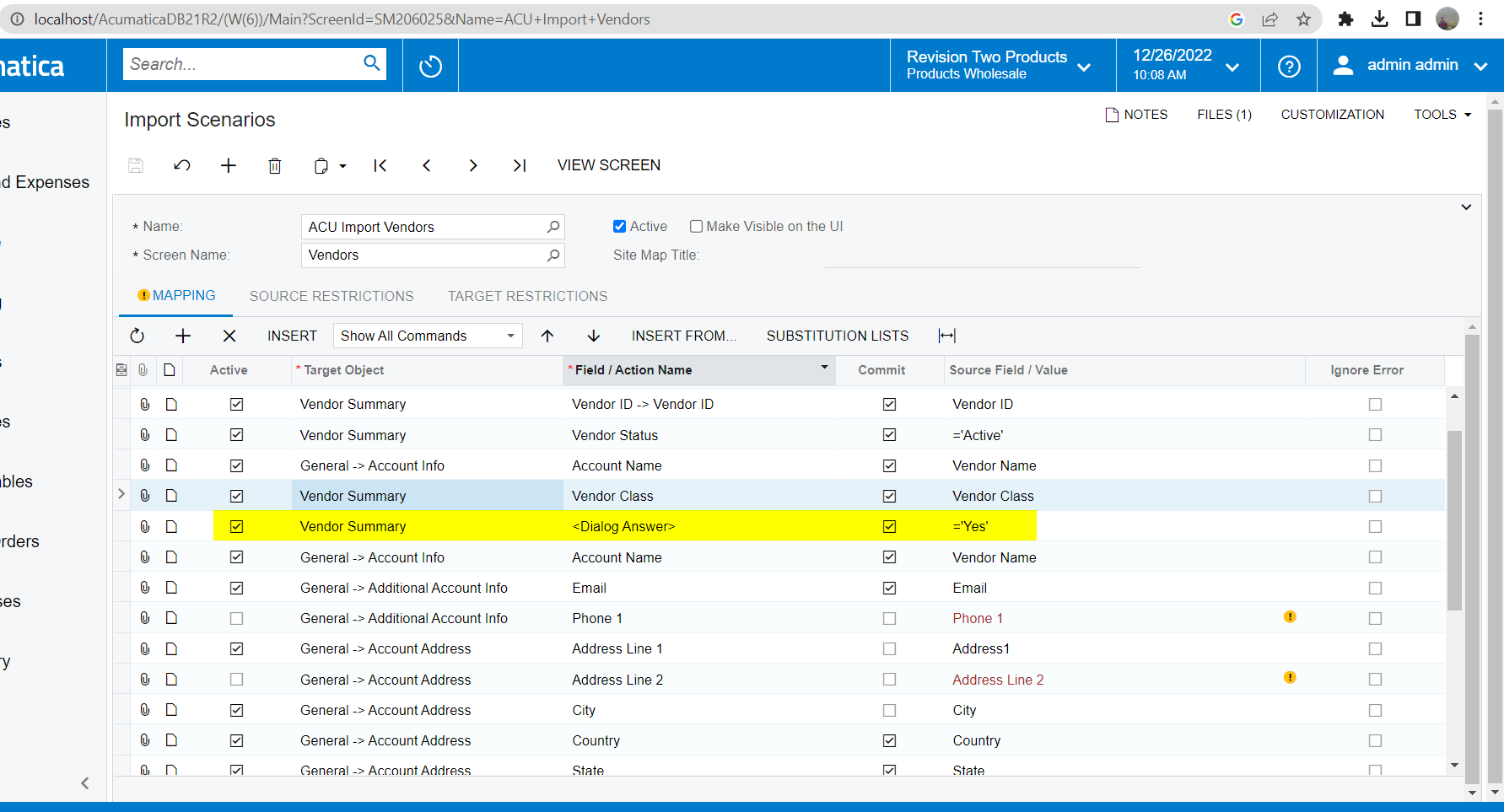
  1. Remove vendor Status inActive from the Mapping
  2. Bring Vendor summary for loading vendor class top In the Import scenario


Query: Are you importing New vendor or Updating vendor class to existing customers,

May I know the reason for below Mapping


Thanks

9 replies

Manikanta Dhulipudi
Captain II
Forum|alt.badge.img+15

Hi @EvanG 

I dont see any Issue while creating vendor in Import scenario.

Can you try below suggestions and check once


Forum|alt.badge.img
  • Author
  • Varsity I
  • December 26, 2022

Thank you

Same error; Account is Inactive.  

Any thing else.  Am I missing something?


Manikanta Dhulipudi
Captain II
Forum|alt.badge.img+15

Hi @EvanG Is it happening same for all vendors? Can you confirm if that vendor is not presented in the system?

Thanks


Forum|alt.badge.img
  • Author
  • Varsity I
  • December 26, 2022

It is happening to 17.  I some data errors that I can fixed.  

See the results attached.

Thank you

@manikantad18 


Manikanta Dhulipudi
Captain II
Forum|alt.badge.img+15

Hello @EvanG 

Few suggestions

  1. Remove vendor Status inActive from the Mapping
  2. Bring Vendor summary for loading vendor class top In the Import scenario


Query: Are you importing New vendor or Updating vendor class to existing customers,

May I know the reason for below Mapping


Thanks


riglesias
Acumatica Employee
Forum|alt.badge.img+2
  • Acumatica Employee
  • December 26, 2022

Hi @EvanG ,


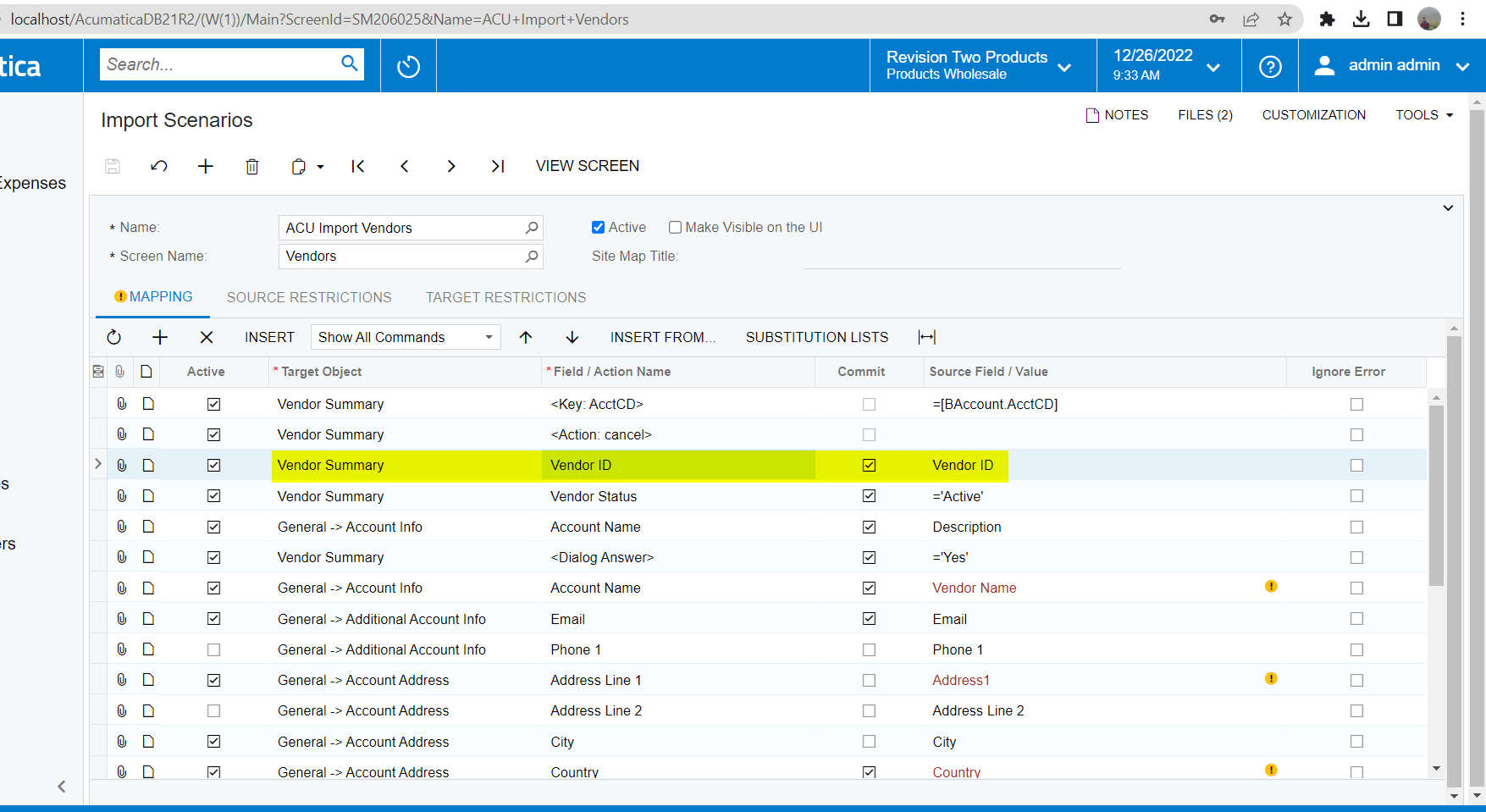
I restored your scenario in my demo and it worked fine. The only thing I changed was the Vendor class to match the one from my demo.


Have you tried to manually do the same as the import scenario under customers screen to see if you get the same error? 


Forum|alt.badge.img
  • Author
  • Varsity I
  • December 26, 2022

Thank you.  I appreciate your assistance.

The changes you suggested didn’t work.  I am trying to add new vendors.  I didn’t try it with customers screen as of yet.  Will that work?


riglesias
Acumatica Employee
Forum|alt.badge.img+2
  • Acumatica Employee
  • December 26, 2022

Hi @EvanG

Sorry I meant Vendors screen. The purpose of manually creating one Vendor under vendors screen using the same data as the one from your import scenario is to verify if you get the same error there. Since your scenario worked in my demo without changes to the mapping (just vendor class value) it’s possible the problem it’s directly under Vendors screen and not the import scenario.

Hope this helps.


Forum|alt.badge.img
  • Author
  • Varsity I
  • December 26, 2022

@manikantad18 @riglesias Thank you both for your support and assistance.  i found that the issue was one of my COA Accounts was inactive; causing the error message.  As soon as I update the Vendor Class profile, the vendor accounts were created.

Happy Holidays and New Year.