

Solved

Importing contacts via the Vendor screen and setting the recipients for lien waivers

  • May 20, 2025
  • 5 replies
  • 82 views

Hello,

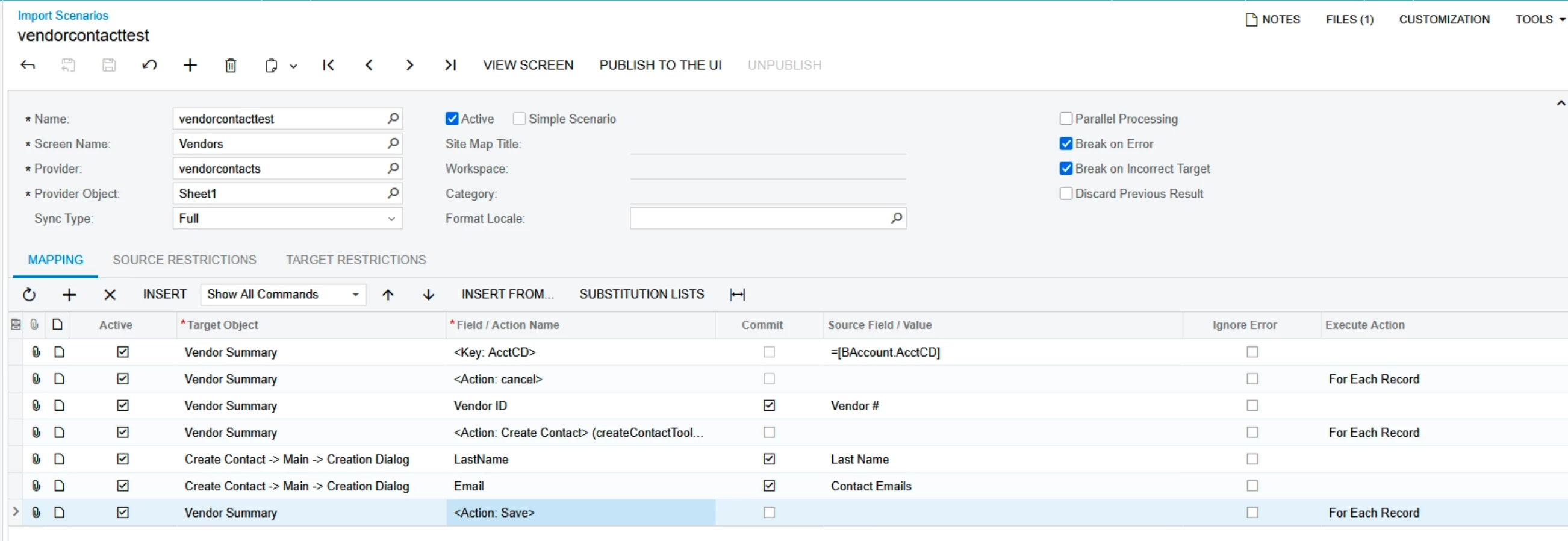
I’m working on an Import Scenario that would import vendor contacts and set the different lien waiver contacts in mailing and printing. I haven’t made it to the recipients part yet because I’m stuck on adding a new contact. I’ve prepped the import scenario below and it comes back with the error “Last name cannot be empty. I cannot tell if the scenario isn’t inputting the data or if it isn’t saving correctly. Could anyone please tell me what I’m missing here? Thank you!


Best answer by dcomerford

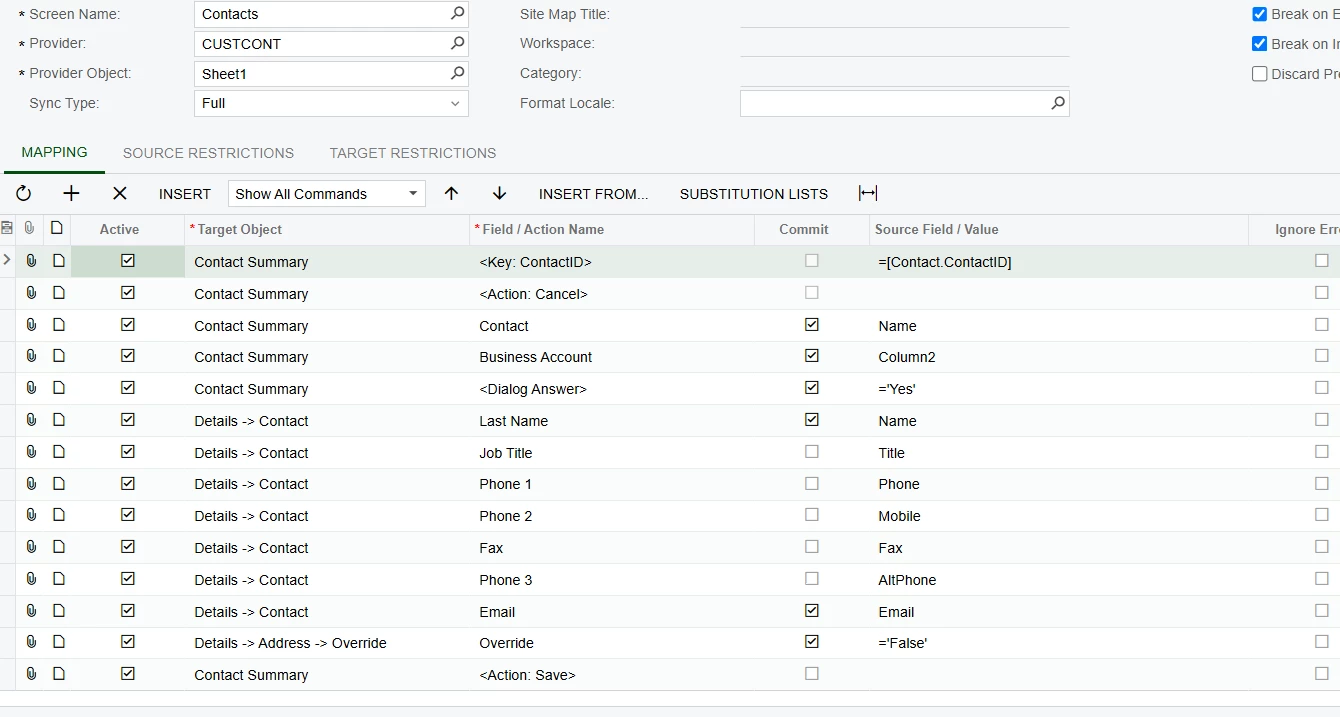
@jlongidm I dont believe you can import then through the Vendor the Import Scenario wont be able to handle the Action of Create Contact opening a new form. This is how i imported them before. The Business Account will link it to the Vendor


5 replies

dcomerford
Captain II
Forum|alt.badge.img+15
  • Captain II
  • Answer
  • May 21, 2025

@jlongidm I dont believe you can import then through the Vendor the Import Scenario wont be able to handle the Action of Create Contact opening a new form. This is how i imported them before. The Business Account will link it to the Vendor


  • Author
  • Freshman I
  • May 21, 2025

Thank you for this. I was able to get that running in a sandbox, but I don’t seem to have the Contacts screen in our production tenant. I’m hesitant to run this when I can’t see the screen. I’m thinking I might do this one by hand rather than an import scenario.


Thank you again for your help! It may not be usable in production (for my company specifically at the moment) but I did learn by going through this in sandbox using the example you provided.


dcomerford
Captain II
Forum|alt.badge.img+15
  • Captain II
  • May 21, 2025

@jlongidm No worries check the Site Map (it will be there but check it) and screen should be there and then check the access rights on the screen as it sounds like you role may have the access rights revoked for the screen.


  • Author
  • Freshman I
  • May 21, 2025

@dcomerford I did check, it is there and I set the permissions for it. I think I can’t see it because of licensing issue or lack of licensing. I can’t imagine why we’d need a license to use Contacts but it is what it is I suppose.


dcomerford
Captain II
Forum|alt.badge.img+15
  • Captain II
  • May 21, 2025

@jlongidm Actually it is controlled by licence you need Customer Management enabled in the CS100000 form

