Solved

Import using the load documents options on AR Payments screen

  • Jun 28, 2023 1:30 PM UTC
  • 2 replies
  • 235 views
  • Translate All

Forum|alt.badge.img

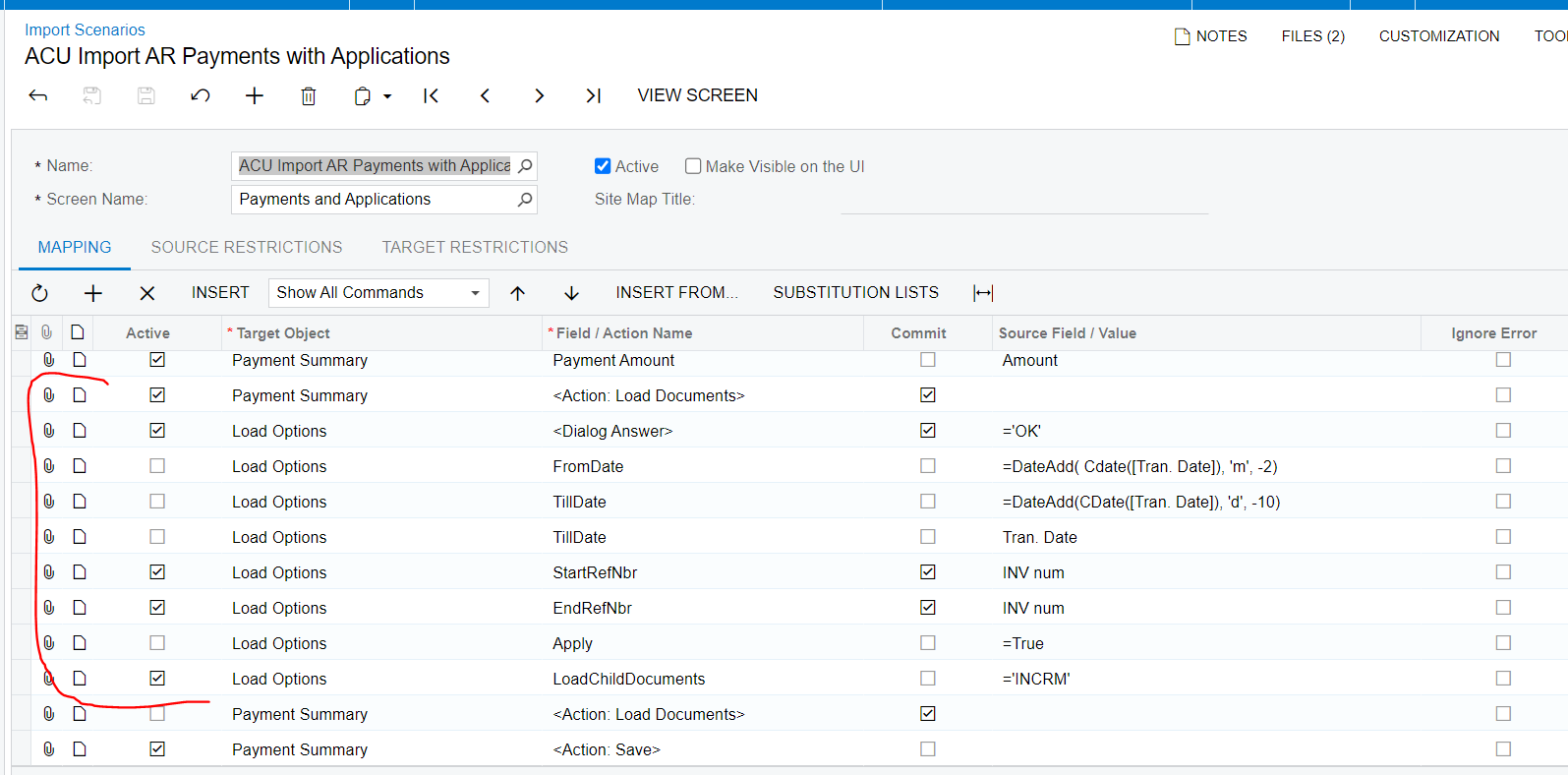
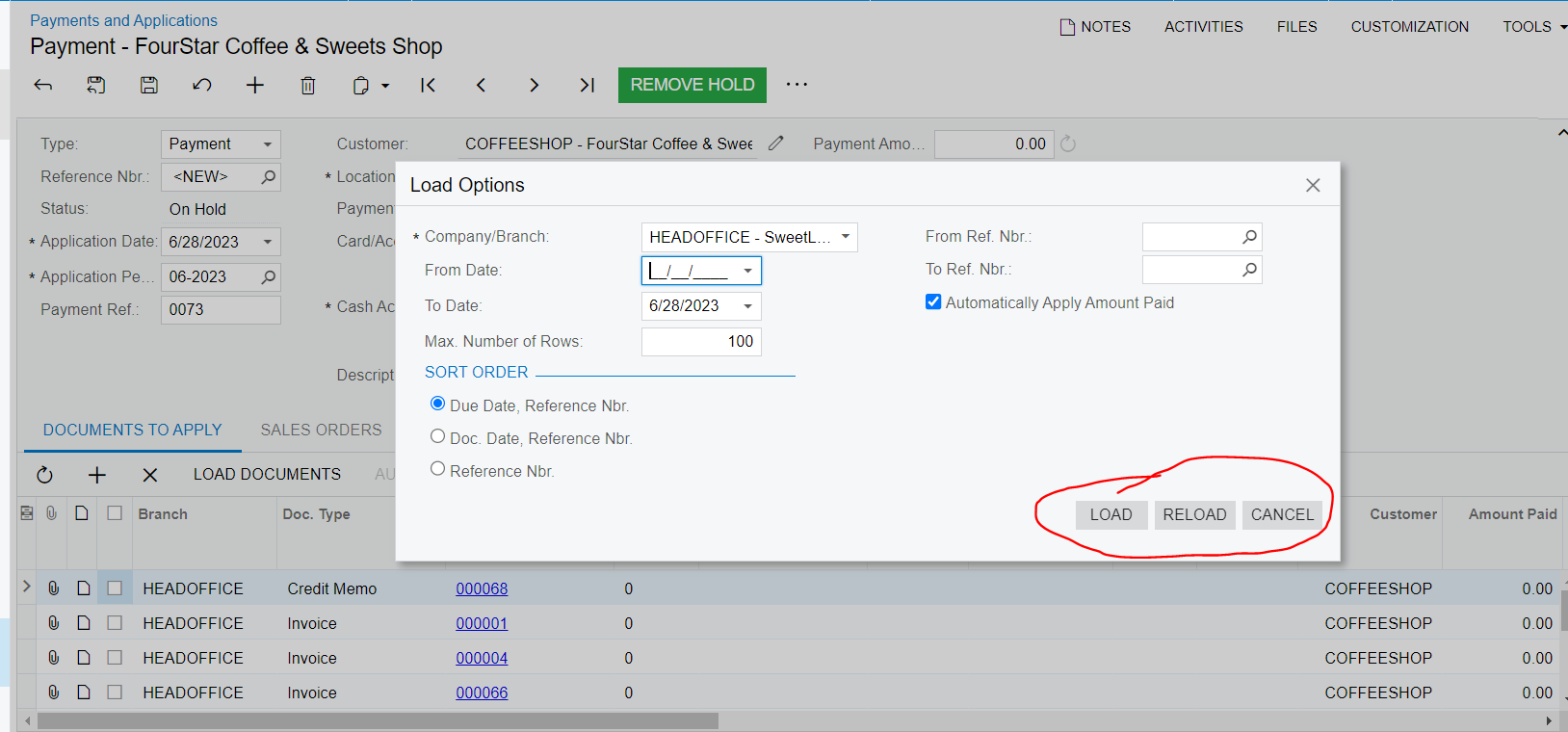
I am trying to create an import that will change the options on the dialog box called “Load Documents” on the AR Payments and Applications screen. 

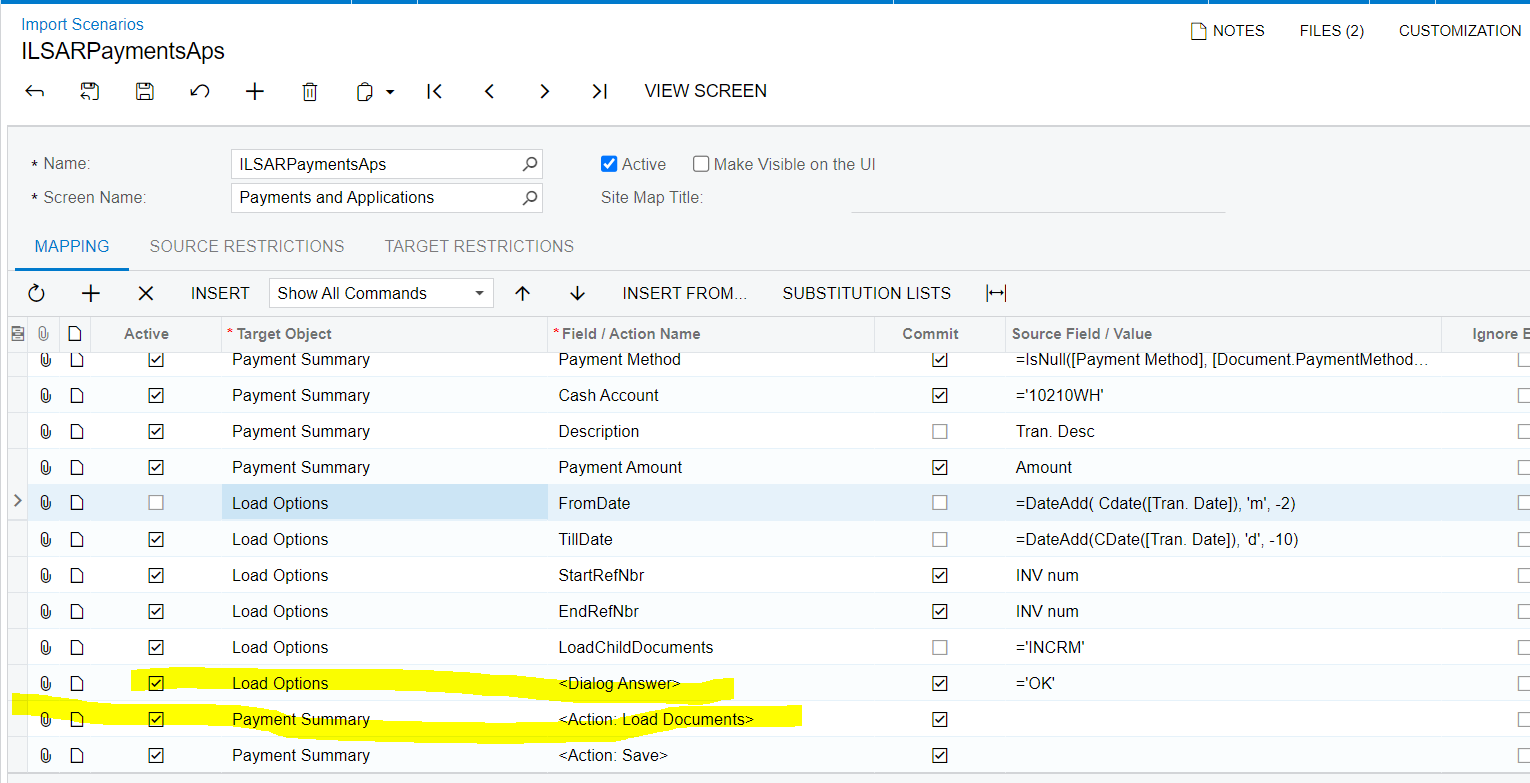
I found the load options on the import and the action to select the load documents button.  However I can not find the dialog that would allow to select load 

Has anyone been able to import to this dialog box and load it ?  Thank you. 
 

Best answer by alicia23

Got it!


View original

2 replies

Forum|alt.badge.img
  • Author
  • Jr Varsity III
  • Answer
  • Jun 28, 2023 2:11 PM UTC

Got it!


Translate

Chris Hackett
Community Manager
Forum|alt.badge.img
  • Acumatica Community Manager
  • Jun 28, 2023 4:39 PM UTC

Thank you for sharing your solution with the community @alicia23 !

Translate