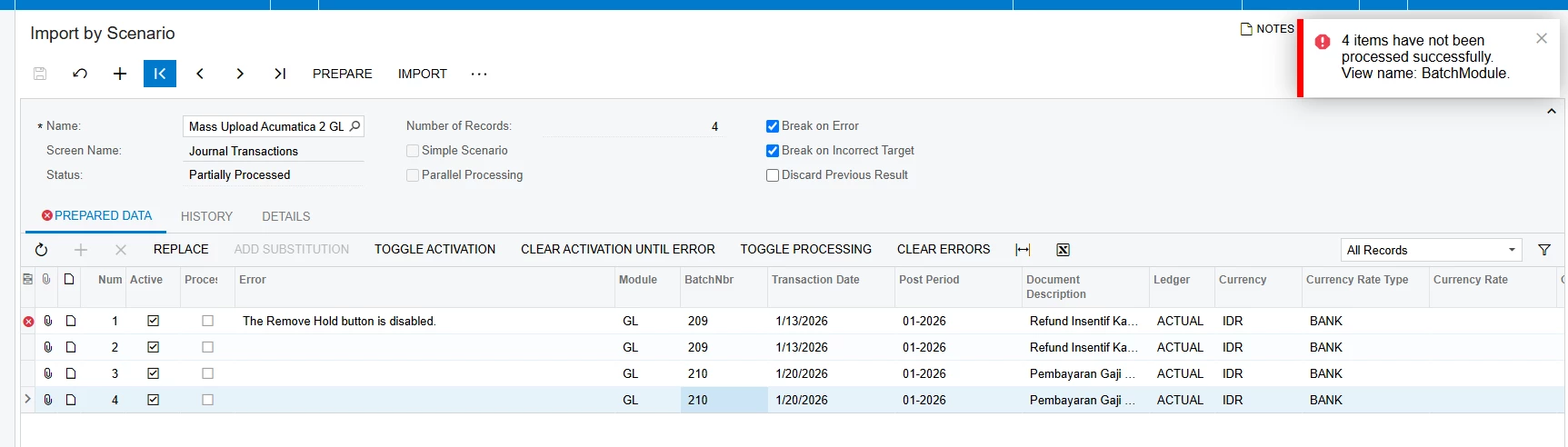
Hello everyone, So I want to import or upload Journal transactions by Import Scenario by transacation, but while i click “Import” there is an error “The Remove Button is Disabled”.
Here is the the capture of the error notifications
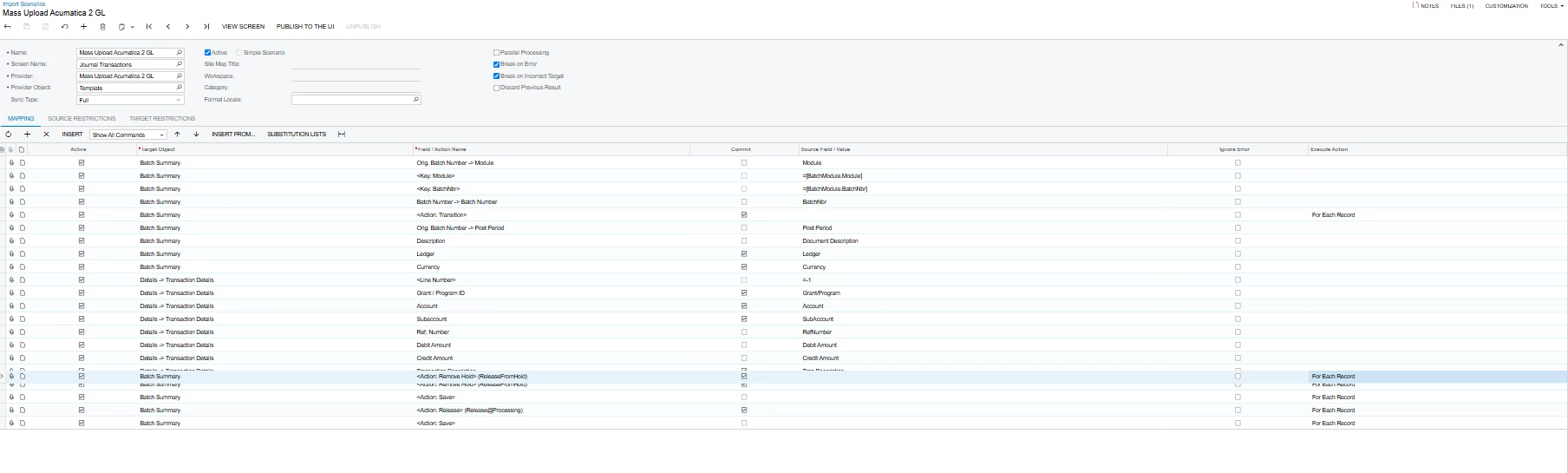
Here is mapping I create in Import Scenario
Please help me to solve this, because when I succeed import the transactions, I need to “Remove Hold” and “Release” the transactions one by one. I really appreciate you help, thank you.
Best answer by Naveen Boga
@dinda56 Your scenario is trying to execute:
Remove Hold
Save
Release
with for each record.
From your screenshot, the important part is: <Action: Remove Hold> (ReleaseFromHold) → For Each Record
An Acumatica document can only be taken off Hold once. If your Journal Transaction contains multiple detail rows, the import scenario can execute the Remove Hold action again while processing the next row. At that point, the batch is already off Hold, so Acumatica reports that the Remove Hold button is disabled.
This exact behavior has been reported with multi-line import scenarios: the recommended approach is to deactivate the Remove Hold action during the line import and remove Hold after the complete document has been imported.
From your screenshot, the important part is: <Action: Remove Hold> (ReleaseFromHold) → For Each Record
An Acumatica document can only be taken off Hold once. If your Journal Transaction contains multiple detail rows, the import scenario can execute the Remove Hold action again while processing the next row. At that point, the batch is already off Hold, so Acumatica reports that the Remove Hold button is disabled.
This exact behavior has been reported with multi-line import scenarios: the recommended approach is to deactivate the Remove Hold action during the line import and remove Hold after the complete document has been imported.