

Answer

Import TIme activities tied to cases

  • October 22, 2020
  • 6 replies
  • 465 views

Forum|alt.badge.img

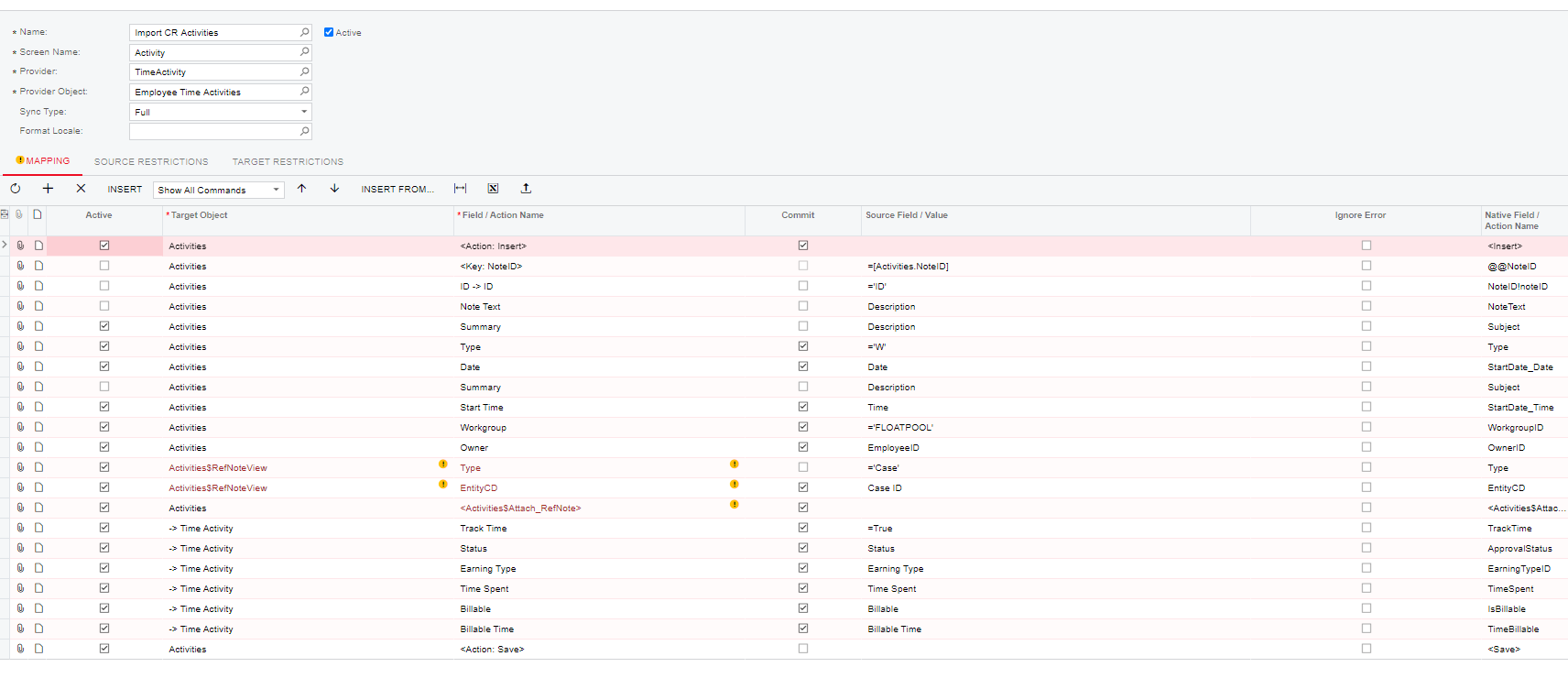
I am having an issue where only the first line or second line of my import scenario is attaching to my case and not both.  
 

Best answer by Irina

Hello there!

Could you please specify the build number of Acumatica where you importing records? Looks like the problem you describing is a known issue. Please find the solution and workaround for it in the Known issue: When an activity was imported by using an import scenario, the related entity for the activity was not updated knowledge base article.

6 replies

Irina
Community Manager
Forum|alt.badge.img+8
  • Acumatica Platform Analyst
  • Answer
  • October 28, 2020

Hello there!

Could you please specify the build number of Acumatica where you importing records? Looks like the problem you describing is a known issue. Please find the solution and workaround for it in the Known issue: When an activity was imported by using an import scenario, the related entity for the activity was not updated knowledge base article.


Forum|alt.badge.img
  • Author
  • Varsity I
  • October 28, 2020

We have tried many import scenarios and the one I have listed above is the closest we could get to actually working.  We tried building one on our own but the fields were not available (that is why we had to use some of the “hidden dev lines”.  Will take a look at the link provided and see if we can get it to work.  Thanks for the reply. 

Build 19.110.0013


Forum|alt.badge.img
  • Author
  • Varsity I
  • October 28, 2020

This fixed our issue with some tweaks.  Huge thanks.


Forum|alt.badge.img

Hi @Irina , we are a German partner implementing Haufe X360. We have the same issue in an import scenario, but unfortunatley I can’t open the thread. Could you post it here?


Forum|alt.badge.img

Or @cwomack98 - could you post your solution here?


Irina
Community Manager
Forum|alt.badge.img+8
  • Acumatica Platform Analyst
  • July 30, 2024

Hello @manuelschulze 

Please work with your TAM to get the access to the KB.
