Answer

import scenarios for Leads

  • March 8, 2022
  • 3 replies
  • 436 views

Forum|alt.badge.img

I have created a Import Leads Scenarios, but I’m unsure what to put for the source field/value for Lead ID. The below screenshots mapping works, but it’s actually inaccurate as it is possible for 2 person to have the exact same first name and last name. e.g. when import successfully with 2 records of the same first name and last name, the leads only show 1 record, but it should show 2 records.
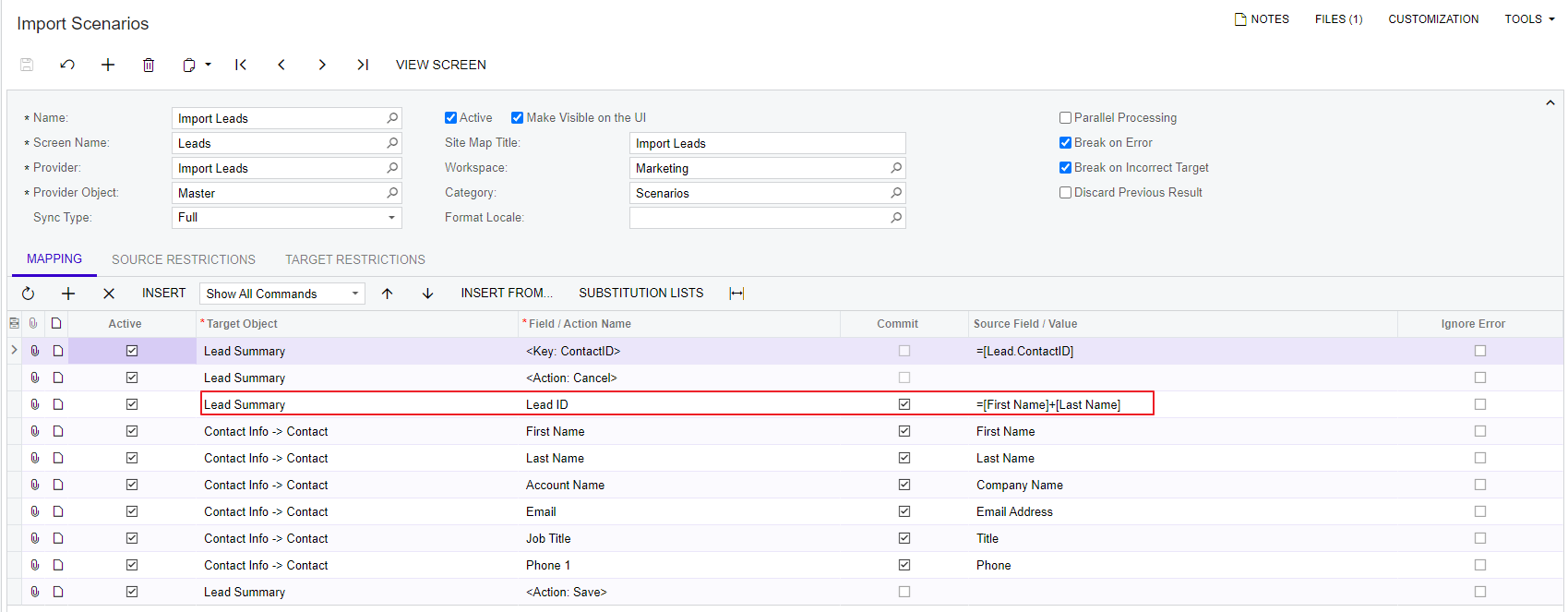
any idea how can I fixed this import scenarios? thx
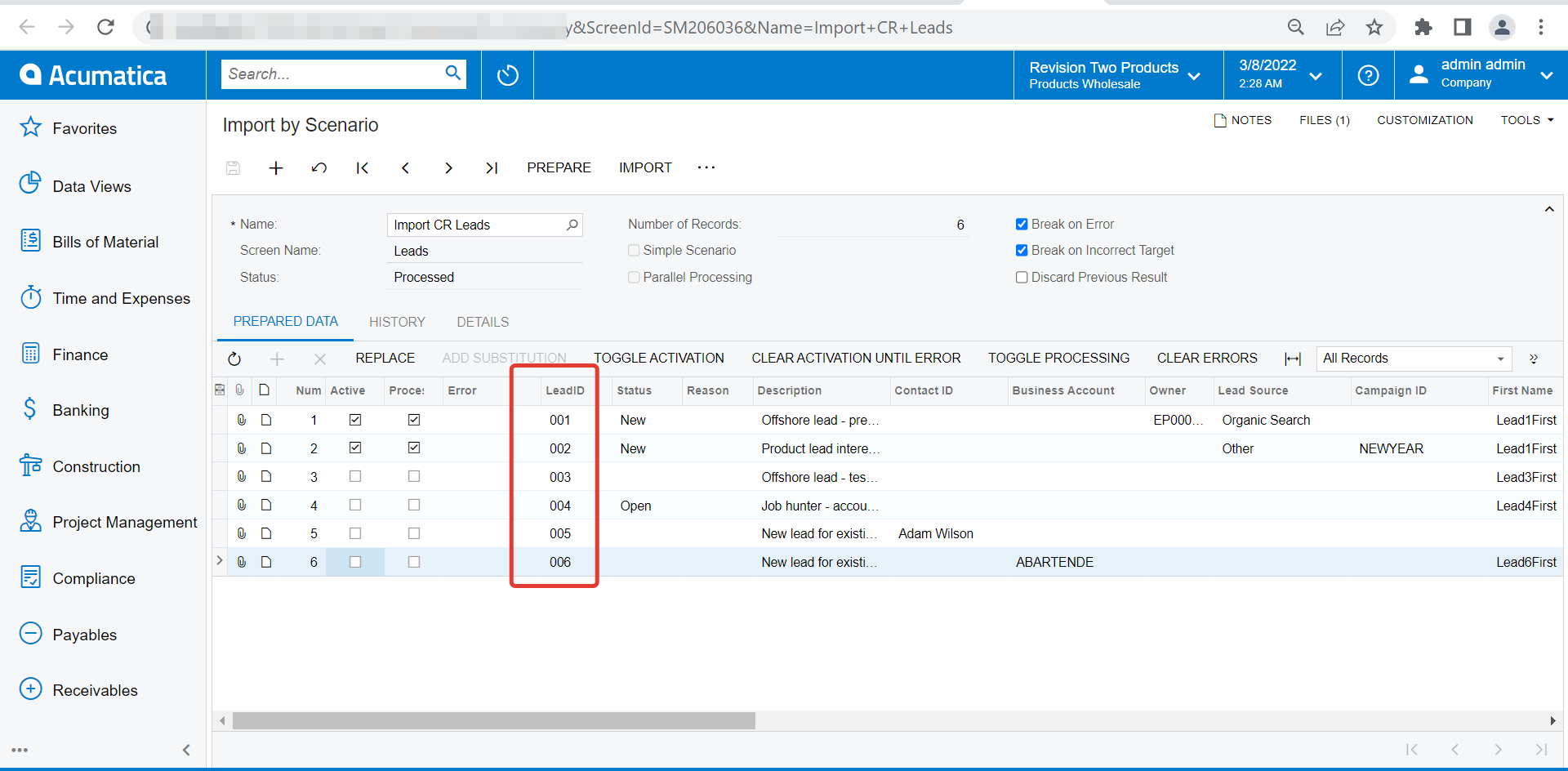
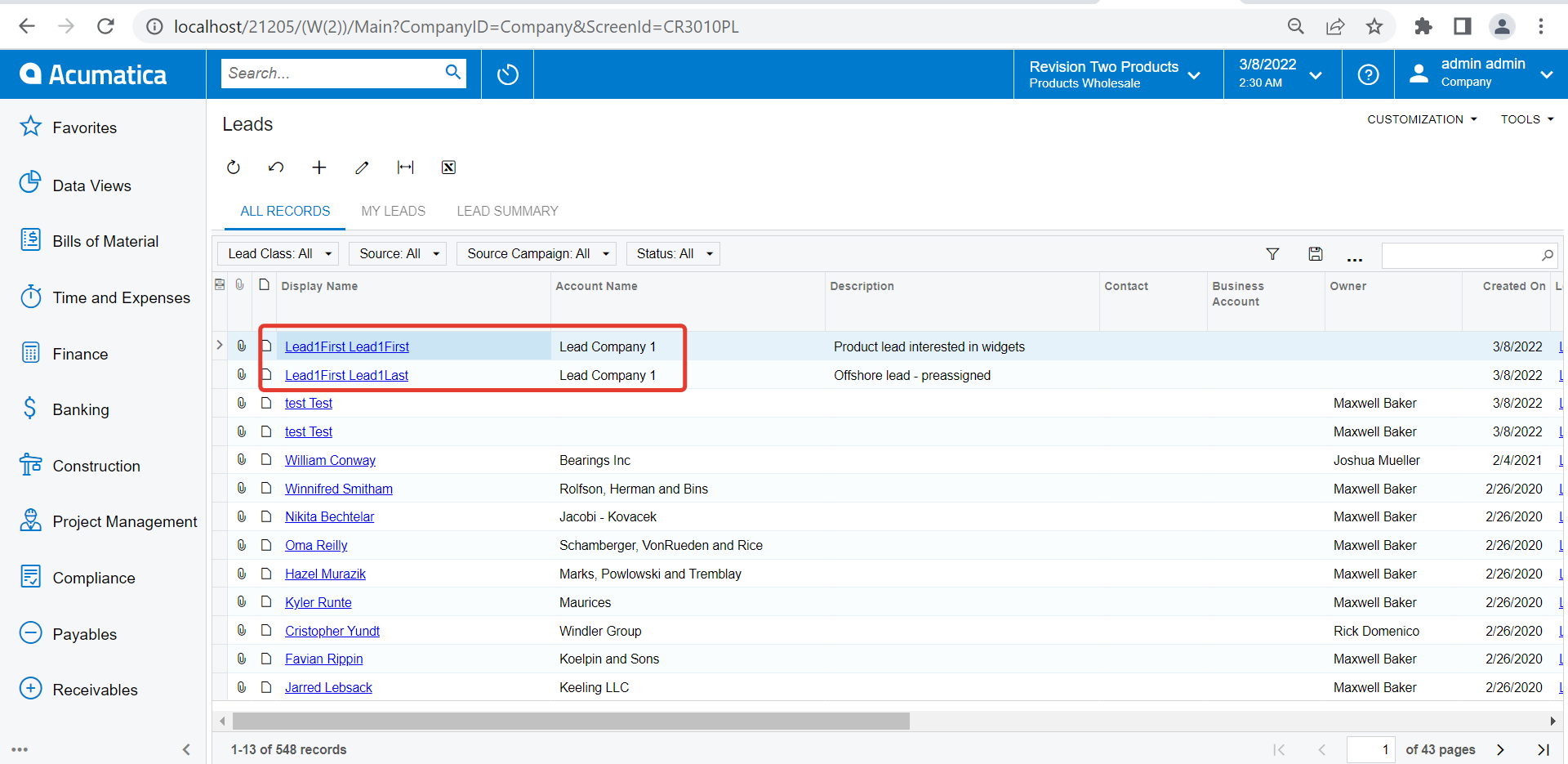
Best answer by vkumar

Hi @jechang 

Just set a unique reference number for Lead on our source file. 
Since Lead ID is always auto generated, based on above reference number it creates a new record even if first and last name of two Lead records are same. 

Hope this helps,

Regards,

3 replies

Forum|alt.badge.img+12
  • Acumatica Support Team
  • Answer
  • March 8, 2022

Hi @jechang 

Just set a unique reference number for Lead on our source file. 
Since Lead ID is always auto generated, based on above reference number it creates a new record even if first and last name of two Lead records are same. 

Hope this helps,

Regards,


DavidEichner
Captain II
Forum|alt.badge.img+13
  • Captain II
  • July 11, 2023

Anyone have a suggestion for how to define an Update import scenario to update Leads since Lead ID is created automatically?  Every time we run the import scenario it creates new leads instead of updating any existing leads that have the same email.


Omar Ghazi
Acumatica Moderator
Forum|alt.badge.img
  • Acumatica Moderator
  • July 20, 2023

@DavidEichner does your source file contain the Lead ID? The system should performs the scenario on existing records (based on Lead ID) if it finds them. Otherwise, it creates new records.