Question

Import scenario to void AR Prepayments

  • Nov 6, 2026 4:26 PM UTC
  • 2 replies
  • 13 views
  • Translate All

Forum|alt.badge.img+1

Hey everyone, I’m having trouble getting my import scenario to work to void prepayments. 
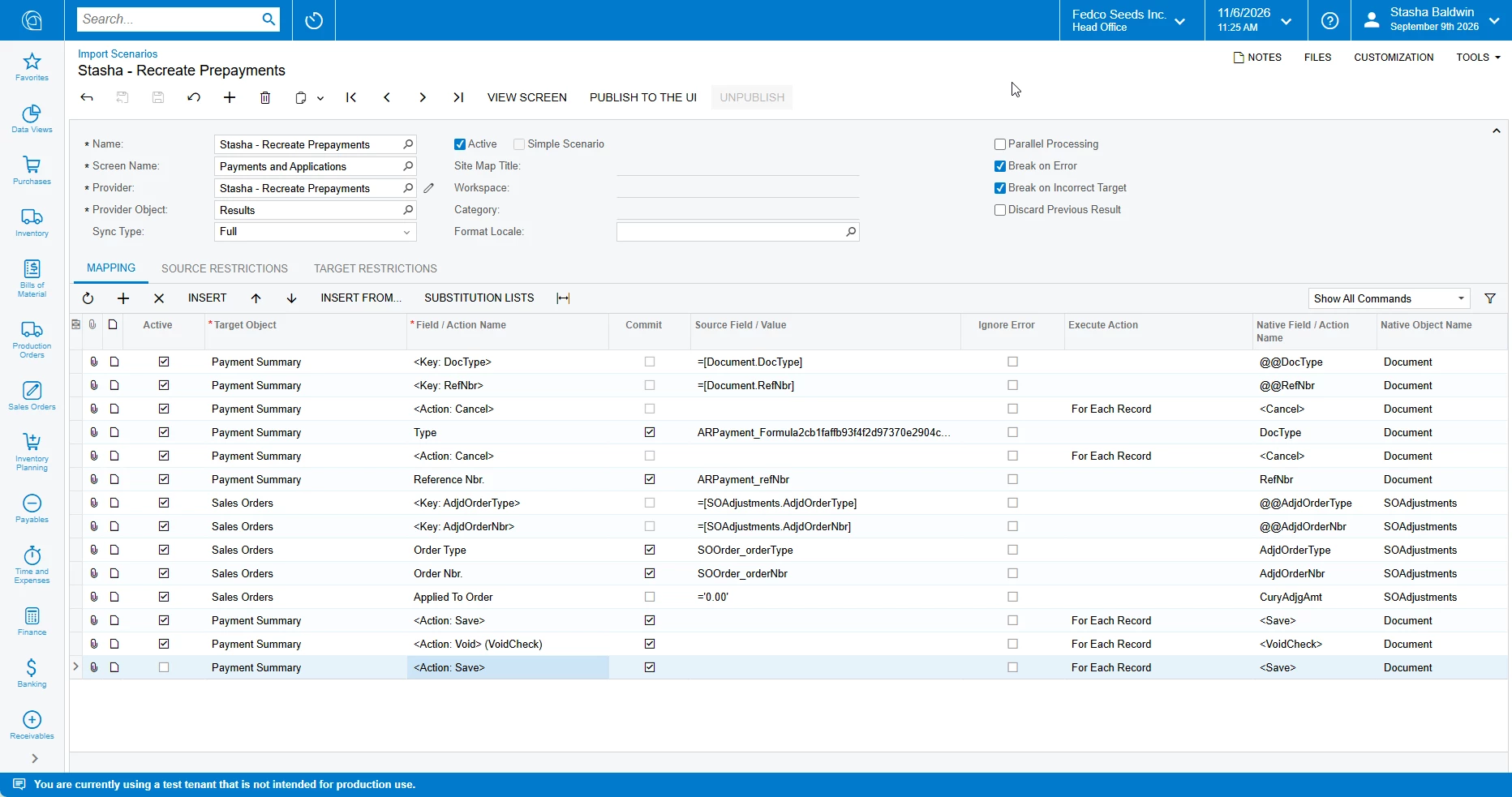
 

The import scenario runs fully but the transaction doesn’t actually get voided. I recognize that pressing void creates a new window that you need to release but when I tried that I get an error :)

2 replies

Manikanta Dhulipudi
Captain II
Forum|alt.badge.img+16

Steve Milner
Varsity III
Forum|alt.badge.img+7
  • Varsity III
  • Nov 6, 2026 11:43 PM UTC

@SBaldwin Void on its own only builds the Voided Payment. It leaves it unsaved, and as you said, it still has to be released. In your screenshot there's no Release row after Void, and the Save after it is unchecked.

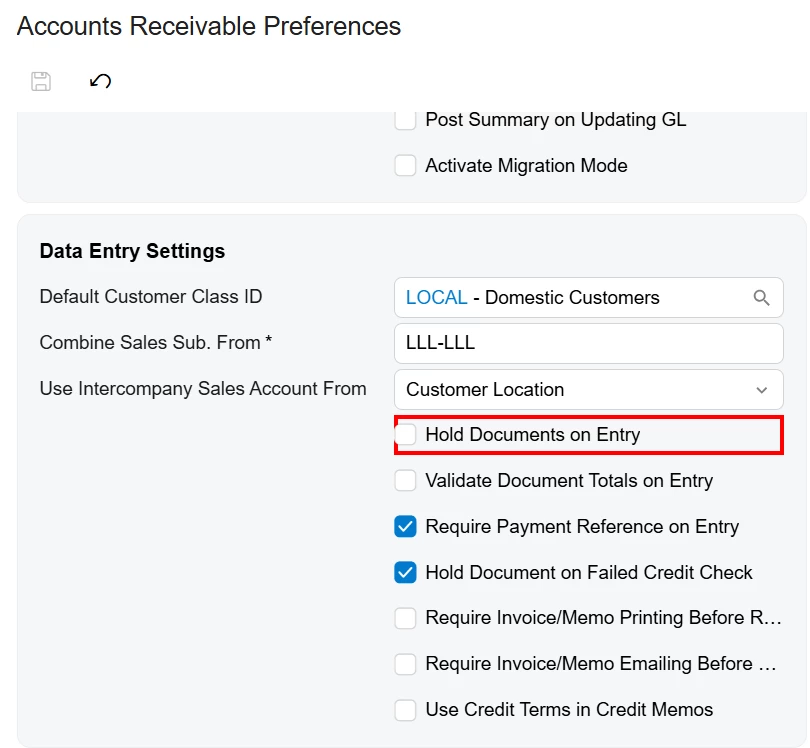
If the error you got on Release was "Document Status is invalid for processing," the Voided Payment was on hold. Release refuses anything on hold with that message. Whether the Voided Payment starts out on hold comes from Hold Documents on Entry on Accounts Receivable Preferences (AR101000). With that box unchecked, it isn't put on hold at all.

Manikanta's link is the right place to start. The scenario in it runs Void, Save, Hold set to False, then Release, so the hold is off before Release runs.

You're already in a test tenant, which is where this belongs until the run is right. Once a Voided Payment is released, it can't be voided.

This is the same in the 2025 R1, 2025 R2 and 2026 R1 code.

Translate