Solved

Import scenario to skip filed values based on a specific condition

  • Mar 4, 2025 5:38 AM UTC
  • 9 replies
  • 361 views
  • Translate All

Forum|alt.badge.img

Hello all,

I have been trying to create an import scenario for SO where I have 4 columns from which the data is to be inserted. Out of these 4 columns it is not necessary that the data from these 4 columns are required to be inserted.
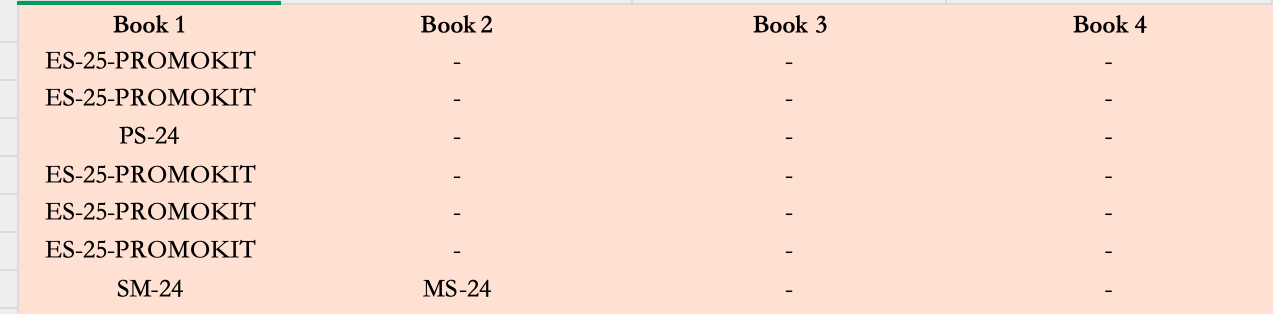
So as per the above screenshot, for row 1, the value under book1 should be inserted. Similarly, for last row the value under book1 & book2 columns should be inserted while the other should be skipped. For a single row an individual order would be made.

What condition can be inserted so that the cells where ‘-’ sign is inserted will not be inserted and be skipped in the import scenario?

Thanks.
Best answer by riglesias

Hi @Harry,

If you map Line Number line to =-2 it will delete lines from the grid (see webinar from link below with detailed example min 57:58)
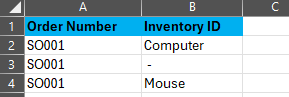
If you need to add multiple lines under details for a single document, you need to have one line per item for the same document number. Like this:


Here’s the webinar where I clarify mapping Line number line to =-2 deletes lines from a grid:


Hope this helps.

If you still run into any issues, please export the scenario to XML and attach it here so I can restore it in my demo and review.

View original

9 replies

riglesias
Acumatica Employee
Forum|alt.badge.img+2
  • Acumatica Employee
  • Mar 4, 2025 2:55 PM UTC

Hi ​@Harry 

Have you tried using iif expression? IIf( expr, truePart, falsePart )
Something like this IIf( [Book2]=’-’, ‘’, [Book2])

Translate

Forum|alt.badge.img
  • Author
  • Semi-Pro III
  • Mar 5, 2025 11:52 AM UTC

Hi ​@Harry 

Have you tried using iif expression? IIf( expr, truePart, falsePart )
Something like this IIf( [Book2]=’-’, ‘’, [Book2])

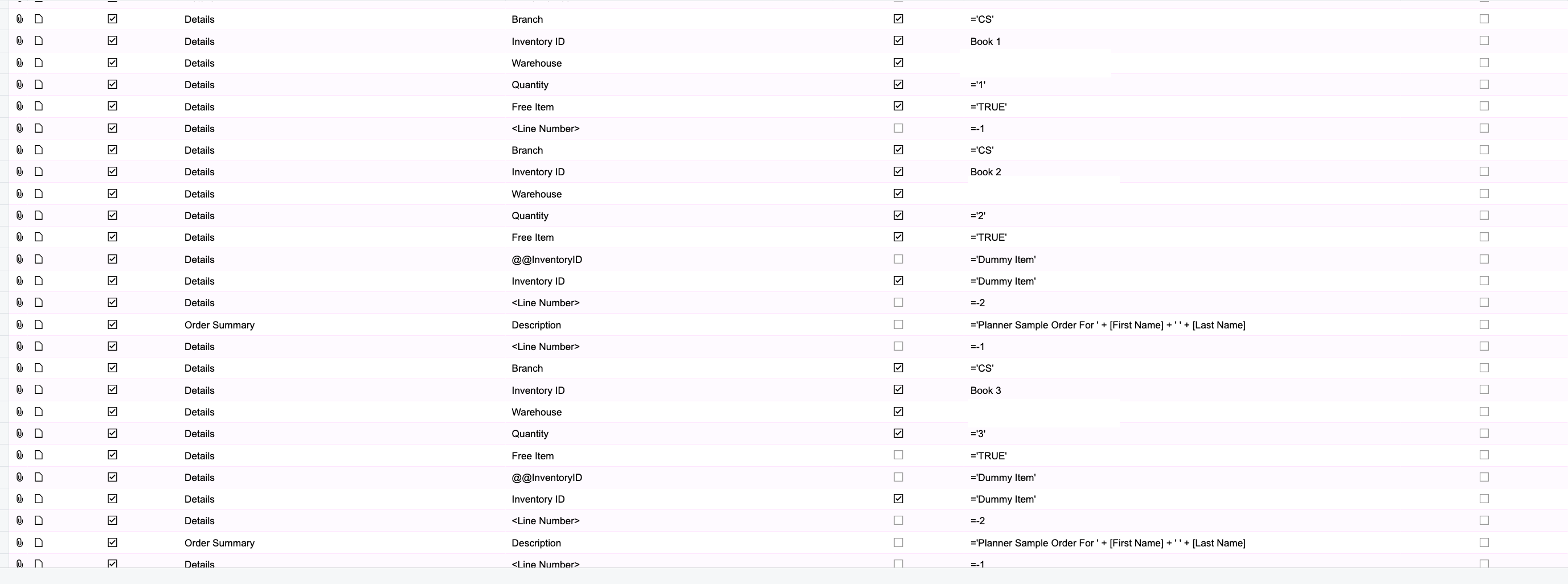
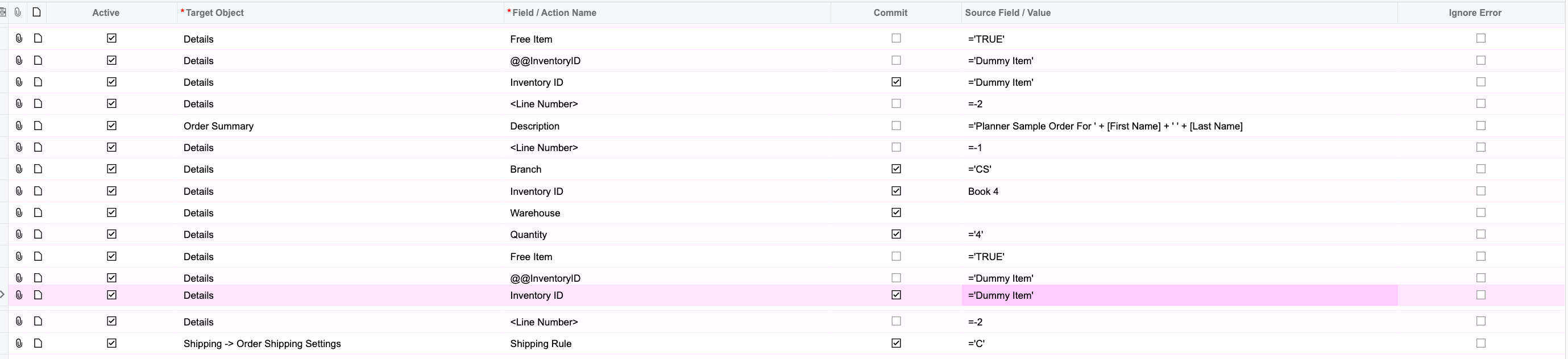
Here’s is the import scenario:


Where Dummy Item is a non stock that has been created in the system and this dummy item is placed where the cell is empty with value ‘-’
So can you guide me to where shall I be adding the iff expression you’ve shared?

Thanks.

Translate

Forum|alt.badge.img
  • Author
  • Semi-Pro III
  • Mar 6, 2025 1:17 PM UTC

Hey ​@riglesias , can you suggest any other format of the input file?

Translate

riglesias
Acumatica Employee
Forum|alt.badge.img+2
  • Acumatica Employee
  • Mar 6, 2025 2:38 PM UTC

Hi ​@Harry ,

In my expression, for the true part I typed ‘ ‘ so the fields that have the ‘-’ value would be replaced by a blank space. If you need to select the dummy item instead, change the ‘ ‘ true part with ‘Dummy Item’.  
In your mapping, under Inventory ID line, under Field/Action Name column try this: 
IIf( [Book2]=’-’, ‘Dummy Item’, [Book2])

Translate

Forum|alt.badge.img
  • Author
  • Semi-Pro III
  • Mar 6, 2025 2:41 PM UTC

Hi ​@Harry ,

In my expression, for the true part I typed ‘ ‘ so the fields that have the ‘-’ value would be replaced by a blank space. If you need to select the dummy item instead, change the ‘ ‘ true part with ‘Dummy Item’.  
In your mapping, under Inventory ID line, under Field/Action Name column try this: 
IIf( [Book2]=’-’, ‘Dummy Item’, [Book2])

Hey ​@riglesias , shall I add this above the Line Number -2 condition of the Inventory ID?

Translate

riglesias
Acumatica Employee
Forum|alt.badge.img+2
  • Acumatica Employee
  • Answer
  • Mar 6, 2025 3:24 PM UTC

Hi @Harry,

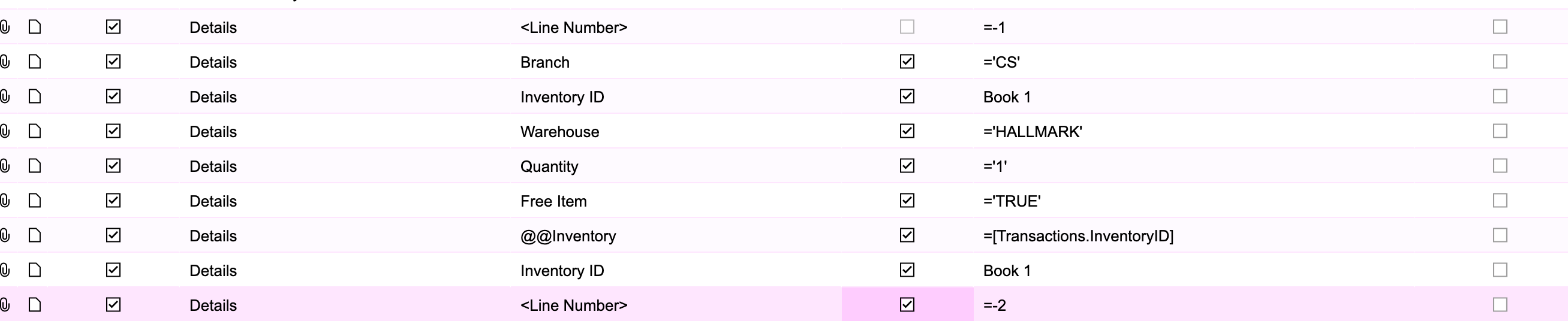
If you map Line Number line to =-2 it will delete lines from the grid (see webinar from link below with detailed example min 57:58)
If you need to add multiple lines under details for a single document, you need to have one line per item for the same document number. Like this:


Here’s the webinar where I clarify mapping Line number line to =-2 deletes lines from a grid:


Hope this helps.

If you still run into any issues, please export the scenario to XML and attach it here so I can restore it in my demo and review.

Translate

Forum|alt.badge.img
  • Author
  • Semi-Pro III
  • Mar 7, 2025 5:42 PM UTC

Hi @Harry,

If you map Line Number line to =-2 it will delete lines from the grid (see webinar from link below with detailed example min 57:58)
If you need to add multiple lines under details for a single document, you need to have one line per item for the same document number. Like this:


Here’s the webinar where I clarify mapping Line number line to =-2 deletes lines from a grid:


Hope this helps.

If you still run into any issues, please export the scenario to XML and attach it here so I can restore it in my demo and review.

Hey ​@riglesias , so in this case can you guide me out how can I split/convert these items from columns (Book1,2,3,4 values) into rows?

Translate

Forum|alt.badge.img
  • Author
  • Semi-Pro III
  • Mar 9, 2025 7:56 AM UTC

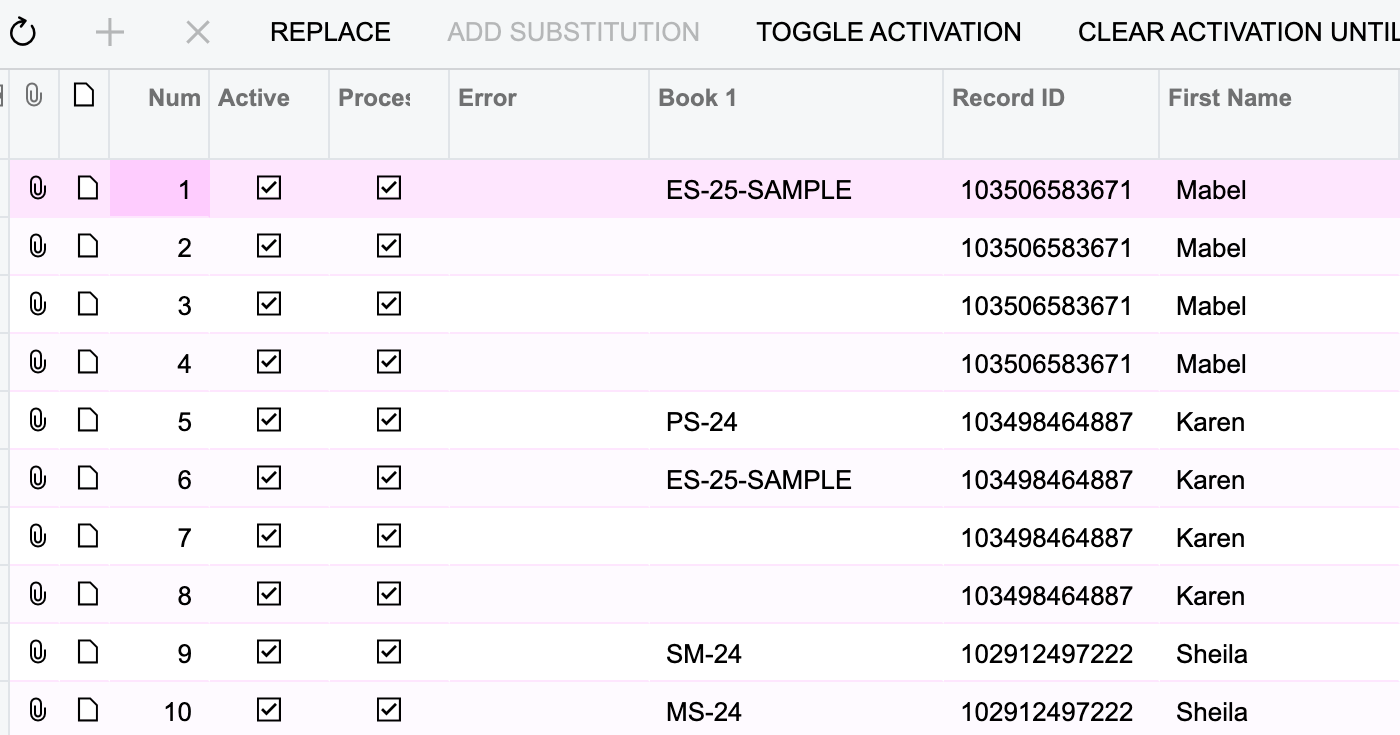
Hey ​@riglesias , I was able to format the excel sheet using forumlae. So below is the input data:


So now the import scenario should skip the blank rows of Book1 column:

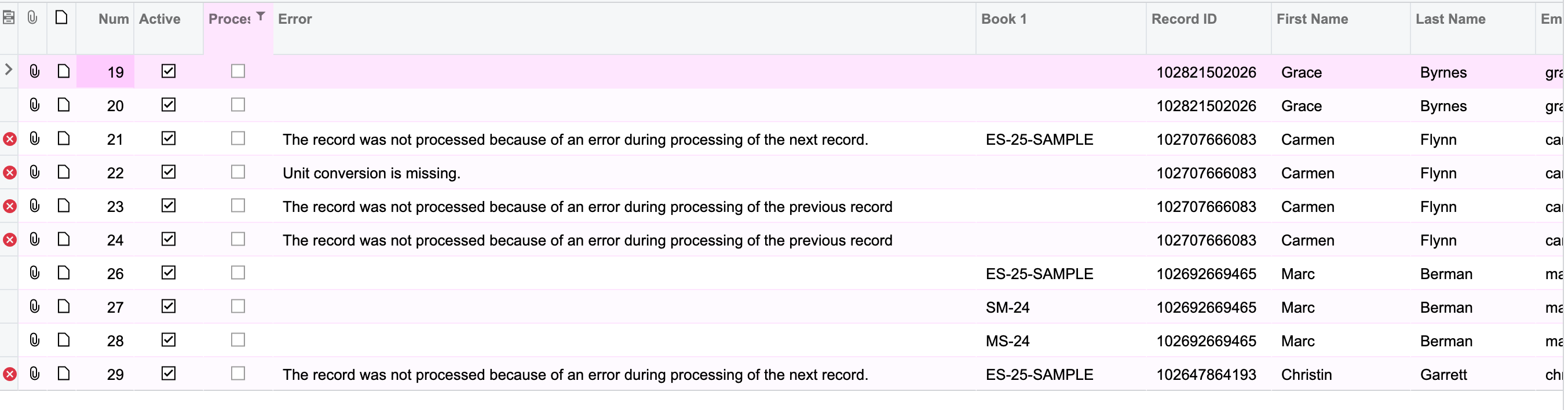
I followed the youtube link that you had shared, but still it doesnt process. rather it skips the later inventory ids that are in the sheet too.


Translate

riglesias
Acumatica Employee
Forum|alt.badge.img+2
  • Acumatica Employee
  • Mar 10, 2025 1:48 PM UTC

Hello ​@Harry 


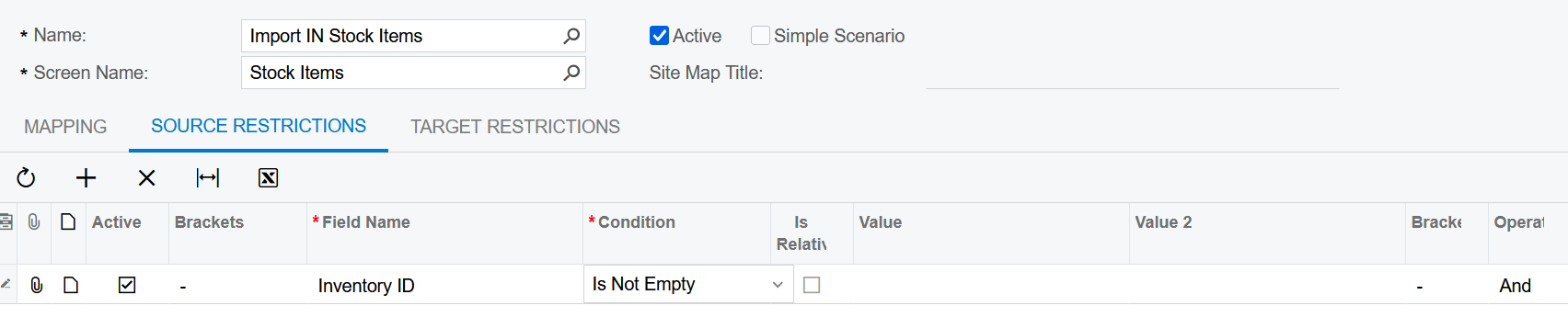
You can try setting up a Source restriction. Something like this:


Translate