Question

Import Scenario to change Sales Quote status

  • February 18, 2026
  • 7 replies
  • 32 views

Forum|alt.badge.img

I would appreciate some help please.

I am trying to close old Sales Quotes (Screen: CR304500).

I have found that doing it via the Sales Quotes screen errors all the time because the quote is linked to an opportunity.  I then tried to do it via the Opportunity screen.  The import ran and said complete but it did not change the status of the quote, it did nothing.

I have also tried to update the expiration date using very similar scenario and it also said complete but did not update the date.

Can these type of changes be done using import?

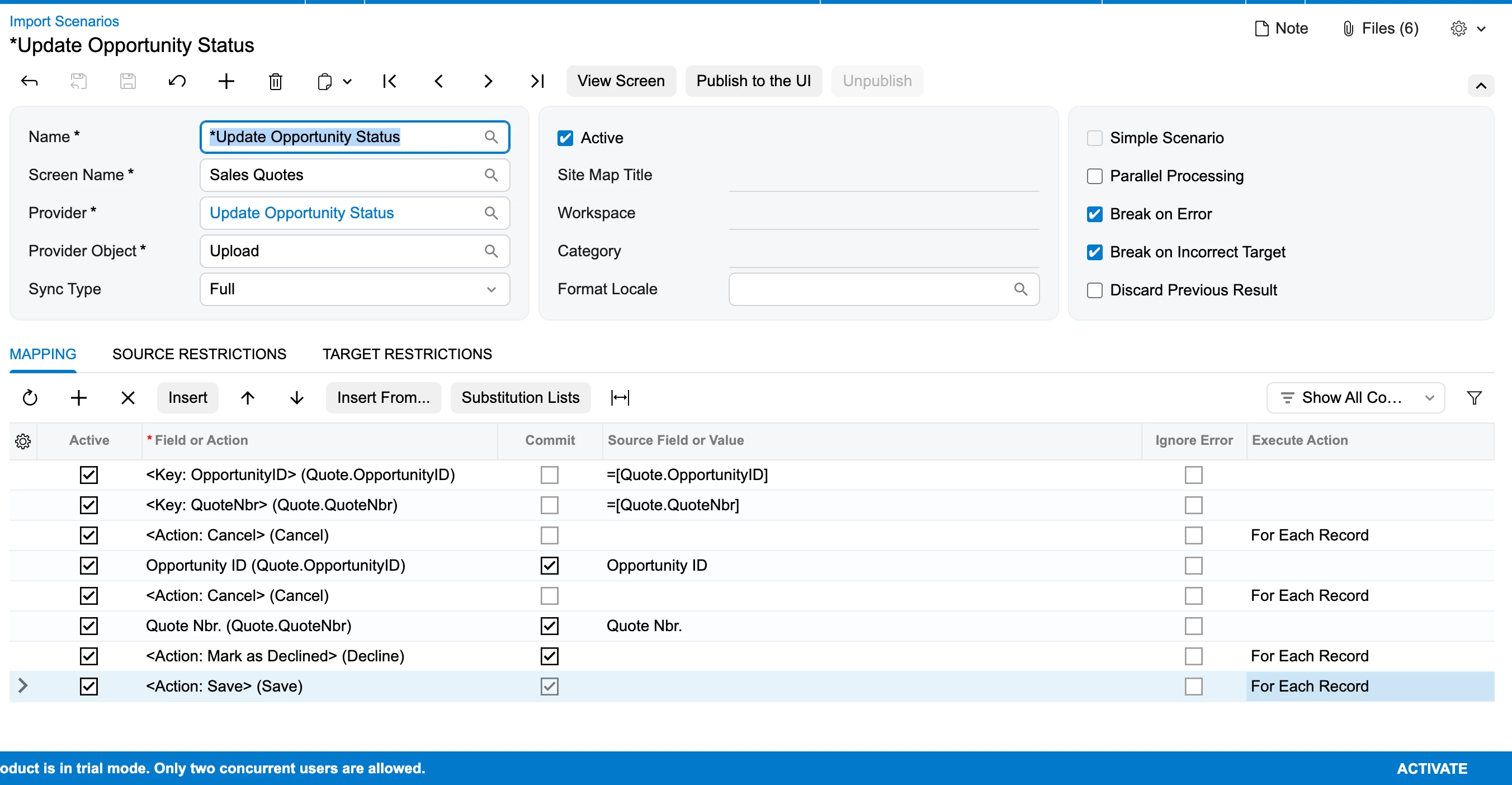
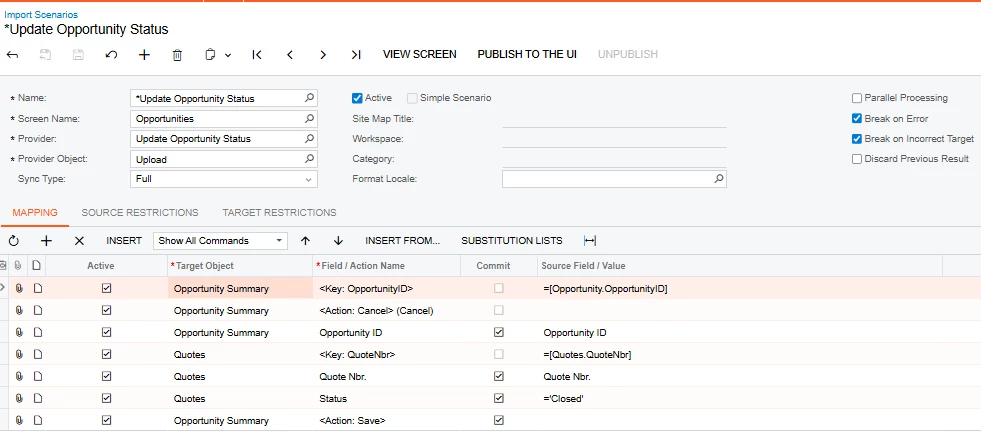
Here is my scenario:
 

7 replies

Forum|alt.badge.img+1

Hey ​@RoslynRule ,

Can you share an XML format of your import scenario?

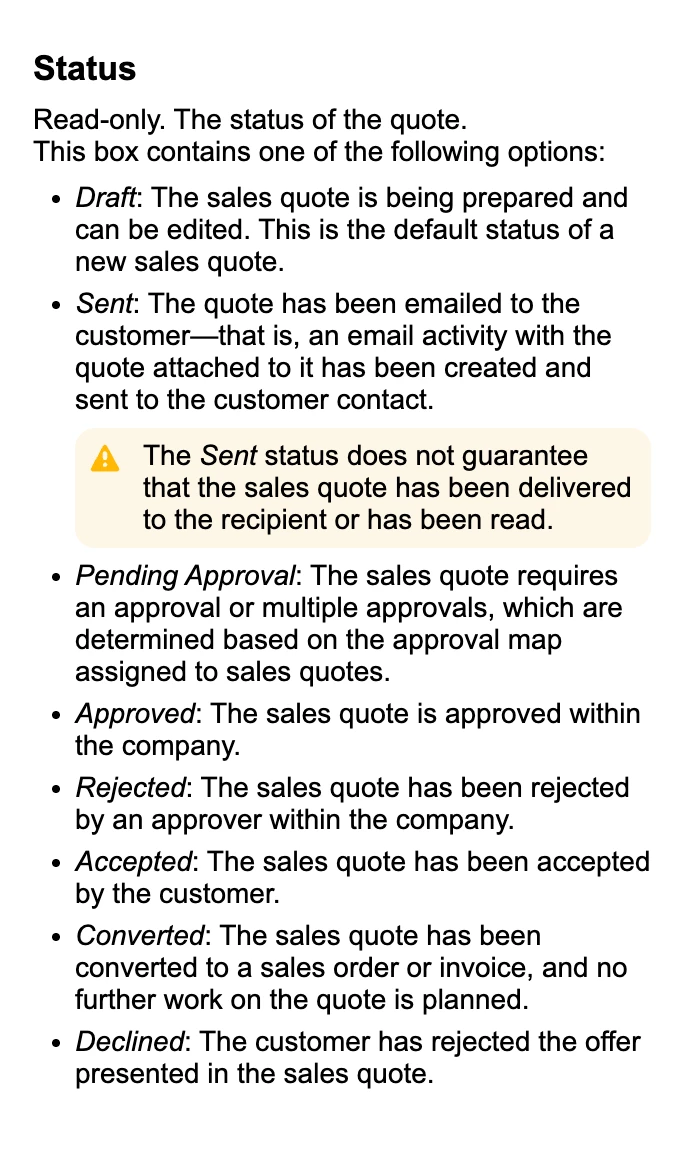
Also, we have the below statuses defined in Acumatica for Sales Quotes:

Sales Quotes Statuses


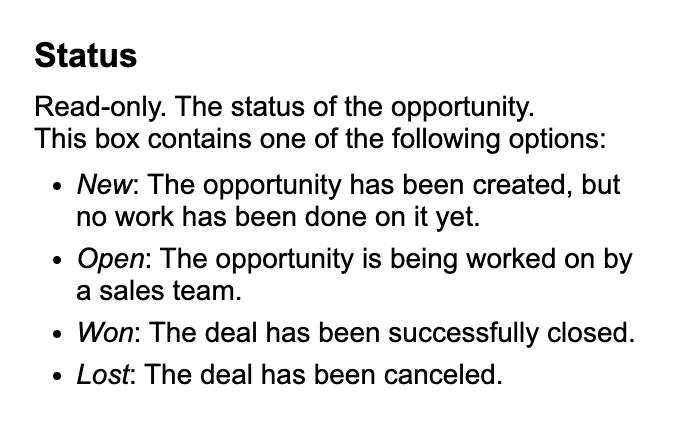
Opportunities Statuses


Is there any customization applied for the “Closed” status?


Forum|alt.badge.img
  • Author
  • Freshman I
  • February 18, 2026

Hi ​harshitasethia74

How do I get an EML file please?

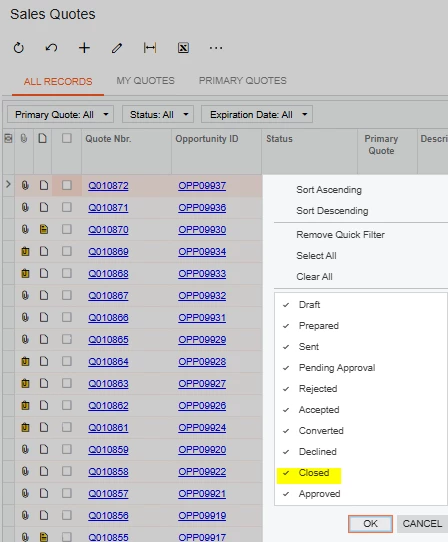
As far as the Status goes, I can now see in the help screen that it does not have Closed. I got that from the clicking on the Status column heading.

I changed Closed to Declined and it said complete but did nothing again.


Forum|alt.badge.img+1

Hi ​harshitasethia74

How do I get an EML file please?

As far as the Status goes, I can now see in the help screen that it does not have Closed. I got that from the clicking on the Status column heading.

I changed Closed to Declined and it said complete but did nothing again.


@RoslynRule ,

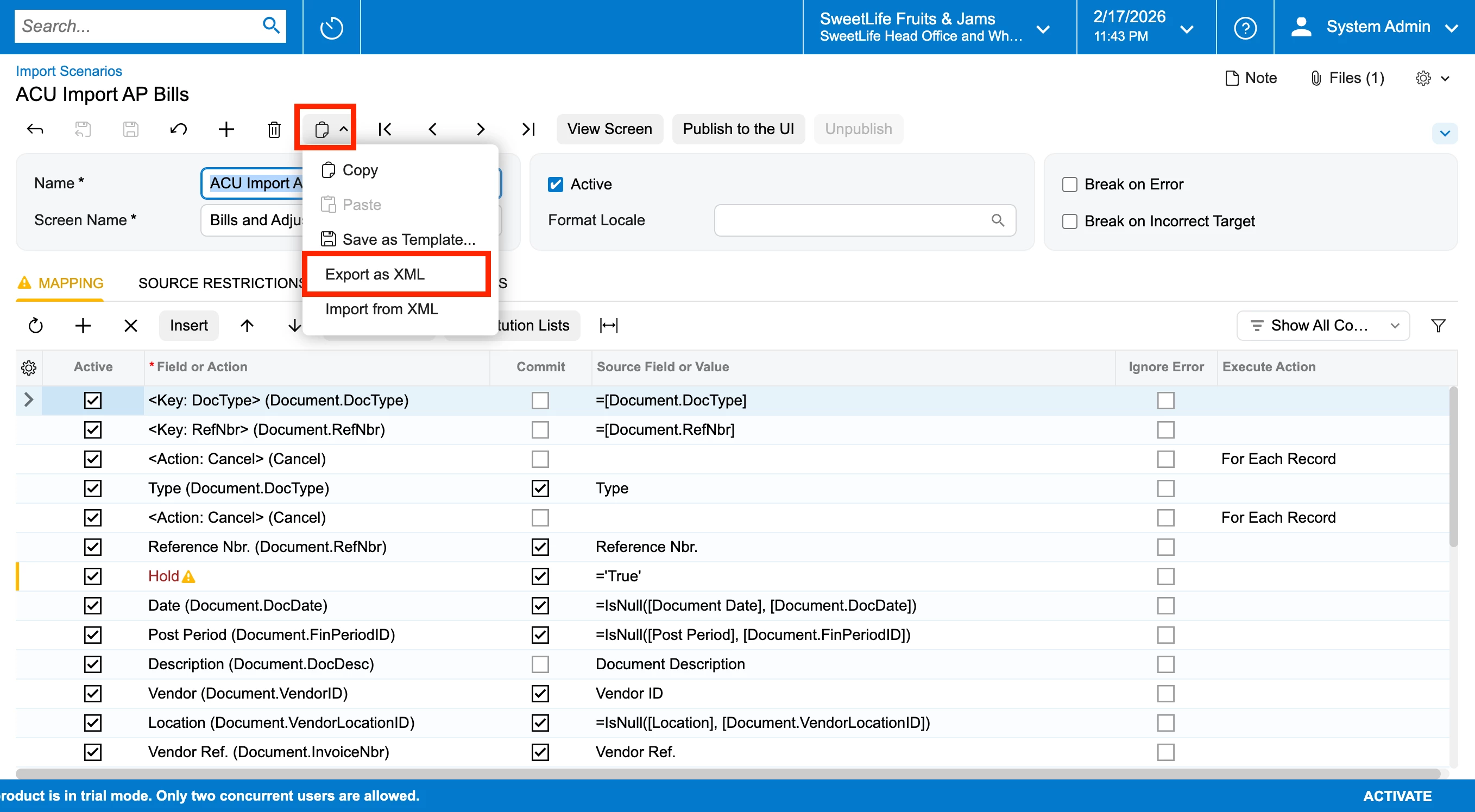
In the Import scenario screen (SM206025),


Also it is displaying Closed status, as this GI list might have been coded to display the “Closed” status. Need ti check the GI for this.


Forum|alt.badge.img
  • Author
  • Freshman I
  • February 18, 2026

Please see xml attached.

Thank you


Forum|alt.badge.img+1

Please see xml attached.

Thank you

@RoslynRule , I am unable to access the file to be imported. Can you share the file?


Forum|alt.badge.img
  • Author
  • Freshman I
  • February 18, 2026

@harshitasethia74 

Excel file attached.

Thanks


Forum|alt.badge.img+1

hey ​@RoslynRule ,

Please find the below screenshot to mark the quote as “Declined”:


Also attaching the XML file for your reference.


Also make sure, the quotes for which you’re looking to mark them as Declined has the “Mark as Declined” option enabled under More Menu. As Acumatica says:

Hope this helps!!