



I have a list of BoMs and their revisions that I would like to archive. Seems PRETTY straight forward but I keep getting a “Document” error during my import.
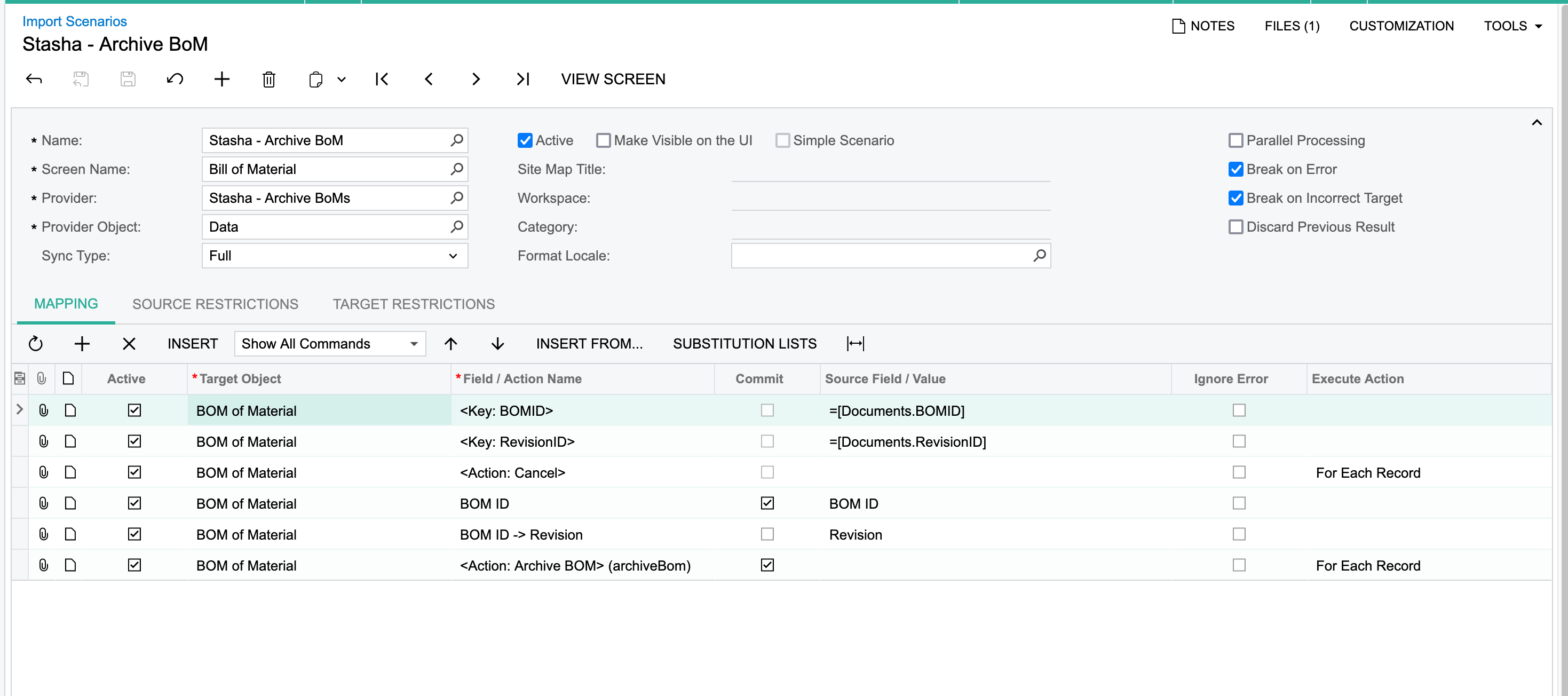
Error: 241 items have not been processed successfully. View name: Documents.
I have a list of BoMs and their revisions that I would like to archive. Seems PRETTY straight forward but I keep getting a “Document” error during my import.
Error: 241 items have not been processed successfully. View name: Documents.
Best answer by dgodsill97
It’s just Revision not BOM ID -> Revision
Enter your E-mail address. We'll send you an e-mail with instructions to reset your password.



