

Answer

Import Scenario - SO with Multiple Lines

  • October 23, 2025
  • 4 replies
  • 49 views

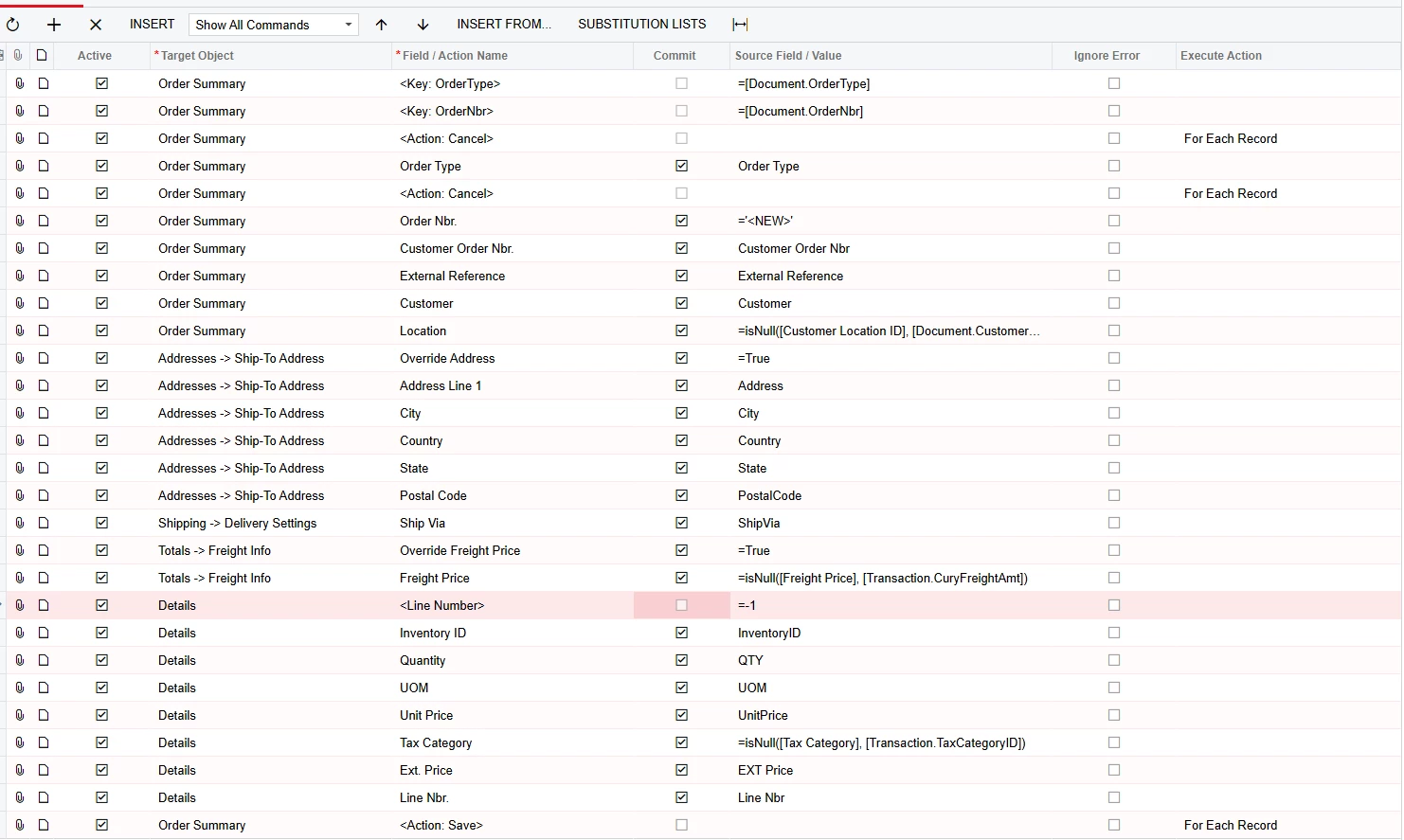
I am trying to import a SO with multiple lines. Currently the SO is being created with the multiple lines. However, if I have more than 1 SO on the CSV file to import, the import puts all the lines on one SO instead of each SO having their own lines. There was a suggestion to use 1,2,3 to enable the import to create individual SOs with the lines for each, However, I am doing that, but all the lines are still being created on one SO. See the attached Import Scenario and CSV file. What do I need to change to fix this issue?

 

Best answer by lauraj46

Hi ​@fgill ,

Instead of mapping =’<New>’ on the Order Nbr row of the import scenario you should map the column ‘Order Nbr’ from the spreadsheet.

Hope this helps!

Laura

4 replies

Manikanta Dhulipudi
Captain II
Forum|alt.badge.img+15

@fgill Could you please share xml file and sample data sheet to review and assist.


lauraj46
Captain II
Forum|alt.badge.img+8
  • Captain II
  • Answer
  • October 23, 2025

Hi ​@fgill ,

Instead of mapping =’<New>’ on the Order Nbr row of the import scenario you should map the column ‘Order Nbr’ from the spreadsheet.

Hope this helps!

Laura


mohammadnawaz51
Jr Varsity I
Forum|alt.badge.img+4

  • Author
  • Freshman I
  • October 24, 2025

@lauraj46 Thank you, that worked.



