Answer

Import Scenario Serial Class

  • July 11, 2025
  • 13 replies
  • 128 views

Hello Guys, 

I hope can u help me.

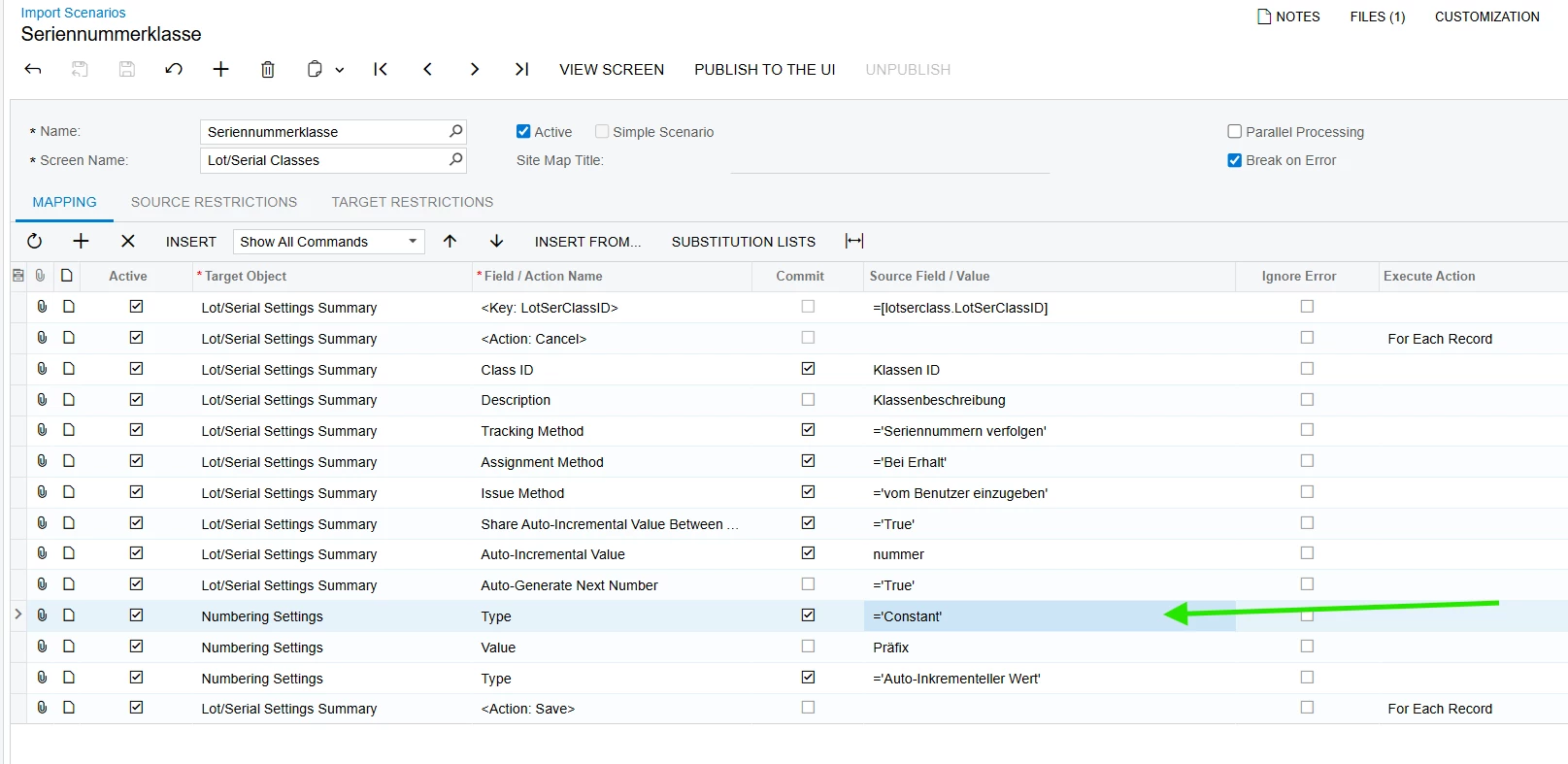
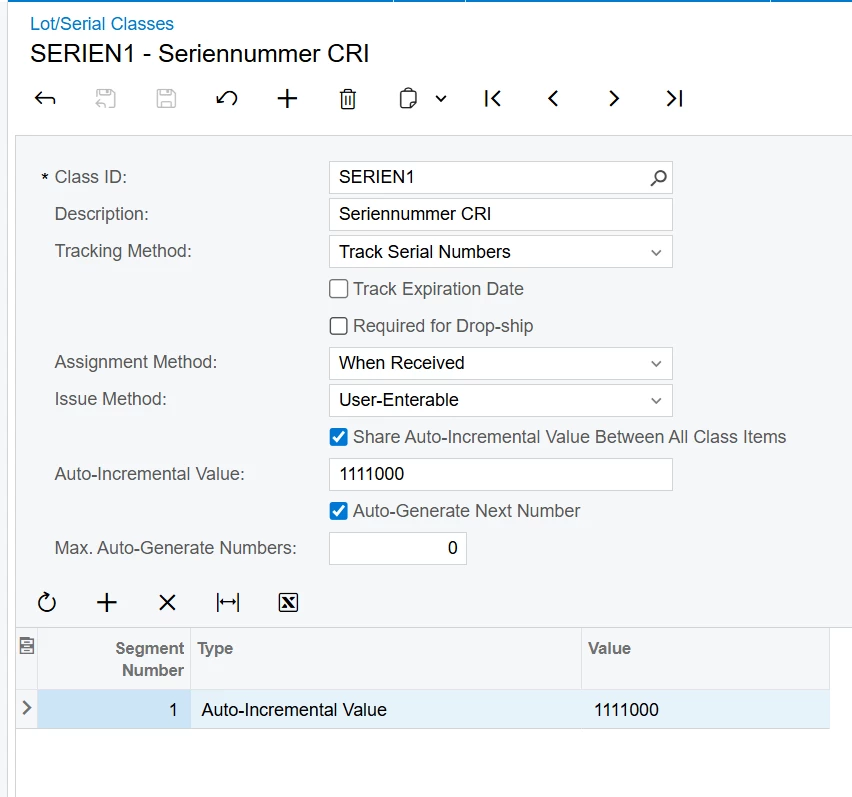
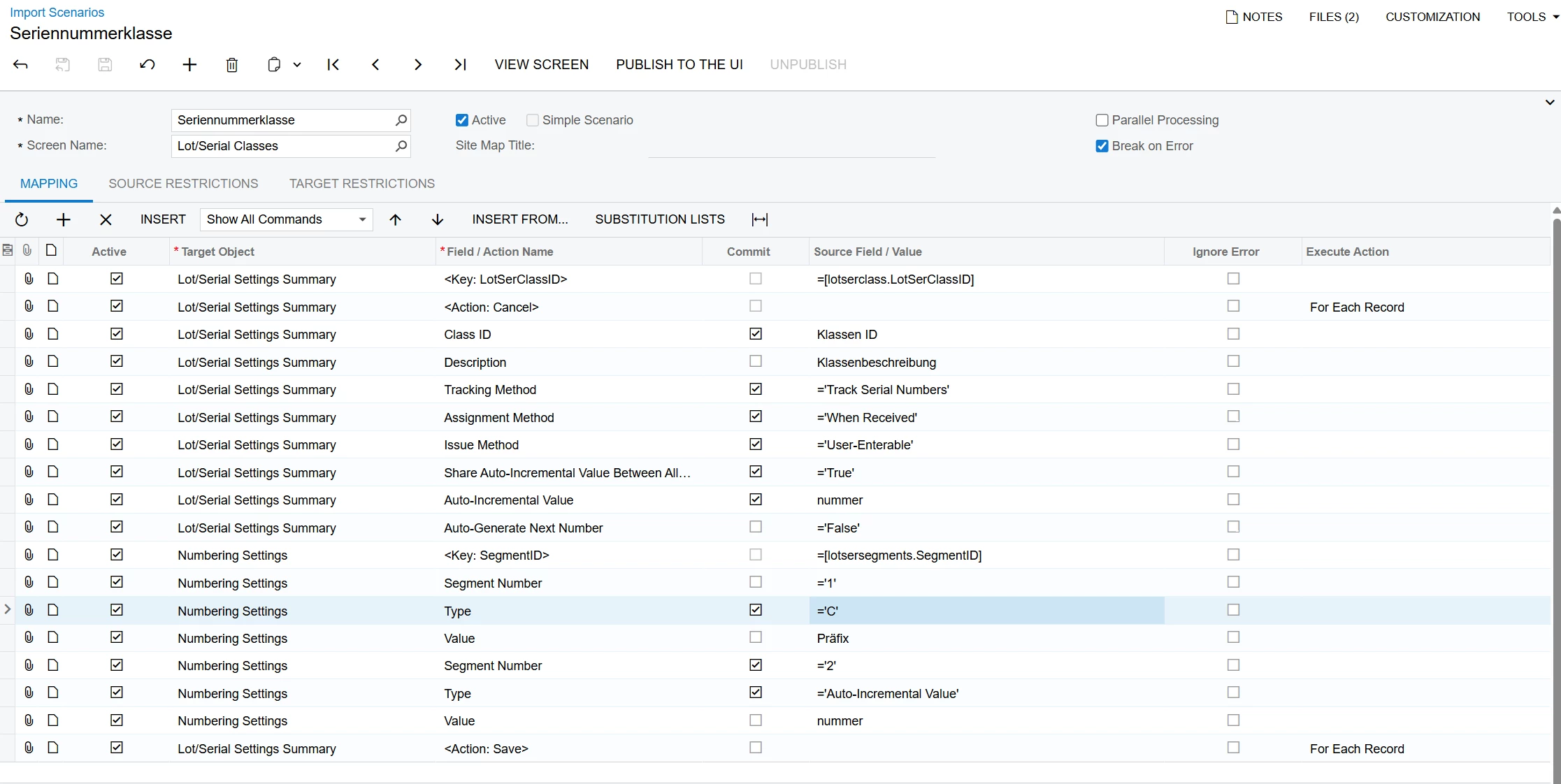
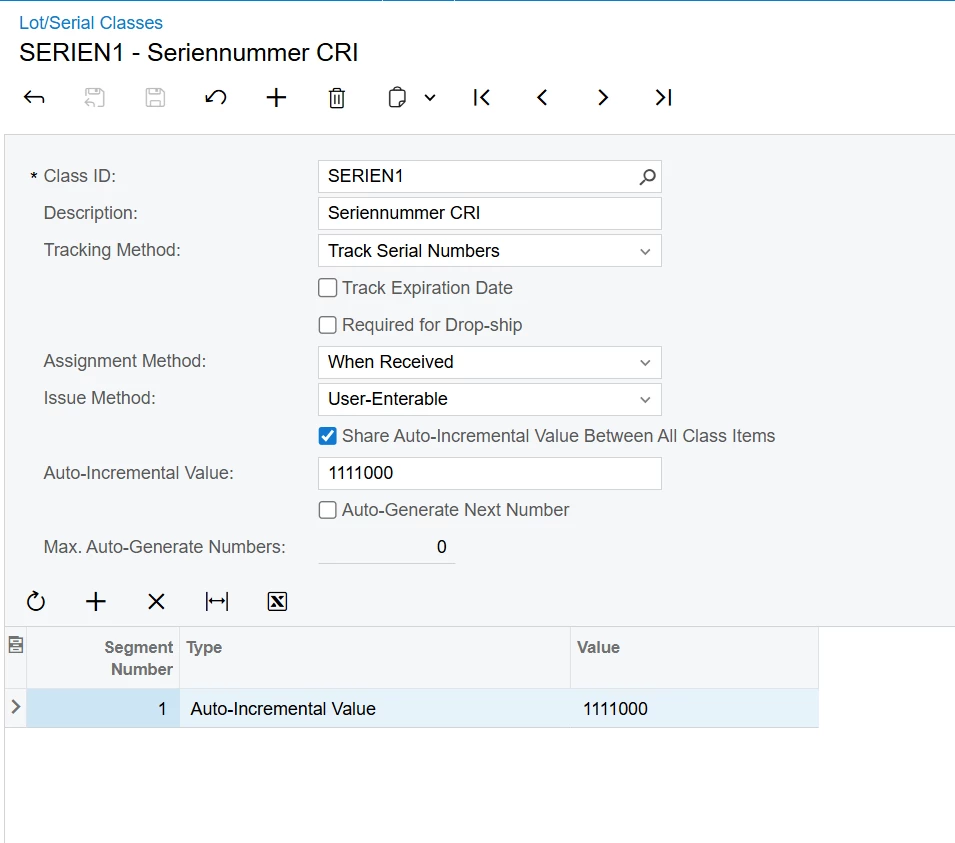
I want to import the "Type" Constant with a value.


Best answer by DipakNilkanth

Hi ​@Bravo94,

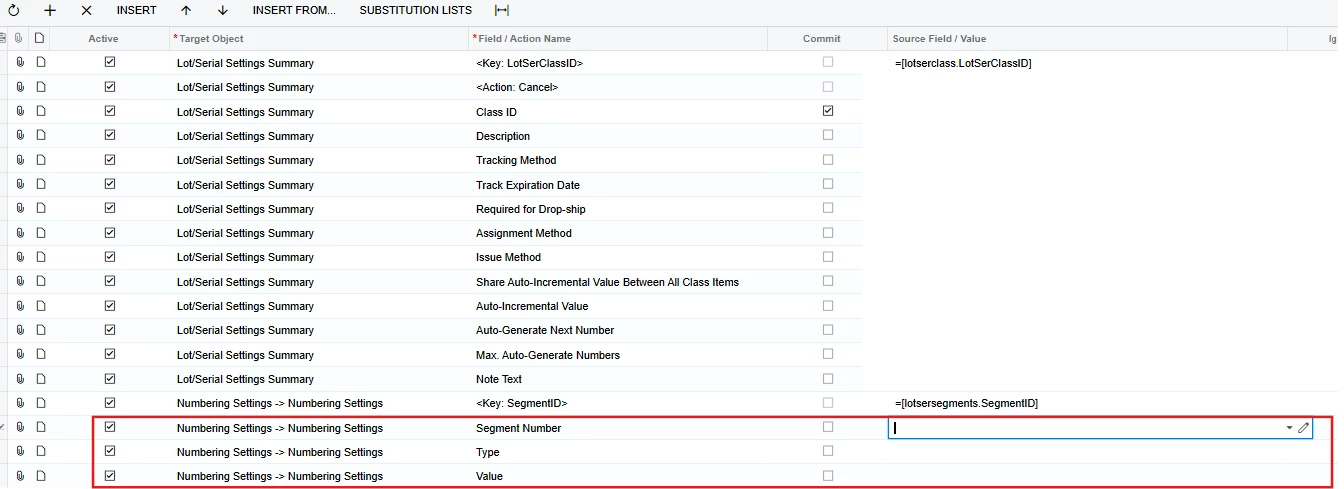
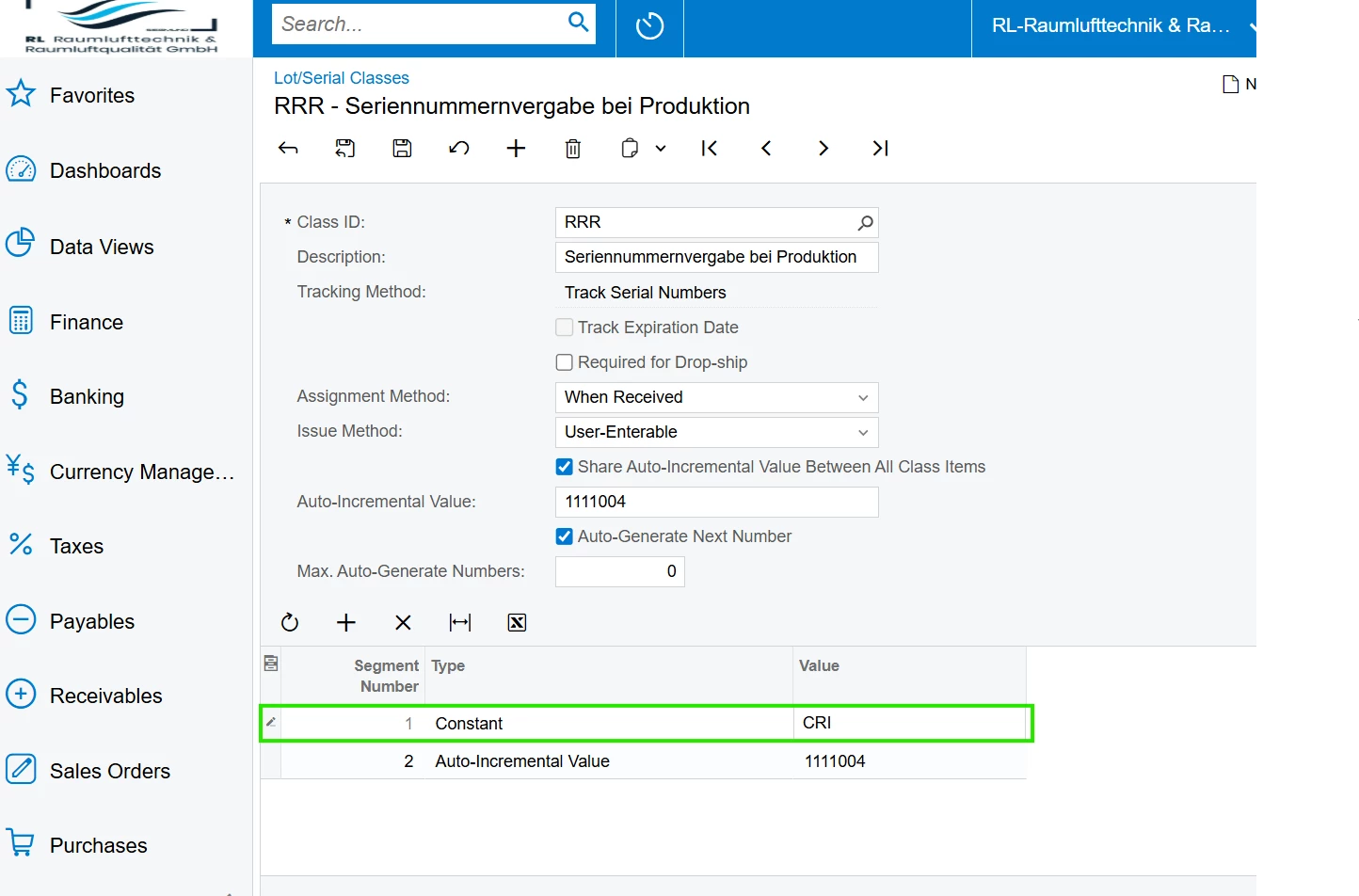
Please try the attached Import Scenario and Data Provider XML files and let me know if they work for you. Since your original Excel file could not be downloaded due to accessibility issues, I’ve created a new Excel file. You can update the fields as needed.

I was able to create Lot/Serial classes with the Constant Segment type successfully

13 replies

bwhite49
Captain II
Forum|alt.badge.img+10
  • Captain II
  • July 11, 2025

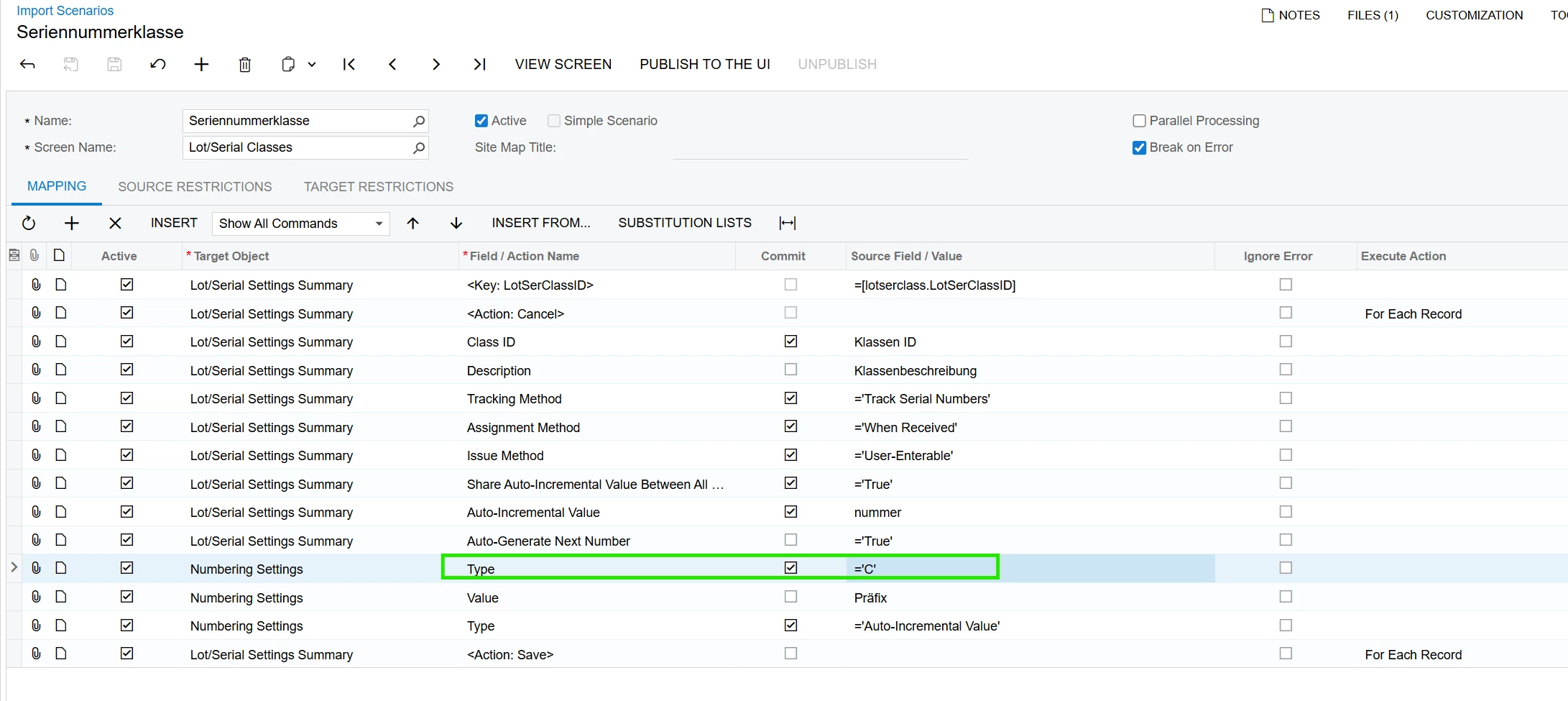
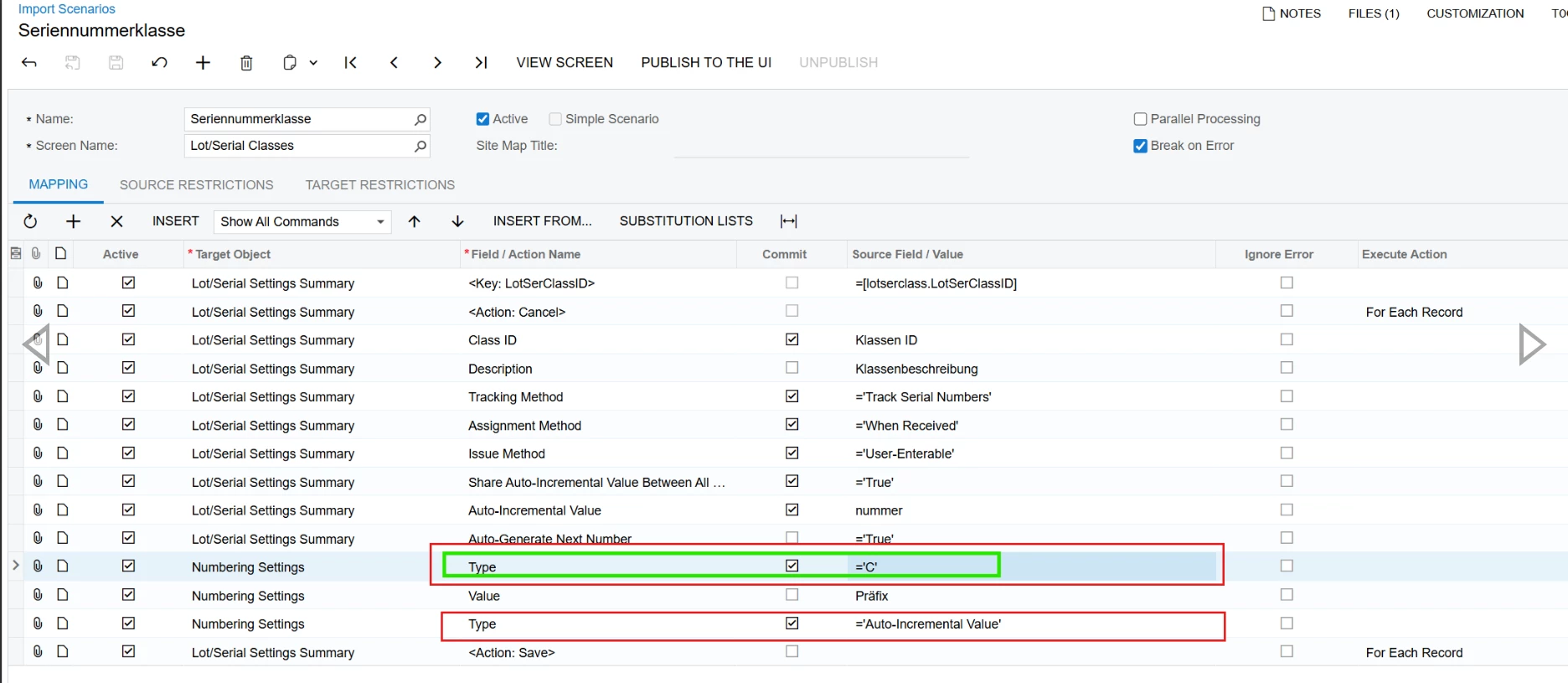
Instead of =’Constant’ try =’C’

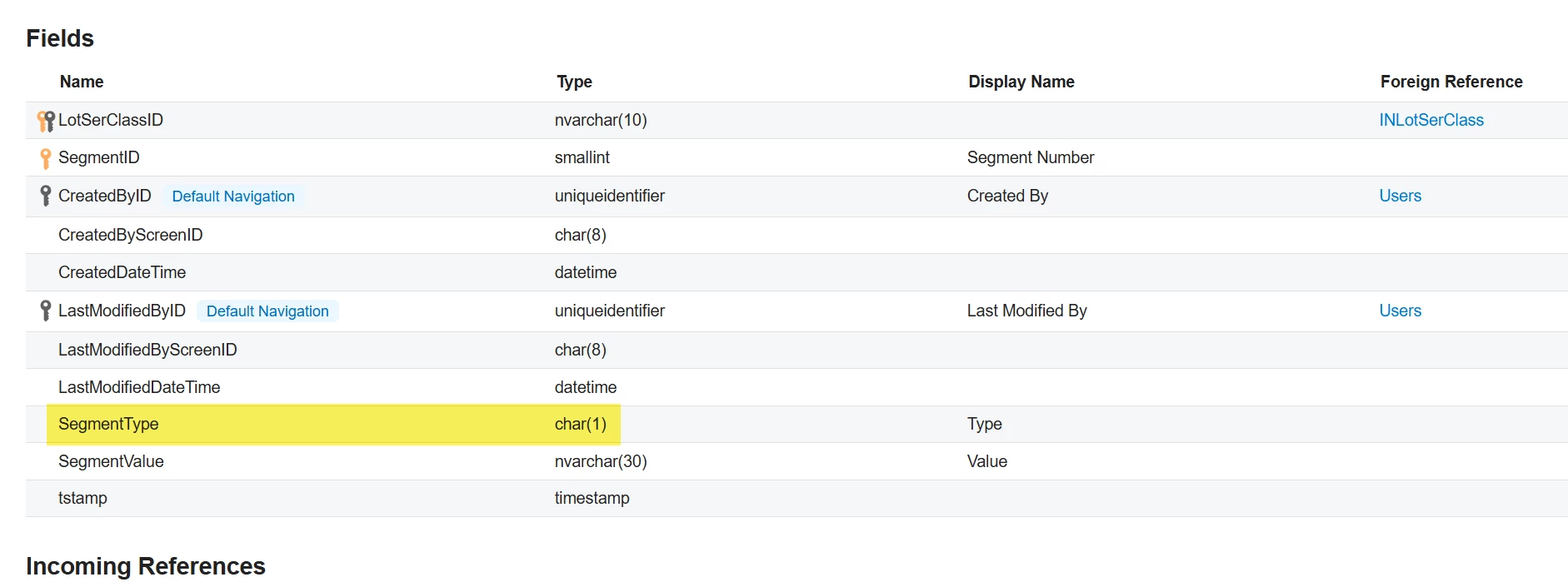
Sometimes that makes a difference. That field is only 1 char in the DB 


DipakNilkanth
Pro III
Forum|alt.badge.img+13

Hi ​@pbavili,

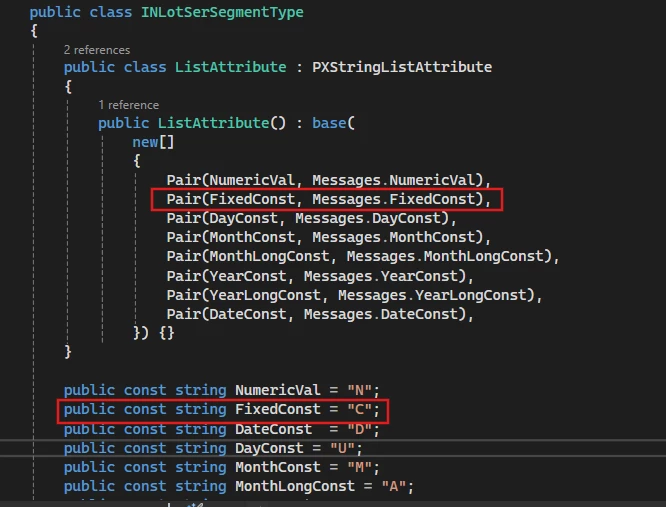
@bwhite49 is correct, You need to pass 'C' instead of 'Constant', as the value is stored as 'C' for the Constant segment type in the backend.

Hope, it helps!


Bravo94
Freshman I
Forum|alt.badge.img
  • Freshman I
  • July 14, 2025

Hi ​@Nilkanth Dipak 


unfortunately it does not work, do you have another suggestion ?


DipakNilkanth
Pro III
Forum|alt.badge.img+13

Hi ​@Bravo94,

I noticed that the Type field is being passed twice in your import scenario.
Please uncheck the Type → Auto Incremental Value option and try again.

Let me know if the issue persists.


Hope it helps!


Bravo94
Freshman I
Forum|alt.badge.img
  • Freshman I
  • July 14, 2025

Hi ​@Nilkanth Dipak 


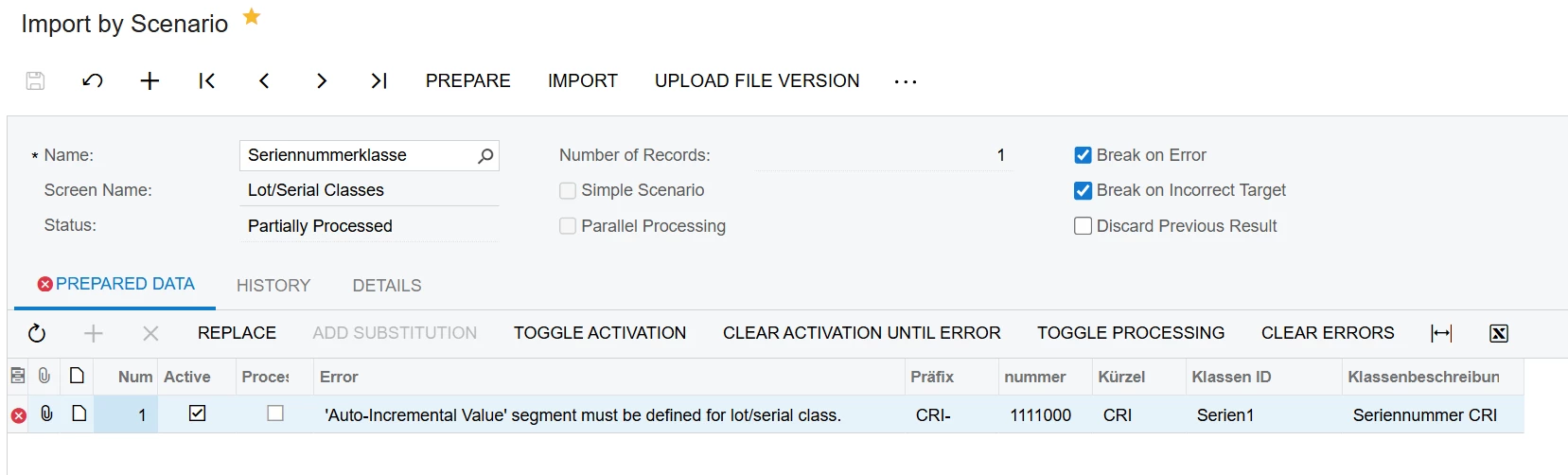
if i uncheck it i get this:


DipakNilkanth
Pro III
Forum|alt.badge.img+13

Hi ​@Bravo94,

The error you're encountering is due to the fact that the "Auto Generate Next Number" checkbox is set to True. If you set it to False, the error should no longer occur.

However, if you do need to generate the next number automatically, it's mandatory to set the Type to Auto Incremental Value in the Numbering Settings. In that case, you’ll need to define both Type = Constant and Type = Auto Incremental Value entries in your Numbering Settings, and update your data provider file accordingly to reflect this configuration.

Hope, it helps!


Bravo94
Freshman I
Forum|alt.badge.img
  • Freshman I
  • July 14, 2025

sadly its still not working. but thanks alot that for trying


DipakNilkanth
Pro III
Forum|alt.badge.img+13

Hi ​@Bravo94, Could you please provide your Import scenario XML here?


Bravo94
Freshman I
Forum|alt.badge.img
  • Freshman I
  • July 14, 2025

Here is the xml from import scenario
and from the data provider 


Thanks for helping :)


DipakNilkanth
Pro III
Forum|alt.badge.img+13
  • Pro III
  • Answer
  • July 14, 2025

Hi ​@Bravo94,

Please try the attached Import Scenario and Data Provider XML files and let me know if they work for you. Since your original Excel file could not be downloaded due to accessibility issues, I’ve created a new Excel file. You can update the fields as needed.

I was able to create Lot/Serial classes with the Constant Segment type successfully


Bravo94
Freshman I
Forum|alt.badge.img
  • Freshman I
  • July 14, 2025

can u tell me which acumatica version u used for this ?


DipakNilkanth
Pro III
Forum|alt.badge.img+13

It’s 25 R1.


Bravo94
Freshman I
Forum|alt.badge.img
  • Freshman I
  • July 14, 2025

@Nilkanth Dipak thanks a lot <3

@bwhite49 u too, thanks