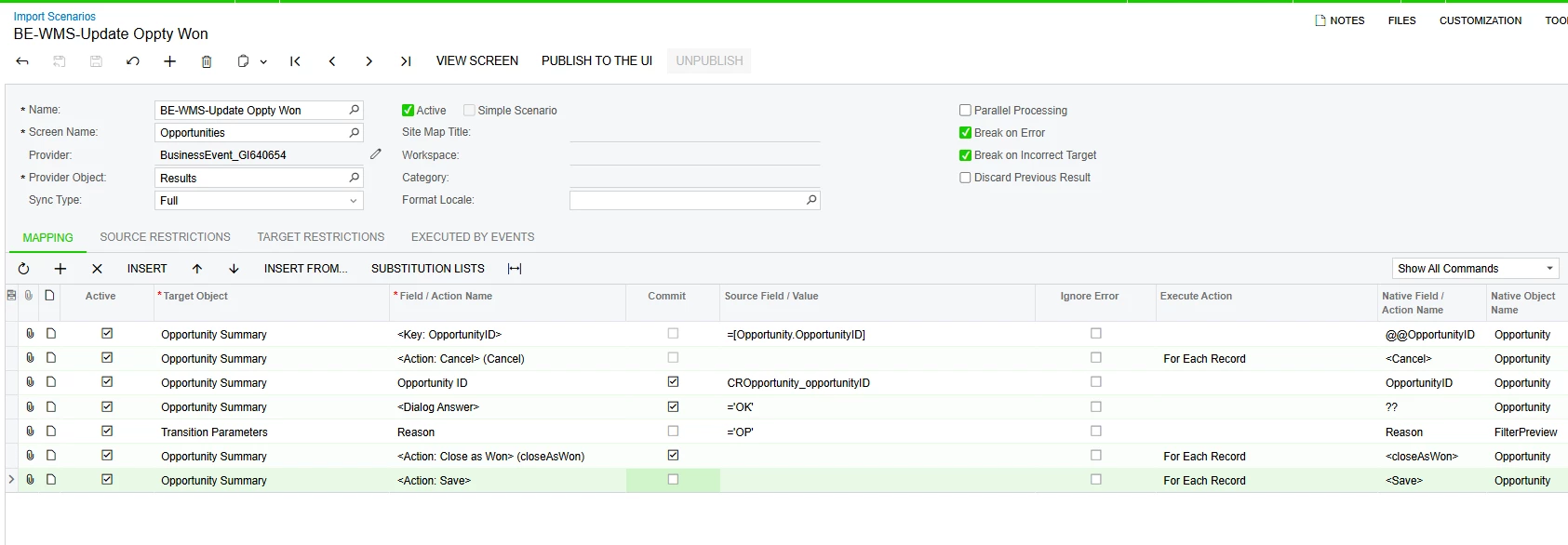
Solved

Import Scenario - Opportunities - Action - Close as Won and set Reason dialog box

  • March 10, 2026
  • 2 replies
  • 9 views

debbiereed72
Varsity I
Forum|alt.badge.img

Hello! I’ve tried all sorts of combinations to achieve this.

Summary: under certain conditions, run Business Event / Import Scenario to update Opportunity from Open to Close as Won and set the Reason code to a specific value.

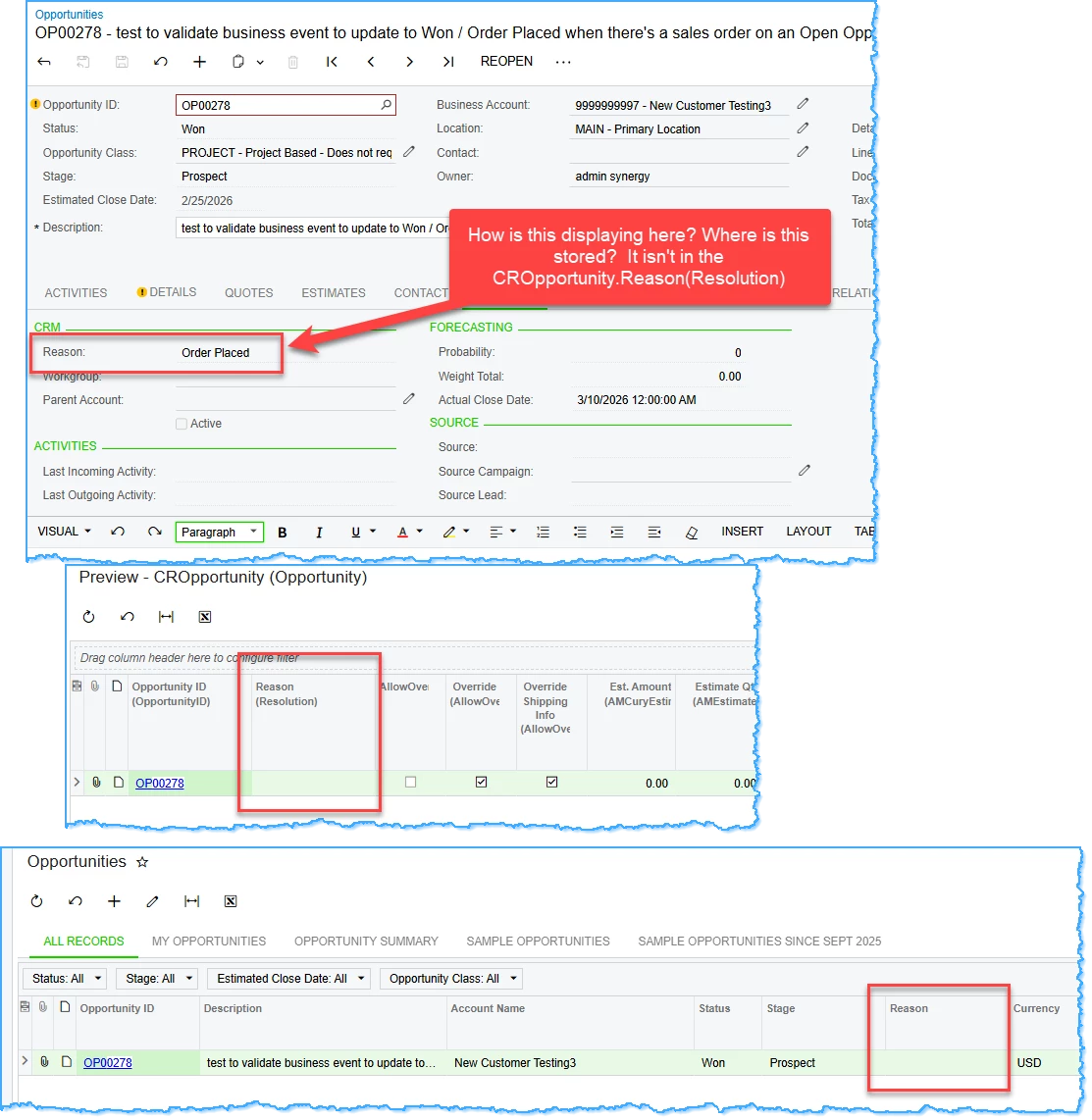
I am able to get the status updated to Won. Also, when looking at the CRM tab, it appears that the Reason has been set. However, it is blank in the GI results and in the DAC.

The Reason is available when updating to Close as Won manually.

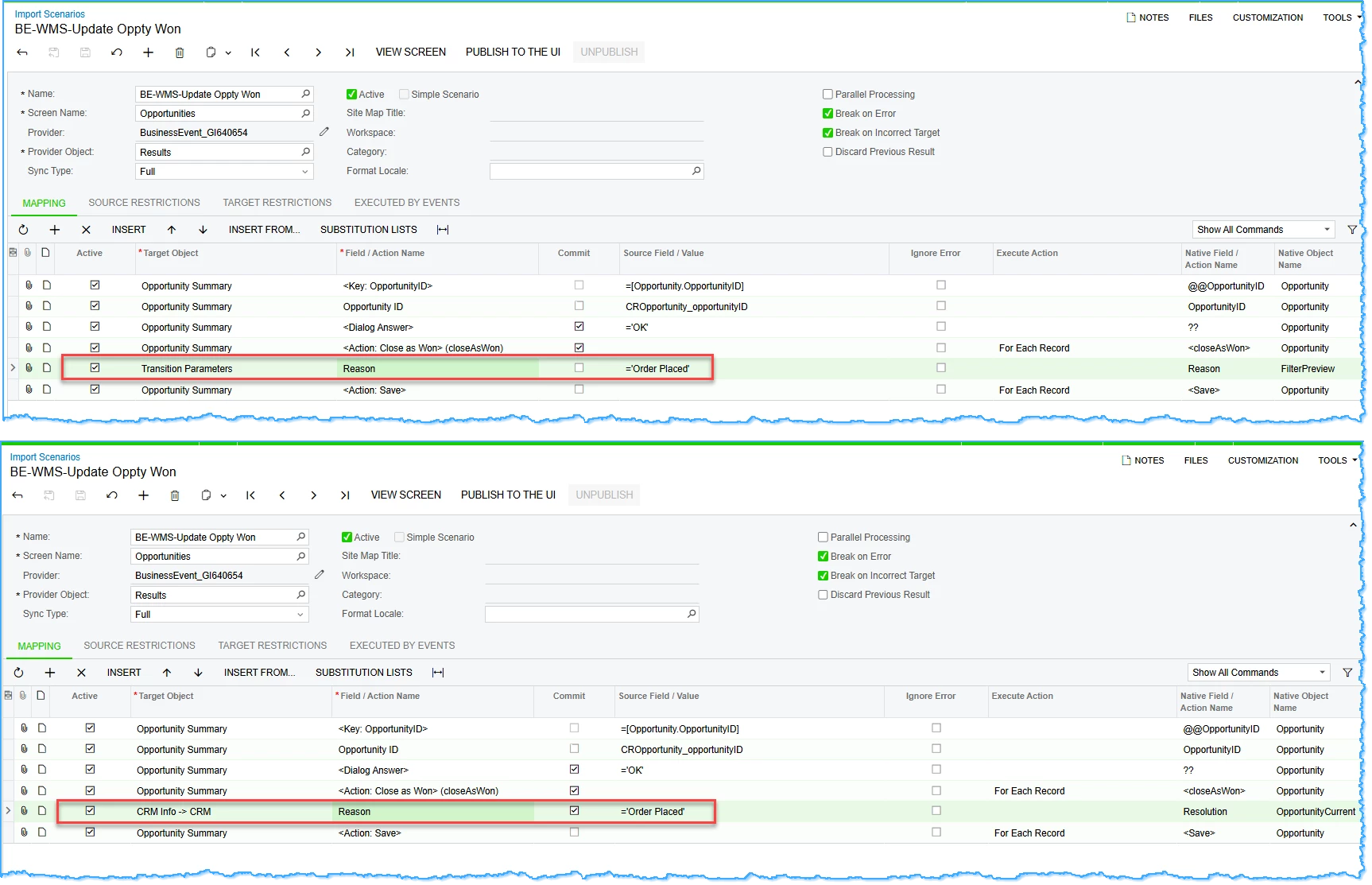
I’ve tried both of these options:
 

RESULTS:


Best answer by debbiereed72

With the help of Acumatica Support - SOLVED!

Thank you ​@OshadhiJayasundara82 


2 replies

debbiereed72
Varsity I
Forum|alt.badge.img
  • Author
  • Varsity I
  • Answer
  • March 10, 2026

With the help of Acumatica Support - SOLVED!

Thank you ​@OshadhiJayasundara82 


Chris Hackett
Community Manager
Forum|alt.badge.img
  • Acumatica Community Manager
  • March 11, 2026

Thank you for sharing the solution with the community ​@debbiereed72!