Solved

Import Scenario - Opportunities - Action - Close as Won and set Reason dialog box

  • Mar 10, 2026 9:40 PM UTC
  • 2 replies
  • 101 views
  • Translate All

debbiereed72
Varsity II
Forum|alt.badge.img

Hello! I’ve tried all sorts of combinations to achieve this.

Summary: under certain conditions, run Business Event / Import Scenario to update Opportunity from Open to Close as Won and set the Reason code to a specific value.

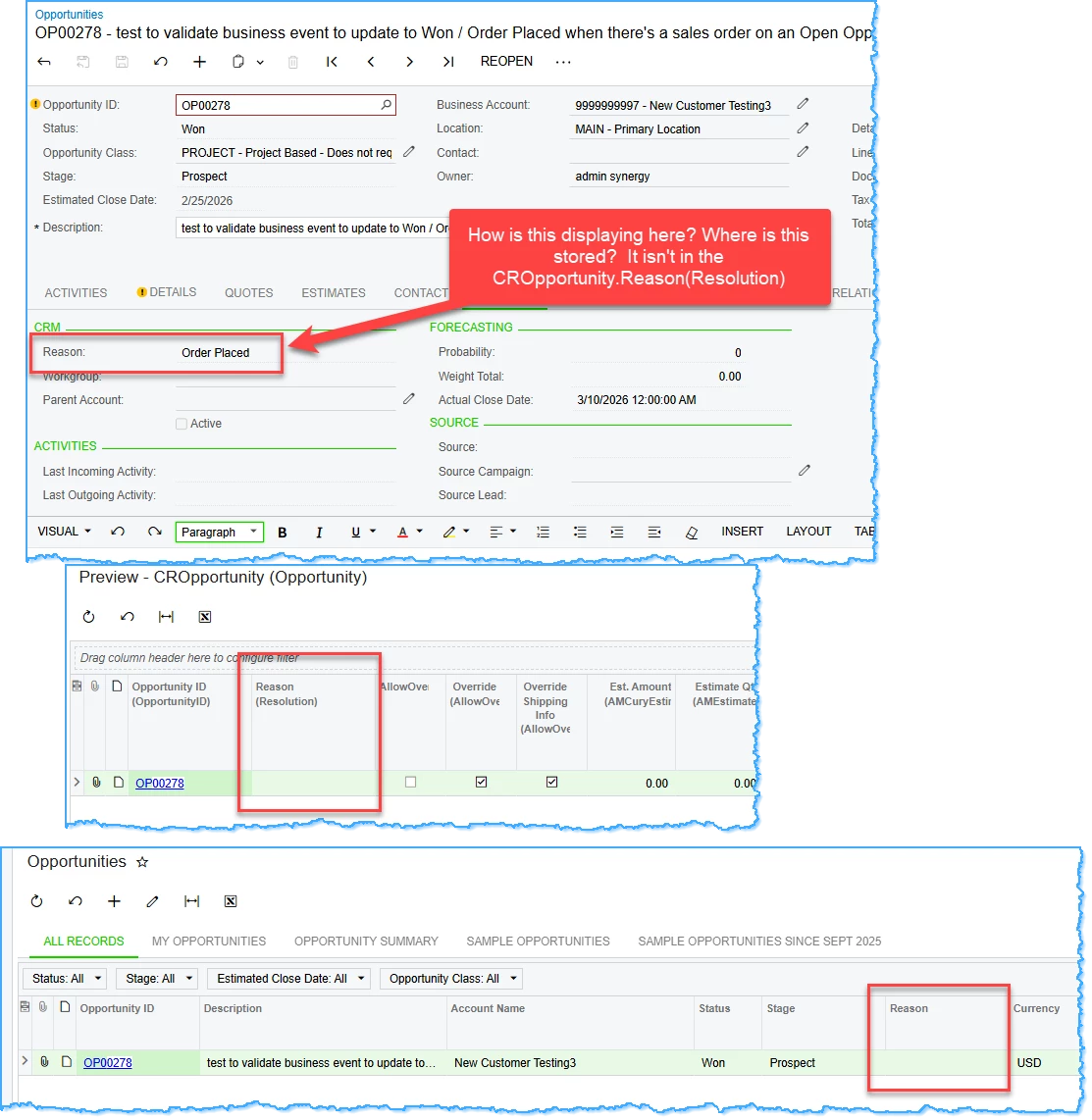
I am able to get the status updated to Won. Also, when looking at the CRM tab, it appears that the Reason has been set. However, it is blank in the GI results and in the DAC.

The Reason is available when updating to Close as Won manually.

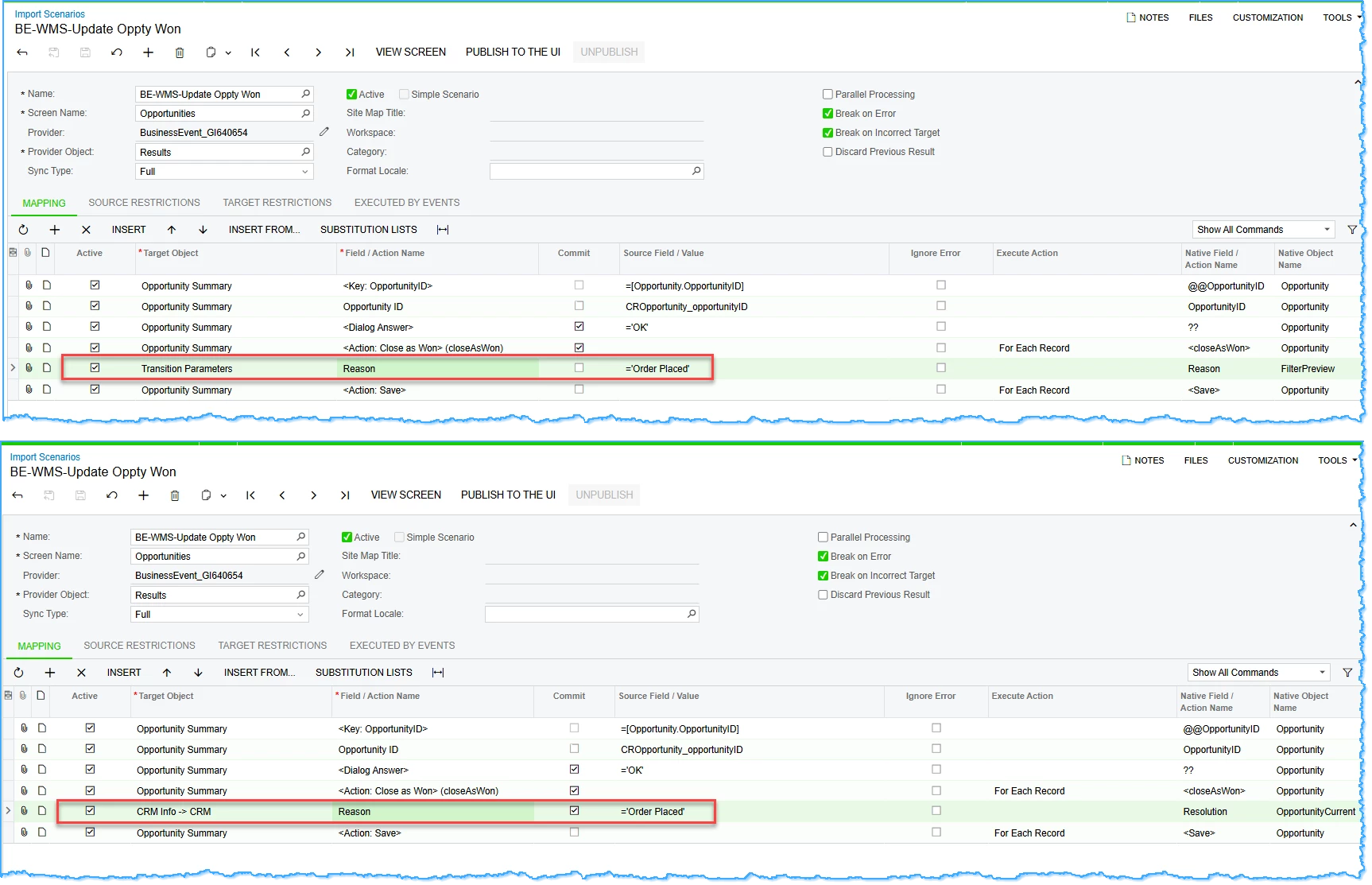
I’ve tried both of these options:
 

RESULTS:


Best answer by debbiereed72

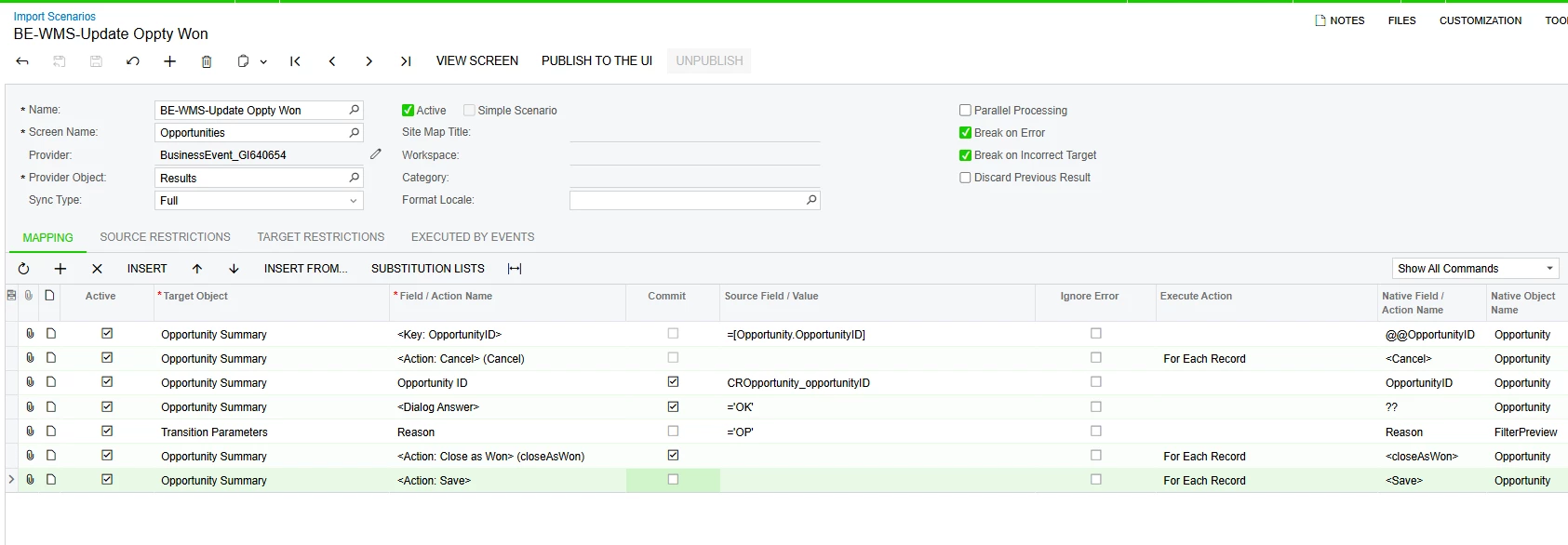
With the help of Acumatica Support - SOLVED!

Thank you ​@OshadhiJayasundara82 


View original

2 replies

debbiereed72
Varsity II
Forum|alt.badge.img
  • Author
  • Varsity II
  • Answer
  • Mar 10, 2026 10:28 PM UTC

With the help of Acumatica Support - SOLVED!

Thank you ​@OshadhiJayasundara82 


Translate

Chris Hackett
Community Manager
Forum|alt.badge.img
  • Acumatica Community Manager
  • Mar 11, 2026 9:47 PM UTC

Thank you for sharing the solution with the community ​@debbiereed72!

Translate