Question

Import scenario on "search in files" screen

  • March 23, 2022
  • 10 replies
  • 287 views
  • Translate All

Forum|alt.badge.img+6

I am trying to write an import scenario to clean files which are 1 year ago and no longer needed.
 

The datasource is from a GI which is wrote to search the obsoleted files out.
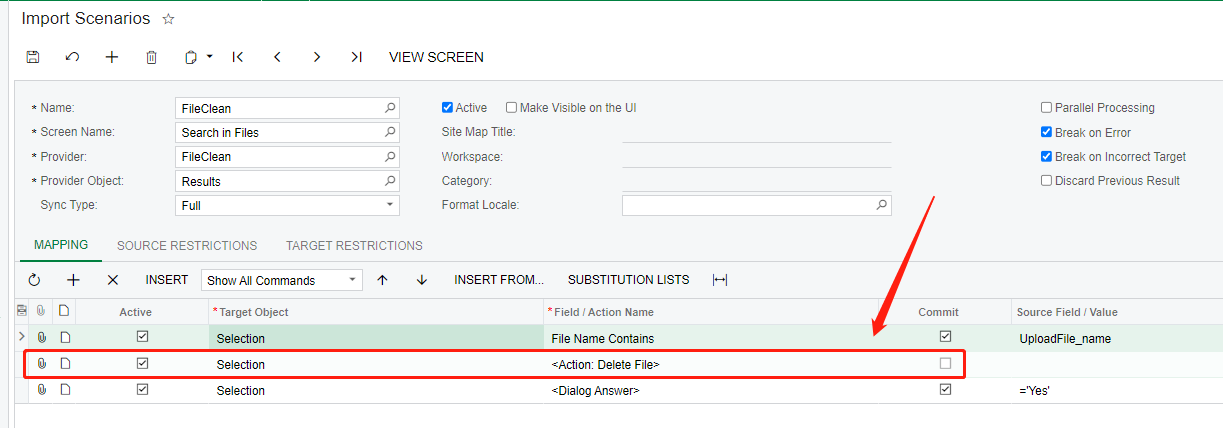
 

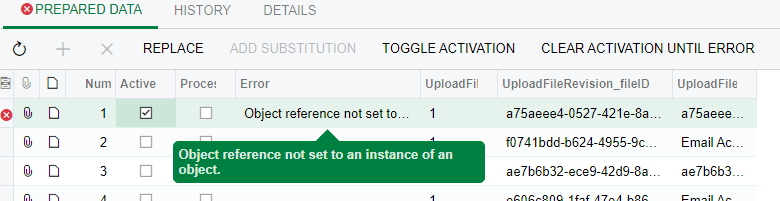
However, my scenario is run with errors which is saying “object not set to an instance”.
So probably, I am lacking 1 step in import scenrio which is to set the focus on the line to be deleted.

Can anyone give me some help on how to write this kind of import scenario.
Thank you.

10 replies

Forum|alt.badge.img+12
  • Acumatica Support Team
  • March 23, 2022

Hi @ray20 

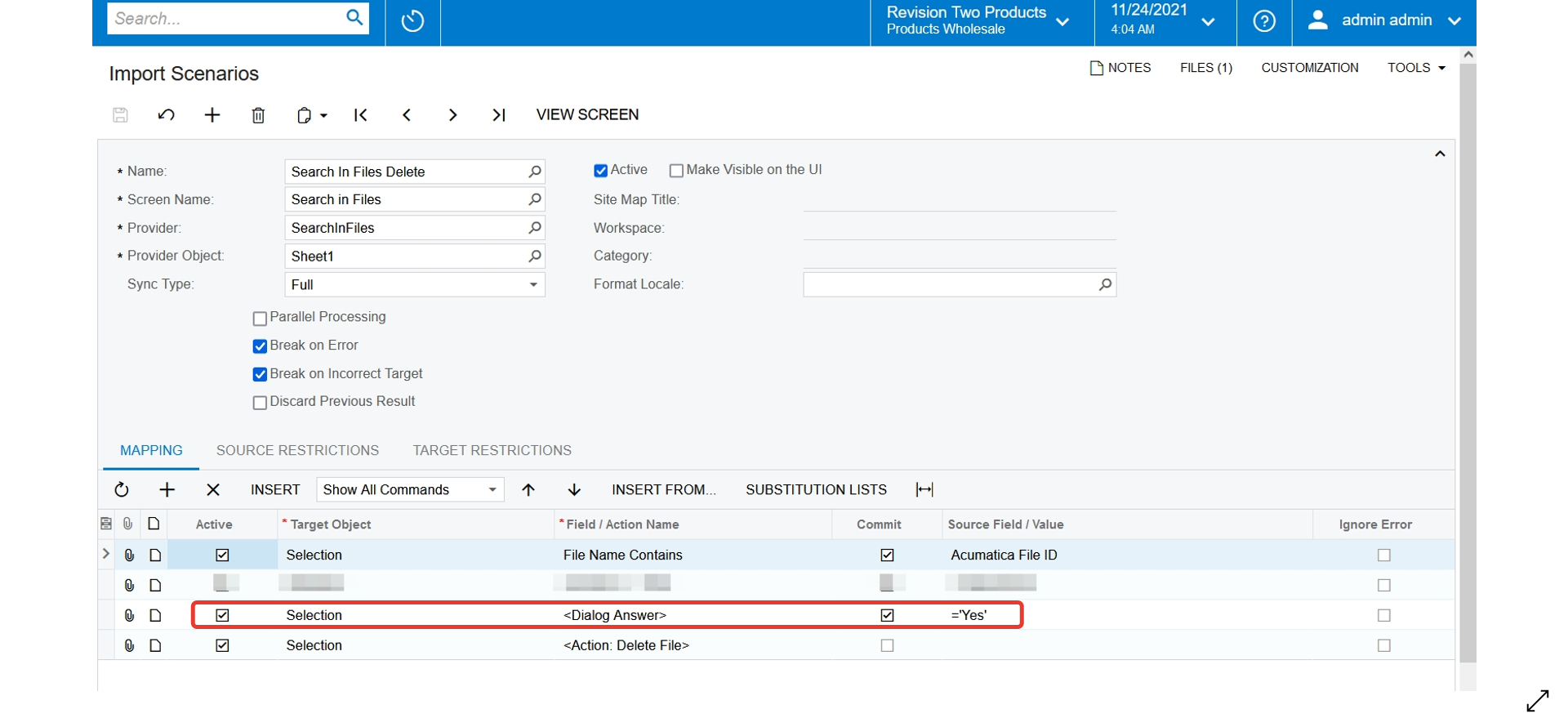
Please make following change and try again. Move Dialog answer line above Delete action. 

Regards,


Translate

Forum|alt.badge.img+6
  • Author
  • Captain II
  • March 23, 2022

Hi @ray20 

Please make following change and try again. Move Dialog answer line above Delete action. 

Regards,


@vkumar 
Thank you, I tried your method, but still end with errors


Translate

Naveen Boga
Captain II
Forum|alt.badge.img+20

Hi, @ray20  Even I tried in multiple ways and got the errors.

@vkumar  Is this Acumatica bug? 

Translate

Forum|alt.badge.img+6
  • Author
  • Captain II
  • March 23, 2022

@Naveen Boga 


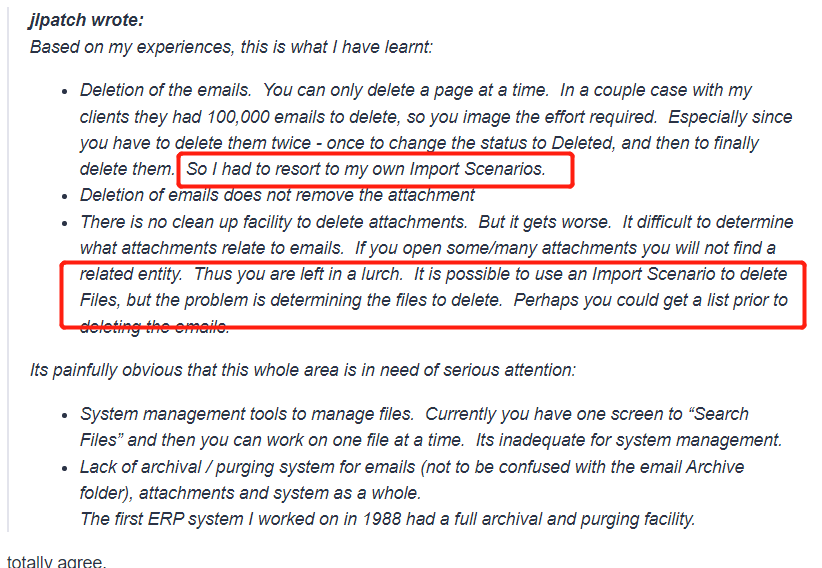
Hi, in the above post, this user said he can clean the filed by import scenario, so ,there should be a way.


Translate

Forum|alt.badge.img+12
  • Acumatica Support Team
  • March 23, 2022

Hi @ray20, @Naveen Boga 

Let me check the scenario on my demo. Will let you know the result. 

Regards,

Translate

Forum|alt.badge.img+3
  • Jr Varsity I
  • March 23, 2022

The below configurations works for me. However, over a larger set, it becomes extremely slow. It would be great if Acumatica could make this a feature. Otherwise, a customization might be the most efficient way.


I hope this help!

Translate

Forum|alt.badge.img+6
  • Author
  • Captain II
  • March 24, 2022

@yhartman 
Hello, Your method works. Many thanks.
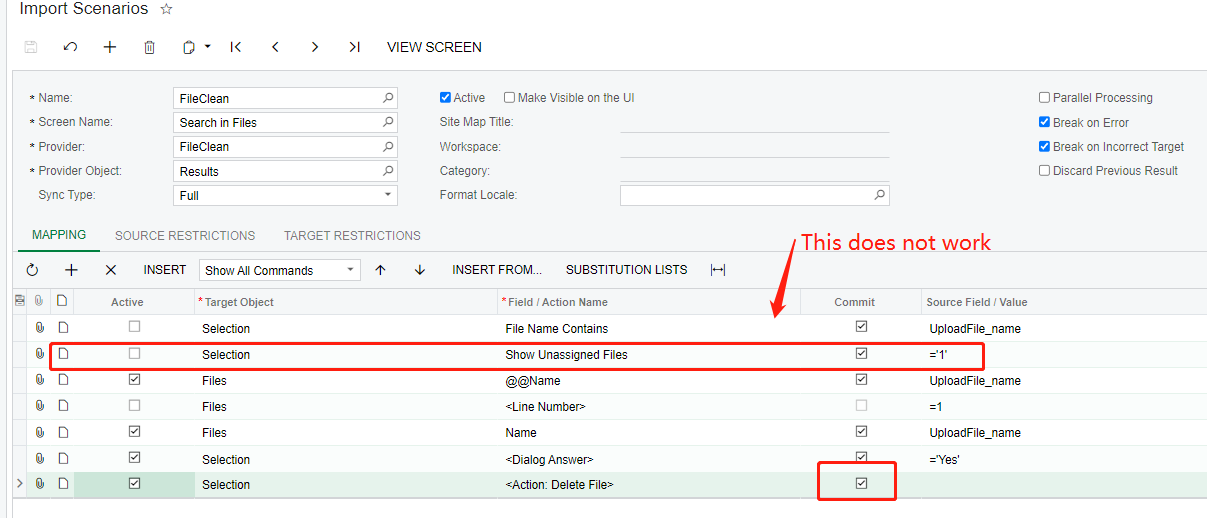
However, it works with limitations.

I am still using 2020R2, I don’t konw whether this issue happens only in 2020R2, but I did meet it.

The issue is:
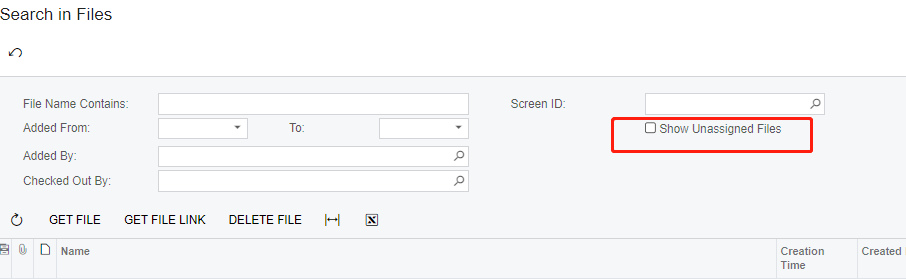
I can only delete the files without “show unassigned files ” check on


if a file needs to be selected out by selecting this checkbox first, my code does not work above.


do you know how to solve this issue?


by the way, another issue I solved is that we have to remember checking on the “commit” checkbox for delete action. otherwise, only the first line would be deleted every time.

Translate

Chris Hackett
Community Manager
Forum|alt.badge.img
  • Acumatica Community Manager
  • April 26, 2022

Hi @ray20 were you able to resolve your issue? Thank you!

Translate

Forum|alt.badge.img+6
  • Author
  • Captain II
  • April 29, 2022

@Chris Hackett 
Hello, Thank you for asking,unfortunately, no. but I have to delete a little few files with   “show unassigned files ” checked on. So I did these manually. 
Normally, I just have to clean files without “show unassigned files” checked.

But if someone can point out how to solve my issue above. it might be helpful in the future.

Translate

Forum|alt.badge.img
  • Varsity I
  • September 28, 2023

Is there any way to utilize the “Get File” action from the Search In Files screen in an import/export scenario? 

I am trying to figure out how to get file downloaded to computer, and then delete the file in one step. 

Any advice is appreciated!

Translate