Answer

Import scenario not updating child record.

  • December 5, 2024
  • 7 replies
  • 87 views

Forum|alt.badge.img

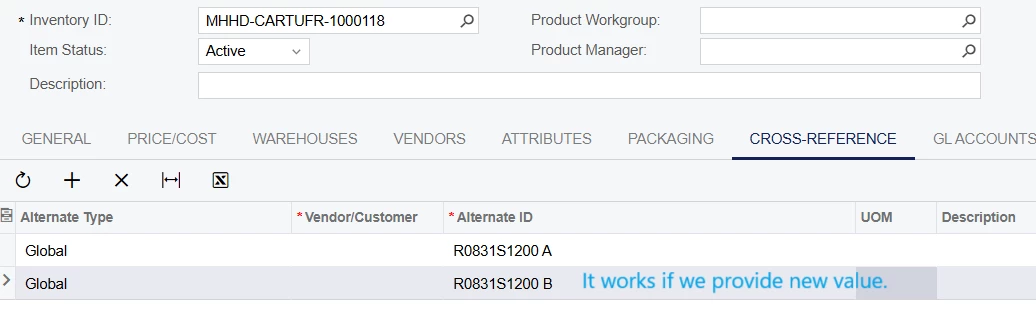
We developed import scenario for Stock Item. We need to add entry for Cross Reference as well.

This works fine when we are adding new record.

When we try to update entry by providing same data it update stock item without any error.
But not cross reference.
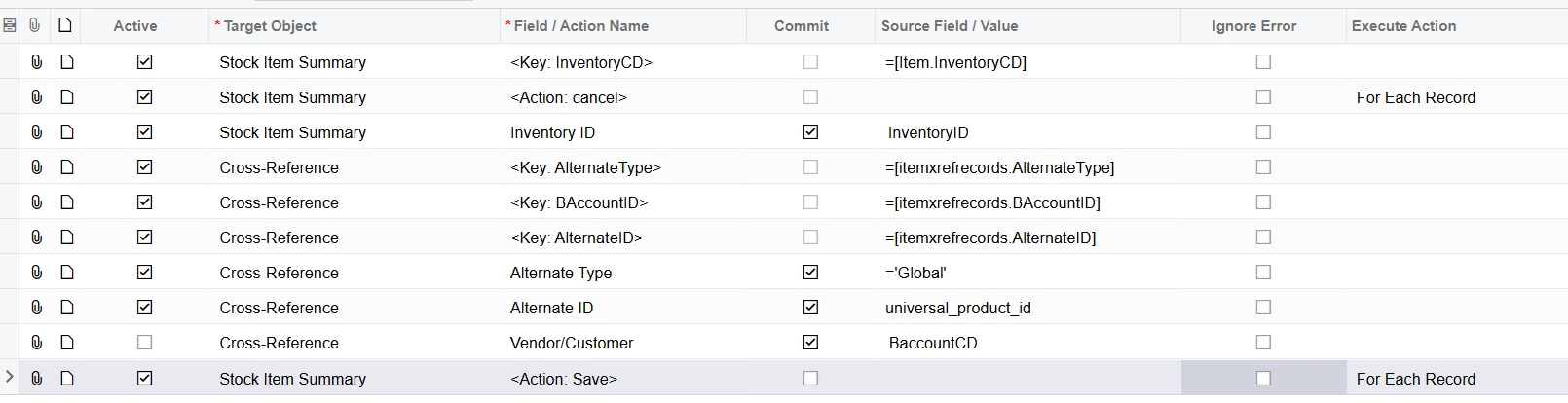
Import scenario is design like this.

 

Best answer by lauraj46

Hi ​@bjani23 ,

In that case, it might be simplest to split this into three different scenarios (one for each different alternate ID type).

Laura

7 replies

lauraj46
Captain II
Forum|alt.badge.img+8
  • Captain II
  • December 5, 2024

Hi ​@bjani23 ,

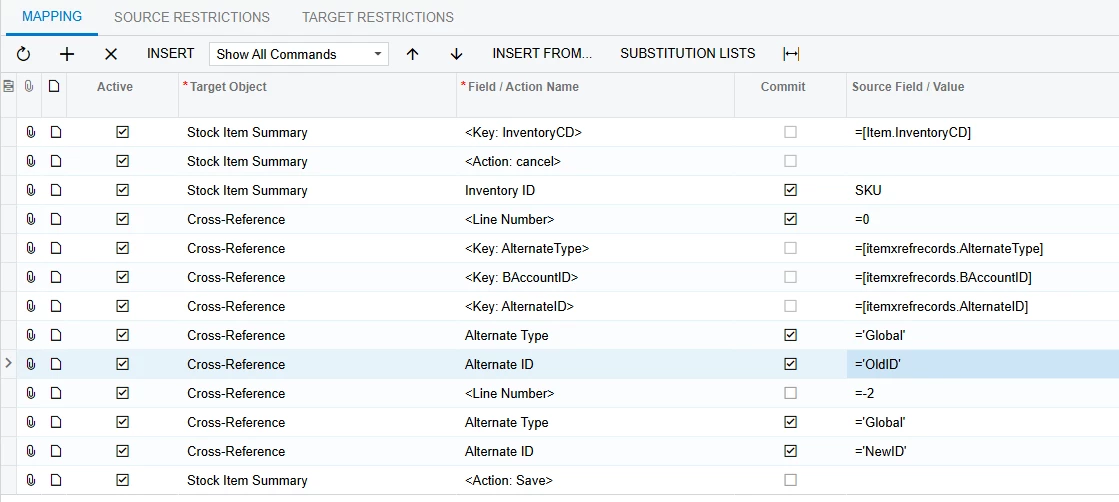
Since you’re changing the Alternate ID, you need to do a lookup based on the old id.  Use <Line Number> = -2 to delete that existing row.  Then insert the new entry.  If nothing is found, it should just insert the new row.

In the scenario below you would change ‘OldID’ and ‘NewID’ to be fields from your data source.


Hope this helps!

Laura


lauraj46
Captain II
Forum|alt.badge.img+8
  • Captain II
  • December 5, 2024

Hi ​@bjani23 ,

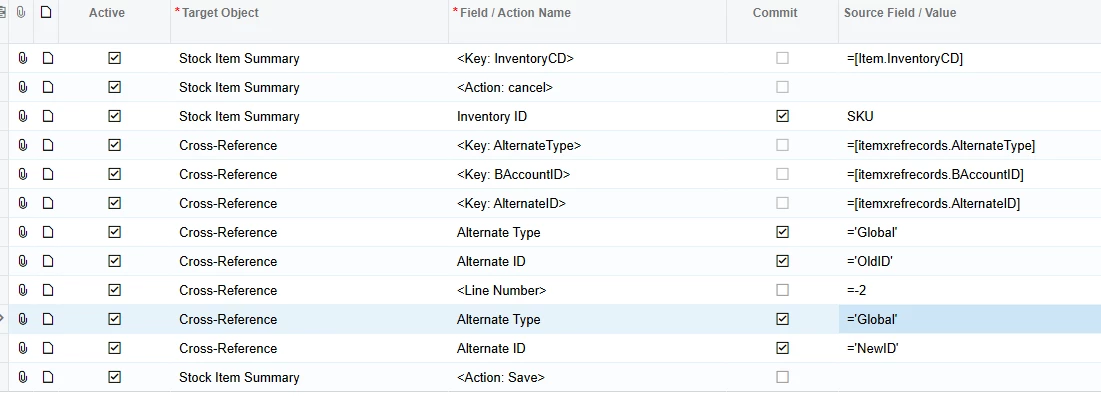
See corrected scenario below.  You don’t need the line with <Line Number> = 0.  

Hope this helps!

Laura


Forum|alt.badge.img
  • Author
  • Jr Varsity III
  • December 6, 2024

Hi ​@bjani23 ,

See corrected scenario below.  You don’t need the line with <Line Number> = 0.  

Hope this helps!

Laura

We do not have old and new id in excel.

We have value only. If same it should be updated else insert. (Alternate ID is primary key).

If we have same inventory id then it will automatically update but not this cross reference.


lauraj46
Captain II
Forum|alt.badge.img+8
  • Captain II
  • December 6, 2024

Hi ​@bjani23 ,

Sorry, I’m not quite following.  If you are not changing the Alternate ID, then which field are you trying to update?  I don’t see any other fields in your import scenario.


Forum|alt.badge.img
  • Author
  • Jr Varsity III
  • December 12, 2024

Hi ​@bjani23 ,

Sorry, I’m not quite following.  If you are not changing the Alternate ID, then which field are you trying to update?  I don’t see any other fields in your import scenario.

We have three columns for different alternate type. Some have value some are blank.
So blank value need to skip. 


lauraj46
Captain II
Forum|alt.badge.img+8
  • Captain II
  • Answer
  • December 12, 2024

Hi ​@bjani23 ,

In that case, it might be simplest to split this into three different scenarios (one for each different alternate ID type).

Laura


Forum|alt.badge.img
  • Author
  • Jr Varsity III
  • December 31, 2024

Hi ​@bjani23 ,

In that case, it might be simplest to split this into three different scenarios (one for each different alternate ID type).

Laura

I added checking condition in custom data provider. I cannot find any way for “upsert” operation in Acumatica.