Answer

Import Scenario: Last Cost not getting updated

  • August 8, 2022
  • 14 replies
  • 420 views

Forum|alt.badge.img+3

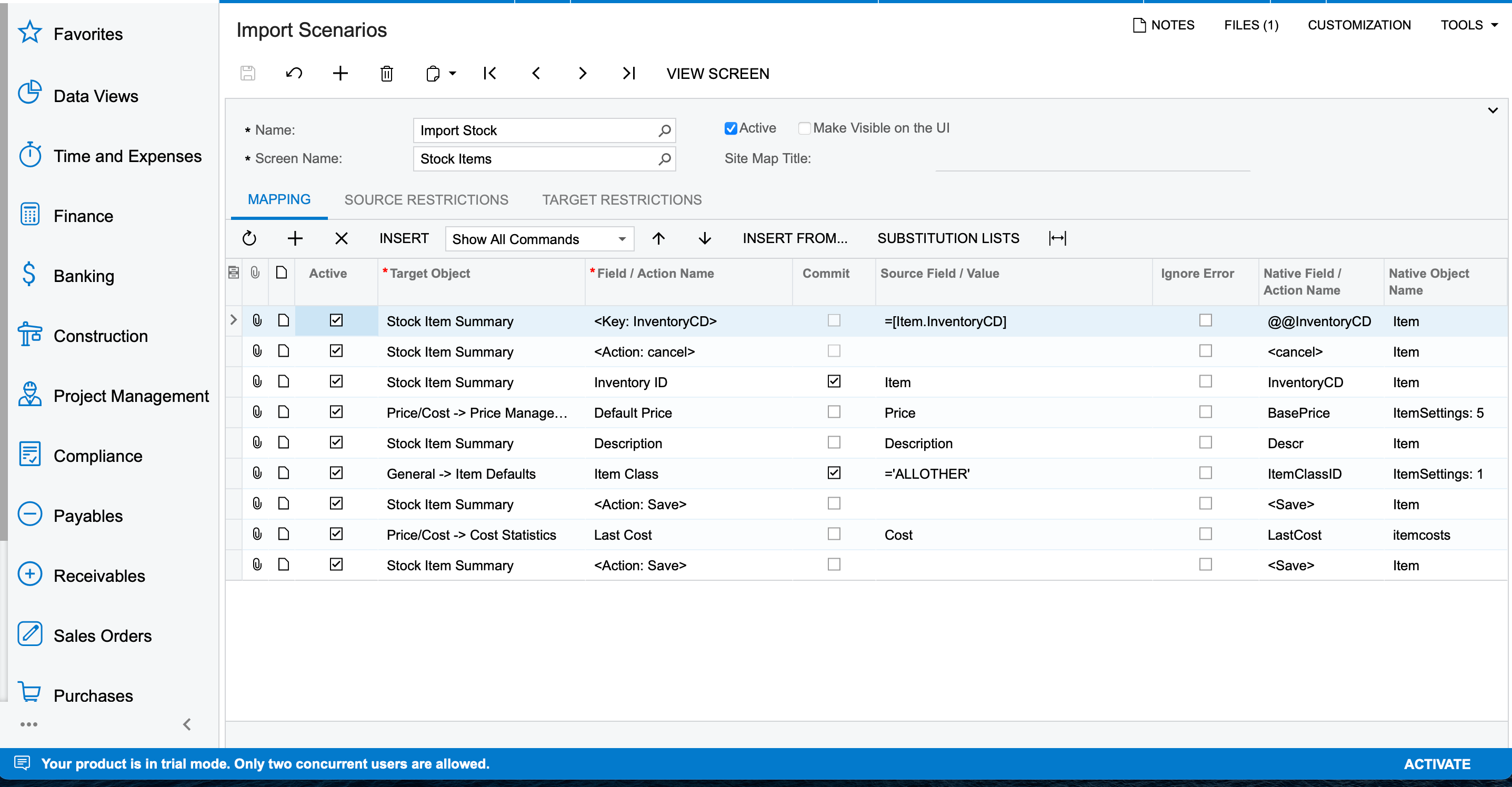
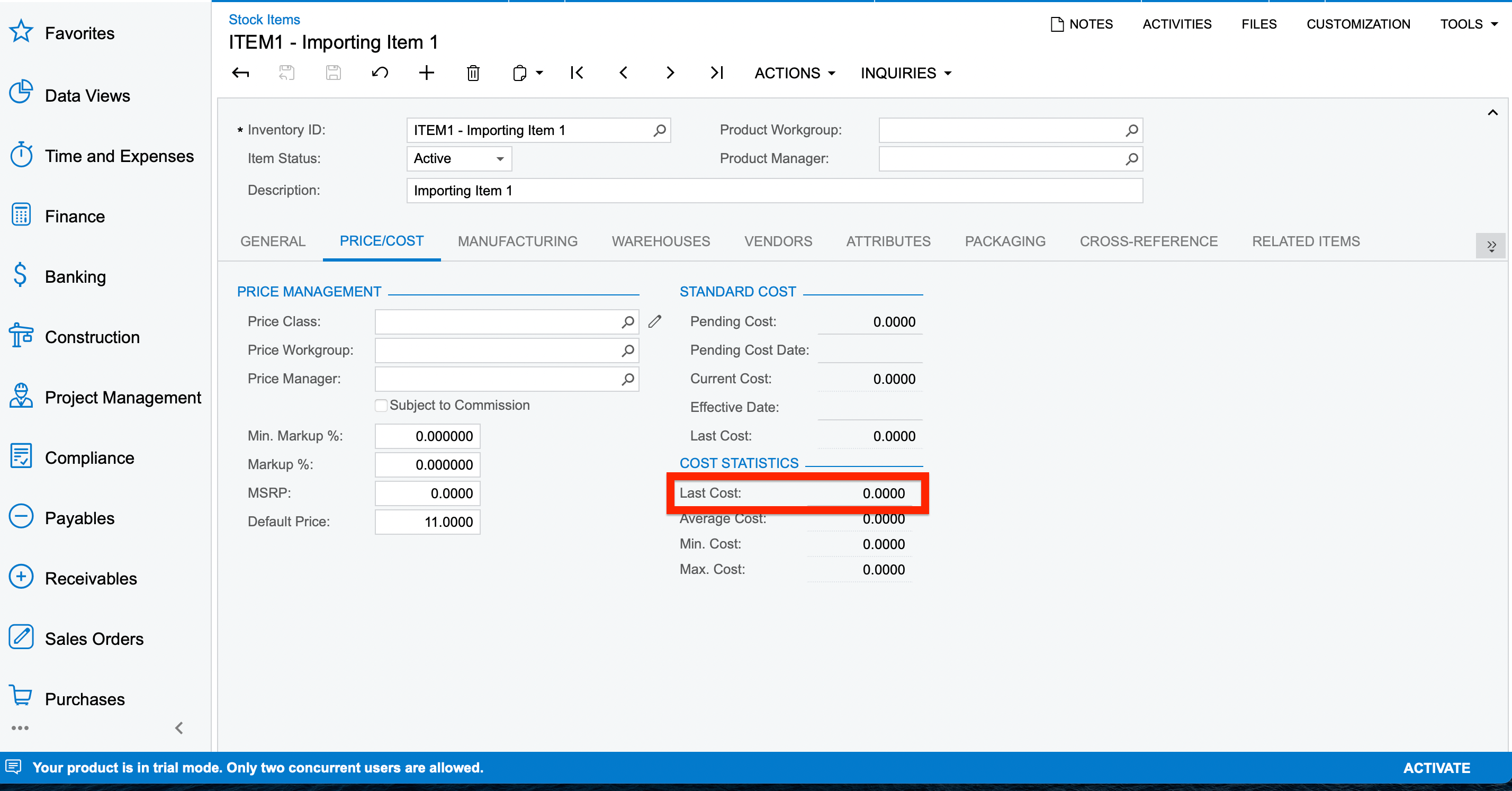
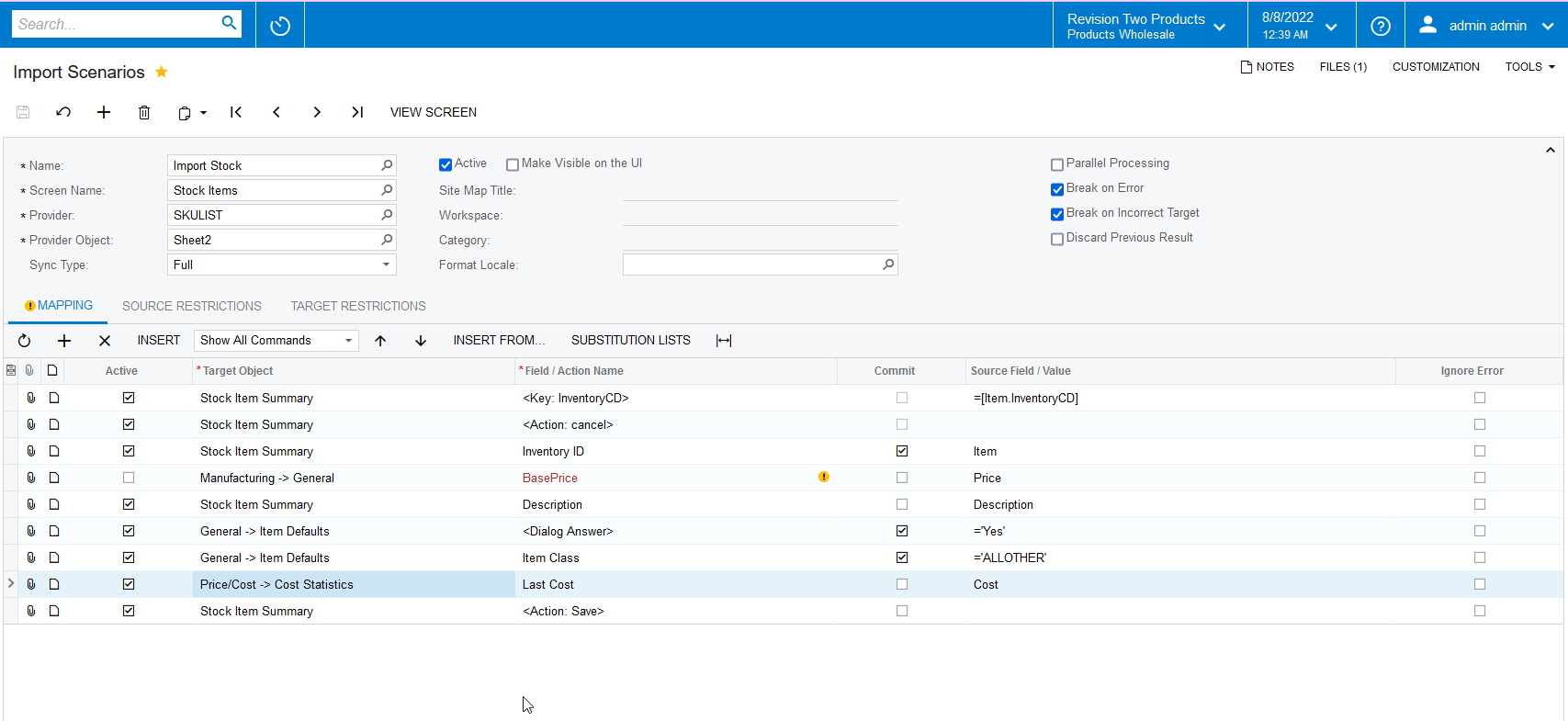
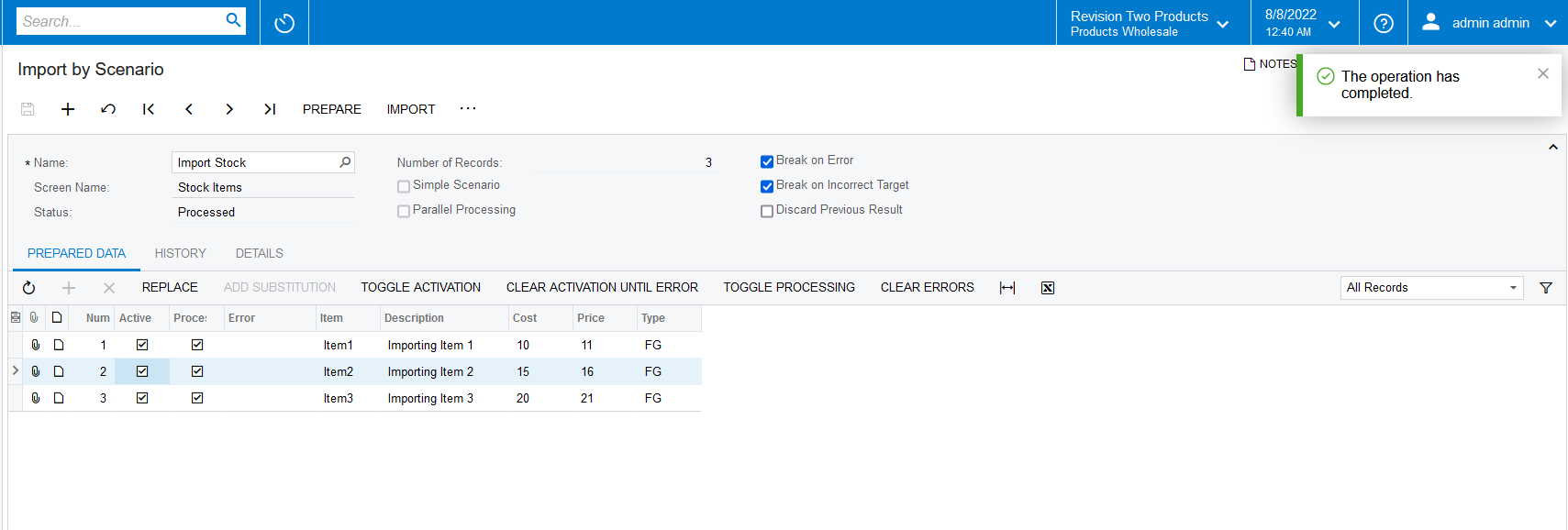
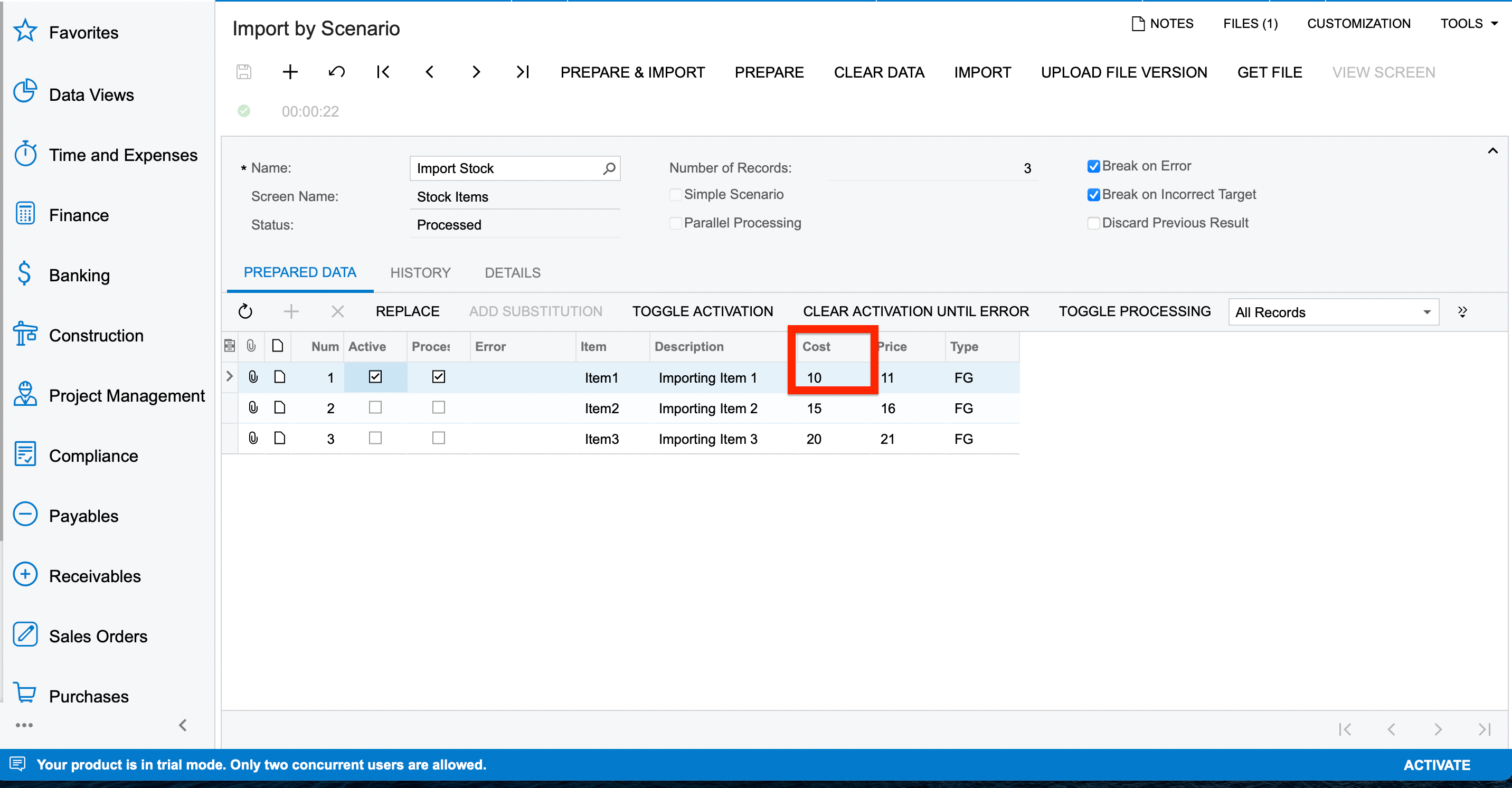
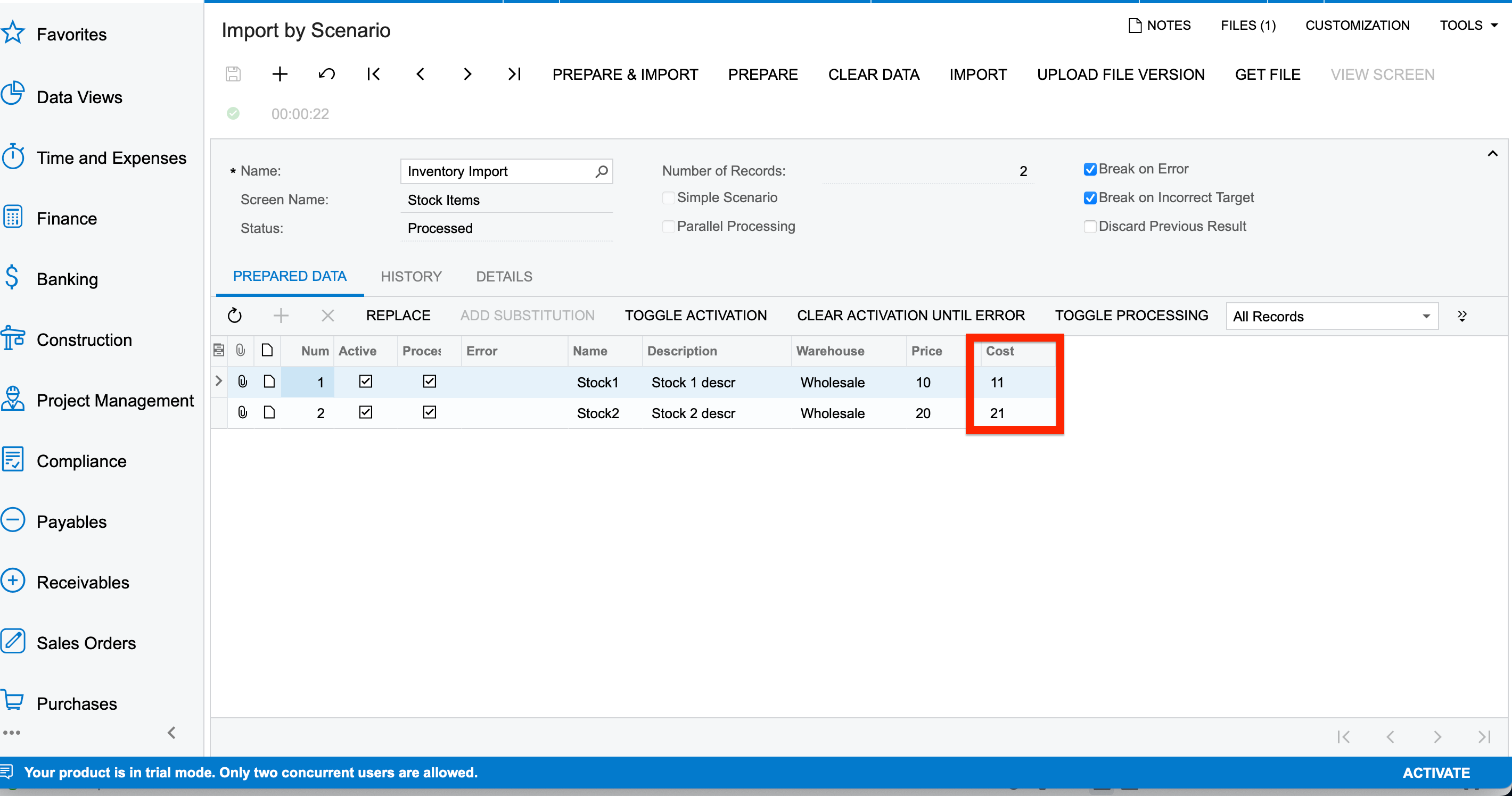
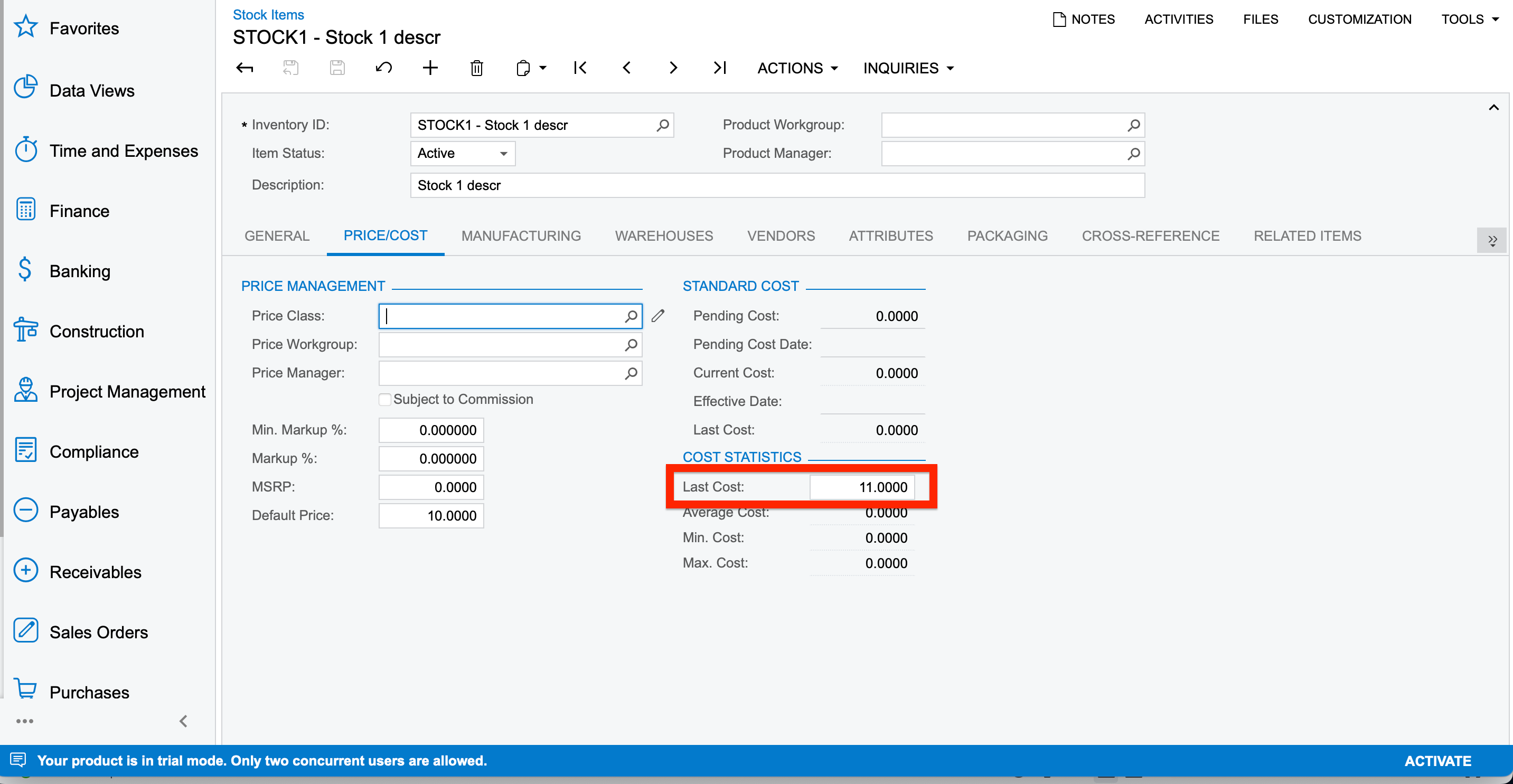
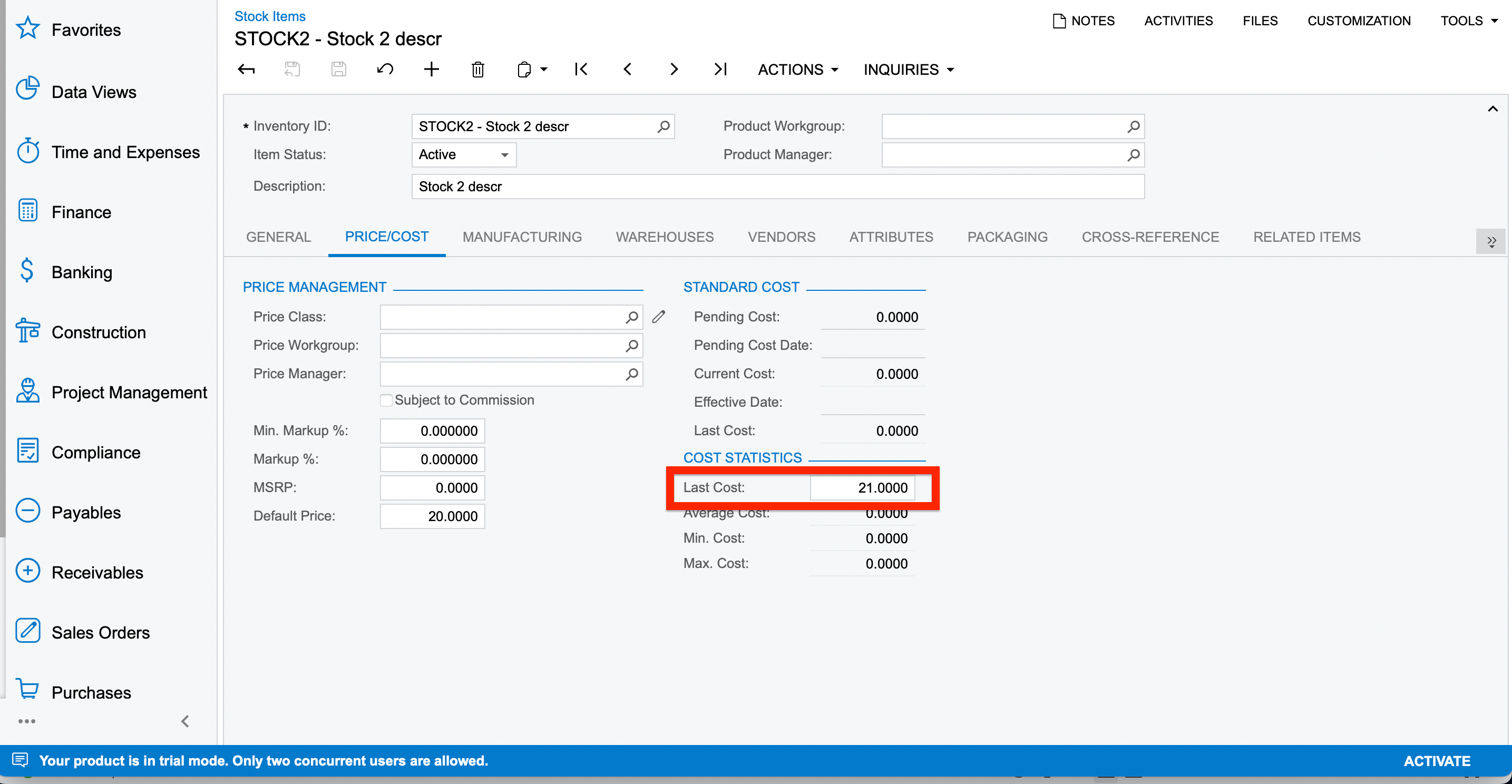
Hello, I have successfully imported the stock items in my instance but the Last Cost isn’t getting updated. Below are the screenshots on the same.
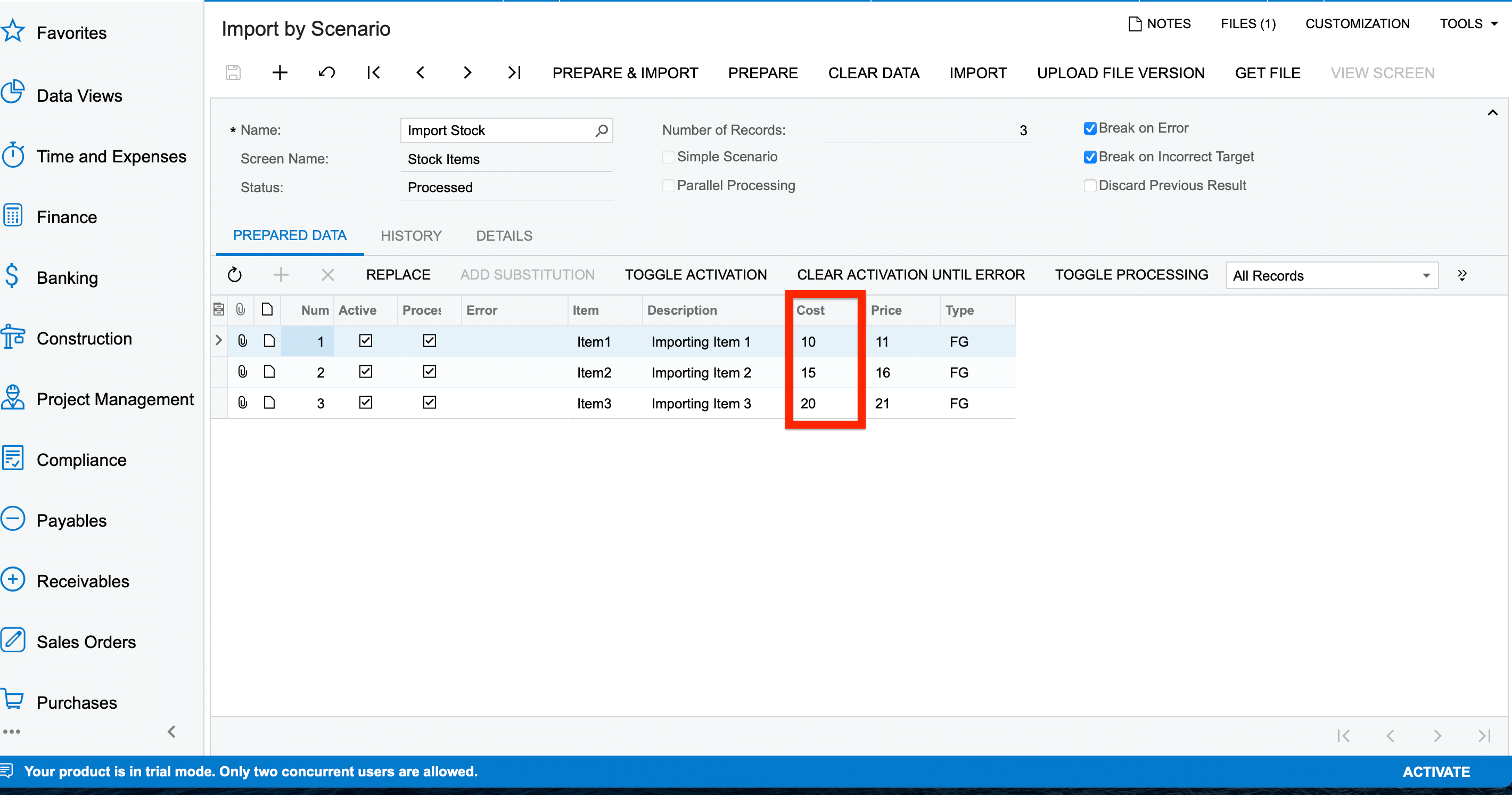


Kindly let me know what mistake is being done here.
Thanks.

Best answer by Naveen Boga

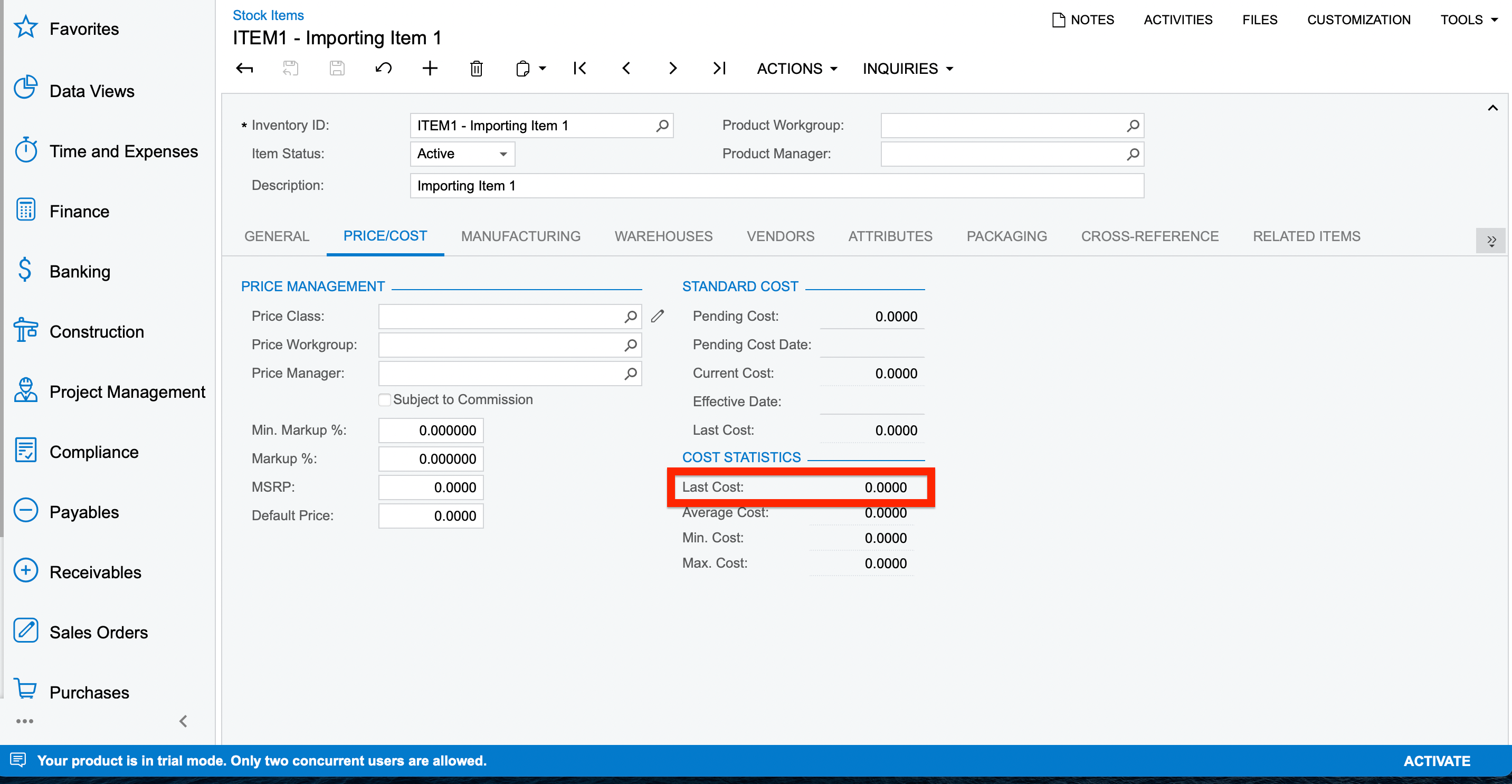
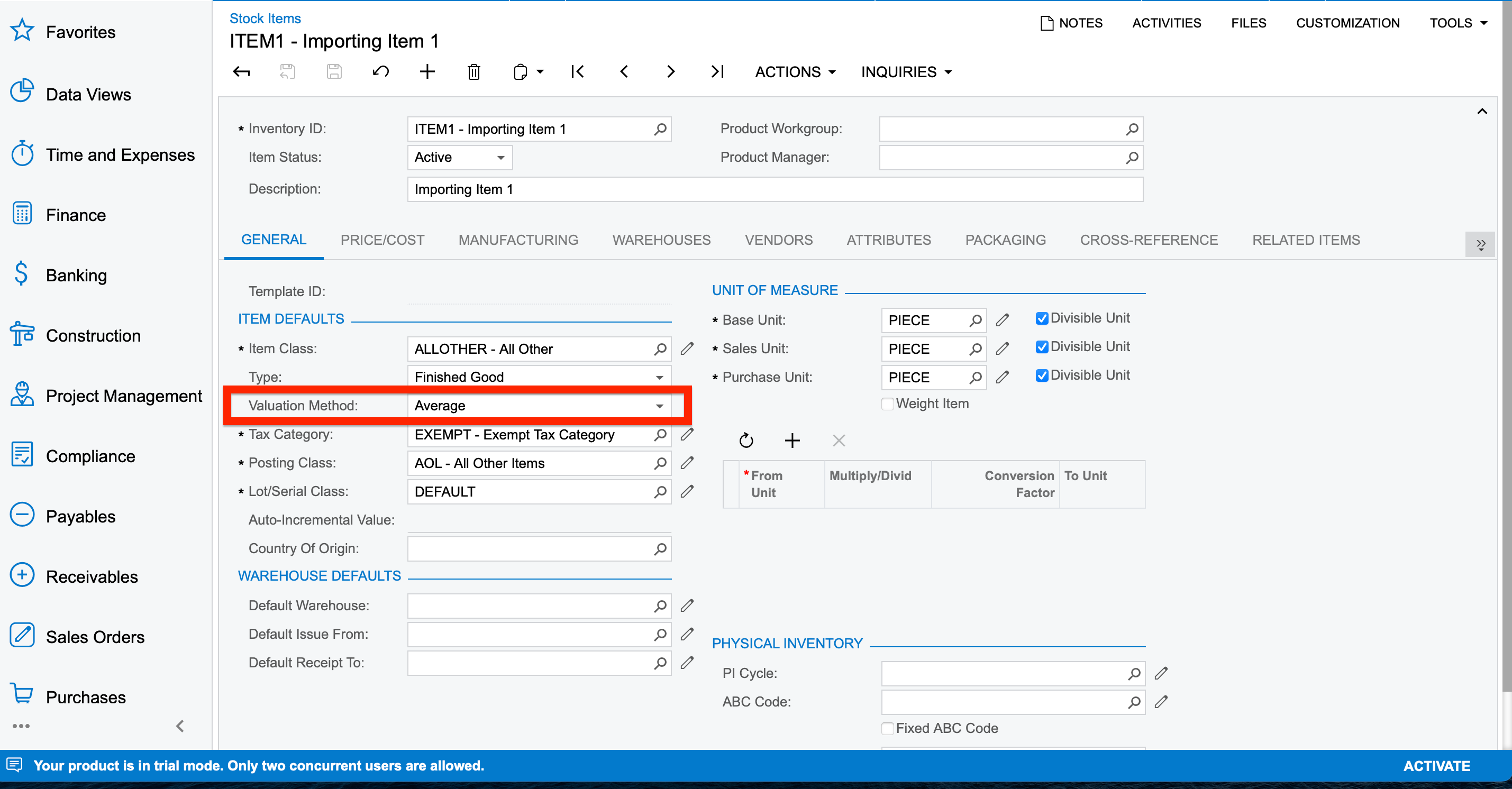
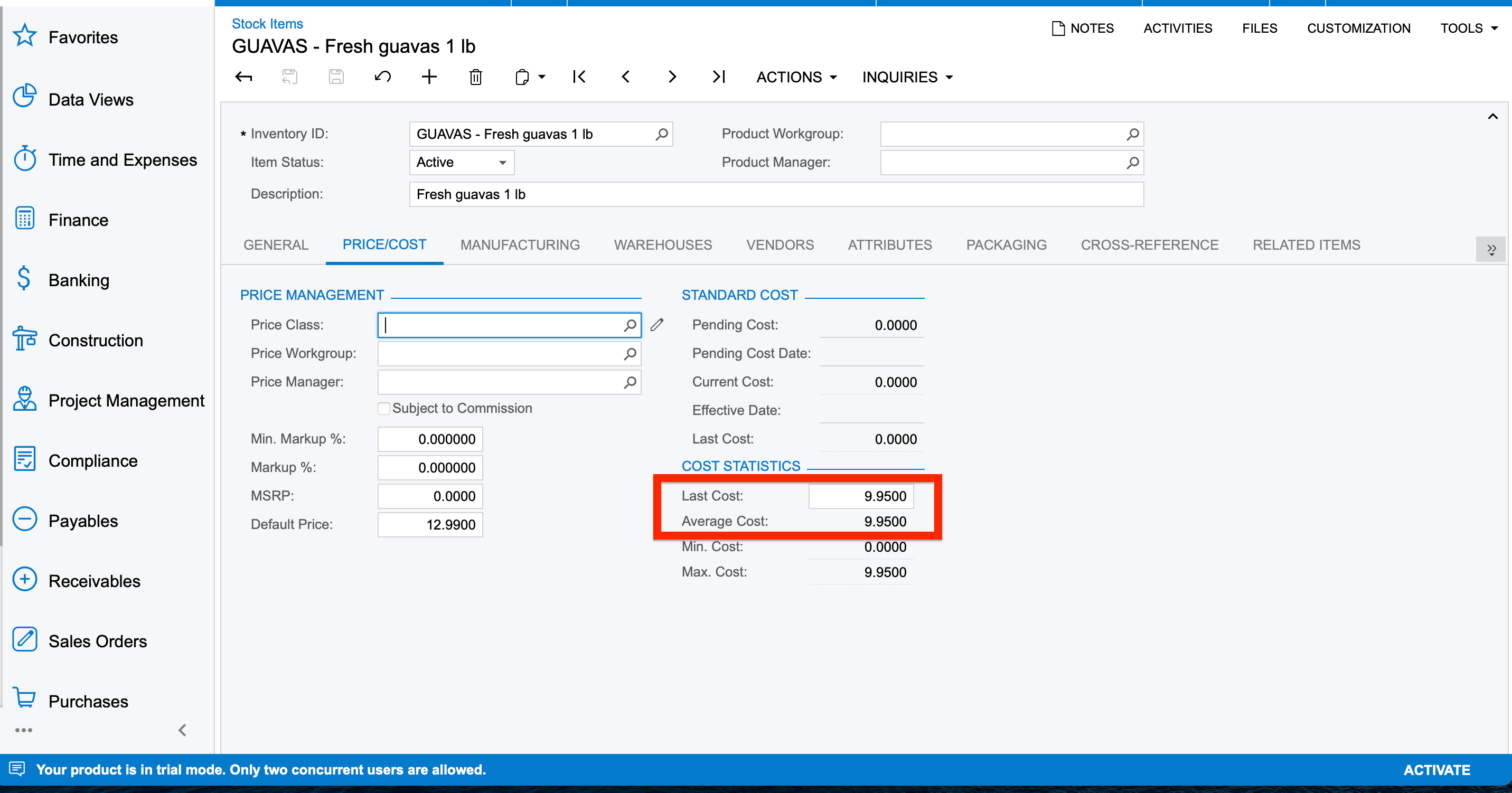
@Harshita  If you look at the screenshots above

for the ITEM1 → Last Cost field is a non-editable field

but GUVAS → Last Cost field is enabled.


You can update the GUVAS  item in your import scenario and check whether the Last Cost field is updated or not.

14 replies

Naveen Boga
Captain II
Forum|alt.badge.img+19
  • Captain II
  • August 8, 2022

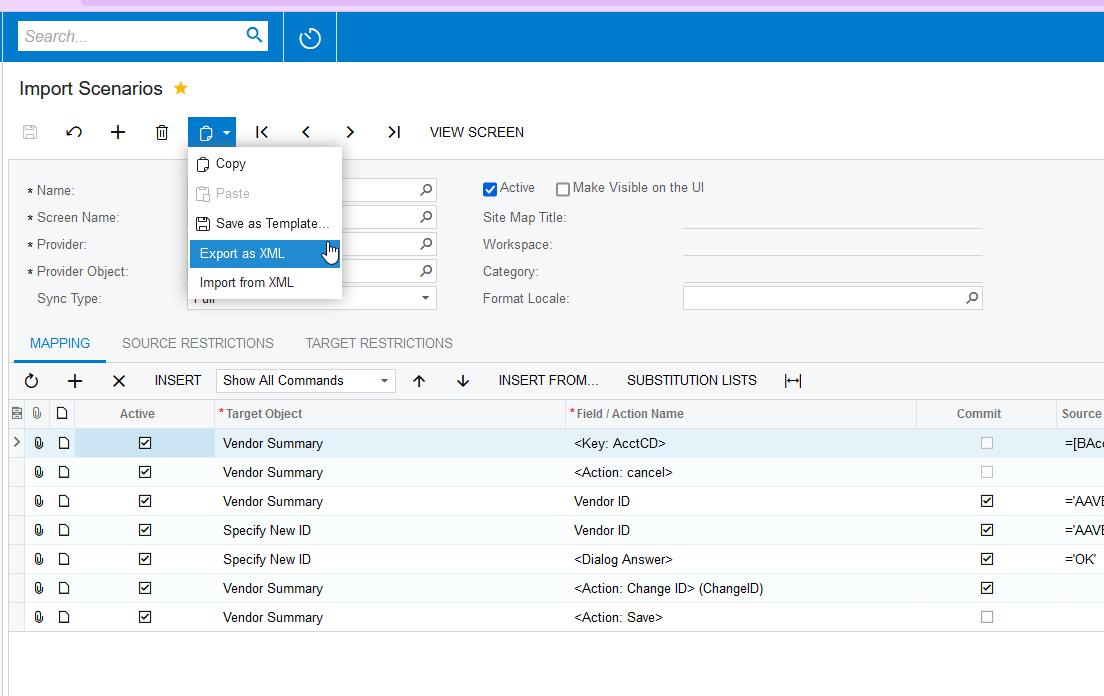
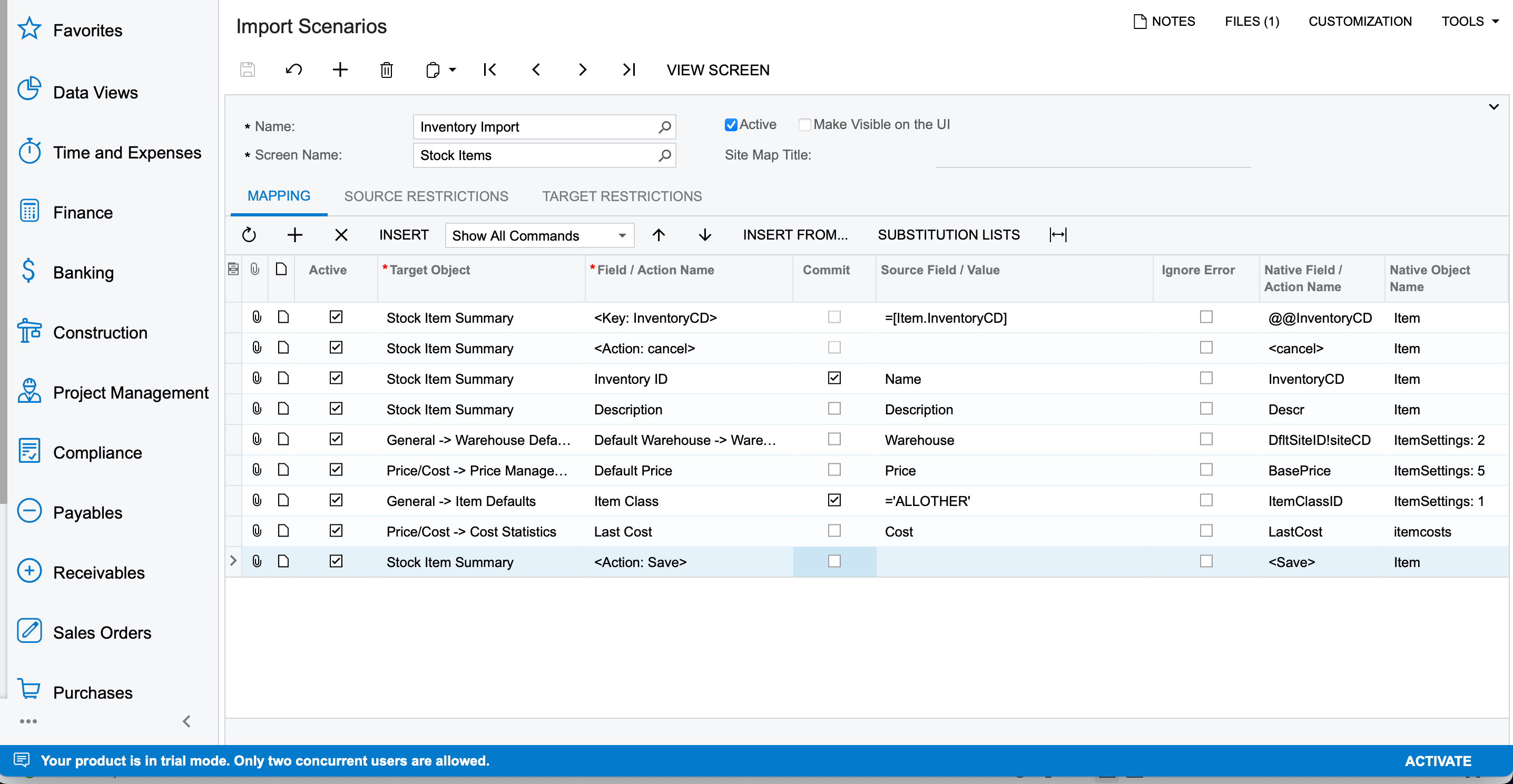
Hi @Harshita  Please share the XML format of your Import Scenario by using below option.


Forum|alt.badge.img+3
  • Author
  • Captain II
  • August 8, 2022

@Naveen Boga Thank you for your prompt reply. Here’s the required XML format.


Naveen Boga
Captain II
Forum|alt.badge.img+19
  • Captain II
  • August 8, 2022

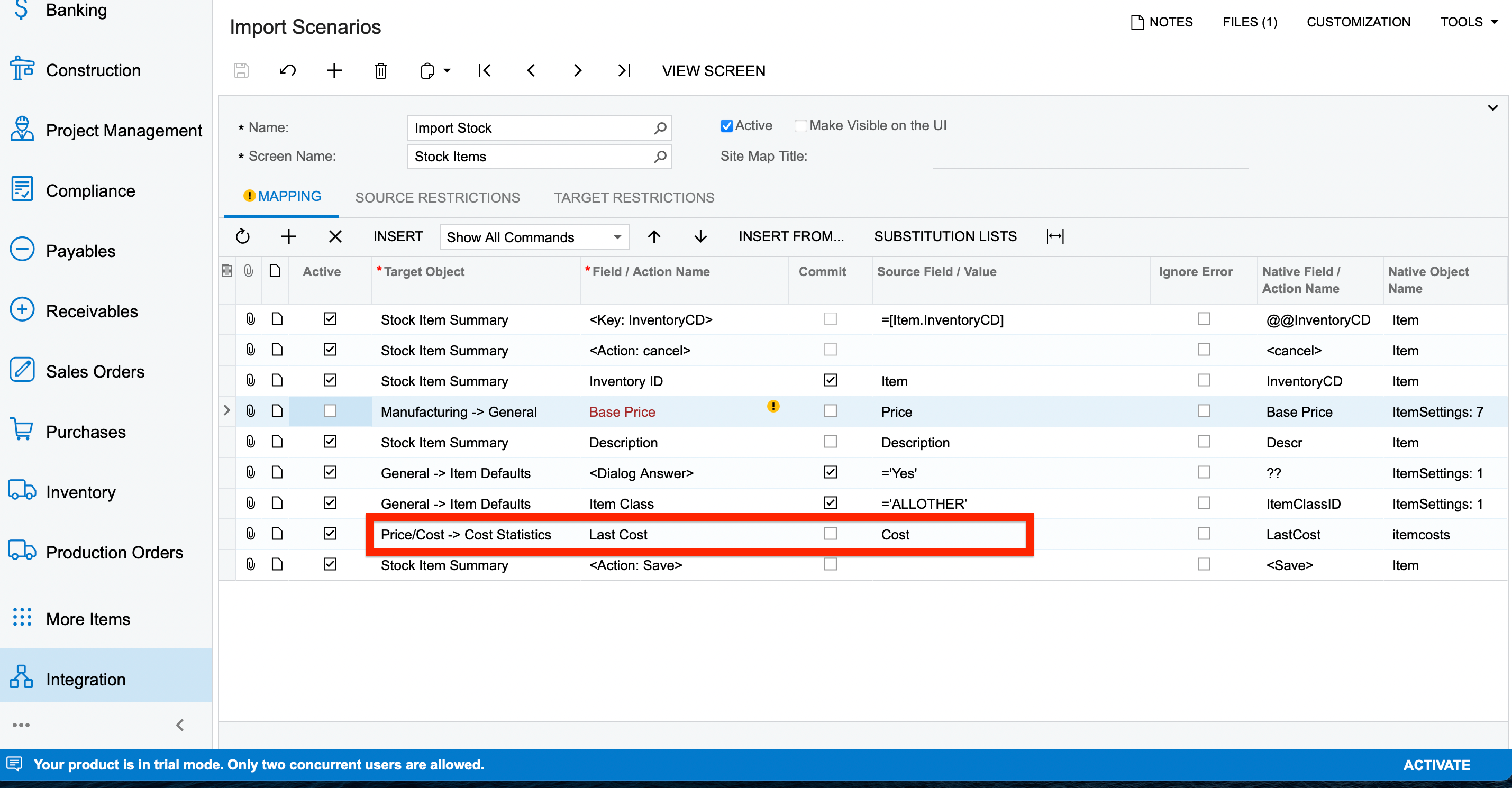
Hi @Harshita  I have modified a little bit of your import scenario and verified it and working as expected.

Please find the screenshot for reference.


You can modify accordingly and verify 


Forum|alt.badge.img+3
  • Author
  • Captain II
  • August 8, 2022

Thank you @Naveen Boga for the solution. I’ve tried on the basis of the above mentioned scenario but still my “Last Cost” isn’t getting updated.


Naveen Boga
Captain II
Forum|alt.badge.img+19
  • Captain II
  • August 8, 2022

@Harshita  The above import scenario is working fine.

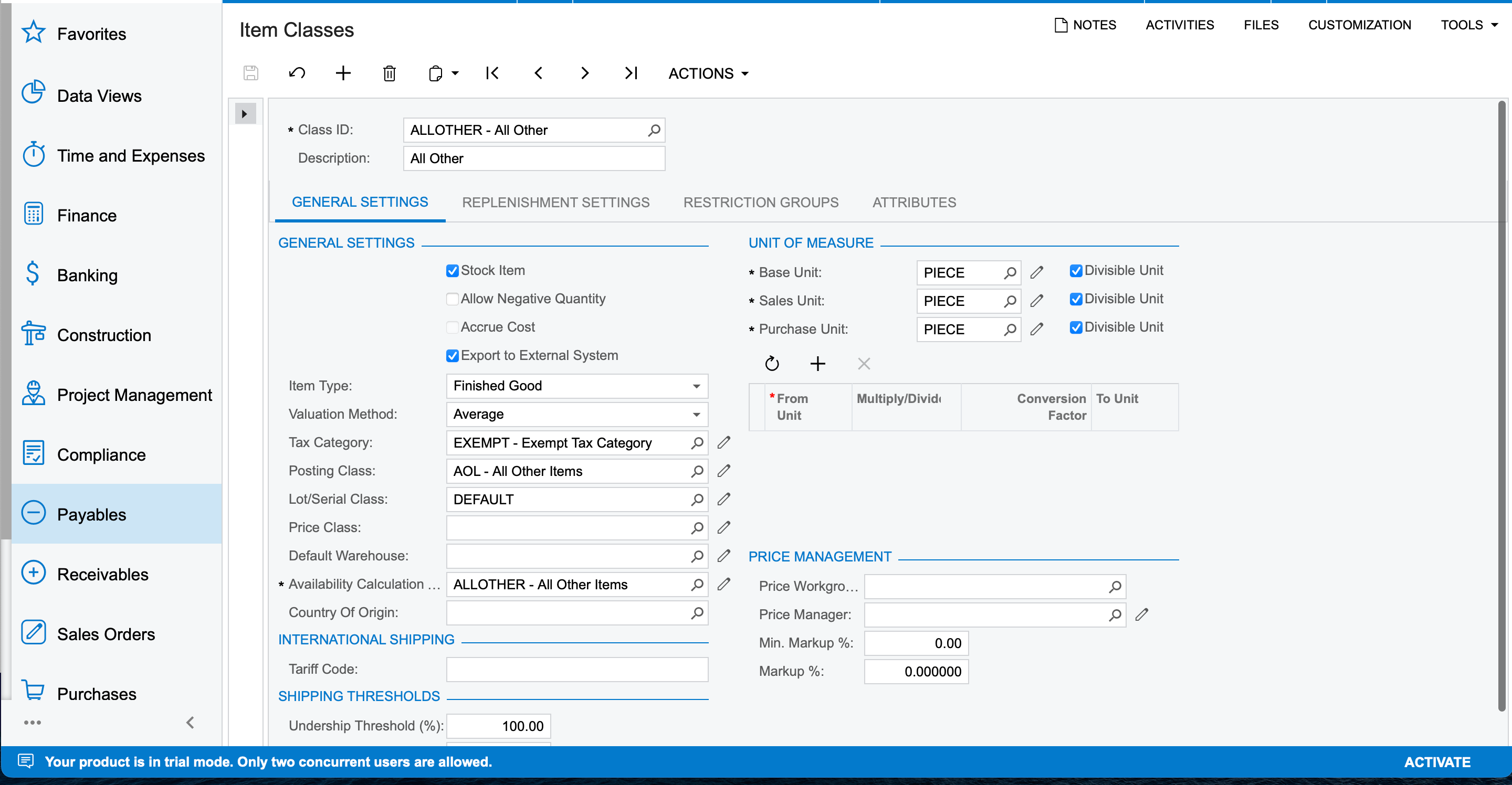
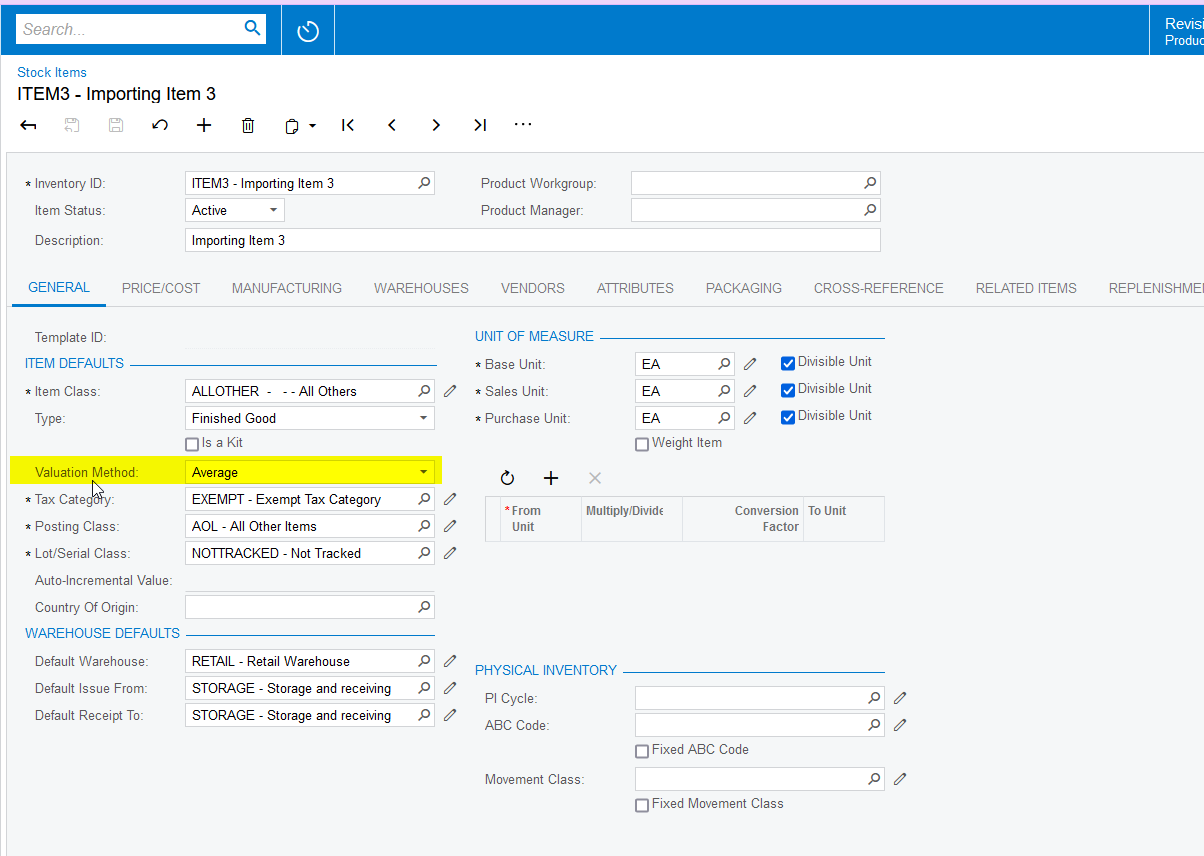
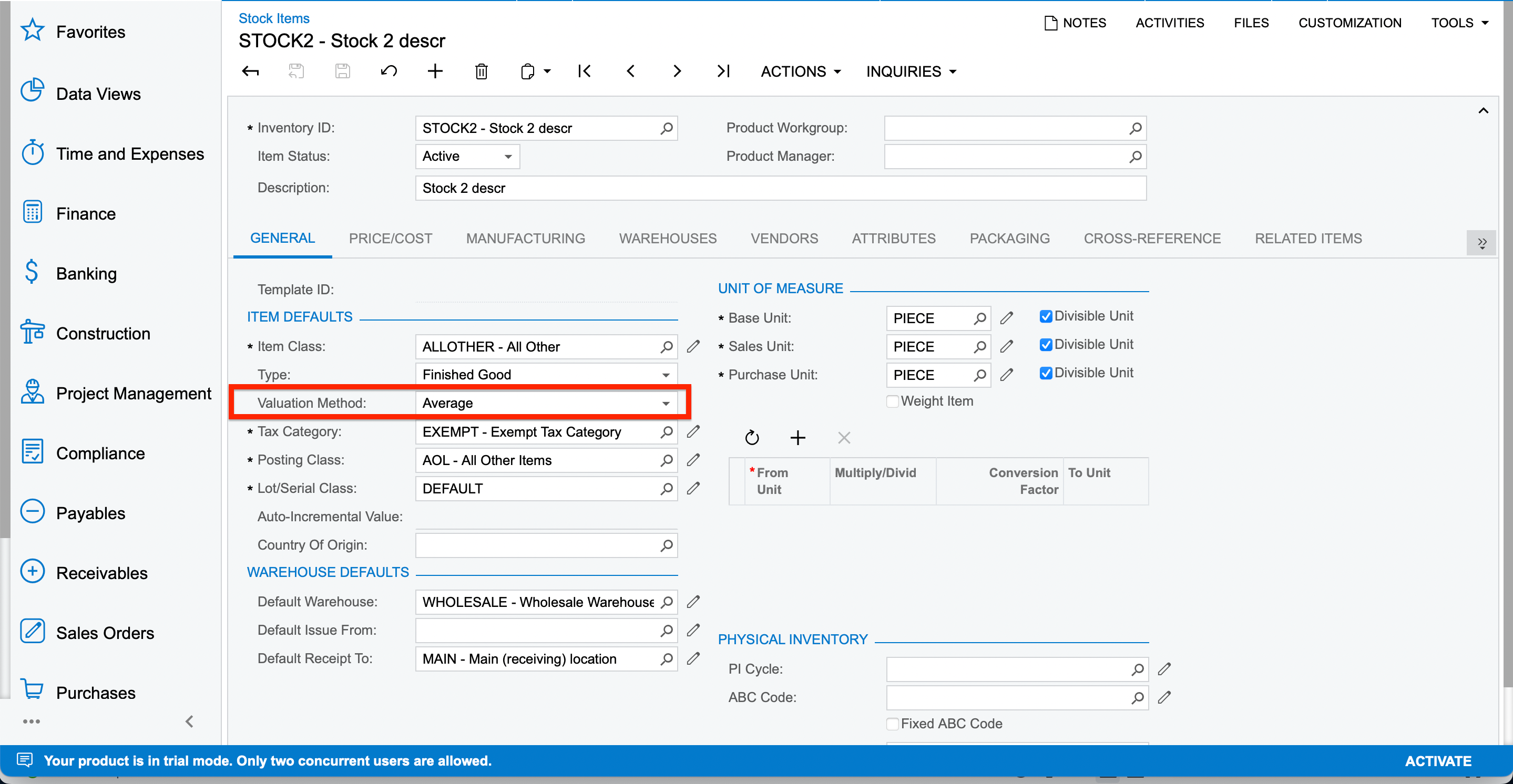
Can you please let me know what is the  Valuation Method you have to give for the Stock Item?


If you have given the “Standard” then the system will not allow us to update the Last Cost. 


Forum|alt.badge.img+3
  • Author
  • Captain II
  • August 8, 2022

The valuation method selected here is “Average”


Naveen Boga
Captain II
Forum|alt.badge.img+19
  • Captain II
  • August 8, 2022

@Harshita  Why this field is a non-editable field?

Do you have any customization on this Last Cost field?


Forum|alt.badge.img+3
  • Author
  • Captain II
  • August 8, 2022

No @Naveen Boga . There isn’t any customisation applied.
Even I checked for other stock items where Valuation Method=Average. The field is editable.


Naveen Boga
Captain II
Forum|alt.badge.img+19
  • Captain II
  • Answer
  • August 8, 2022

@Harshita  If you look at the screenshots above

for the ITEM1 → Last Cost field is a non-editable field

but GUVAS → Last Cost field is enabled.


You can update the GUVAS  item in your import scenario and check whether the Last Cost field is updated or not.


Laura03
Captain II
Forum|alt.badge.img+19
  • Captain II
  • August 8, 2022

Removed.


Forum|alt.badge.img+3
  • Author
  • Captain II
  • August 8, 2022

Hello @Naveen Boga thank you for your prompt replies. I again tried to import some stock items with the below scenarios. And hence now the “Last Cost” field is editable where Valuation Method=Average


Hence, resolved.


Naveen Boga
Captain II
Forum|alt.badge.img+19
  • Captain II
  • August 8, 2022

@Harshita Awesome. Thanks a lot for the update.


Forum|alt.badge.img+1
  • Semi-Pro II
  • June 18, 2025

To whoever is also running into this issue, this is related to a missing Default Warehouse. During the Import, the Last Cost Field is then locked down somehow.

Workaround is to set a Default Warehouse as the Last Cost / the Cost Layer is typically tied to a specific Warehouse (i.e. in Tables like INSiteStatus).


Not sure if it is considered a Bug as the Cost should be tied to a Warehouse.


Forum|alt.badge.img+2

@krausef77 Did you get any chance to identify this is a bug?