Solved

Import Scenario for Updating Checkbox on Inventory

  • January 24, 2025
  • 6 replies
  • 101 views

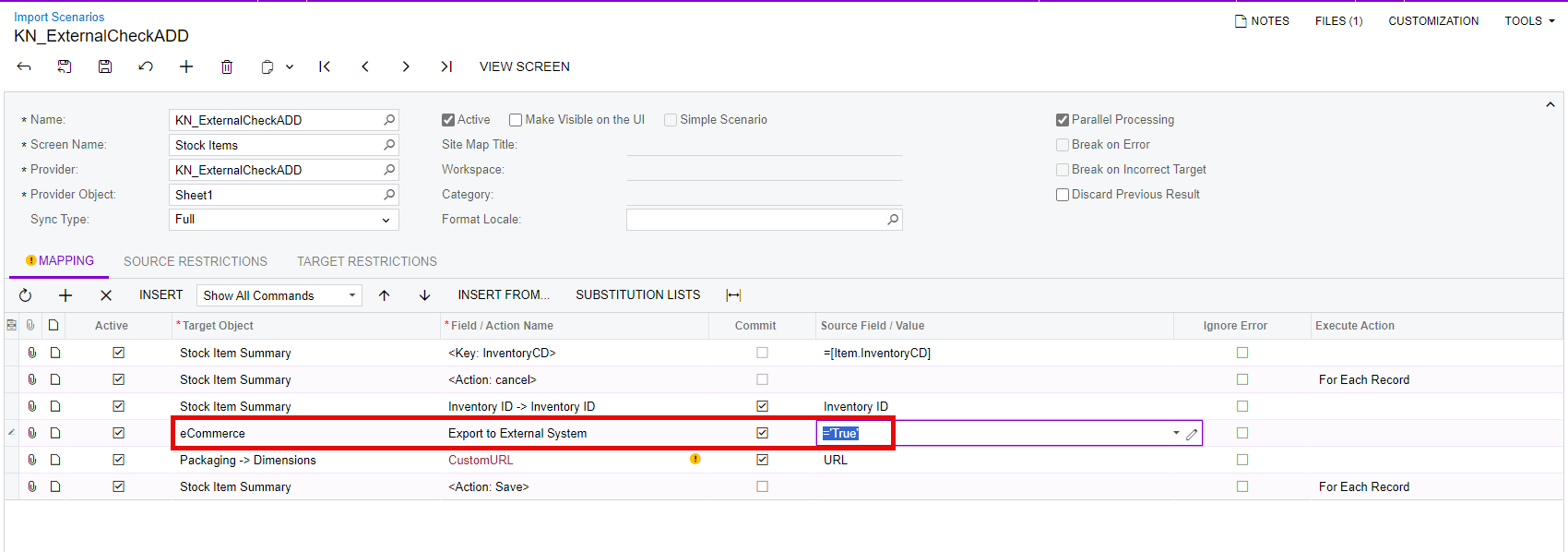
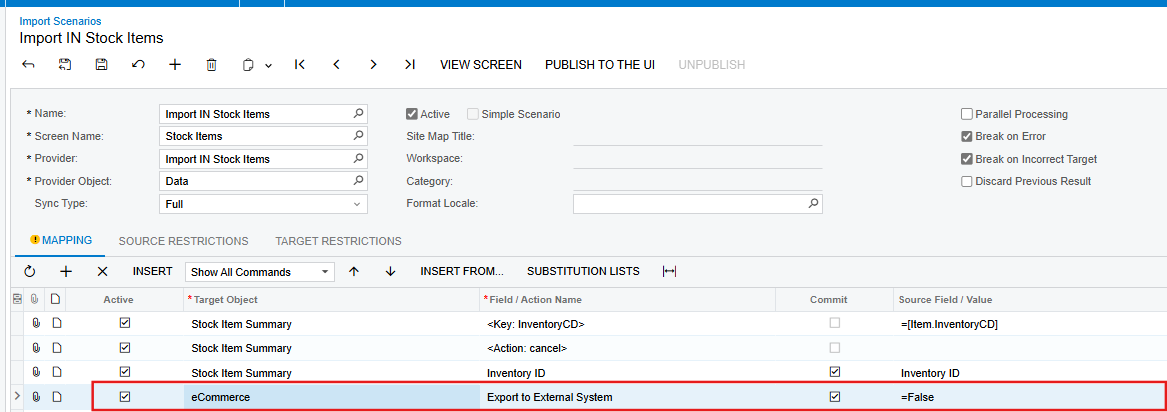
I’m needing to update the Export to External System checkbox on inventory from TRUE to FALSE but not having much success. I have my import scenario set:

When I attempt to process the import, it just throws off an error message:
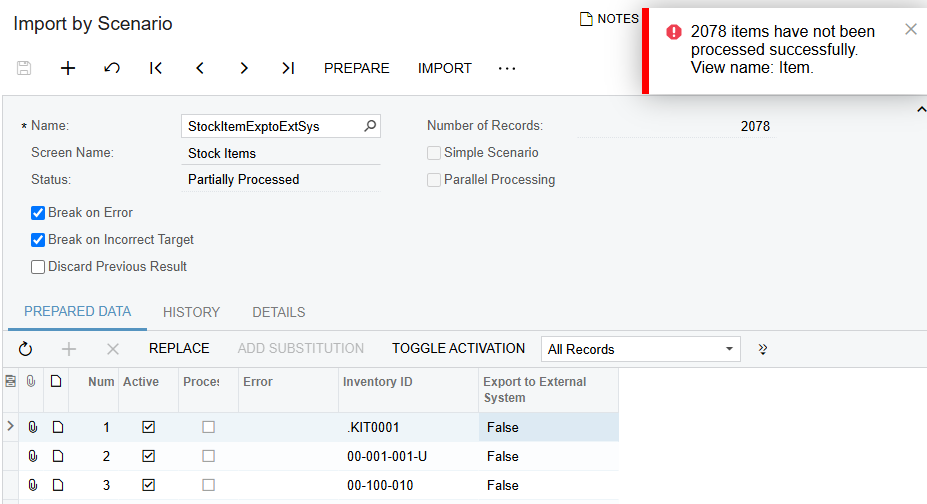
Not sure if I’m missing something or I have the import scenario set incorrectly. Any assistance would be appreciated.
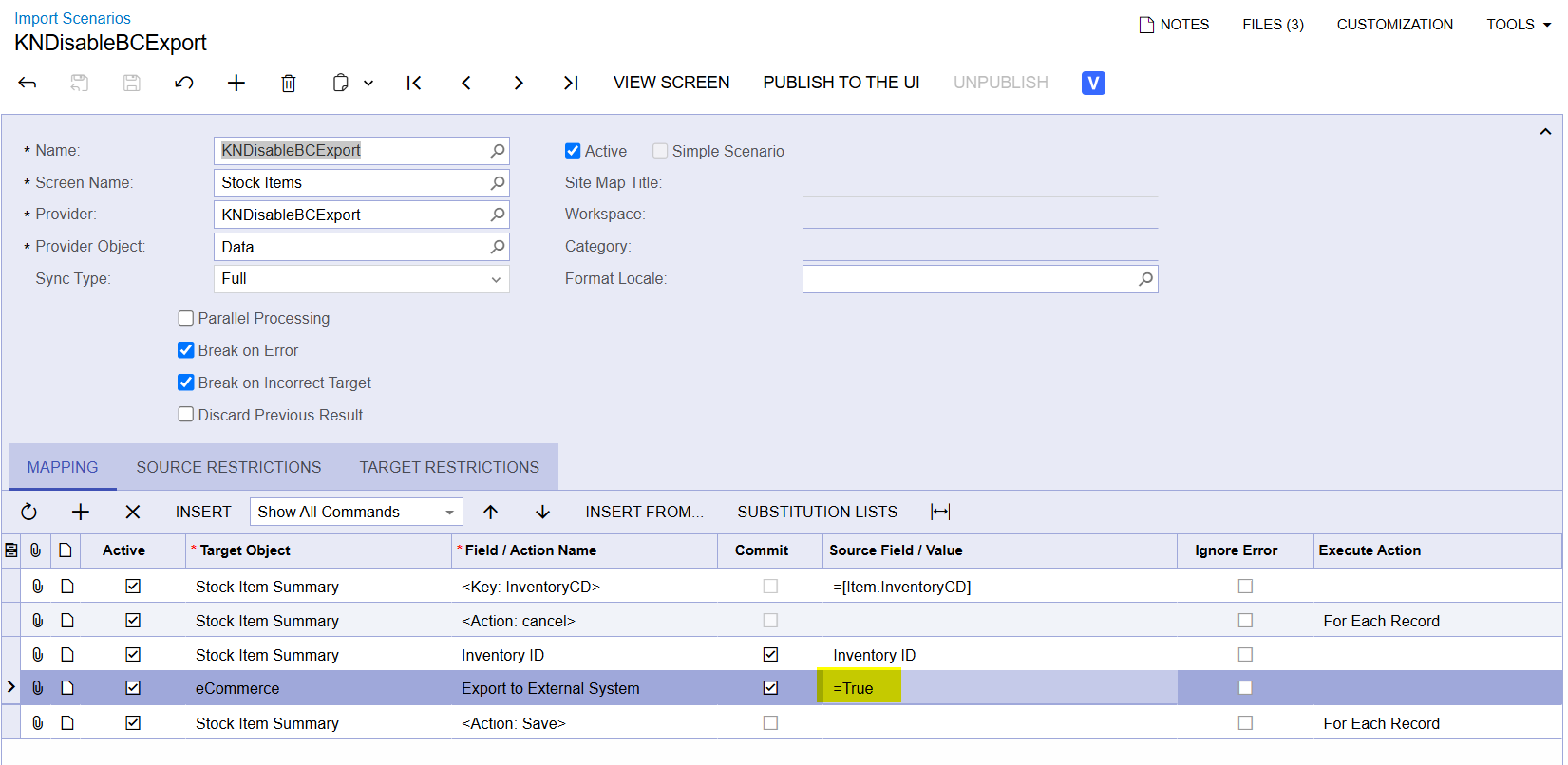

Best answer by Manikanta Dhulipudi

@dcomerford ​@alfonsosnchz 


6 replies

Kandy Beatty
Captain II
Forum|alt.badge.img+17
  • Captain II
  • January 24, 2025

HI ​@alfonsosnchz 

Do you have ECommerce turned on?


dcomerford
Captain II
Forum|alt.badge.img+15
  • Captain II
  • January 25, 2025

Agree with ​@Kandy Beatty also try and do one of the items manually and can you save it with no error


Manikanta Dhulipudi
Captain II
Forum|alt.badge.img+15

@dcomerford ​@alfonsosnchz 


Graeme Laughton-Mutu
Semi-Pro I
Forum|alt.badge.img+1

I’m wondering if the value needs to be =True without the single quotation marks (which would make it a string)?


DipakNilkanth
Pro III
Forum|alt.badge.img+13

Hi ​@alfonsosnchz, As I understand you issue you need to update Export to External System checkbox from True to False.
1) Have you enable the Ecommerce feature ? as ​@Kandy Beatty suggested. You have to enable if from Enable/Disable features screen.
2) if Ecommerce feature enabled then below eCommerce Target object will be available in your Import scenario. and set it as False.
 

Hope, it helps!


  • Author
  • Freshman I
  • January 27, 2025

Thanks everyone! I have eCommerce enabled, issue was the target object that I was attempting to use was not the correct one.