Answer

Import Scenario - For Clock Entry Screen - View Name Header Error

  • January 19, 2022
  • 11 replies
  • 225 views

cmoreland
Semi-Pro III
Forum|alt.badge.img

I have created an import Scenario to import time entries into the acumatica clock entry screen. I am receiving the following error”1 items have not been processed successfully. View name: header.” 

Any help would be much appreciated. Thanks in advance. 
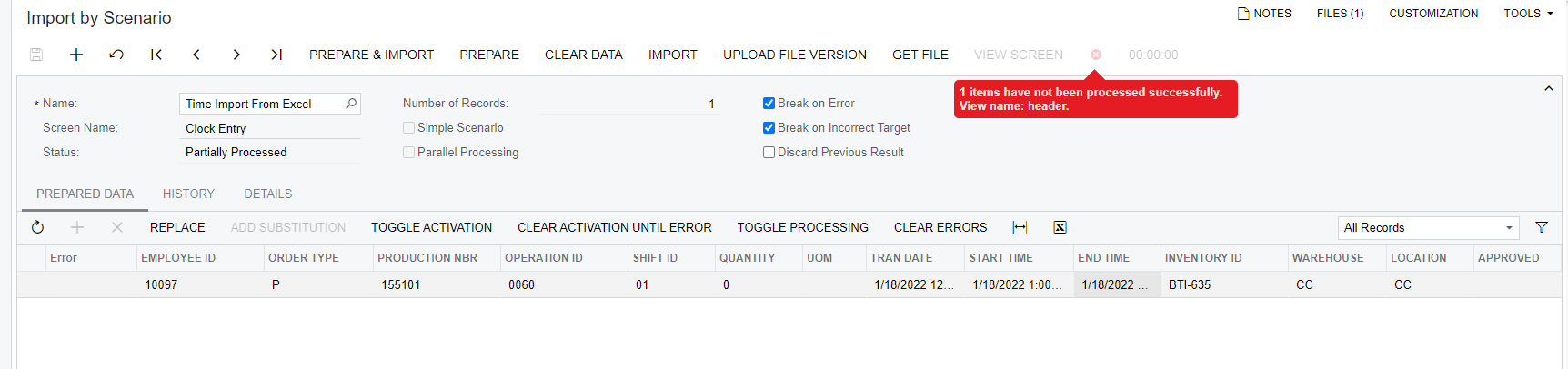
Here are the details for my scenario
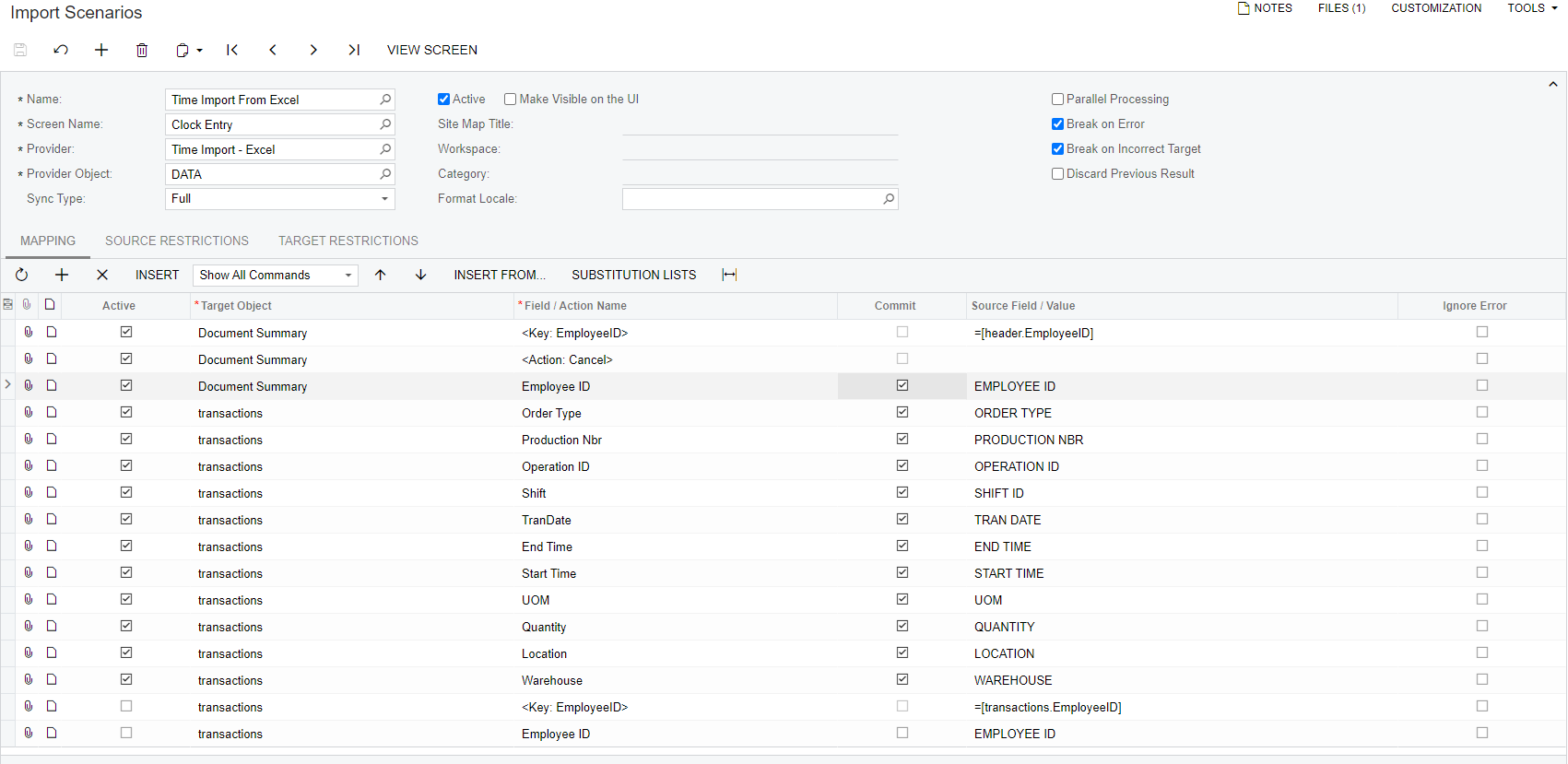
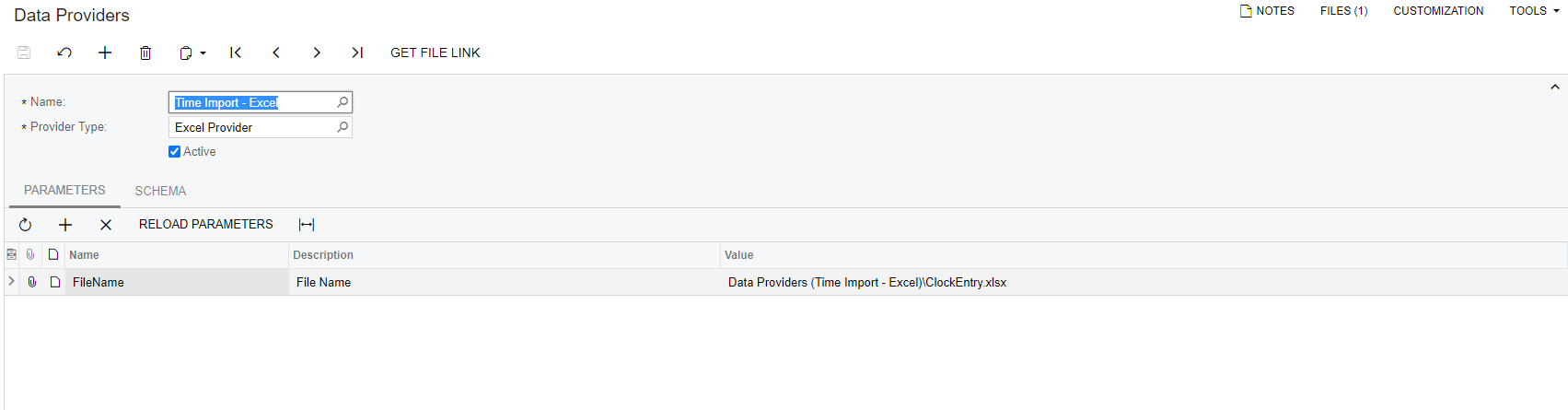
 Data Provider 
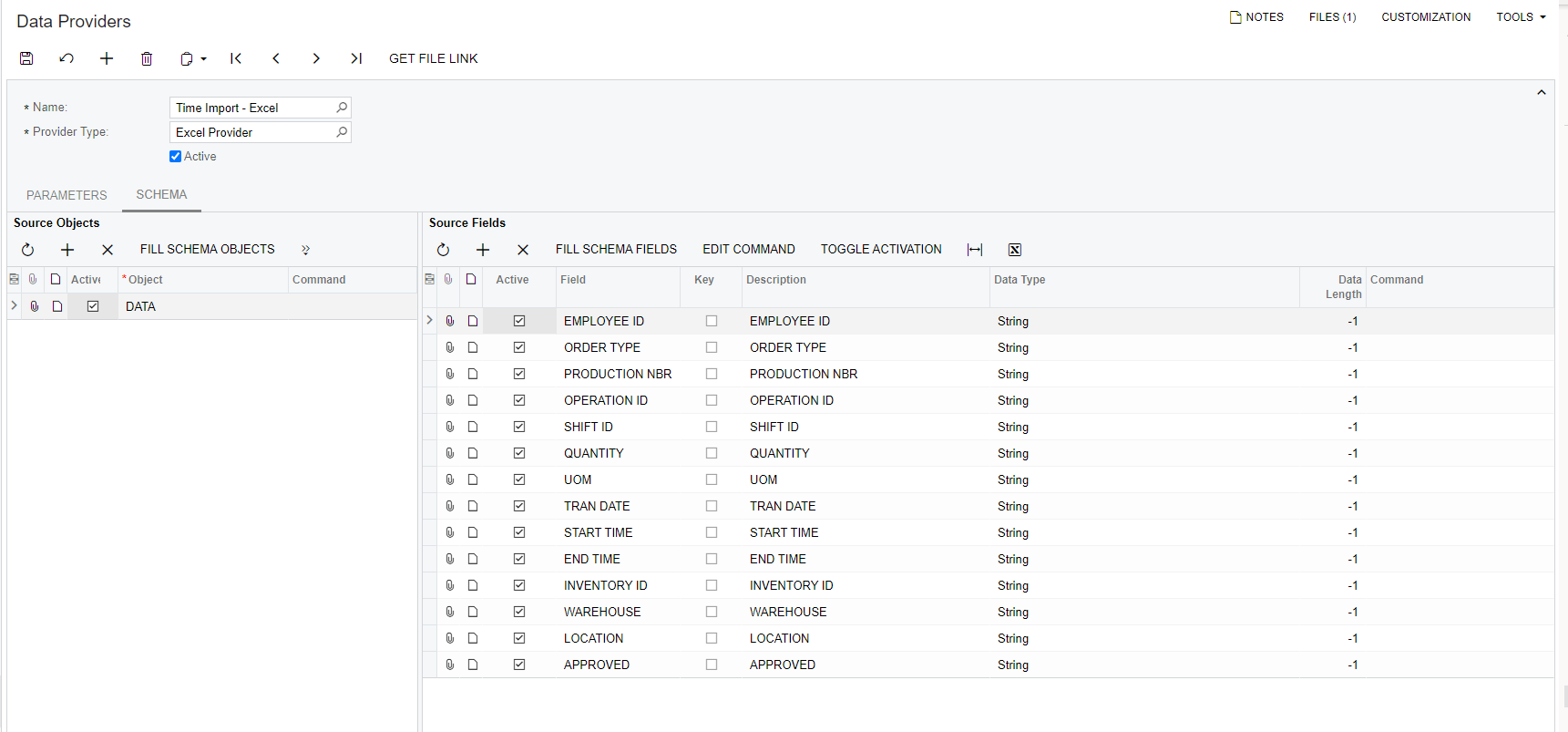
Data Provider Schema
Spreadsheet

 

Best answer by Naveen Boga

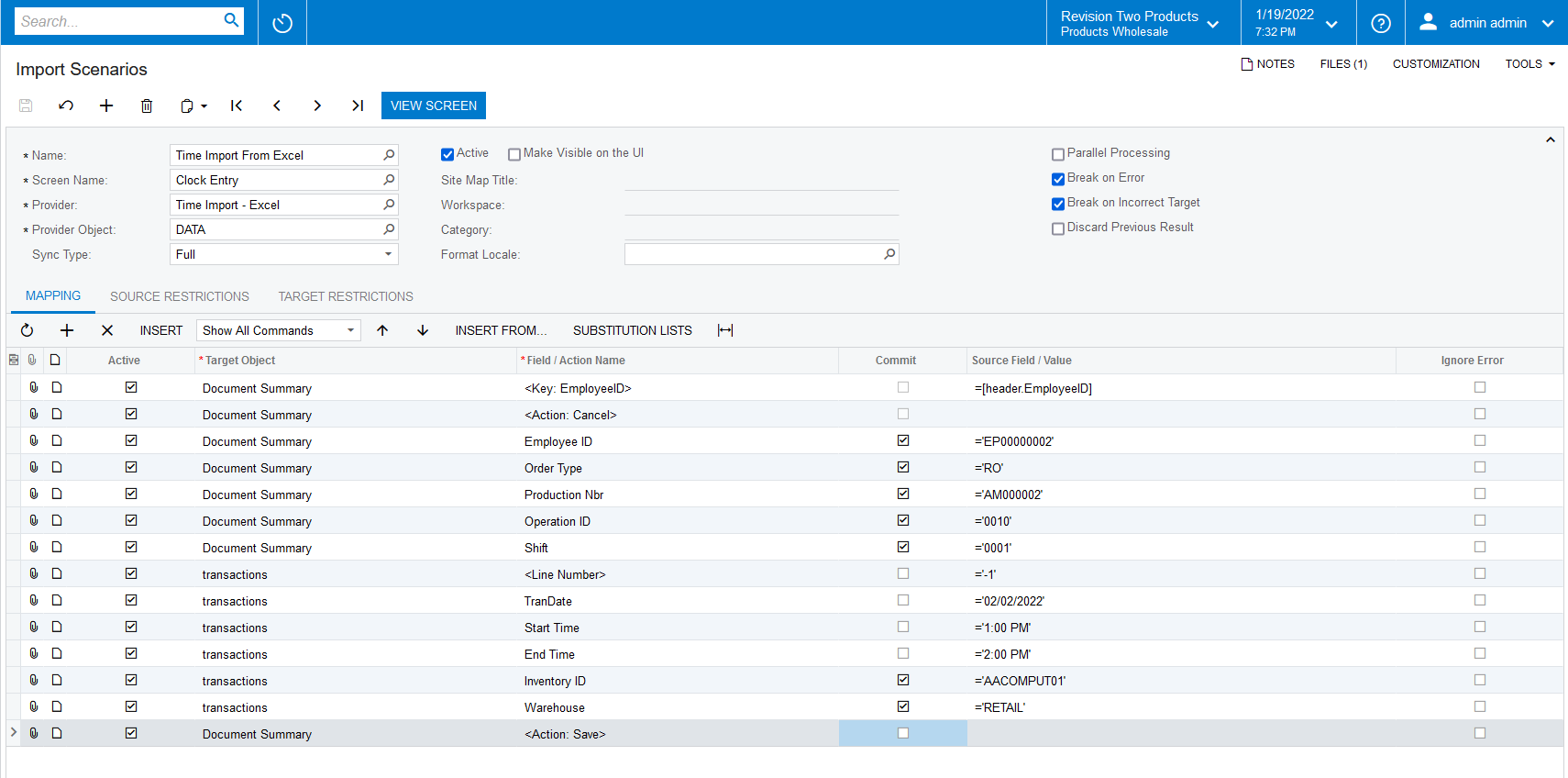
HI, @cmoreland  Please use the below import scenario and verify.


11 replies

Naveen Boga
Captain II
Forum|alt.badge.img+19
  • Captain II
  • January 19, 2022

Hi @cmoreland  Can you please share the XML format of the Import Scenario here.


cmoreland
Semi-Pro III
Forum|alt.badge.img
  • Author
  • Semi-Pro III
  • January 20, 2022

@Naveen B here you go thank you. 


Naveen Boga
Captain II
Forum|alt.badge.img+19
  • Captain II
  • Answer
  • January 20, 2022

HI, @cmoreland  Please use the below import scenario and verify.


cmoreland
Semi-Pro III
Forum|alt.badge.img
  • Author
  • Semi-Pro III
  • January 20, 2022

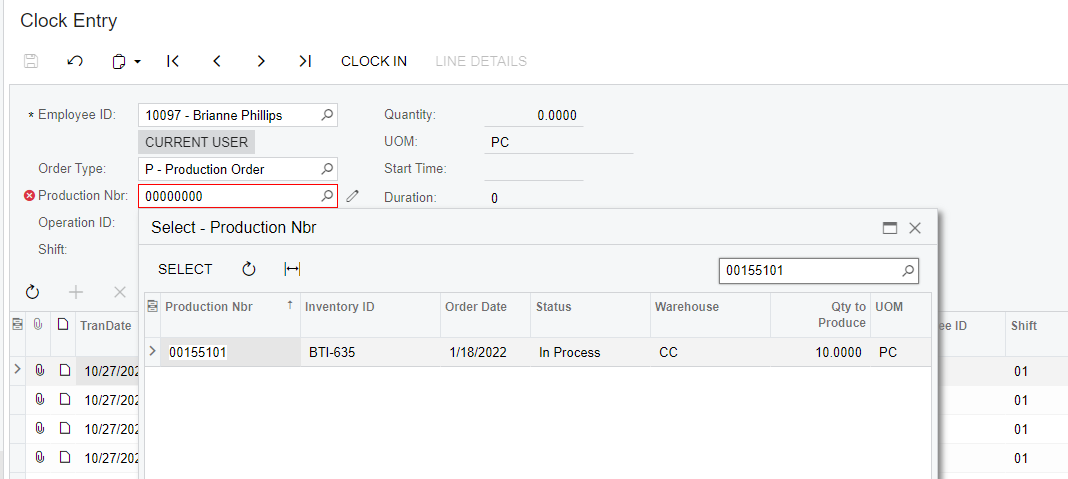
@Naveen B Thanks so much for the input - I am getting the following error I verified the Work Order existed and the status was in process. the odd thing is it is the error is showing the 00000000’s for the number. any thoughts? 


cmoreland
Semi-Pro III
Forum|alt.badge.img
  • Author
  • Semi-Pro III
  • January 20, 2022

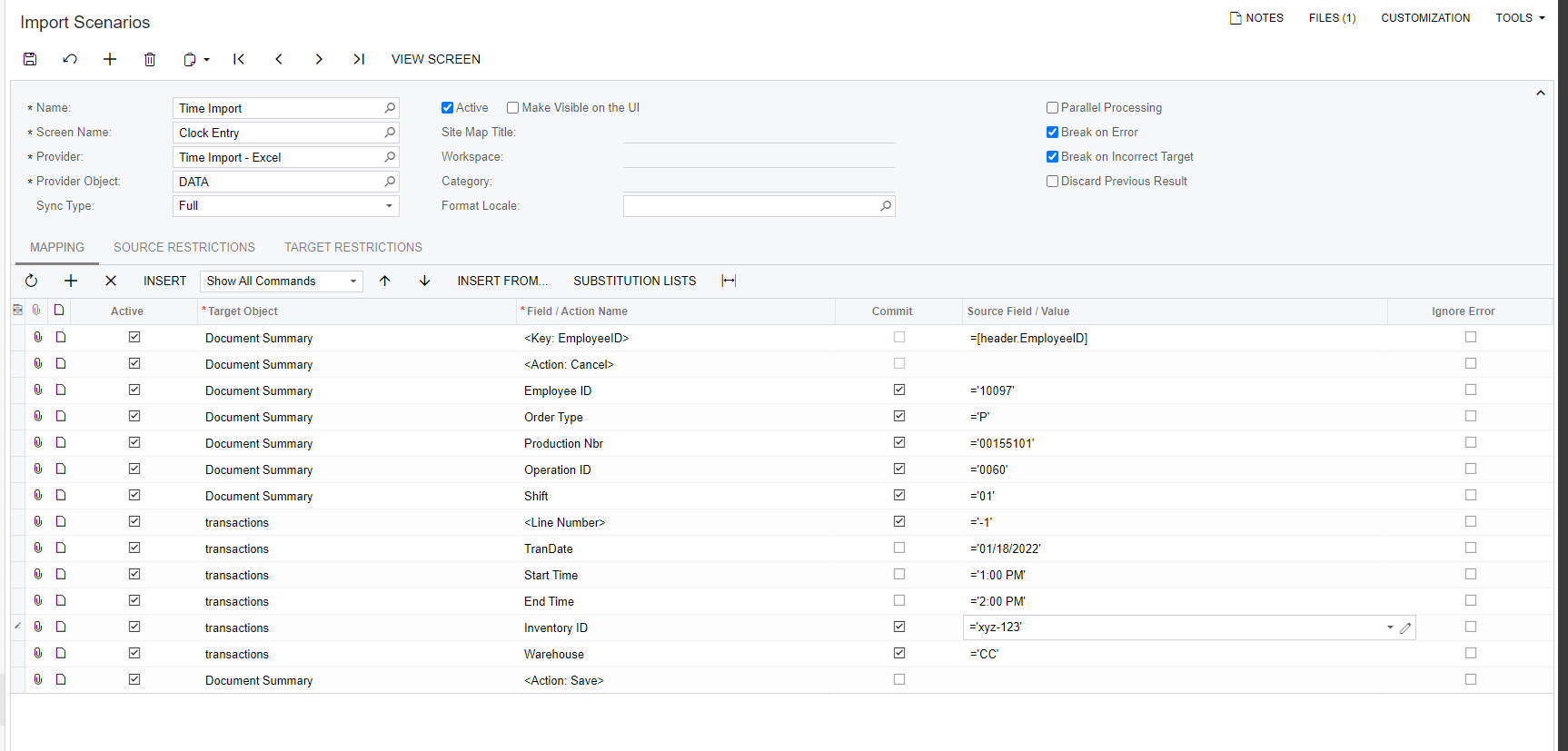
here is my scenario


Naveen Boga
Captain II
Forum|alt.badge.img+19
  • Captain II
  • January 20, 2022

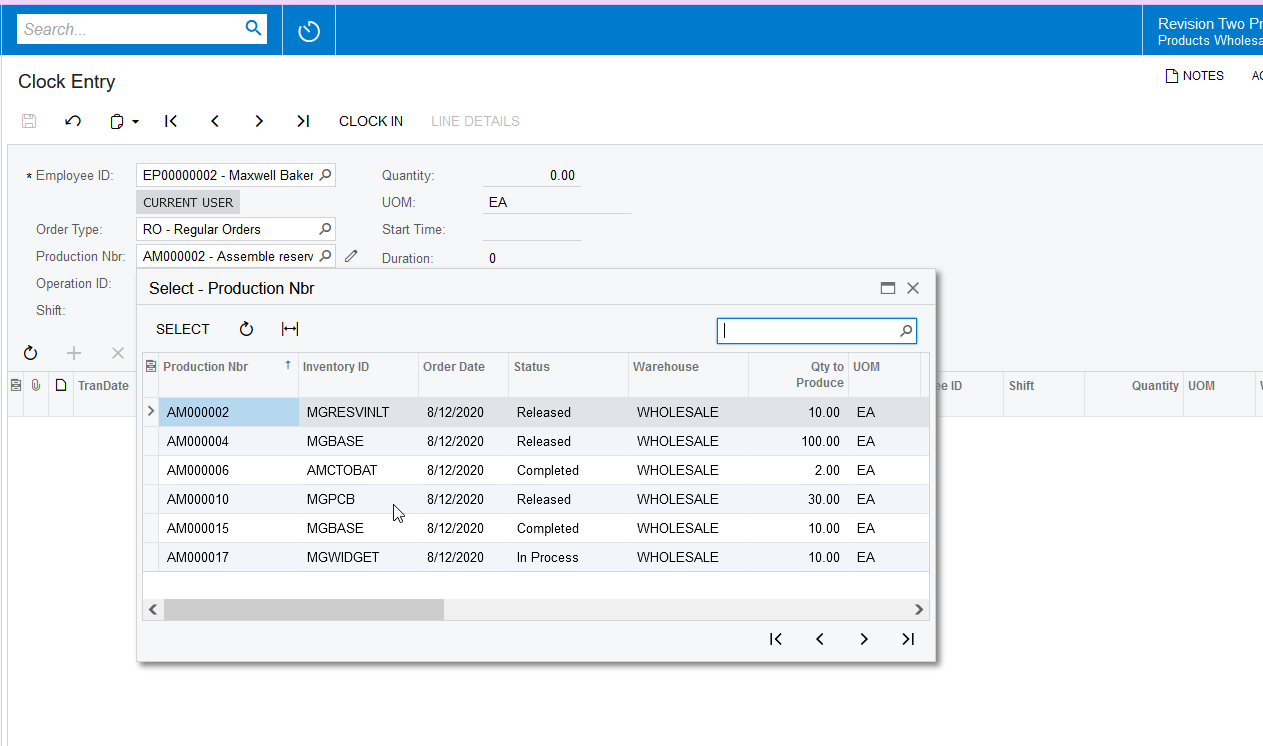
Hi @cmoreland  Can you please confirm that above Production Order Nbr is loading in the below Production Nbr selector field?


cmoreland
Semi-Pro III
Forum|alt.badge.img
  • Author
  • Semi-Pro III
  • January 20, 2022

It is - I noticed when I pulled up the screen the default SFO number was 00000000 could that be an issue?


Naveen Boga
Captain II
Forum|alt.badge.img+19
  • Captain II
  • January 20, 2022

Yes it is @cmoreland  due that you are getting the same issue in your import scenario as well.


cmoreland
Semi-Pro III
Forum|alt.badge.img
  • Author
  • Semi-Pro III
  • January 20, 2022

@Naveen B sorry if this is an obvious question but - is there a way to clear that out in the scenario ? 


cmoreland
Semi-Pro III
Forum|alt.badge.img
  • Author
  • Semi-Pro III
  • January 26, 2022

@Naveen B thanks for all the input. I was able to get things going 


Naveen Boga
Captain II
Forum|alt.badge.img+19
  • Captain II
  • January 26, 2022

@cmoreland  Great :) Thanks a lot for sharing the update.