Answer

Import Scenario for Canadian Customer Fails with Postal Code Error

  • March 25, 2025
  • 2 replies
  • 87 views

Forum|alt.badge.img

Hi Acumatica Community,


With my customer master import scenario, my Canadian customer imports are failing as follows: 

Error: 

Field: Postal Code, Value: K1M 2C9, Error: The entered code doesn't match the required expression.


My American customer imports work fine.


On the countries screen, CS204000, I have this input mask and regular expression for the Canadians: 

-------------------------------------------------------
mask: 
>L#L #L#

Regular Expression: 
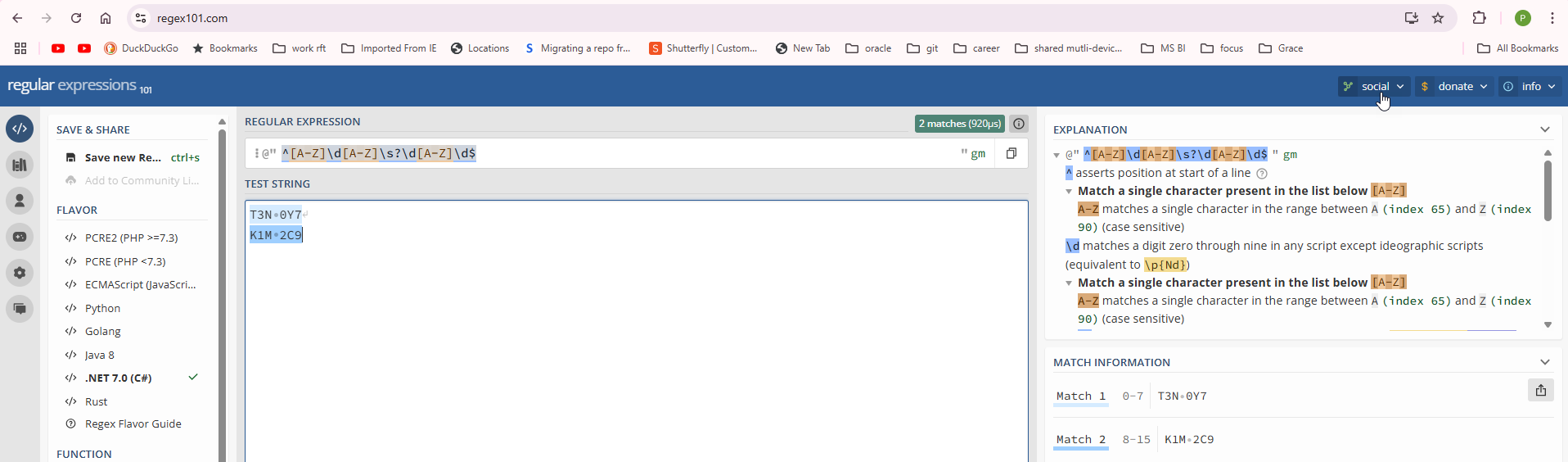
^[A-Z]\d[A-Z]\s?\d[A-Z]\d$


Here is the help entry for Canadian Mask and regex: 

 

Here is the help wiki for Masks, To Configure an Input Mask and a Display Mask for a Field

-------------------------------------------------------

FWIW, https://regex101.com/ tells me I have a match: 


Best answer by riglesias

Hello ​@PatrickBacon 

This could happen because US country defaults when creating a new customer. 
Please try moving Country mapping line above Postal code, this way, country will change to CA and then postal code should be valid:


Hope this helps
 

2 replies

riglesias
Acumatica Employee
Forum|alt.badge.img+2
  • Acumatica Employee
  • Answer
  • March 25, 2025

Hello ​@PatrickBacon 

This could happen because US country defaults when creating a new customer. 
Please try moving Country mapping line above Postal code, this way, country will change to CA and then postal code should be valid:


Hope this helps


Forum|alt.badge.img
  • Author
  • Varsity I
  • March 25, 2025

Thank you Rodrigo! That works (and makes sense).