Answer

Import Scenario - Delete Multiple Transaction by excel

  • July 4, 2022
  • 4 replies
  • 468 views

Dear All,

Is it possible to import excel file (Sales orders/ Shipment/ AR Invoice) by the Import Scenario function?

Or there are any way to delete multiple?

Thank you for your support,

Yên Chi

Best answer by Naveen Boga

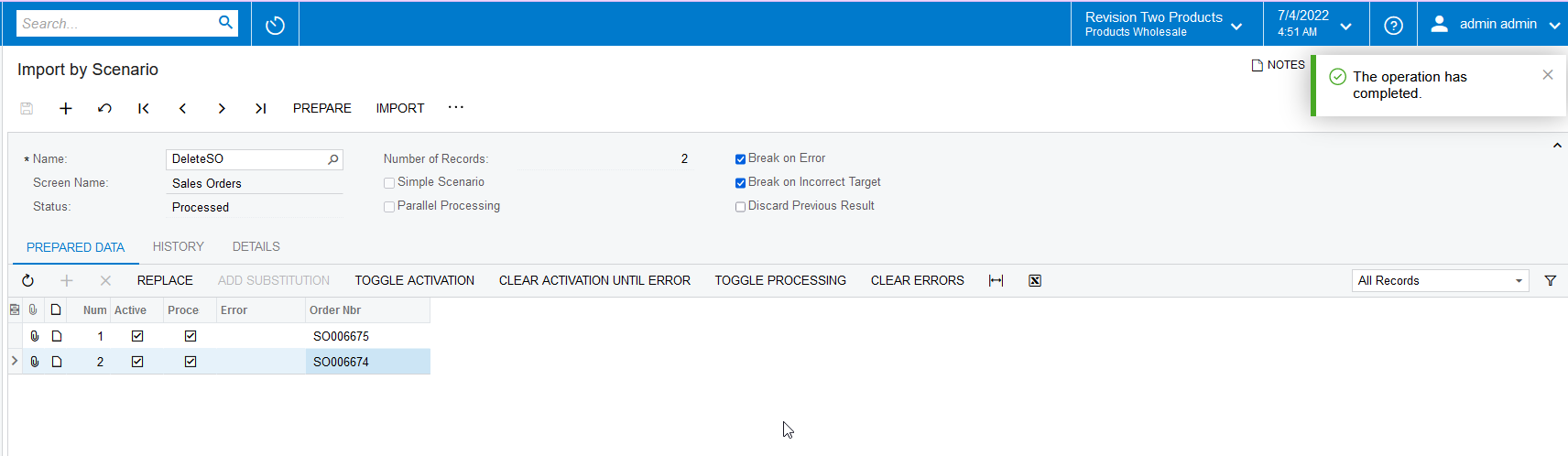
Hi @chidao  Yes, we can do that from the import scenario.

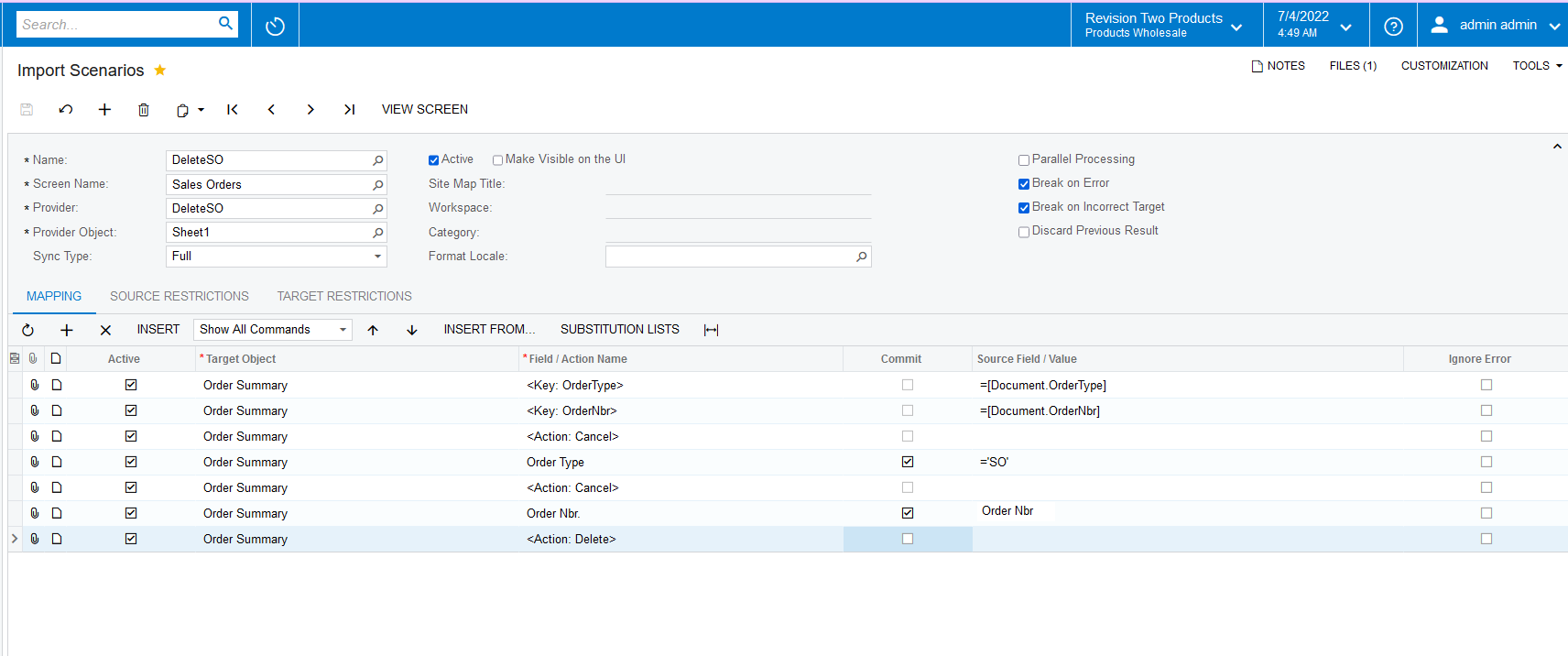
Here is the import scenario for Sales Orders, you can create the same for Shipment/AR Invoices as well.


Let me know if you have any queries.


4 replies

Naveen Boga
Captain II
Forum|alt.badge.img+19
  • Captain II
  • Answer
  • July 4, 2022

Hi @chidao  Yes, we can do that from the import scenario.

Here is the import scenario for Sales Orders, you can create the same for Shipment/AR Invoices as well.


Let me know if you have any queries.


Laura03
Captain II
Forum|alt.badge.img+19
  • Captain II
  • July 5, 2022

Hello,

Is it possible to import excel file (Sales orders/ Shipment/ AR Invoice) by the Import Scenario function?

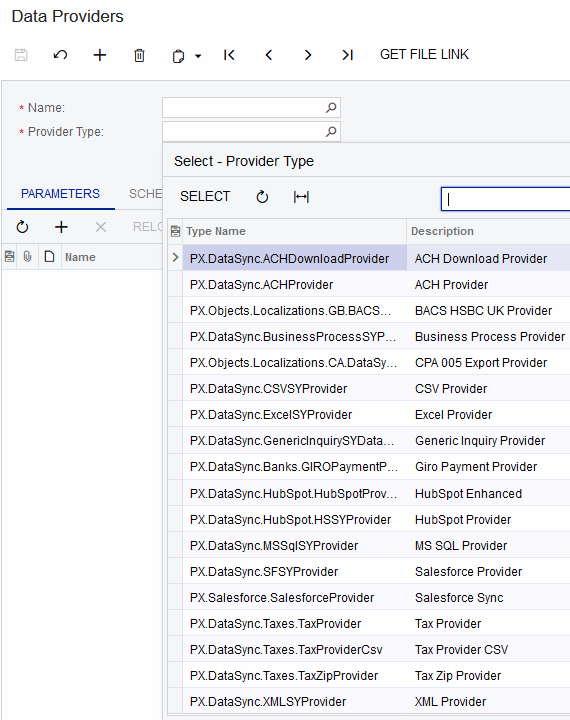
Yes, it is possible to import directly from Excel files to Acumatica. We can also import directly from a wide variety of sources:

Or there are any way to delete multiple?

Yes, we can import deletion of records.  The way we delete records is by replacing <SAVE> at the end of the import scenario with <DELETE> action.


  • Author
  • July 8, 2022

Thanks @Naveen Boga and @laura01 for your kind reply!

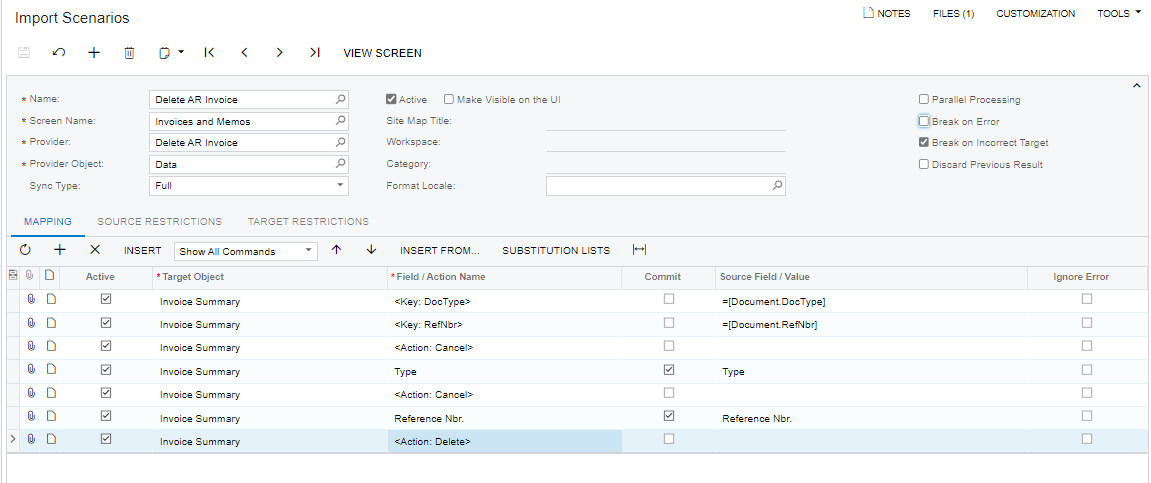
I create a Delete AR Invoice Template as the attached image and got the error: “customer id can not be empty” though I understand that we don't need a customer field when we delete?

Mapping screen


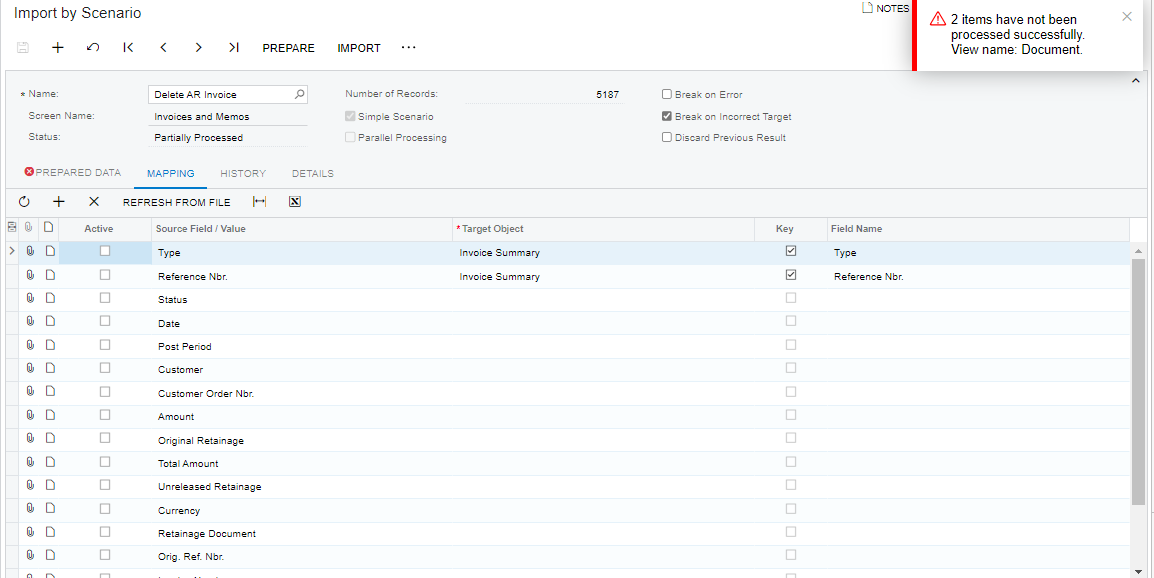
Another question, On the import by screen, there is another mapping screen, so which mapping screen that this system is using when I import? 


Thank you,

Yên Chi


  • Author
  • July 8, 2022

Thanks @Naveen Boga and @laura01 for your kind reply!

I create a Delete AR Invoice Template as the attached image and got the error: “customer id can not be empty” though I understand that we don't need a customer field when we delete?

Mapping screen


Another question, On the import by screen, there is another mapping screen, so which mapping screen that this system is using when I import? 


Thank you,

Yên Chi

I have fixed this one. Thanks all!