Hi everyone,
I am working on an Import Scenario and wanted to confirm if this is possible using standard Import Scenario functionality.
Goal:
I have a Generic Inquiry that returns one row per completed Sales Order. The GI calculates a handling fee amount based on 25% of the freight amount.
Example GI result:
| Order Nbr. | Freight Amount | Handling Fee 25% |
|---|---|---|
| SH12345678 | 17.41 | 4.35 |
I would like to use this single GI row to create one GL Journal Transaction with two detail lines:
| Account | Debit | Credit |
| 1111- Shipping Revenue | 4.35 | 0.00 |
| Handling Fee Revenue GL | 0.00 | 4.35 |
Question:
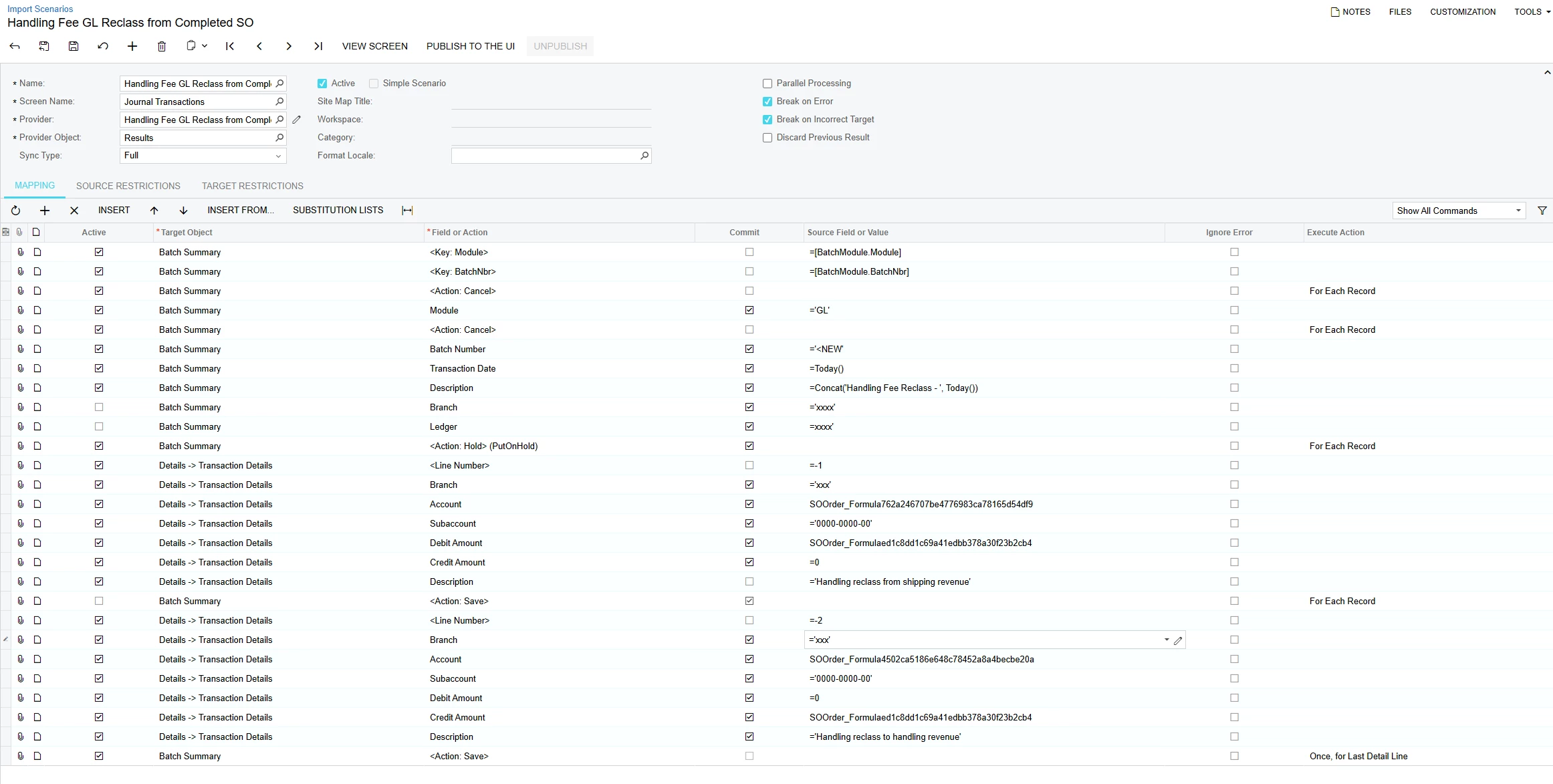
Is there a way in an Import Scenario to take one source row from a GI/Data Provider and insert two detail lines into the Journal Transactions screen?
In other words:
1 GI source row → 1 GL batch with 2 transaction detail lines
I tried mapping two Transaction Details lines in the same Import Scenario, but I am running into issues saving the scenario / processing the mapping.
I am trying to avoid creating a custom DAC/projection or separate source rows if possible. However, if standard Import Scenario functionality requires the source to already contain one row per GL detail line, I would like to confirm that.
Has anyone successfully done this with Journal Transactions or another screen where one source row creates multiple detail lines?
Any guidance or examples would be appreciated.
I tried this: