Question

Import Scenario Associated with Target Equipment

  • October 14, 2026
  • 1 reply
  • 22 views
  • Translate All

Forum|alt.badge.img


I initially created my target equipment import scenario without warranty information. The import did not throw errors.


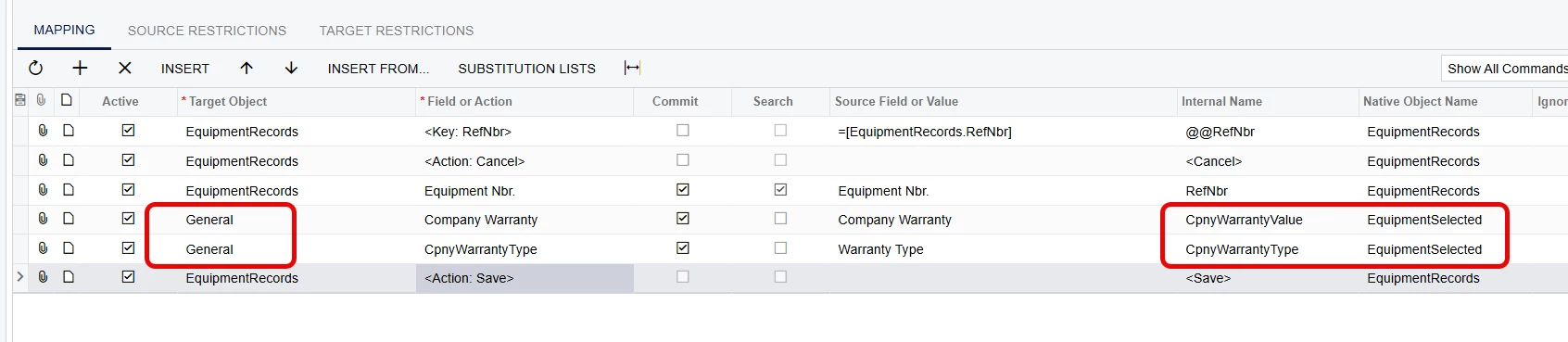
I am now returning to the import scenario and adding warranty information (company warranty):

CompanyWarranty

CompanyWarranty Type

CpnyWarrantEndDate


It runs and does not throw an error, but the warranty info does not get updated.

How can I get these warranties updated?

1 reply

nickcerri32
Captain II
Forum|alt.badge.img+7

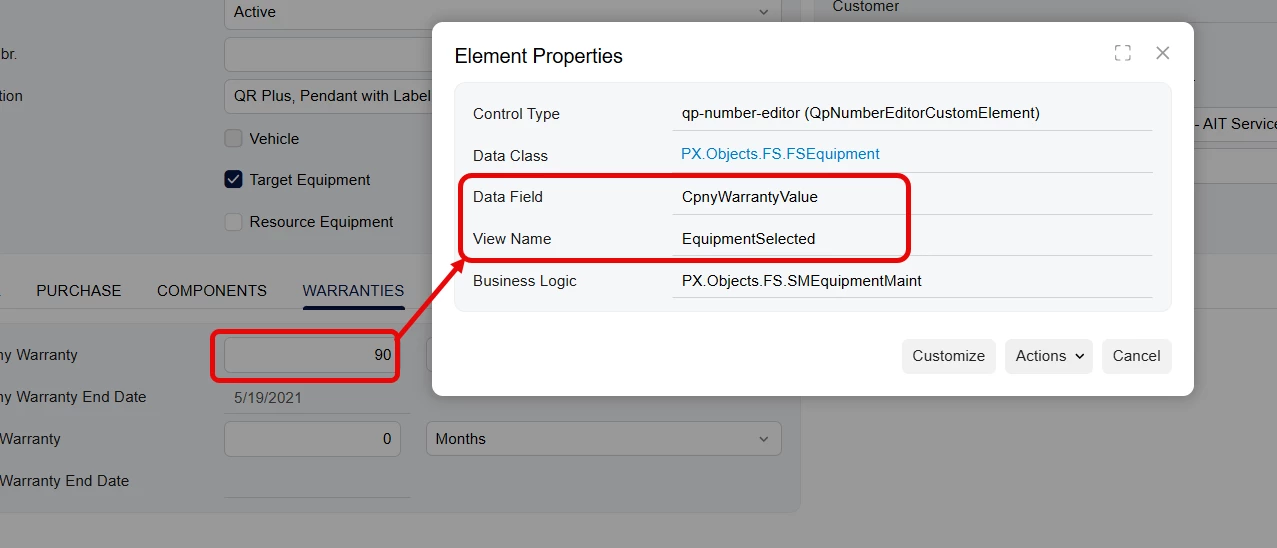
 ​@PatrickBacon As a rule of thumb, your Data Field and View Name from the Company Warranty field correspond to the Internal Name and Native Object Name on the Import Scenario.  


These weren’t matching up in your Import Scenario because you were using the Equipment Warranties Target Object.  Use General instead.  


Also, you had a dialog box answer in your import that doesn’t seem to be necessary.  Just deactivate this.  


Translate