Answer

Import Scenario 2020R! - Updating salesperson and general information

  • October 12, 2022
  • 7 replies
  • 282 views

Forum|alt.badge.img

Good day,

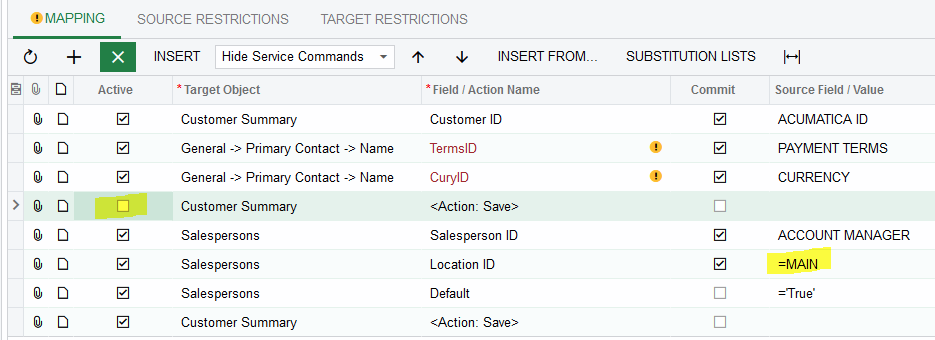
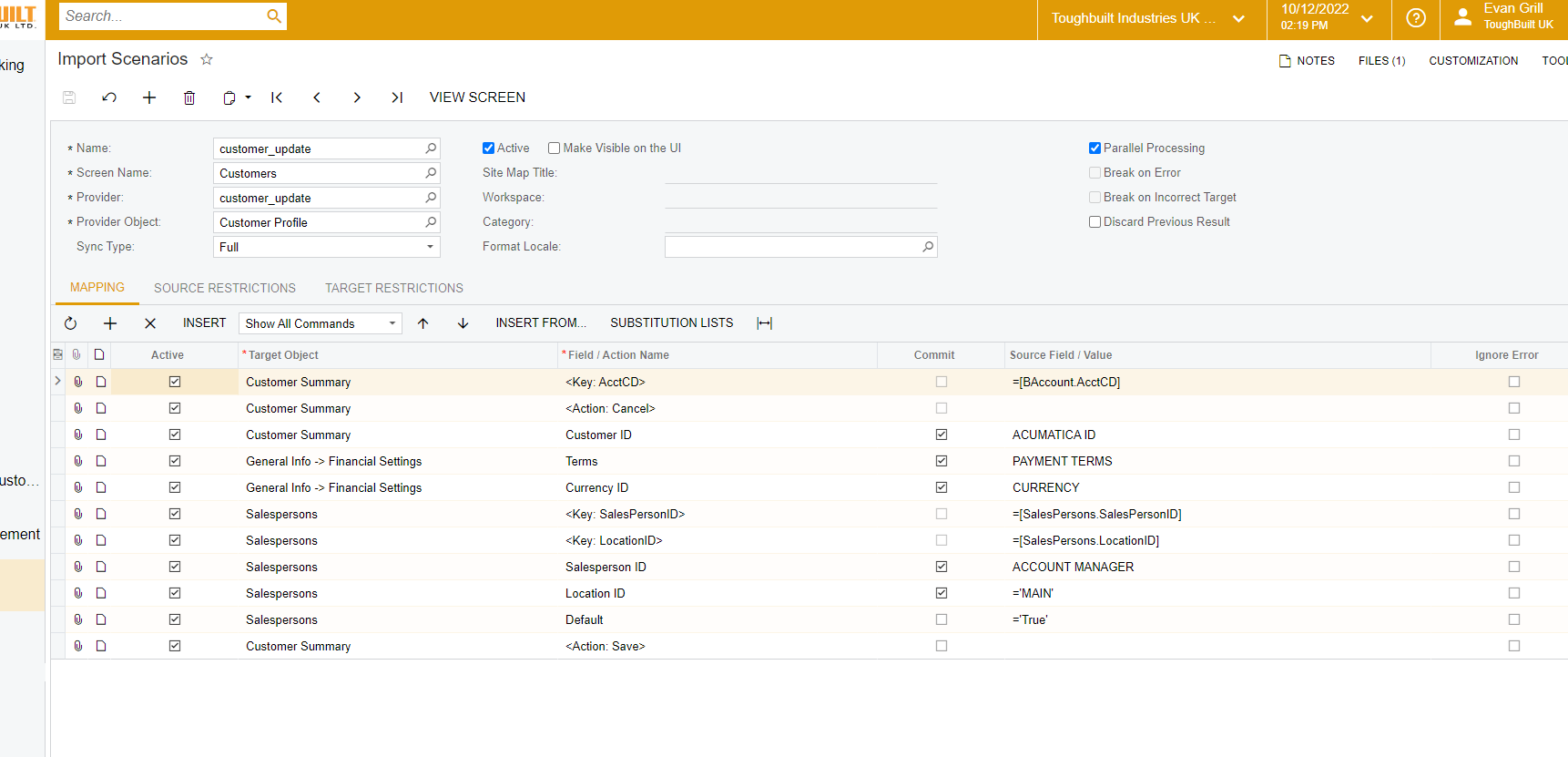
One day, I wish these errors were more specific.  I have an BAccount identification error on the attached import scenario.  it seems straightforward; update the general information; credit terms, currency Id and the salesperson for the Main location.  Does not seem to work.  it worked for one record.

Any assistance would be greatly appreciated.

Thank you
@Evan G 

Best answer by EvanG

Good day,

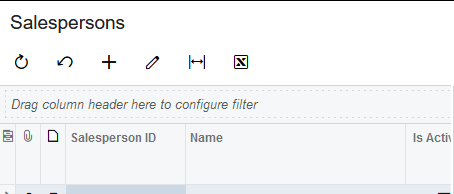
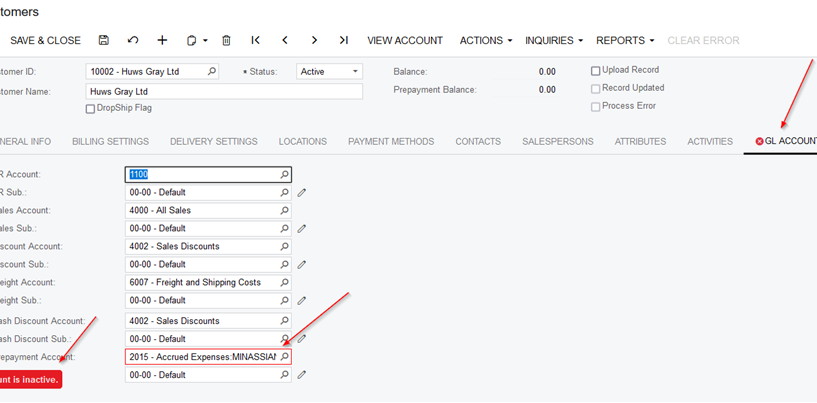
The issue was one of the GL Accounts on the customer profile was inactive.  When you update the terms, it checks the GL COA.  One was inactive.  See screenshot. Something is so not obvious. Error message does not even give you an indication.

Thank you everyone for your assistance on this issue.

@kbeatty21 

@DConcannon 

@laura01 


7 replies

Laura03
Captain II
Forum|alt.badge.img+19
  • Captain II
  • October 12, 2022

Hello, On first glance, I think you don’t need to save twice and MAIN should be in quotes, like =’MAIN’.

Can you show the full error from Import by scenario screen, please?


Forum|alt.badge.img
  • Author
  • Varsity I
  • October 12, 2022

I made the adjustments suggested.  Still getting an error.  Here is the completed screenshoot.

Thank you

@laura01 


Kandy Beatty
Captain II
Forum|alt.badge.img+17
  • Captain II
  • October 12, 2022

HI @EvanG 

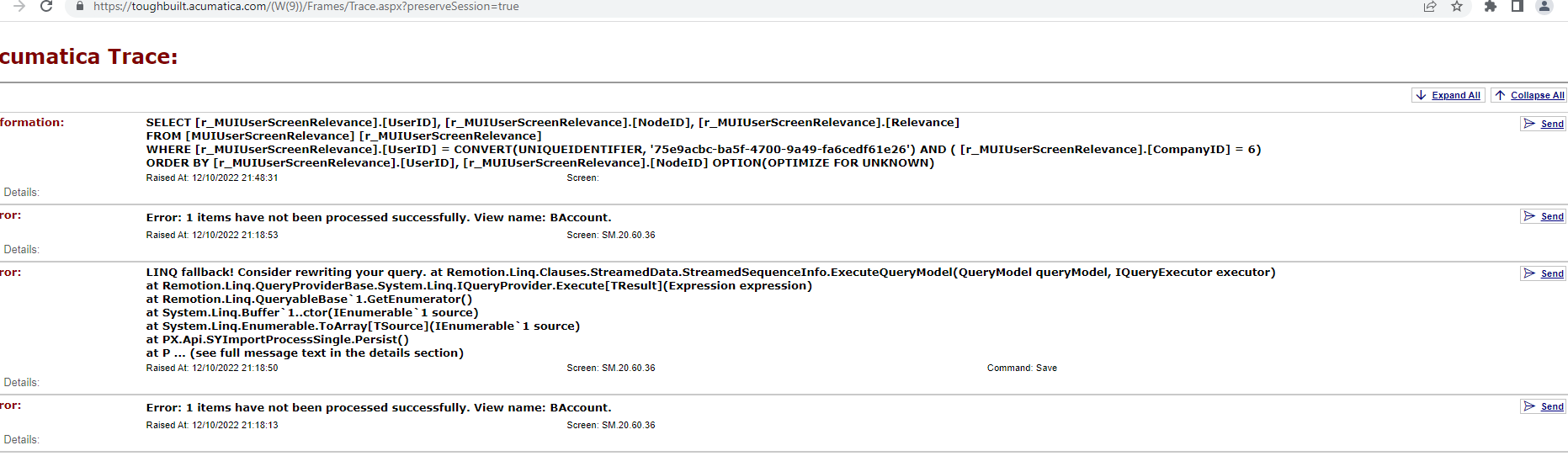
What does the Trace say for the error? Sometimes it is in there what exactly the system is looking for. 


Forum|alt.badge.img
  • Author
  • Varsity I
  • October 12, 2022

@kbeatty21 


DConcannon
Varsity II
Forum|alt.badge.img+2
  • Varsity II
  • October 12, 2022

Hi @EvanG,

Given that you were getting a BAccount identification error, is it possible the provider contains the salesperson name, instead of the the ID? Kind of a wild guess on my part, but in the off chance that is the case, you can change the field/action name from Salesperson ID to Salesperson ID -> Name


Forum|alt.badge.img
  • Author
  • Varsity I
  • Answer
  • October 13, 2022

Good day,

The issue was one of the GL Accounts on the customer profile was inactive.  When you update the terms, it checks the GL COA.  One was inactive.  See screenshot. Something is so not obvious. Error message does not even give you an indication.

Thank you everyone for your assistance on this issue.

@kbeatty21 

@DConcannon 

@laura01 


Chris Hackett
Community Manager
Forum|alt.badge.img
  • Acumatica Community Manager
  • October 13, 2022

Thank you for sharing your solution with the community @EvanG !