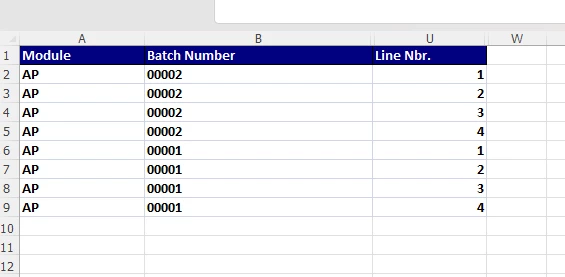
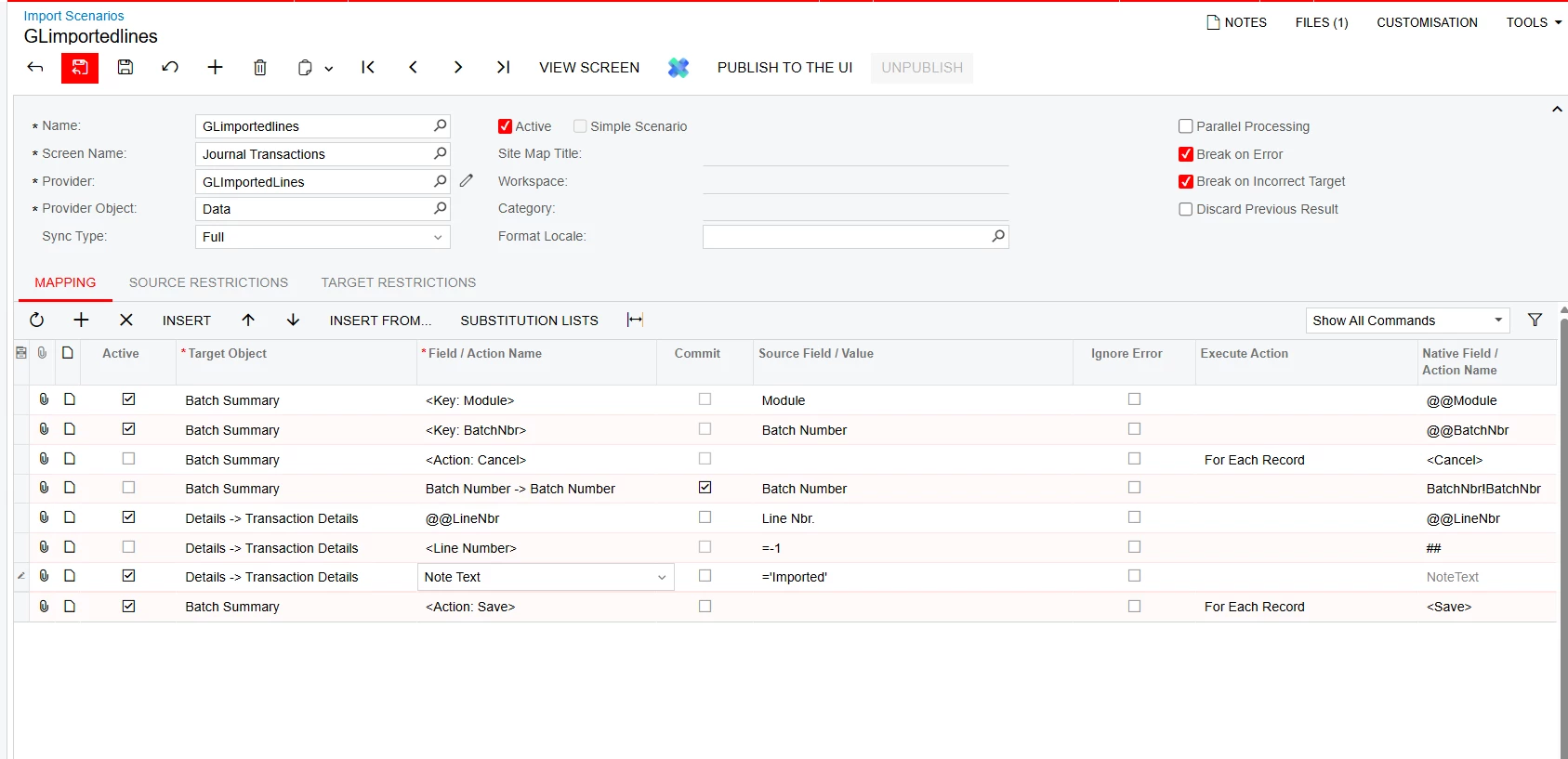
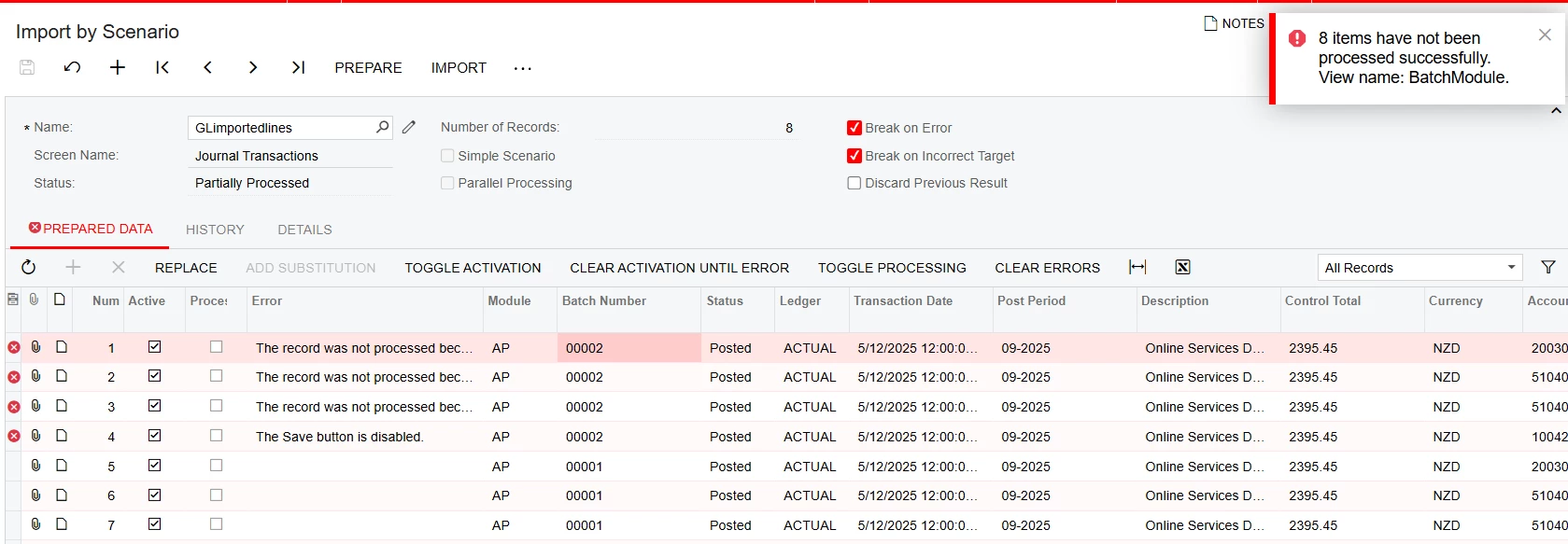
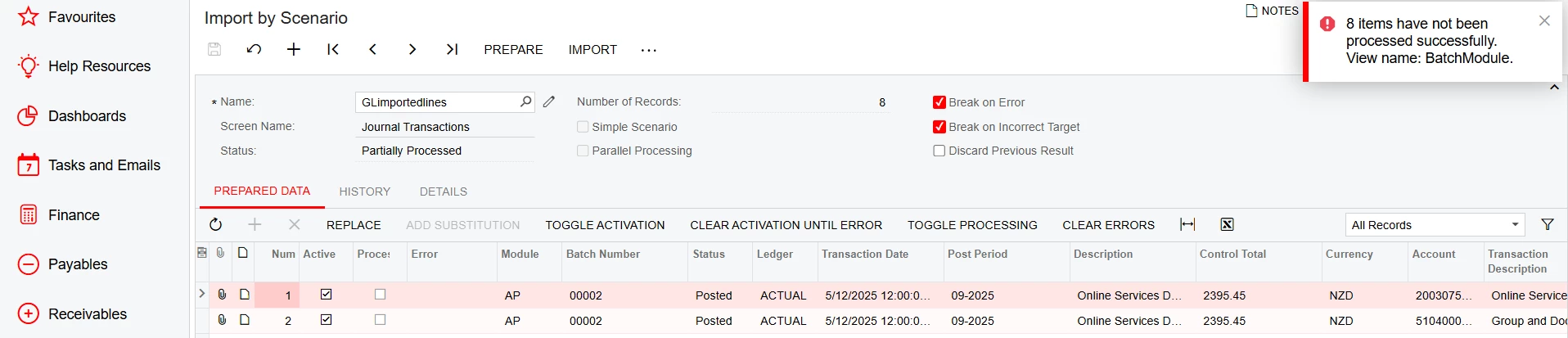
I have a scenario where GL journals have to be exported and imported in another ERP system. after the export we would like to mark these lines as being imported so they can be obvious on a GI. I can’t work out how to get the import scenario work using the same key module, batchnumber and line numbers.
any hint would be much appreciated.
What am I missing here ?
error is not telling me much
Thank you
Best answer by GhazalSh
Hi @GhazalSh,
You have to add a custom field to your line details and enable it using workflow. Once you enable the custom field, you should be able to update it using the Import Scenario. Alternatively, you can add UDF to the Batch itself to update it if not by line. Hope this is helpful.
Thanks for the suggestion , userdefined field is also a very good idea. However the value can’t be updated after the post. I need to update these values after these transactions been posted. so the only option is a custom field. thank you.
I don’t think the save action is necessary. When I opened a posted journal transaction and added a note to a transaction line, it saved automatically without enabling the save button. (That’s what the error means - the Save button is grayed out when it’s trying to follow the import scenario’s instructions.)
✔ After posting, the flag remains ✔ GI can filter easily ✔ Fully supported by Acumatica
Hope this helps.
Thanks , but I don’t think this will provide What I am looking for, My posting and release of the transaction will happen first. at the end of the months I need to export the journals by date range , then I will run an import scenario to mark them as posted. wheather I use the custom field or using the note on each line , what I need to know is how to fix my import scenario so it looks for the key batch number and key line number.
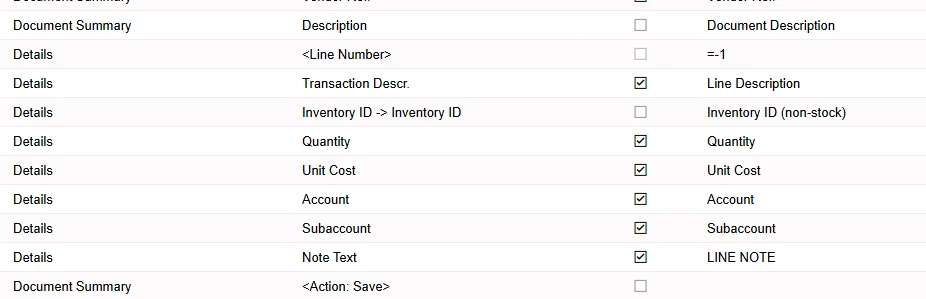
Thanks, this is importing the notes at the same time creating these transaction lines, I know how to import notes in that scenario. What I need help with how to fix my import scenario so it looks for that Key bach number and Key line number.
I don’t think the save action is necessary. When I opened a posted journal transaction and added a note to a transaction line, it saved automatically without enabling the save button. (That’s what the error means - the Save button is grayed out when it’s trying to follow the import scenario’s instructions.)
Thanks, I disabled the action save line and that still didn’t import, error doesn’t say much this time.
You have to add a custom field to your line details and enable it using workflow. Once you enable the custom field, you should be able to update it using the Import Scenario. Alternatively, you can add UDF to the Batch itself to update it if not by line. Hope this is helpful.
@GhazalSh , can you attach your import scenario so to have a look into the issue?
Thanks.
Thanks for your offering to help but this is not possible through import scenarios I have tested all possibilities and also get that confirmed from some experts in this area.
You have to add a custom field to your line details and enable it using workflow. Once you enable the custom field, you should be able to update it using the Import Scenario. Alternatively, you can add UDF to the Batch itself to update it if not by line. Hope this is helpful.
Thanks for the suggestion , userdefined field is also a very good idea. However the value can’t be updated after the post. I need to update these values after these transactions been posted. so the only option is a custom field. thank you.