Answer

Import by Scenarios - Sales Orders - The save button is disabled

  • December 16, 2022
  • 8 replies
  • 323 views

Hi All,

I’m trying to create an Import Scenario for importing Sales Orders SO301000 and I get the “The save button is disabled” error.

My import mapping as image:
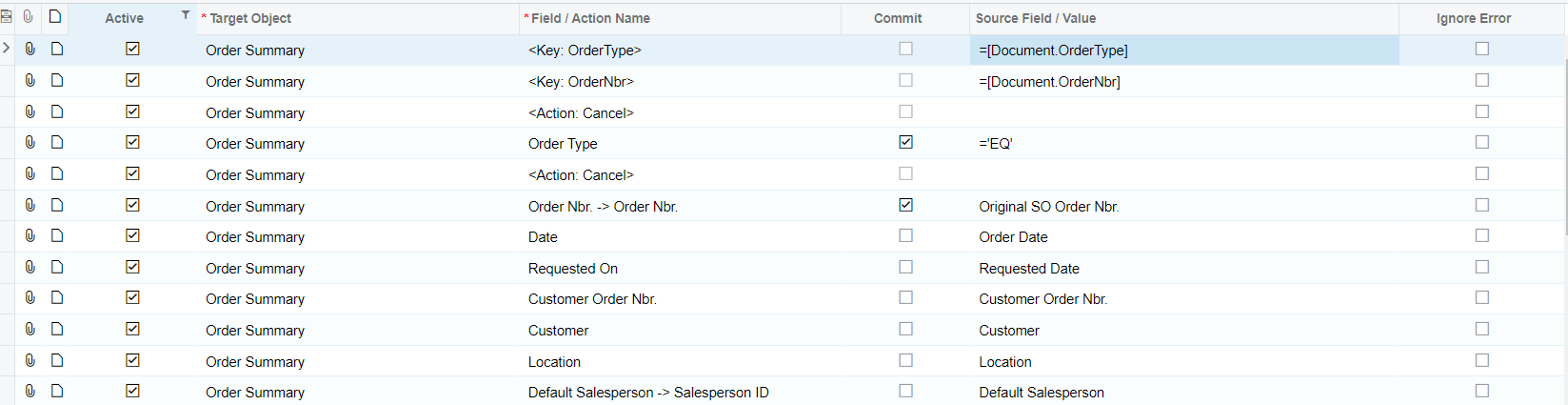
 

File data as attached.

Appreciate your advice with any missing I got.

Thanks in advance,

Yên Chi



Best answer by Manikanta Dhulipudi

Hi @chidao

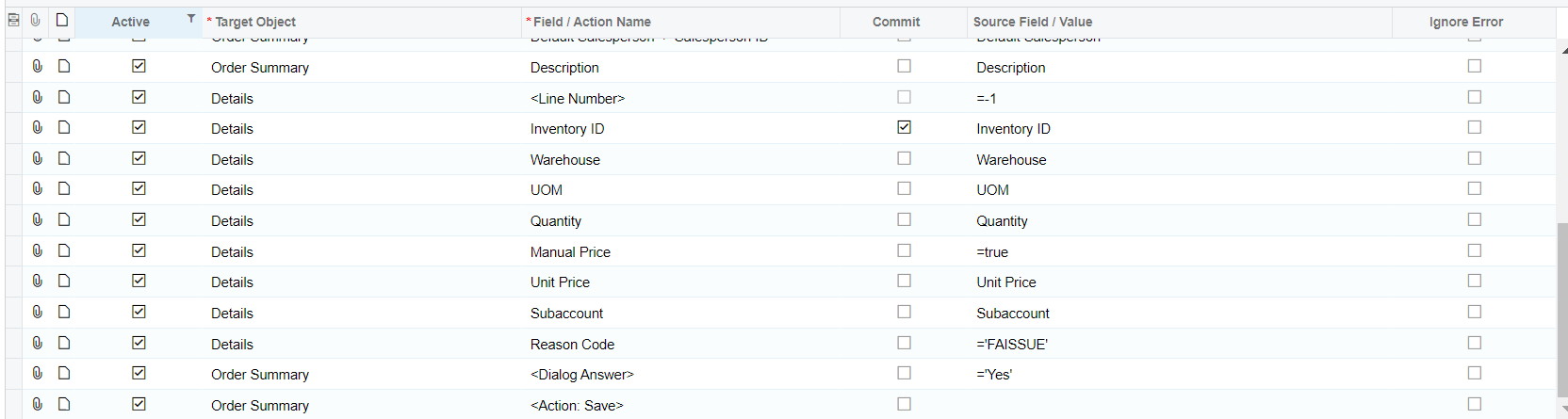
Please take a look on attached import scenario 

8 replies

Manikanta Dhulipudi
Captain II
Forum|alt.badge.img+15

Hi @chidao Please share the XML report.

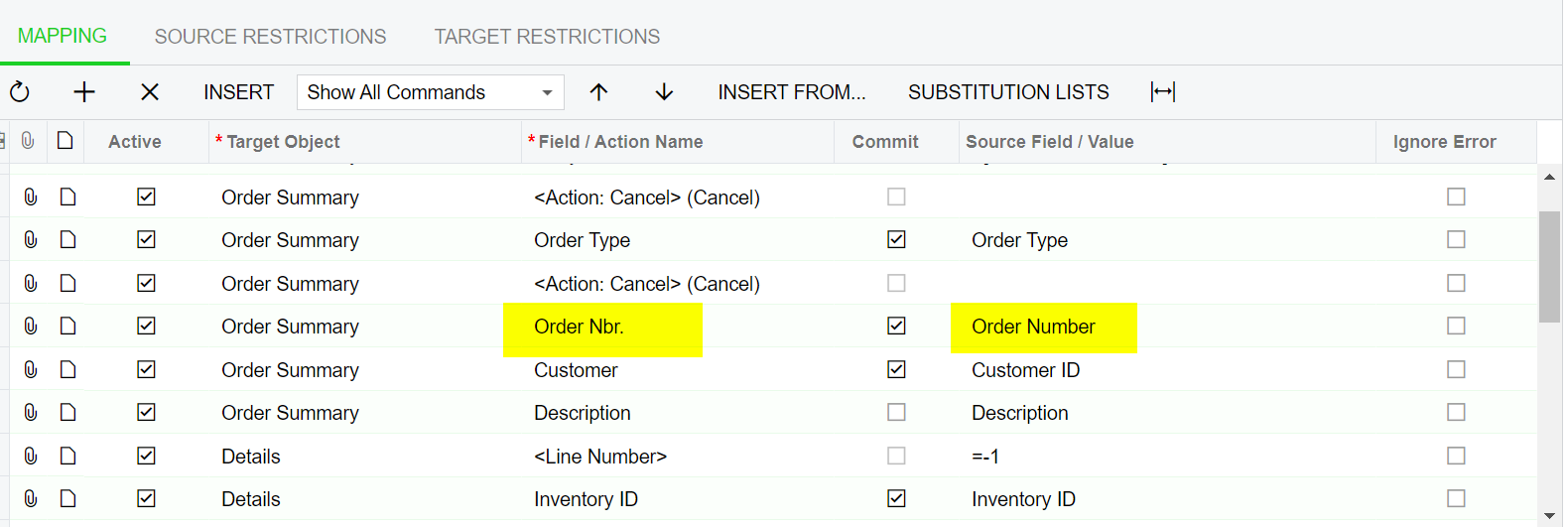
Meanwhile you can change the below mapping and try once


  • Author
  • December 16, 2022

Hi @manikantad18 , I have applied your advice, but it still got the same error. 

Could you please guide how to export XML from Import Scenarios


Manikanta Dhulipudi
Captain II
Forum|alt.badge.img+15

Hi @chidao 


Manikanta Dhulipudi
Captain II
Forum|alt.badge.img+15

Hi @chidao

Please take a look on attached import scenario 


Forum|alt.badge.img+3
  • Pro II
  • December 18, 2022

<DialogAnswer> needs to be before the action that triggers the popup. What popup are you expecting that needs this action?

Normally to find these kinds of things i would just run through manually what you are doing in the IS in exactly the same order of the steps. You should see what the issue is that way.


  • Author
  • December 21, 2022

Thanks all for your kind replies. I have made it based on the mapping from @manikantad18 


ed.goodman
Acumatica Employee
Forum|alt.badge.img+4
  • Acumatica Employee
  • December 21, 2022

@chidao


Were you able to resolve this?  One of the tricks I use when I get the ‘save is disabled’ error is I will take the record that errored out and attempt to enter it manually so I can see why the save button is considered disabled.  Let us know if this issue is not resolved.  Thank you.


  • Author
  • December 27, 2022

@ed.goodman I use the mapping from manikantad18 to import.

Honestly, I have no idea why it doesn't work on my mapping even though I do manual following the mapping step.