Question

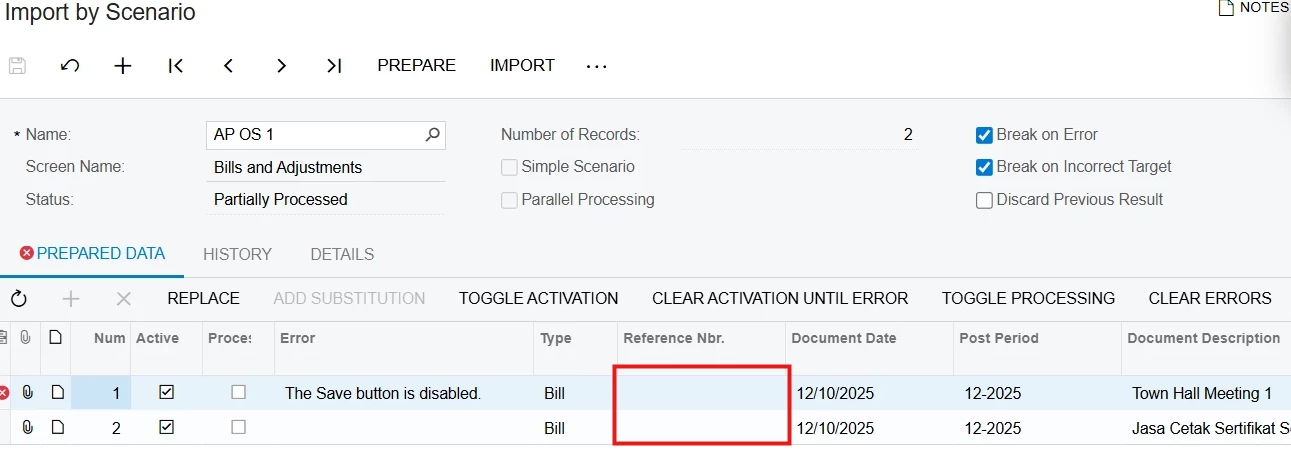
Import AP Bill and get an Error "The Save Button is disabled"

  • December 12, 2025
  • 5 replies
  • 32 views

Forum|alt.badge.img

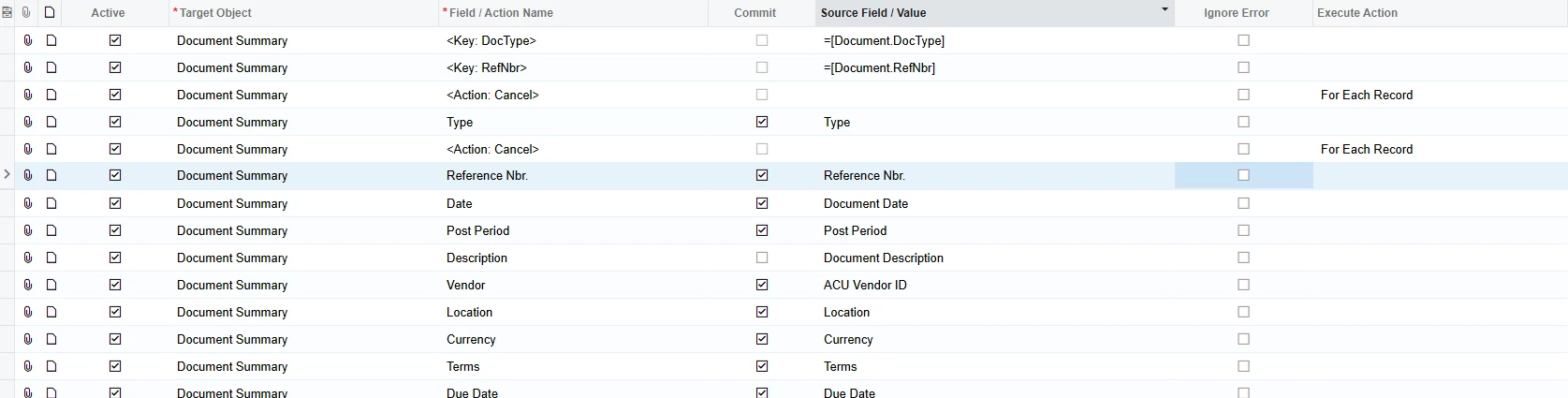
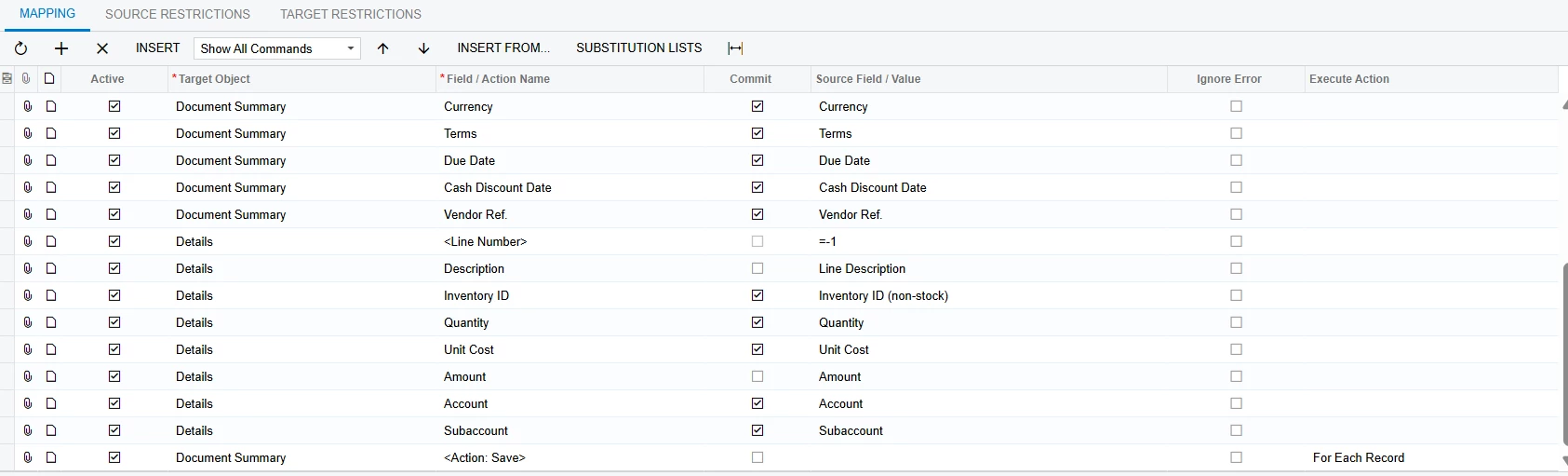
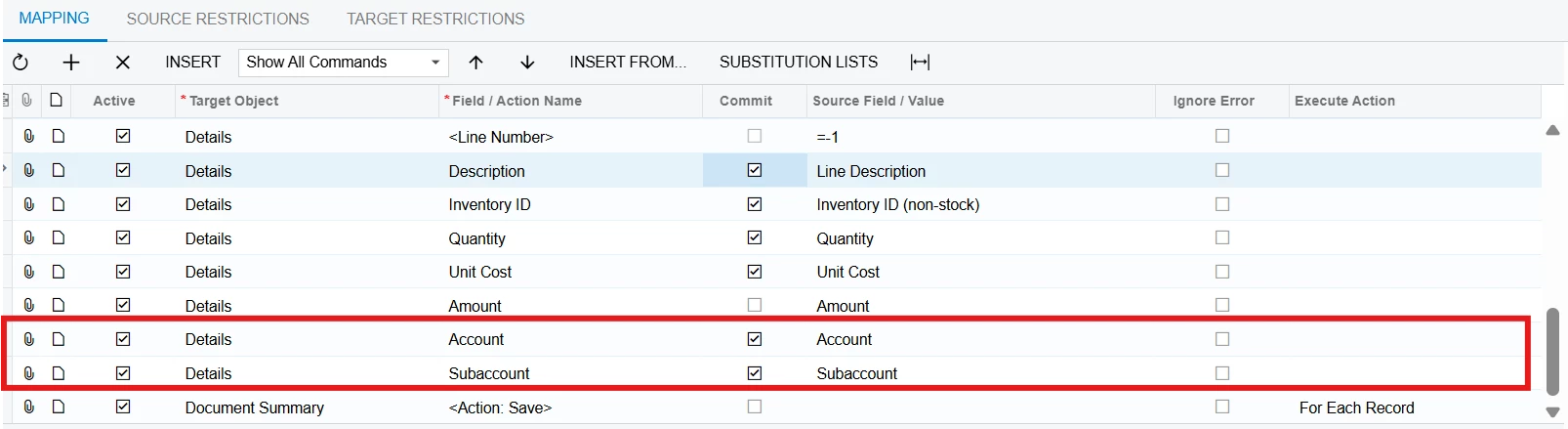
Hi, i want to import an AP Bill in Acumatica use Import Scenario but when i try to import there is an error “The Save Button is disabled” i already looked up my mapping and following the same field order as the screen but i still don’t get it. Please take  a look of my mapping bellow:

I really appreciate for your help, thank you😊


5 replies

mohammadnawaz51
Jr Varsity I
Forum|alt.badge.img+4

@dinda56 

Did you get a chance to review this?


Manikanta Dhulipudi
Captain II
Forum|alt.badge.img+15

riglesias
Acumatica Employee
Forum|alt.badge.img+2
  • Acumatica Employee
  • December 12, 2025

@dinda56 


Can you try adding values to Ref Nbr field in your data provider? 
Even if you have auto-numbering enabled, these values let the system know if a new record should be created or a new one updated


You can find an example that illustrates how records with auto-numbering should be imported in this webinar (min 7:24): 


Forum|alt.badge.img
  • Author
  • Jr Varsity III
  • December 15, 2025

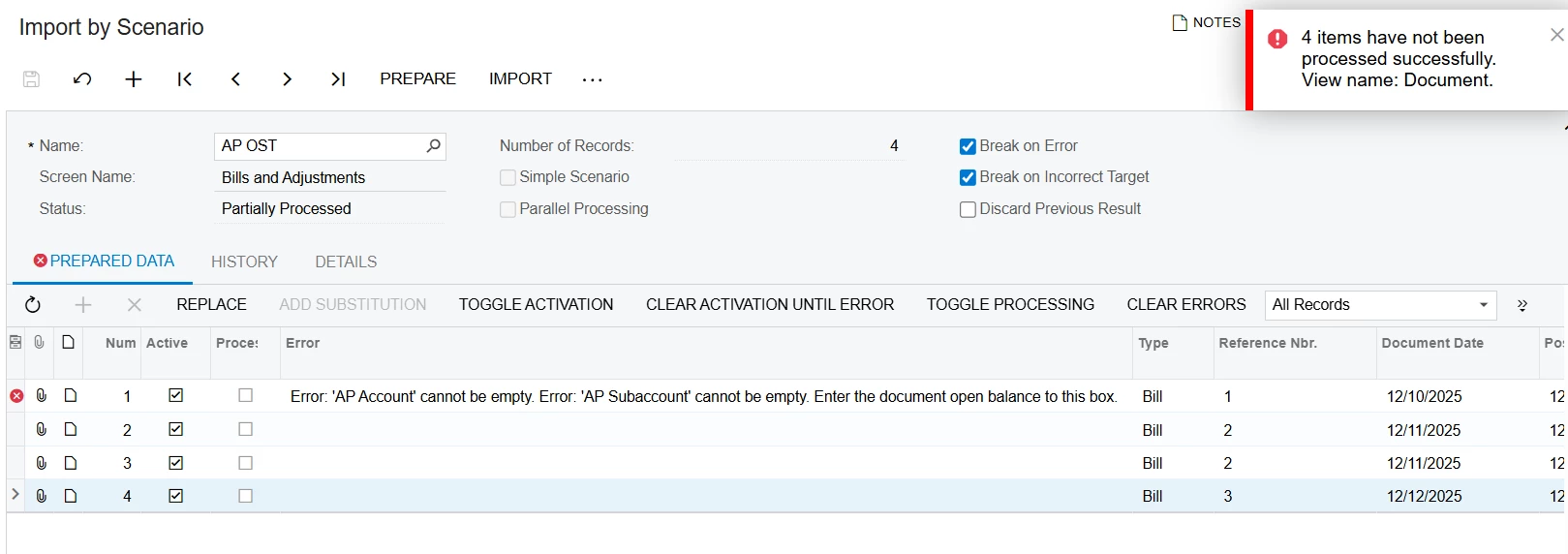
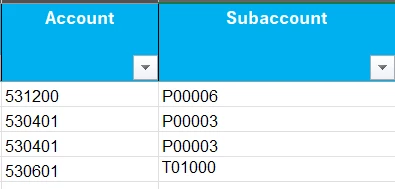
Hi ​@riglesias thank you for your respond. I already check the answer and video from your suggestion but when i try it there’s a new Error “AP Account' cannot be empty. Error: 'AP Subaccount' cannot be empty. Enter the document open balance to this box”. You can see the picture bellow:


And i already input Account and Subaccount in excel, i already did it manually in Bill & Adj. Form to see the Account and Subaccount but Acumatica cannot read it ya? Please help me to solve about this, i really appreciated.
 

​​


Forum|alt.badge.img
  • Author
  • Jr Varsity III
  • December 15, 2025

Hi Everyone I already solve about this, the error happen because i need to input AP Subaccount in vendor, that’s why Acumatica can not read the Account and Subaccount. Thank You.