Answer

I'm having problem with creating scenarios

  • June 6, 2024
  • 4 replies
  • 79 views

Forum|alt.badge.img

Hello

I’m new using Acumatica. I’ve created an import scenario for BOM.
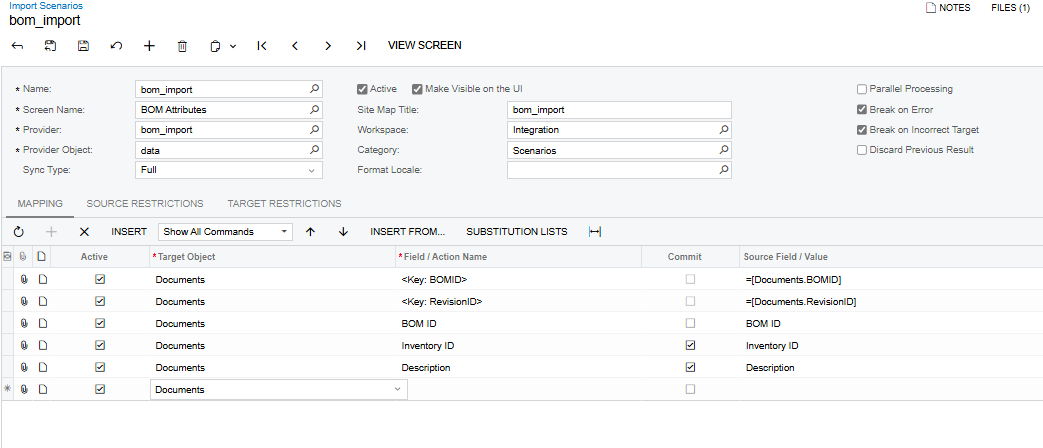
I did add the “save” button at the end but it isn’t working anyway. I don’t know where my error is.
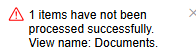
This “View name: Documents.” error pops up.
This is my import:
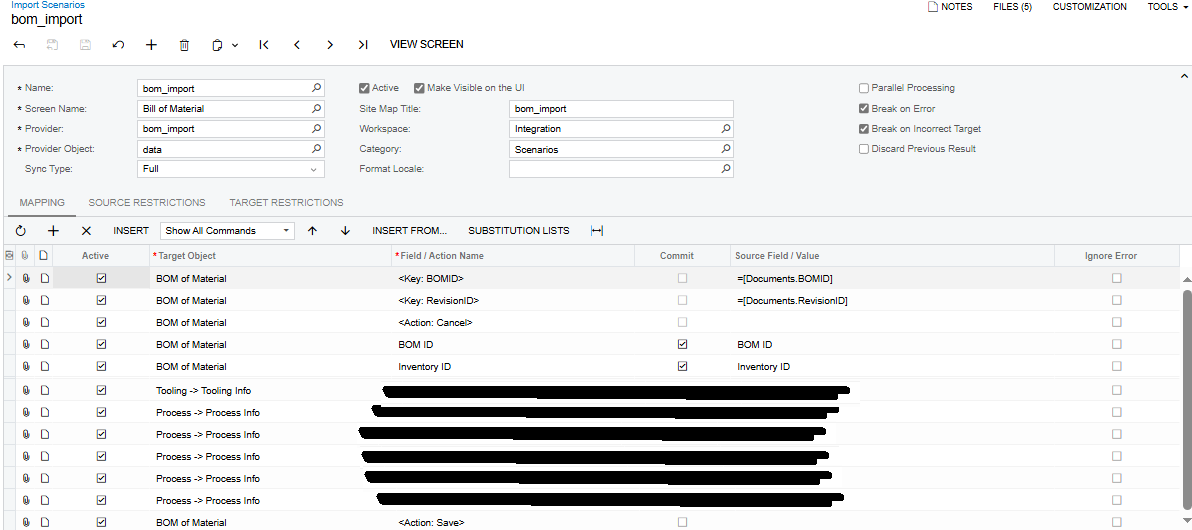


Best answer by AFAguilera

Hello!

I finally solved my problem, a “key” field was missing, now it works ok.👌
 

4 replies

riglesias
Acumatica Employee
Forum|alt.badge.img+2
  • Acumatica Employee
  • June 6, 2024

Hello @AFAguilera 

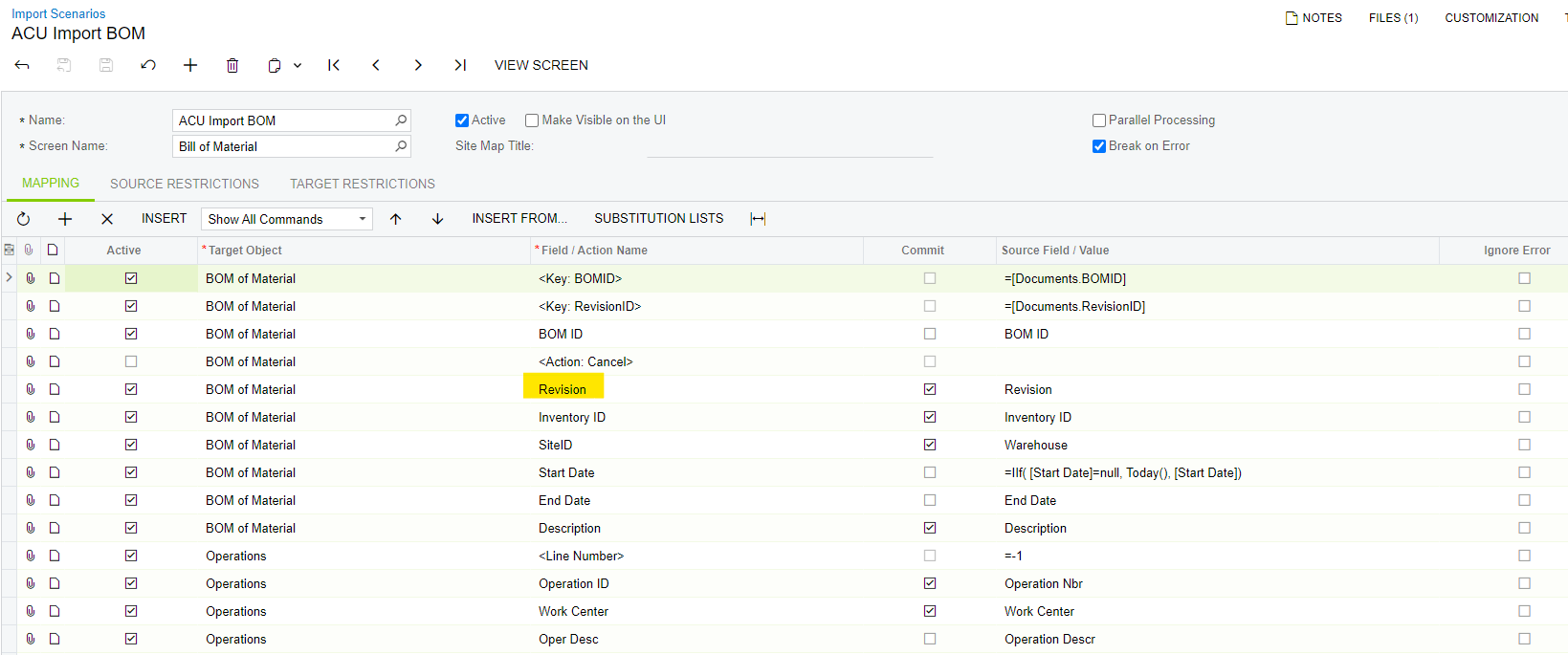
Try adding Revision field to the mapping.
I would recommend you use “ACU Import BOM” sample scenario from demo as reference.


Hope it helps.


Forum|alt.badge.img
  • Author
  • Jr Varsity II
  • June 7, 2024

Hello again! Thanks for the answer

I have been trying to use “ACU bom import” as a template but I’m not sure why it won't work.
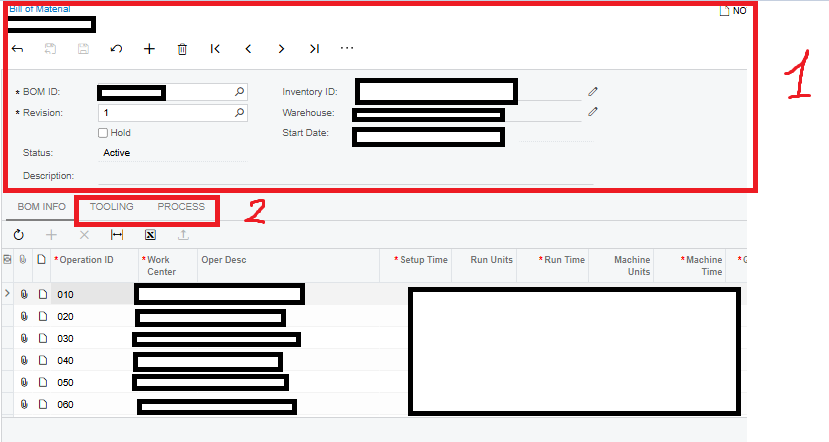
I’m having trouble linking the two parts of my bom, my “bom summary” and my “process and tooling” tabs.
 

It may seem confusing as I’m, but I’m not sure why system won't allow me to bring both parts in the same scenario. This is my try, but, as I mentioned, I don't have a map for “tooling” and “process” that I pointed with the red “2” in t he image.


Forum|alt.badge.img
  • Author
  • Jr Varsity II
  • Answer
  • June 11, 2024

Hello!

I finally solved my problem, a “key” field was missing, now it works ok.👌


Chris Hackett
Community Manager
Forum|alt.badge.img
  • Acumatica Community Manager
  • June 11, 2024

Thank you for sharing your solution with the community @AFAguilera!