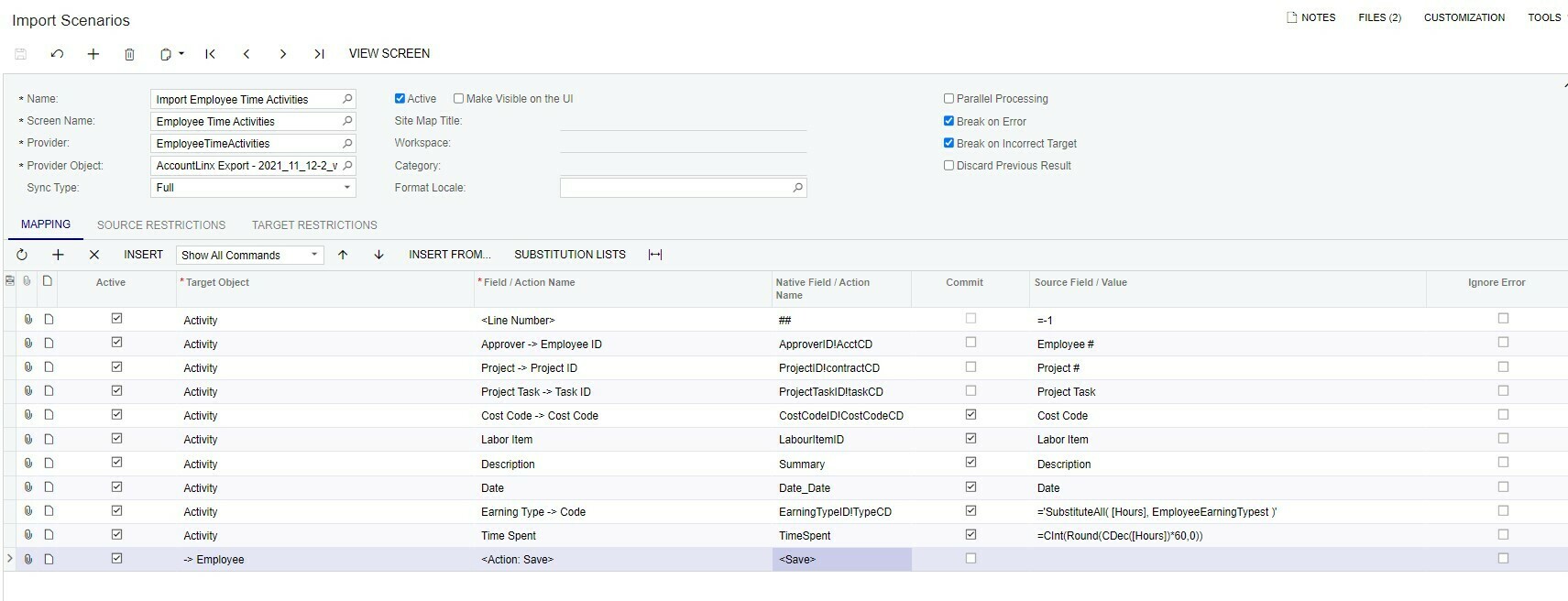
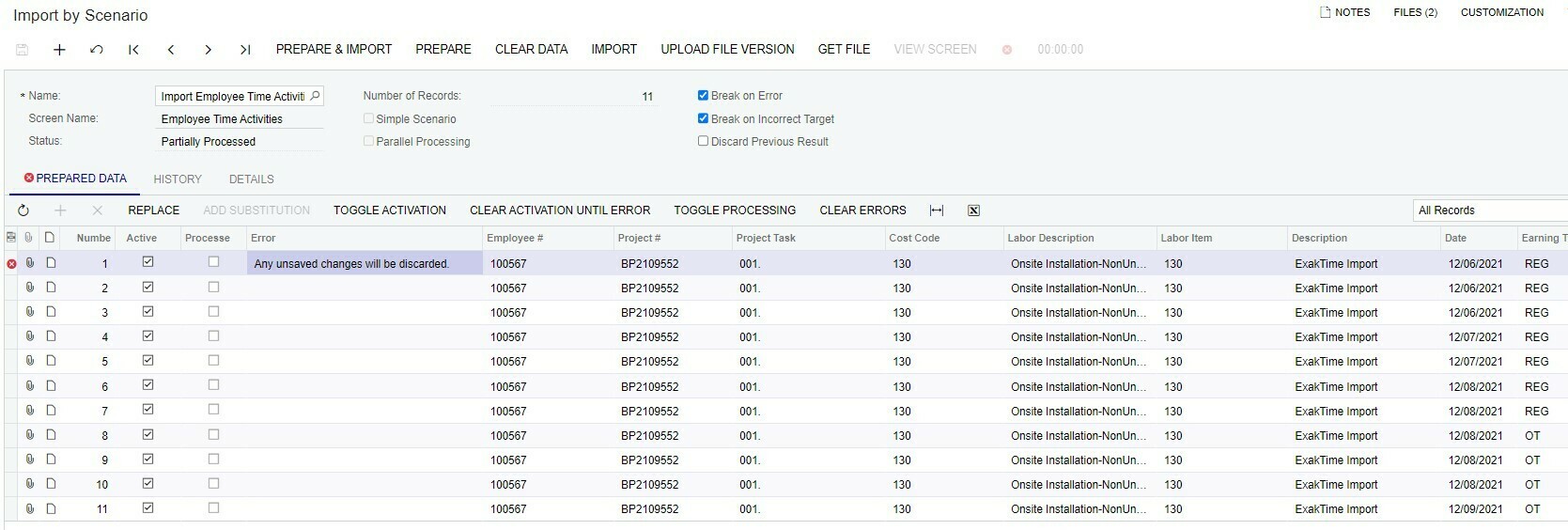
I am new to Acumatica. Running an Import fails on the first row.
Thanks you for any suggestions or comments you may have. If there is online link that you could point me to follow-up on my own, that’s great too.
My import Scenario is attached.
Thank you.
-ken
Best answer by vkumar
Hi @kseverud34
You can find a working import scenario to import Employee Time activity on our Sales demo data. I am attaching exported xml file and excel sample data file. Compare it with your scenario and make required changes. You can ignore additional columns mapped on sample scenario.
You can find a working import scenario to import Employee Time activity on our Sales demo data. I am attaching exported xml file and excel sample data file. Compare it with your scenario and make required changes. You can ignore additional columns mapped on sample scenario.