Solved

How to Import Text Attributes into Existing Items

  • Mar 28, 2025 1:27 PM UTC
  • 7 replies
  • 225 views
  • Translate All

Hi Guys


I'm looking for guidance on how to import Control Type Text Attributes into existing items in Acumatica. What steps or mappings are required to successfully import and associate Control Type Text Attributes with the items? Any advice or resources would be greatly appreciated!
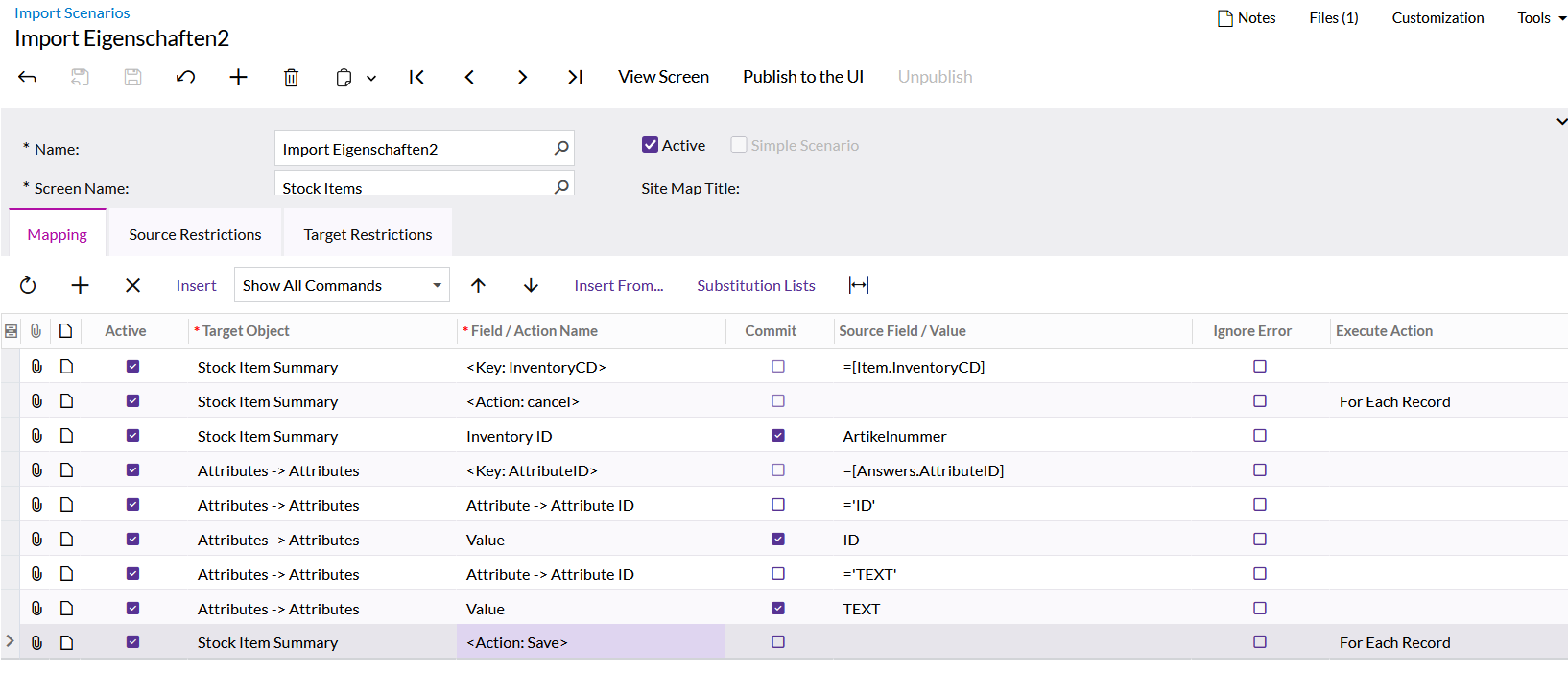
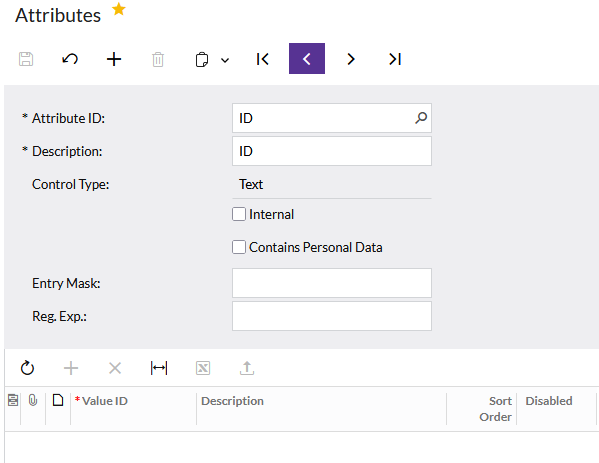


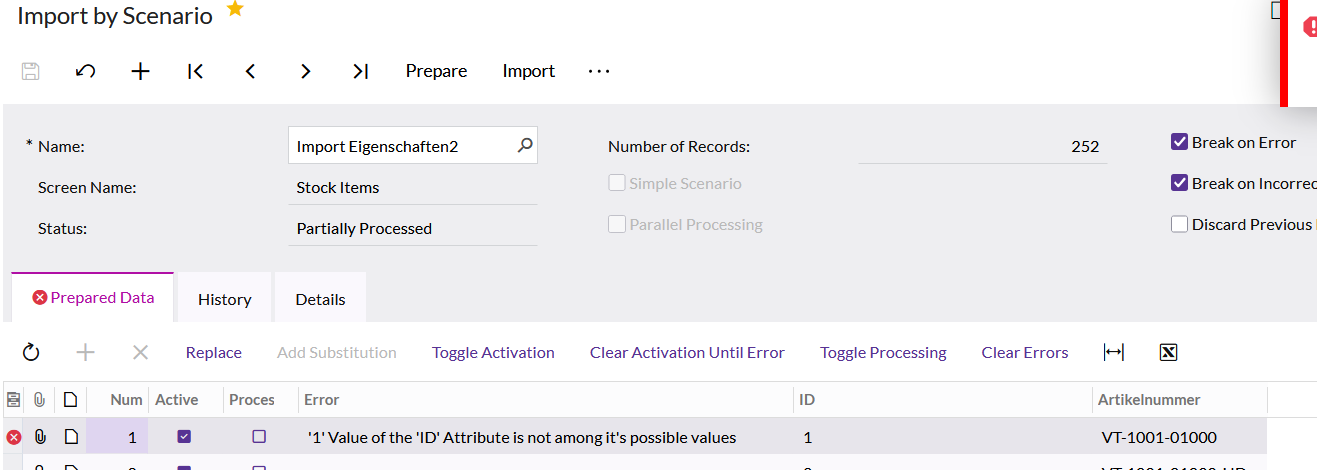
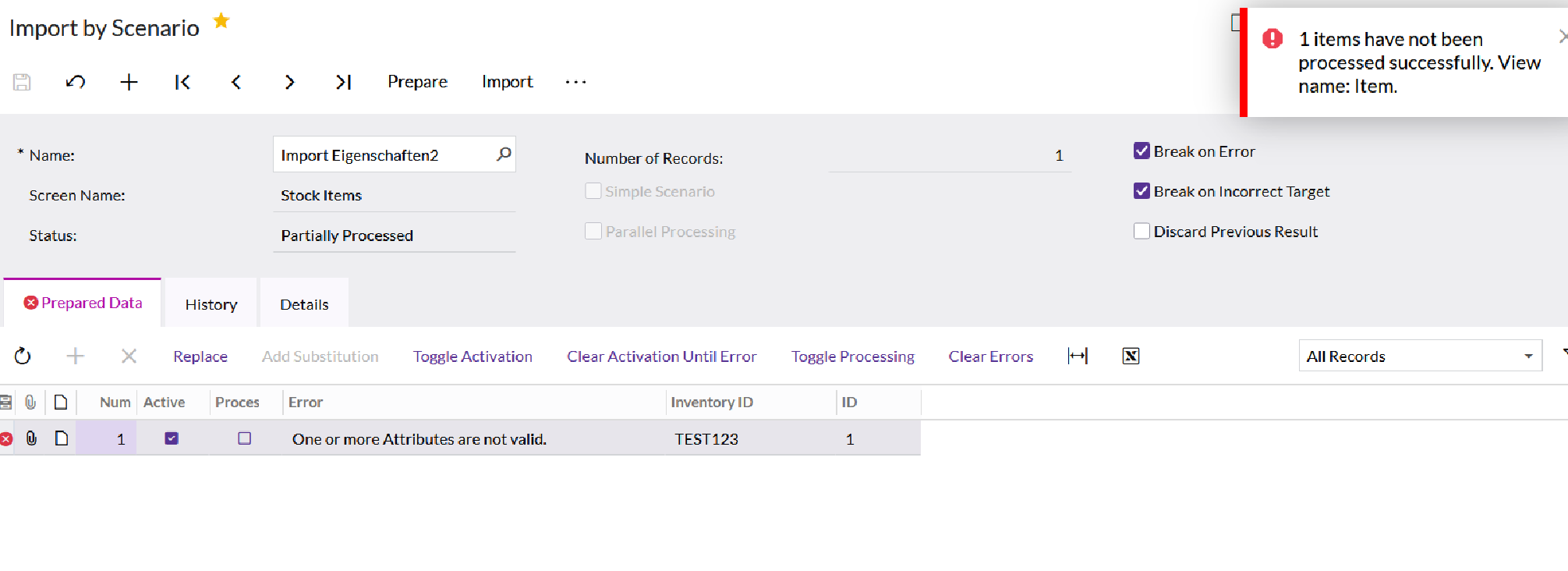
When i Import by Import Scenario i get this message:

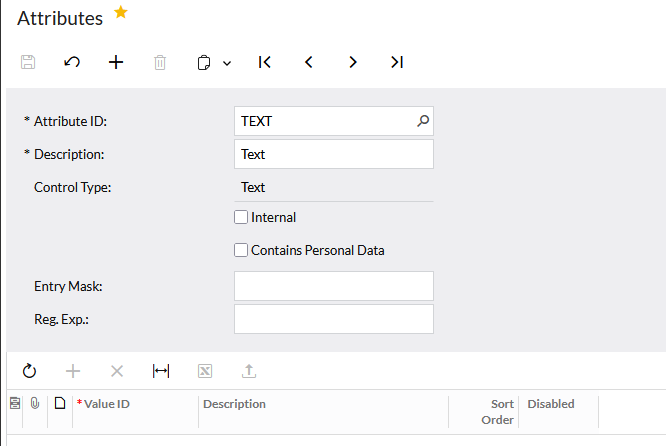
Error: '...' Value of the 'TEXT' Attribute is not among it's possible values

same Error goes for ID


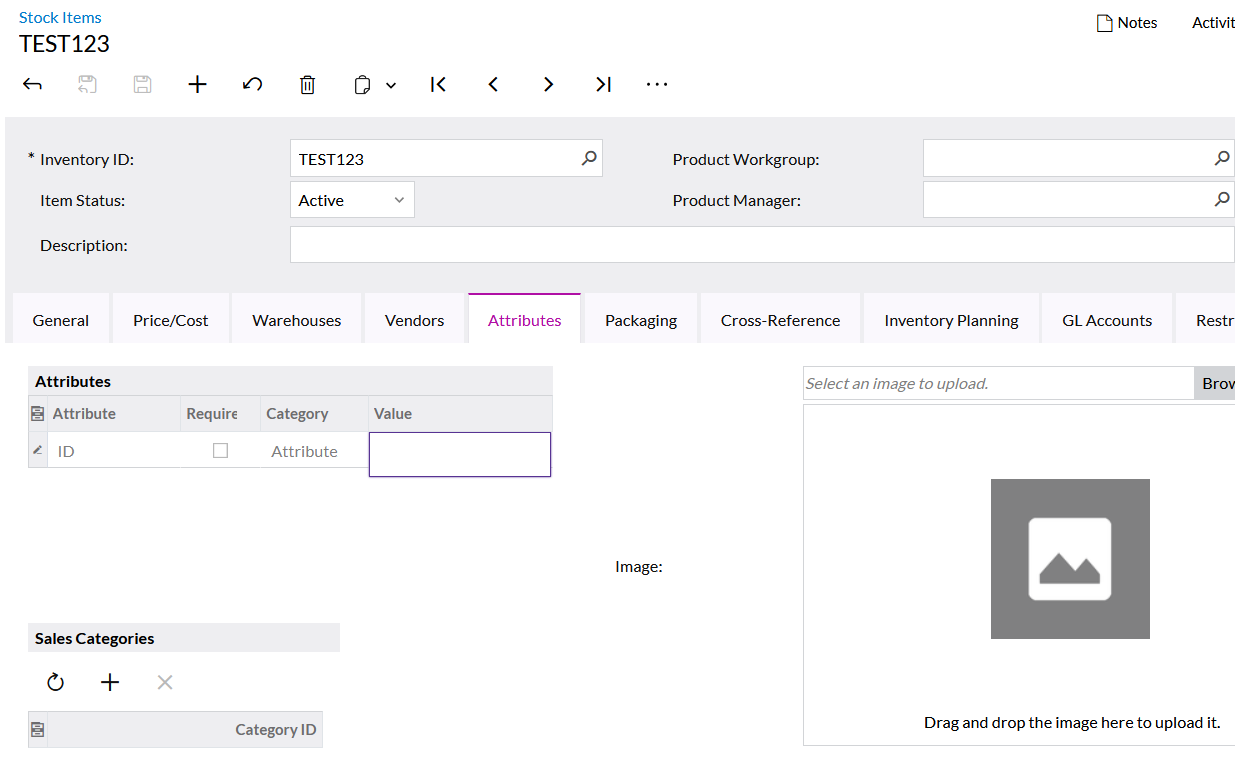
The Attribute ID and Text are also stored in the item classes that are assigned to the items. I can manually fill in the TEXT and ID, but I would prefer to import them


 

Best answer by schneur96

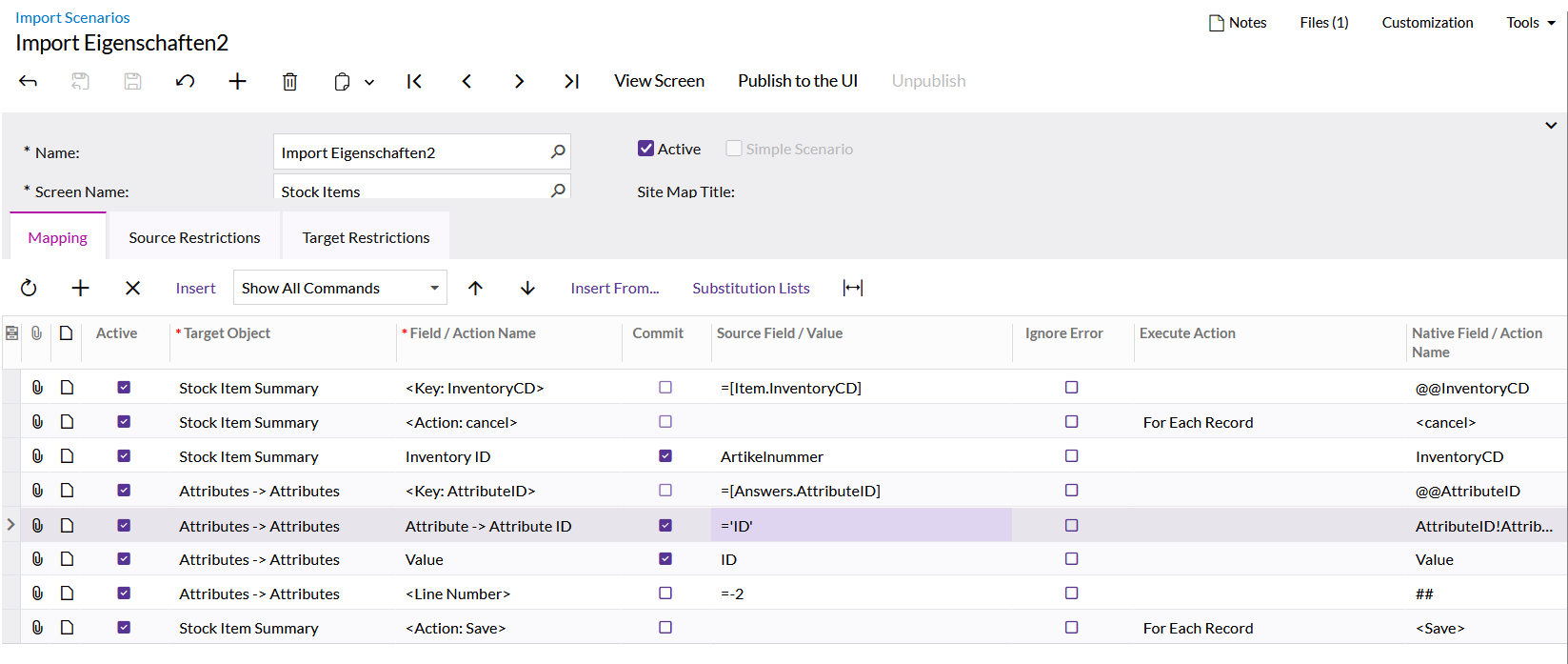
If you are using the import scenario to add data you should remove the Field you have of <Line Number> with the Value of =-2


View original

7 replies

Manikanta Dhulipudi
Captain II
Forum|alt.badge.img+16

​@pbalaki 

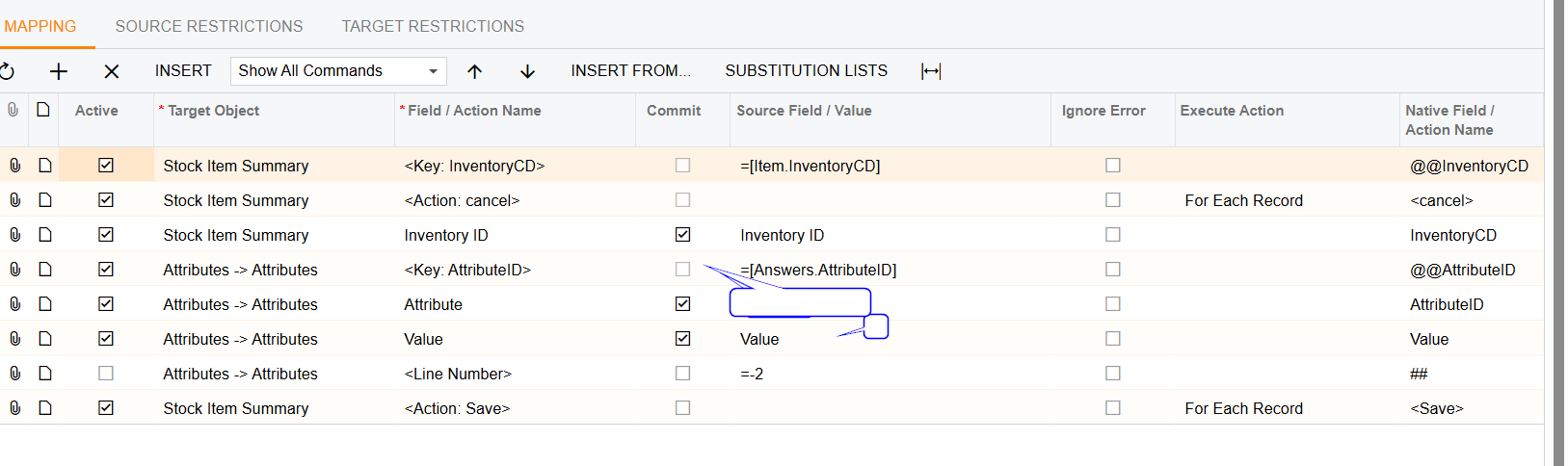
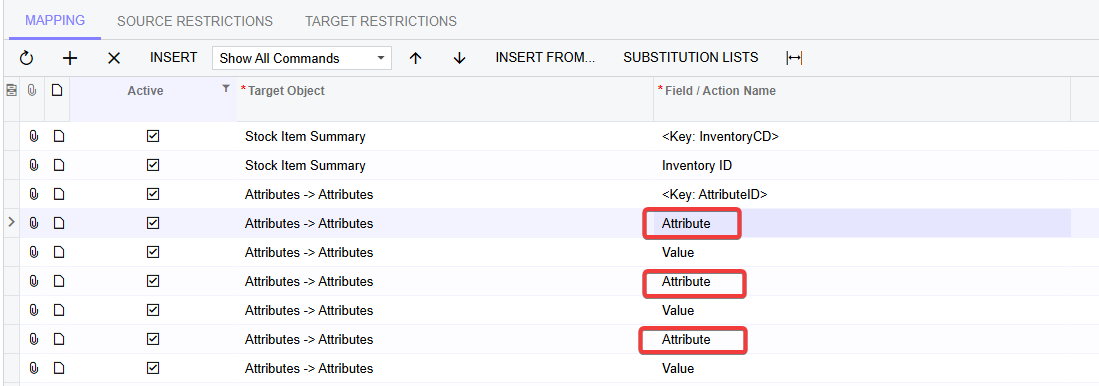
Please find the Import scenario for Mapping.


Translate

  • Mar 28, 2025 2:36 PM UTC

Still not working

Translate

Manikanta Dhulipudi
Captain II
Forum|alt.badge.img+16

​@pbalaki You mapping are not matches with the screenshot I provided,


Translate

Forum|alt.badge.img
  • Pro I
  • Mar 28, 2025 2:43 PM UTC

Hi

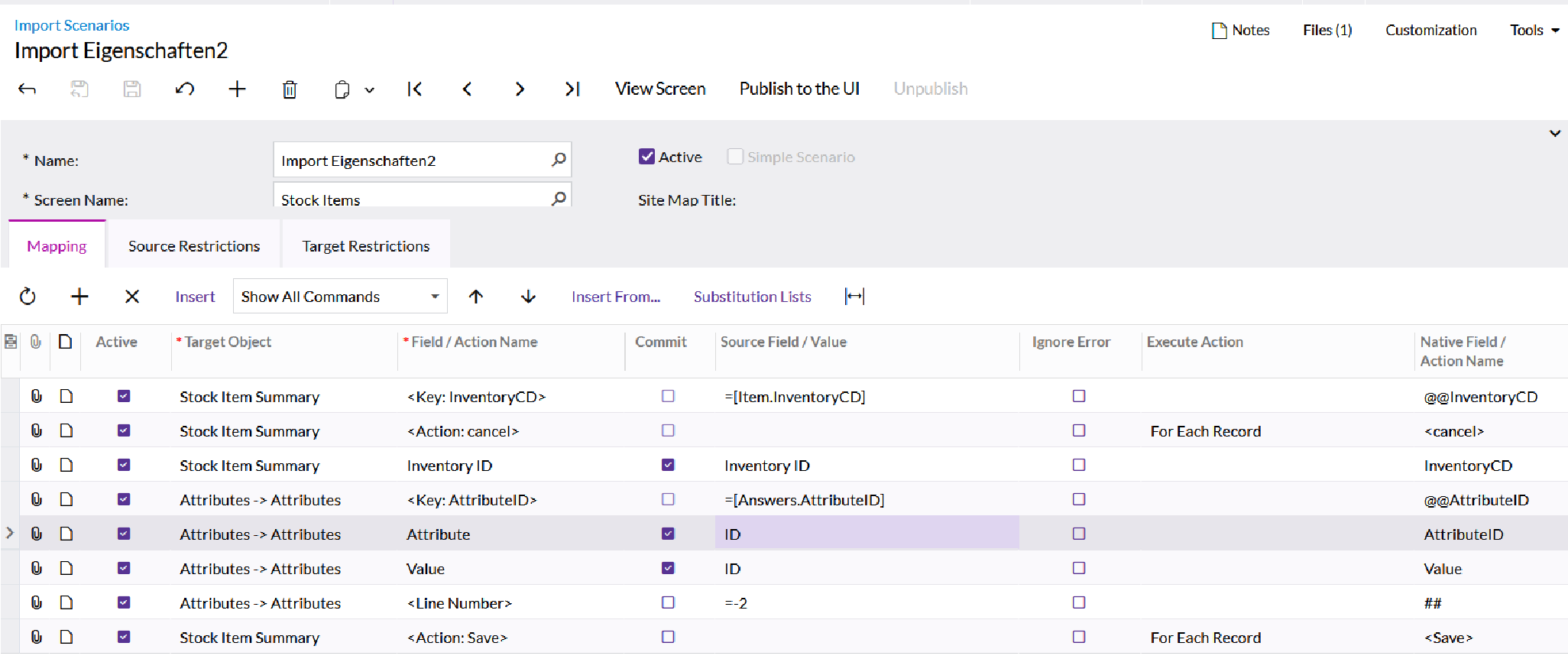
Change the Field/ Action Name from Attribute -> Attribute ID to  Attribute.


Translate

  • Mar 28, 2025 3:13 PM UTC


Still not working

Translate

  • Mar 30, 2025 12:13 PM UTC

​@Manikanta Dhulipudi can u look over it ?

would help me alot

Translate

Forum|alt.badge.img
  • Pro I
  • Answer
  • Mar 30, 2025 2:53 PM UTC

If you are using the import scenario to add data you should remove the Field you have of <Line Number> with the Value of =-2


Translate