Solved

How do I automate an import scenario?

  • Feb 27, 2026 1:41 PM UTC
  • 7 replies
  • 172 views
  • Translate All

Forum|alt.badge.img+1

I’m looking to prepare and import an import scenario every morning at 3:00AM. It looks like all of the help topics for this are older versions of Acumatica. 

I’m in 25R1

I suspect it’s a business event but none of the actions types seem to fit a specific schedule/time scenario. 

Thanks!

Best answer by SBaldwin

I got it! I was trying to use the import scenario screen name, not the GI!

View original

7 replies

lauraj46
Captain II
Forum|alt.badge.img+9
  • Captain II
  • Feb 27, 2026 1:49 PM UTC

Hi ​@SBaldwin ,

If the Screen Name is a generic inquiry then you should see the Trigger by Schedule opton on the Raise Event dropdown.  

Hope this helps!

Laura

Translate

Forum|alt.badge.img+1
  • Author
  • Semi-Pro I
  • Feb 27, 2026 1:55 PM UTC

Hi ​@SBaldwin ,

If the Screen Name is a generic inquiry then you should see the Trigger by Schedule opton on the Raise Event dropdown.  

Hope this helps!

Laura

Hey Laura,

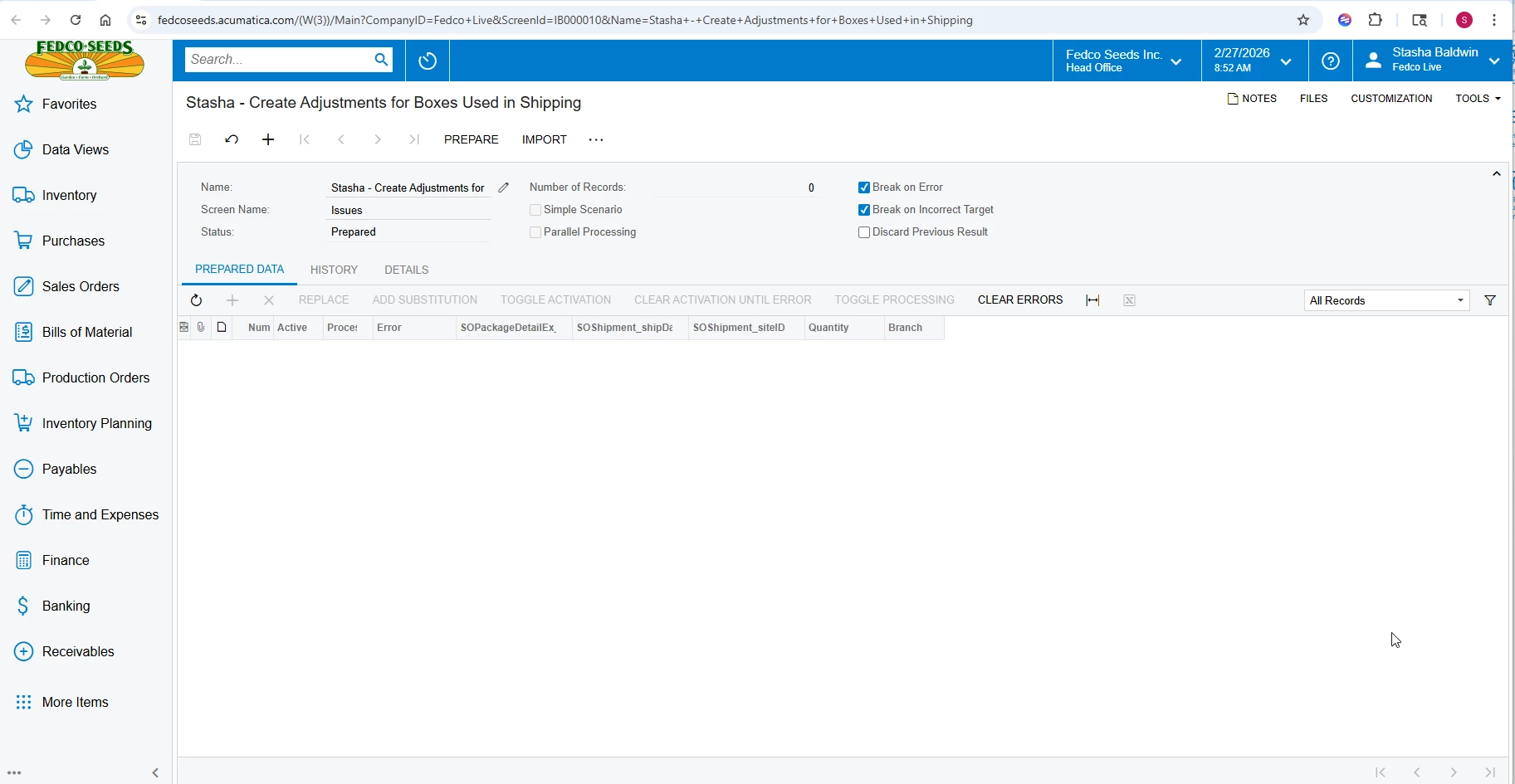
Here is my import scenario. It is published to the UI


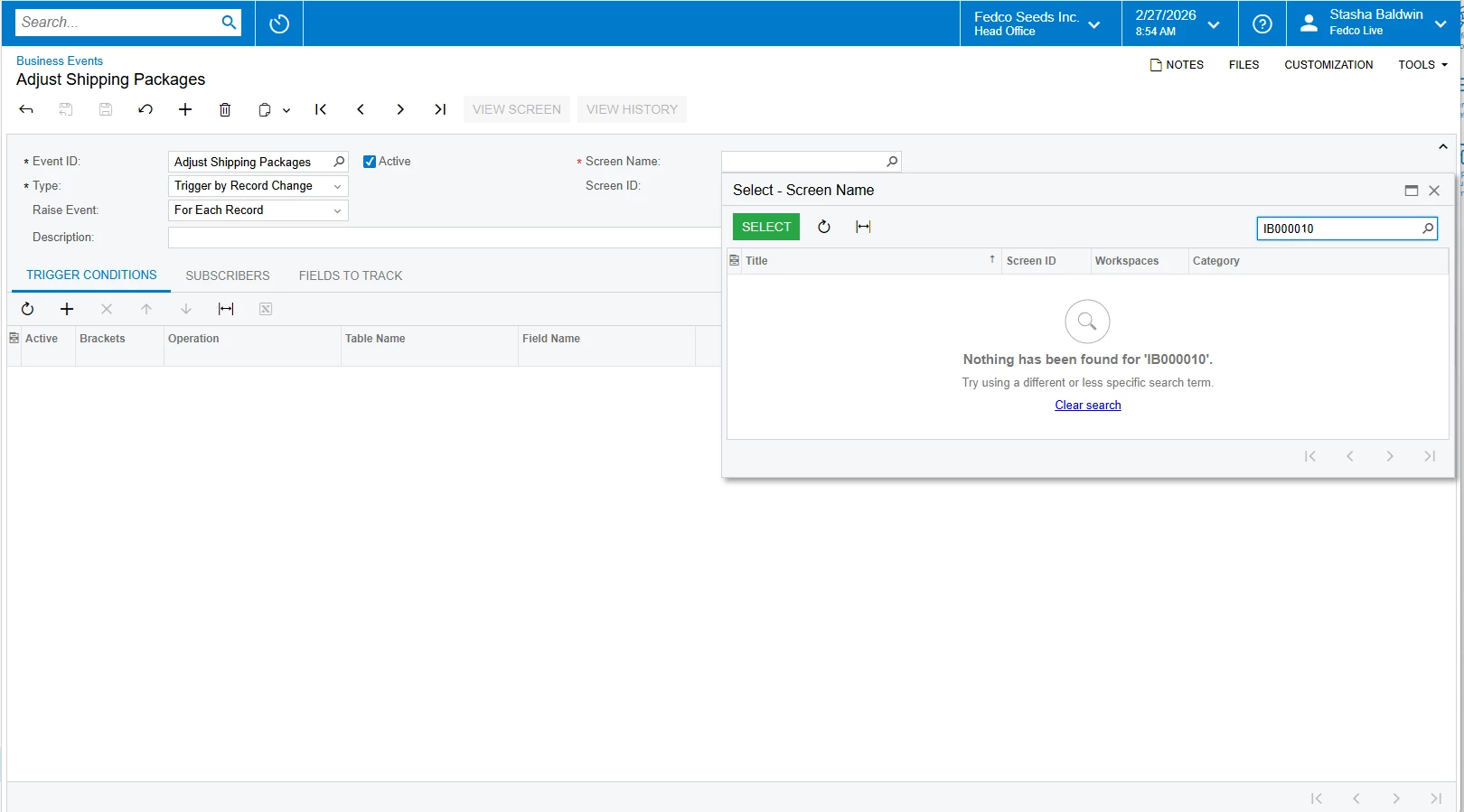
When I put the screen ID in the screen name of the business event nothing appears


Translate

lauraj46
Captain II
Forum|alt.badge.img+9
  • Captain II
  • Feb 27, 2026 1:58 PM UTC

Hi ​@SBaldwin ,

Make sure that you have assigned access rights to the published GI screen.

Translate

Forum|alt.badge.img+1
  • Author
  • Semi-Pro I
  • Feb 27, 2026 2:06 PM UTC

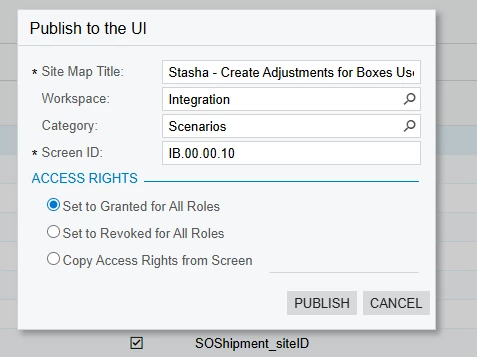
These are the settings I am publishing to the UI.

I’m not sure if this is expected behavior but if I were to click Publish and then on the import scenario screen click “Publish to the UI” again, the “Copy Access Rights from Screen” bubble would be selected. I just want to make sure that it’s actually granting access rights to all roles.

With that said even after setting it granted for all roles it’s still not showing up as an available screen ID on the business event page.

Translate

Forum|alt.badge.img+1
  • Author
  • Semi-Pro I
  • Answer
  • Feb 27, 2026 2:27 PM UTC

I got it! I was trying to use the import scenario screen name, not the GI!

Translate

Forum|alt.badge.img+5
  • Varsity III
  • Feb 27, 2026 5:44 PM UTC

Hey ​@SBaldwin ,
You can prepare a GI and then under the subscribers select Import Scenarios.

Translate

MissyMain41
Jr Varsity III
Forum|alt.badge.img
  • Jr Varsity III
  • Mar 5, 2026 5:35 PM UTC

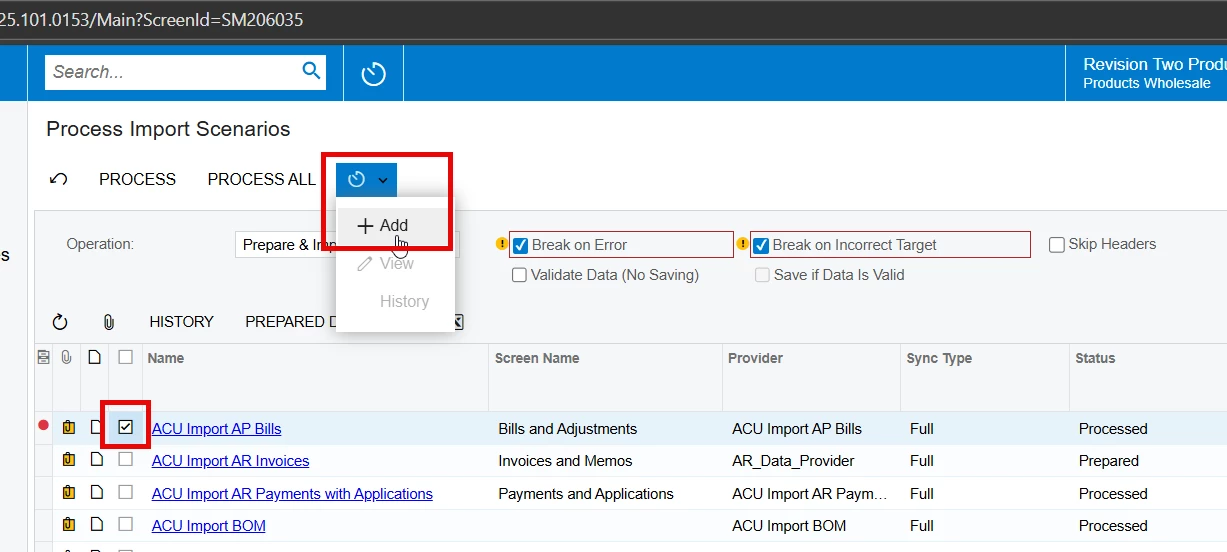
There is a prebuilt screen in all versions of Acumatica which can automate import/export scenarios. 

Simply checkmark the import wanting to be scheduled, then click the scheduler button and choose “add” to create your schedule. 

This could be more efficient and remove the need for business event. 

Image: 


Translate