



If we have images attached to our stock items and a GI set up with those items and image URL’s. Why do the images not export to Excel? How do we get the export to include a visbible image?
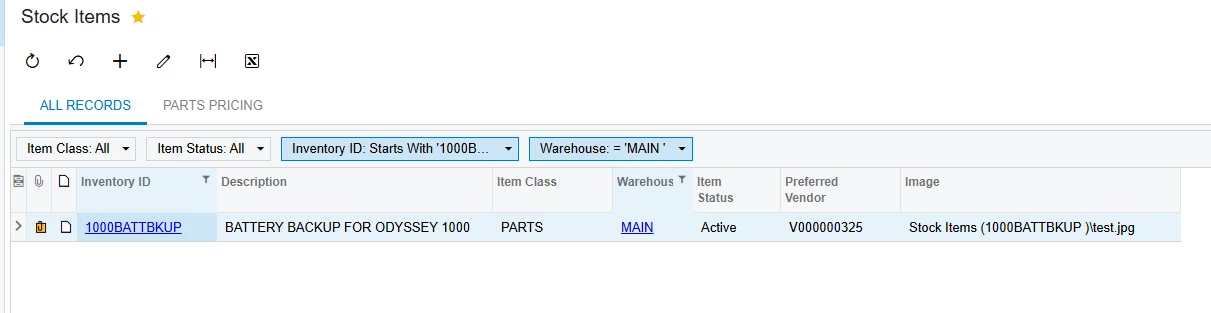
We just see the same woding, but not actual image in Excel…

If we have images attached to our stock items and a GI set up with those items and image URL’s. Why do the images not export to Excel? How do we get the export to include a visbible image?
We just see the same woding, but not actual image in Excel…
Best answer by Steve Milner
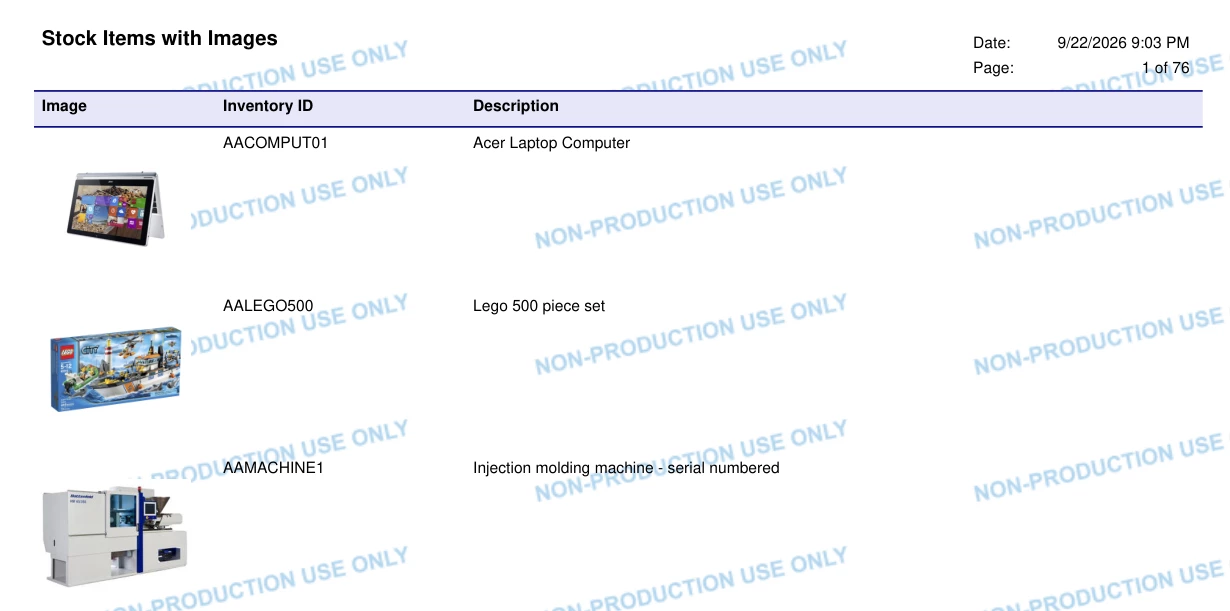
@MFarnsworth10 PDF works. You just need a small custom report for it.
In Report Designer, start a report on InventoryItem with Inventory ID and Description. Drop a PictureBox in the detail section, set Source to Database and Value to =[InventoryItem.ImageUrl]. That field holds the file name of the item's image, so there's no join to set up. Set Sizing to Scale so the pictures keep their shape.
Save it to the server, add it on the Site Map screen with the URL ~/Frames/ReportLauncher.aspx?ID=YourReportID.rpx, and give your roles access on Access Rights by Screen.
Run it and export to PDF. The attached PDF is what it looks like from a demo company. Valentyn's right about Excel, though. The pictures drop out of the Excel export.
If you'd rather skip the build, DM me and I'll send you the .rpx I used.
Enter your E-mail address. We'll send you an e-mail with instructions to reset your password.





