Question

Export Inventory List with Images to Excel

  • September 22, 2026
  • 3 replies
  • 23 views

Forum|alt.badge.img

If we have images attached to our stock items and a GI set up with those items and image URL’s.  Why do the images not export to Excel?  How do we get the export to include a visbible image?
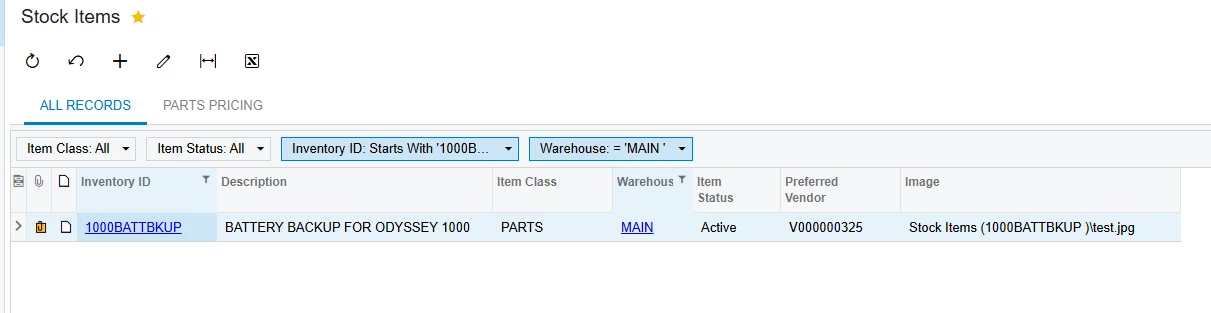
 

We just see the same woding, but not actual image in Excel…

 

3 replies

valentynbeznosiuk
Jr Varsity II
Forum|alt.badge.img+4

Hi ​@MFarnsworth10 ,

Unfortunately it doesn't work, whether you export from a Generic Inquiry or directly from the Stock Items screen. Excel export in Acumatica only writes cell values. The Image field on the stock item holds the name of the attached file, not the picture, so that file name is all you get in Excel. There's no setting to embed images in the export. Exporting a report to Excel doesn't include images either.

If you need a document with pictures, the closest built-in option is a report with the item image, exported to PDF. If it has to be Excel, the images would need to be added outside Acumatica, for example with a script that downloads the files through the API and inserts them into the workbook.

But if the goal is to get your item images out of the system in bulk, you can try asking Acumatica Support — maybe they can extract those from your DB.

If not, and please don't take this as marketing, there's a tool on the ERP App Marketplace called AcuCleaner that has a feature to extract images into a structured archive and either download it or send it directly to GDrive/OneDrive/Dropbox from the system. That could help solve the need.


Forum|alt.badge.img
  • Author
  • Freshman I
  • September 22, 2026

OK.  Thank you for the feedback.  That is disappointing that there is no out of the box way to export an inventory list with images.  It does not have to be to Excel, it could be pdf, etc.  Just want a way to get the list with image out of Acumatica.


Steve Milner
Varsity III
Forum|alt.badge.img+4
  • Varsity III
  • September 23, 2026

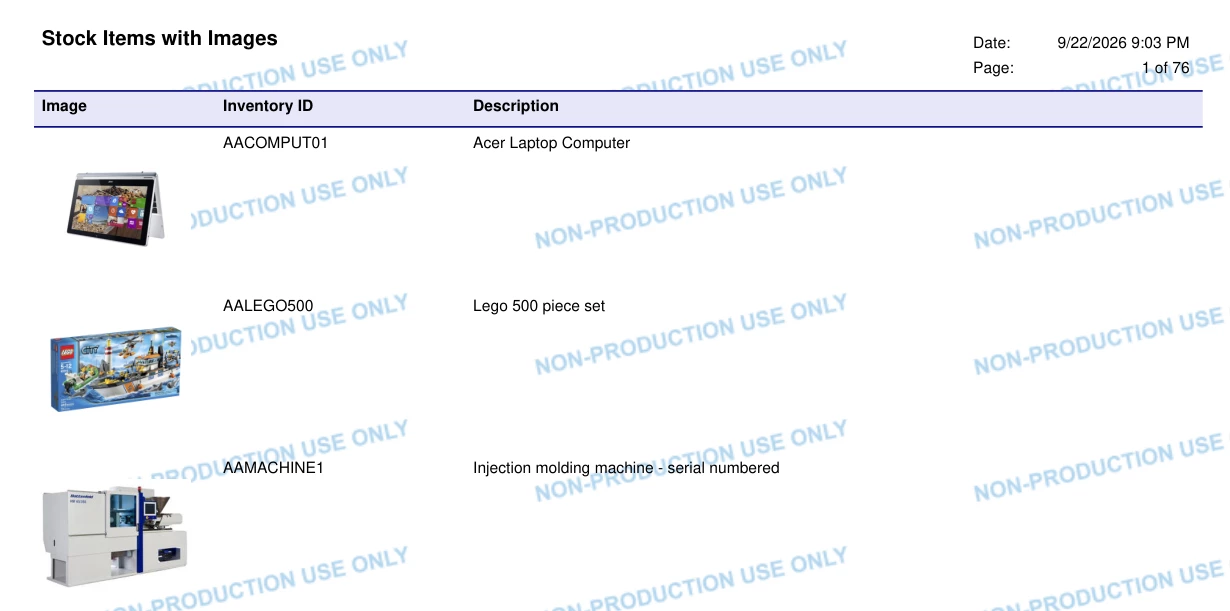
@MFarnsworth10 PDF works. You just need a small custom report for it.

In Report Designer, start a report on InventoryItem with Inventory ID and Description. Drop a PictureBox in the detail section, set Source to Database and Value to =[InventoryItem.ImageUrl]. That field holds the file name of the item's image, so there's no join to set up. Set Sizing to Scale so the pictures keep their shape.

Save it to the server, add it on the Site Map screen with the URL ~/Frames/ReportLauncher.aspx?ID=YourReportID.rpx, and give your roles access on Access Rights by Screen.

Run it and export to PDF. The attached PDF is what it looks like from a demo company. Valentyn's right about Excel, though. The pictures drop out of the Excel export.

If you'd rather skip the build, DM me and I'll send you the .rpx I used.