Question

Export data from Audit History - when using export scenarios

  • March 1, 2023
  • 5 replies
  • 178 views

Hello everyone,

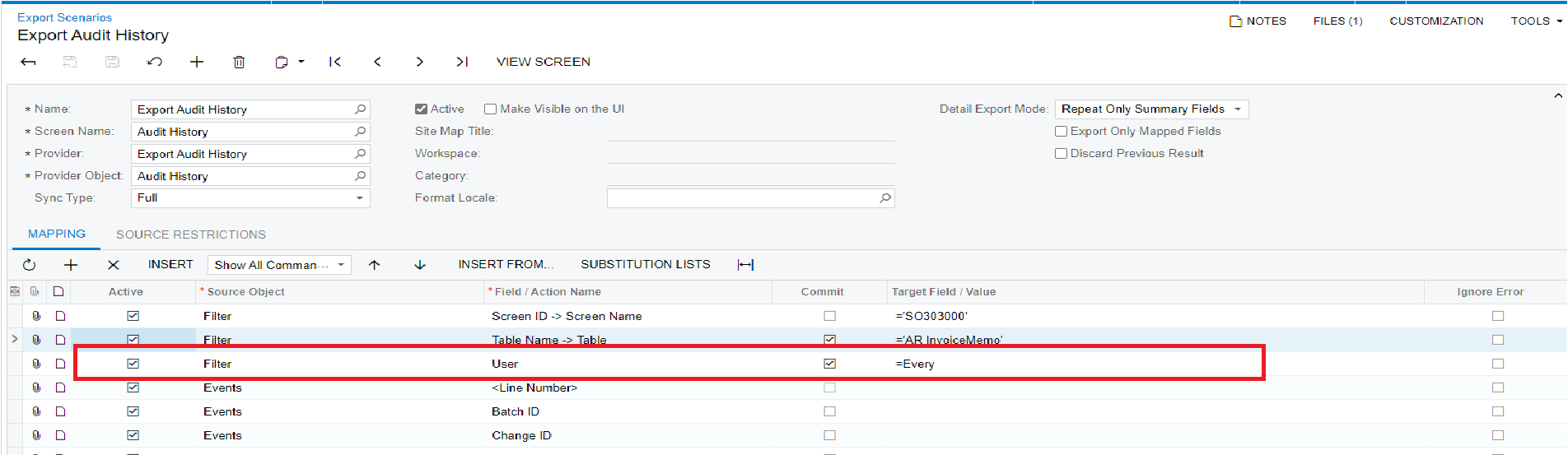
   I am currently using the export scenario to export Excel for audit history data. However, when I clicked "Prepare and Export" in the "Export by Scenario" screen, no data was found, as shown in the figure.


Export Scenario for audit history as shown in the figure1,
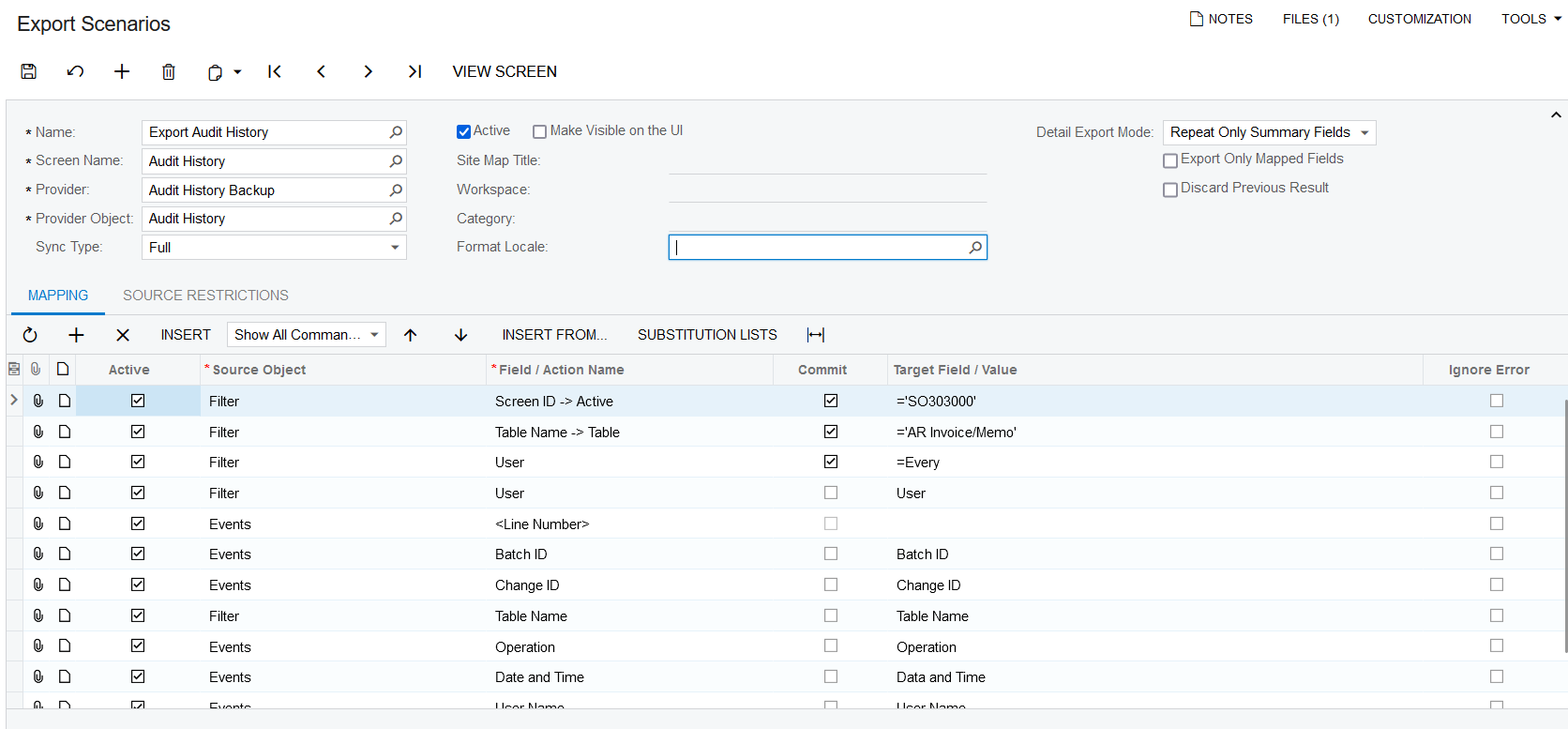
Figure 1.

There is no data found when I clicked "Prepared and Export" in "Export by Scenario" screen as shown in figure 2,
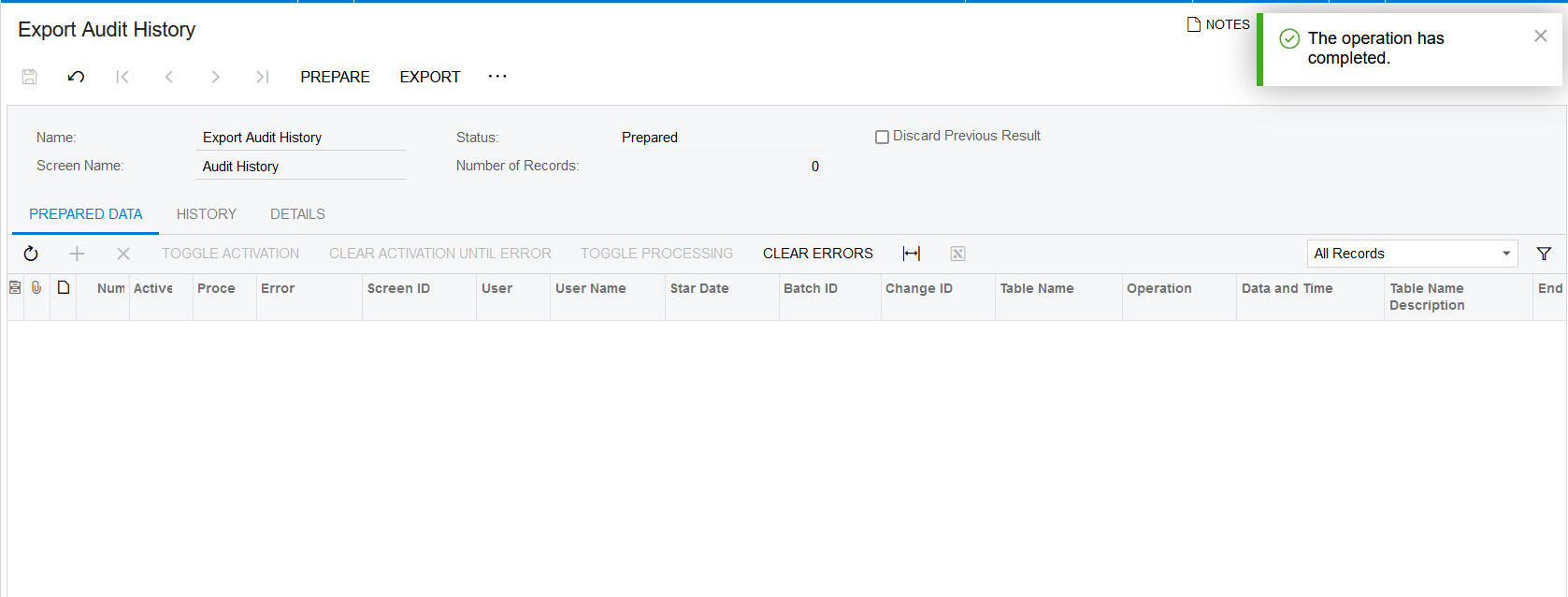
Figure 2.

How to do that? Do you have any advice or examples?

Thanks in advance. 

5 replies

estebanperalta54
Captain II
Forum|alt.badge.img+4

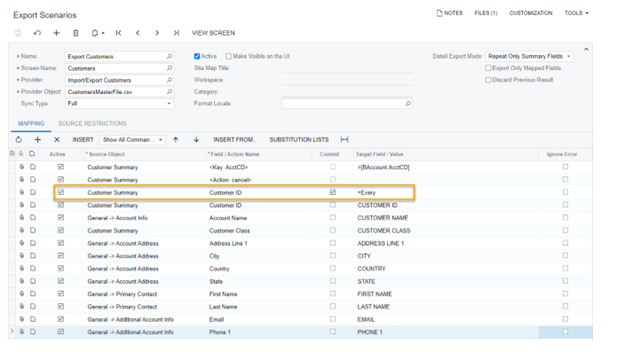
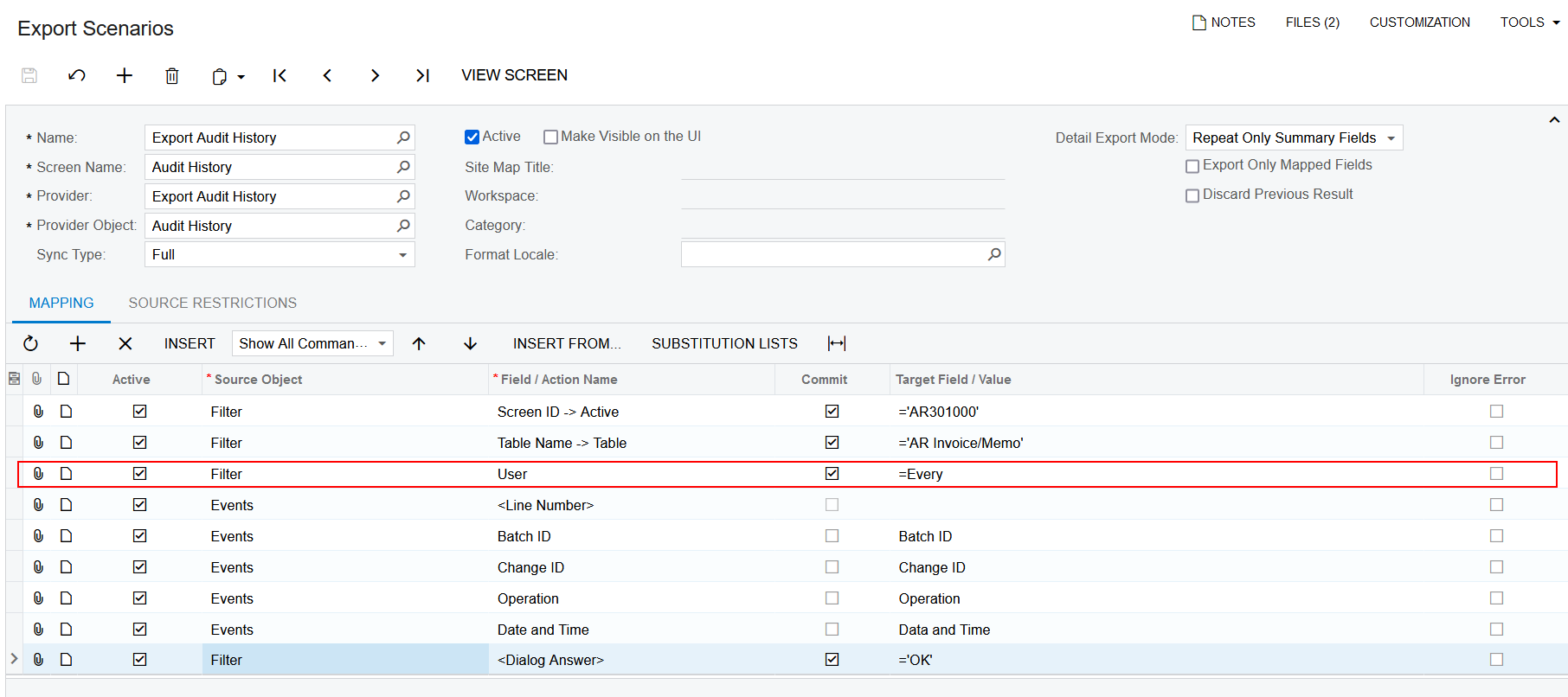
Hi @oakarphyo here’s a working export scenario I’ve done in the past for customers. See if anything sticks out:


Forum|alt.badge.img+9
  • Semi-Pro III
  • March 2, 2023

Hi @oakarphyo,

I am not clear that why you used User field two times, Can you please check in the mappings that target field are set properly? (refer attached screenshot)

Hope this will helps, If it not works, Can you please provide us your Data Provider and Export Scenario.


Regards, 

Greytrix


  • Author
  • Freshman I
  • March 2, 2023

Hi @oakarphyo,

I am not clear that why you used User field two times, Can you please check in the mappings that target field are set properly? (refer attached screenshot)

Hope this will helps, If it not works, Can you please provide us your Data Provider and Export Scenario.


Regards, 

Greytrix

Hi @sweta68 Greytrix

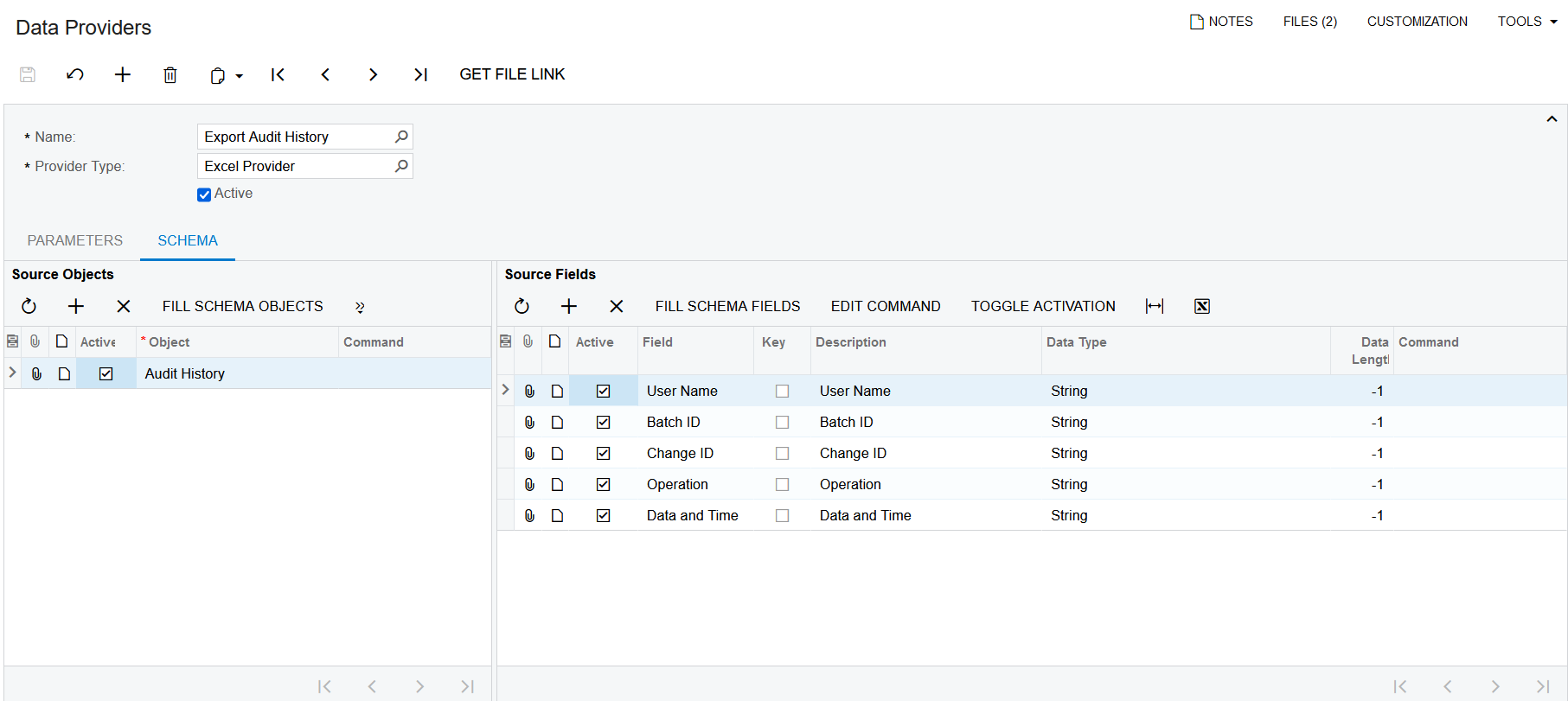
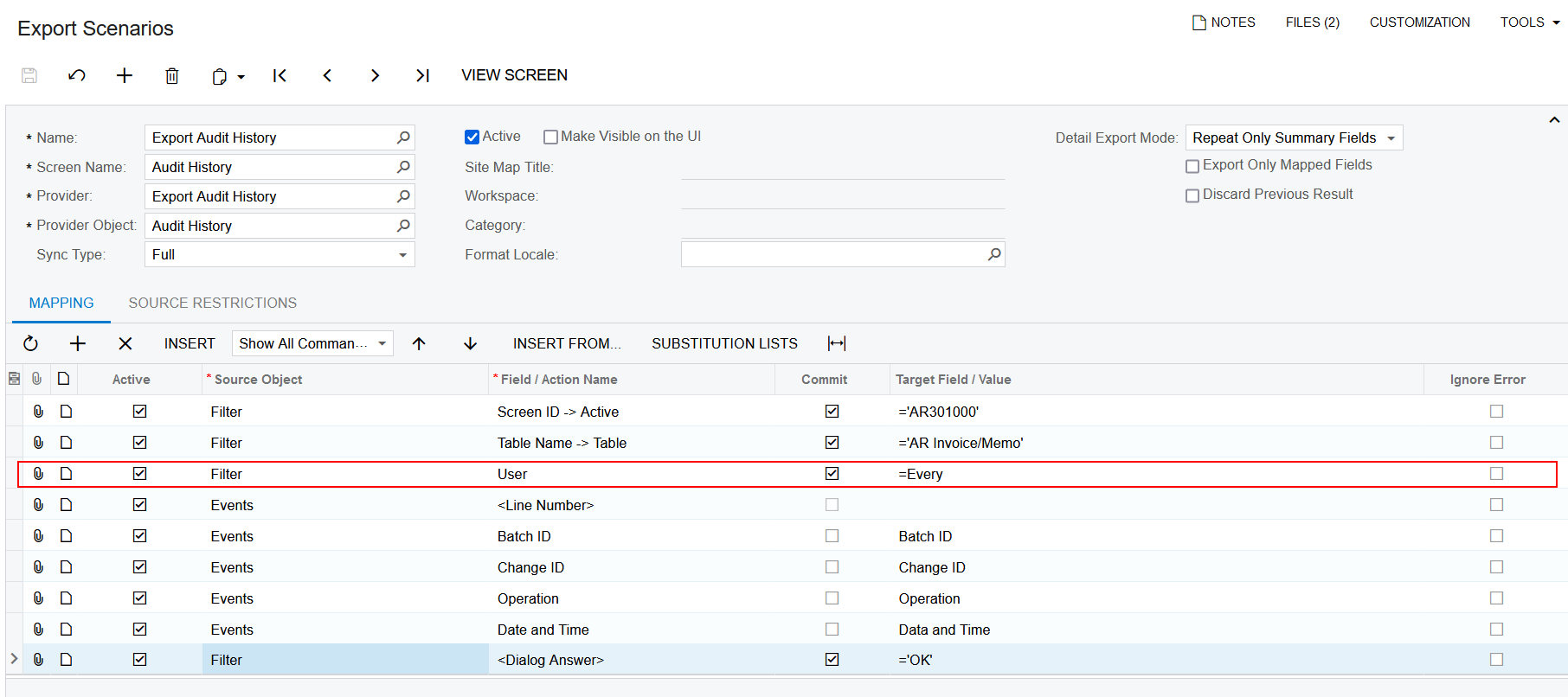
I appreciate your help. After I fixed the User field only once, I still have the same issues. Could you please check my Data Provider and Export Scenario with the attached files?

Here is My Data Provider
Here is My Export Scenario

Thanks for taking the time to help me.

Best Regards,

Oakar


  • Author
  • Freshman I
  • March 2, 2023

Hi @oakarphyo here’s a working export scenario I’ve done in the past for customers. See if anything sticks out:


Hi @estebanperalta54  I tried this way but that didn't work. Thank you for your time.


Chris Hackett
Community Manager
Forum|alt.badge.img
  • Acumatica Community Manager
  • March 20, 2023

Hi @oakarphyo  were you able to find a solution? Thank you!