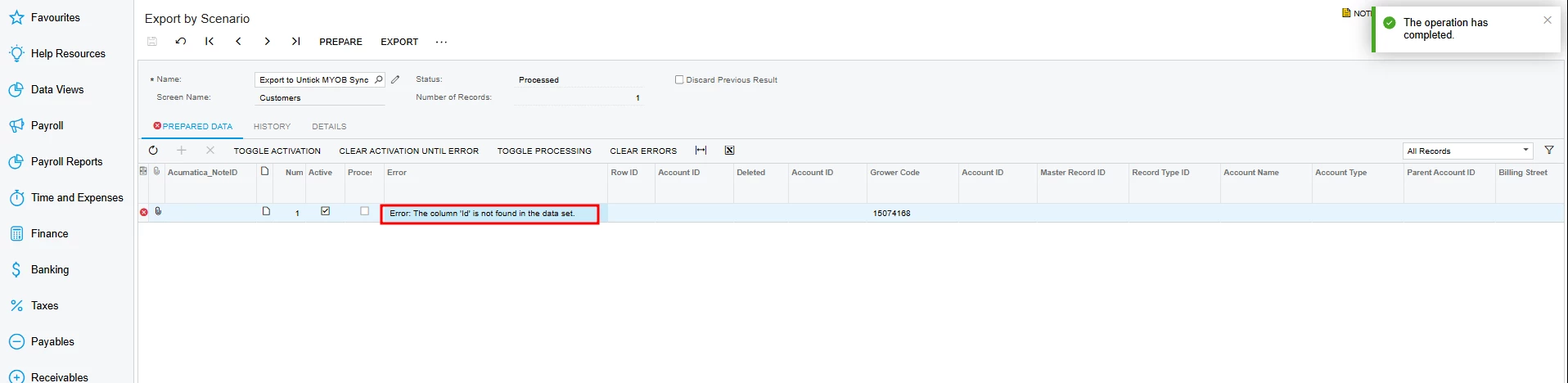
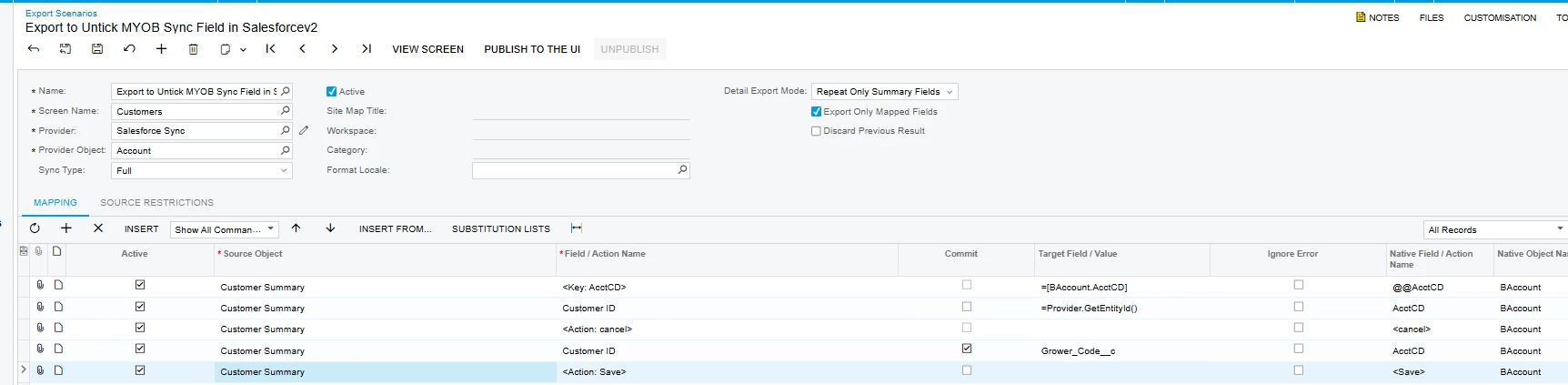
I have configured a Export Scenario in the in a Test tenant to Export out some updates to a customer in Acumatica to Salesforce. "Export to Untick MYOB Sync Field in Salesforcev2". However I'm running into the Error: "The Column 'Id' is not found in the dataset".
I want to untick a field in Salesforce. Please assist with the configuration of my Export Scenario
Attached are the Errors Export by Scenario:
Attached is my Export Scenario:
Best answer by nasir
@Avishka your Provider Object = Account (Salesforce).salesforce requires the internal record ID for update but your source dataset (Customer Summary) does NOT include a field mapped to Salesforce id.
So Acumatica doesn’t know which Salesforce record to update. Ensure a field (e.g., AcctCD or CustomerID) is marked as: External ID & Unique In Acumatica Export Scenario: Remove dependency on Id
Map like this:
Source Field Target Field <Key: AcctCD> External_Id__c (Salesforce) (your field) Grower_Code__c <Action: Save> In Provider Settings: Enable: Use External ID for Upsert
@Avishka your Provider Object = Account (Salesforce).salesforce requires the internal record ID for update but your source dataset (Customer Summary) does NOT include a field mapped to Salesforce id.
So Acumatica doesn’t know which Salesforce record to update. Ensure a field (e.g., AcctCD or CustomerID) is marked as: External ID & Unique In Acumatica Export Scenario: Remove dependency on Id
Map like this:
Source Field Target Field <Key: AcctCD> External_Id__c (Salesforce) (your field) Grower_Code__c <Action: Save> In Provider Settings: Enable: Use External ID for Upsert