Question

Error Importing Stock Items: Exception occurred at Load The specified key does not exist. NoSuchKey SRY3C9KMQE320XV4

  • February 11, 2026
  • 5 replies
  • 25 views

When I press prepare in Import by scenario I get this error message .

What could be the reason I have used this import scenario before , I just added new items on the excel file and its giving this error:

Exception occurred at Load The specified key does not exist. NoSuchKey SRY3C9KMQE320XV4

I am getting this error on both importing Stock Items and Non Stock items.

5 replies

nhatnghetinh
Captain II
Forum|alt.badge.img+13
  • Captain II
  • February 11, 2026

Hi ​@josh43 

In the Import Scenarios screen, click Export as XML and attach your XML file.
 

Best Regards,

NNT


  • Author
  • Freshman I
  • February 11, 2026

Attached is the XML


nhatnghetinh
Captain II
Forum|alt.badge.img+13
  • Captain II
  • February 11, 2026

Hi ​@josh43 

Please send me the template file "Import NON Stock Items.xlsx". I cannot open this file in the Import Scenarios screen.


Best Regards,

NNT


Forum|alt.badge.img+1

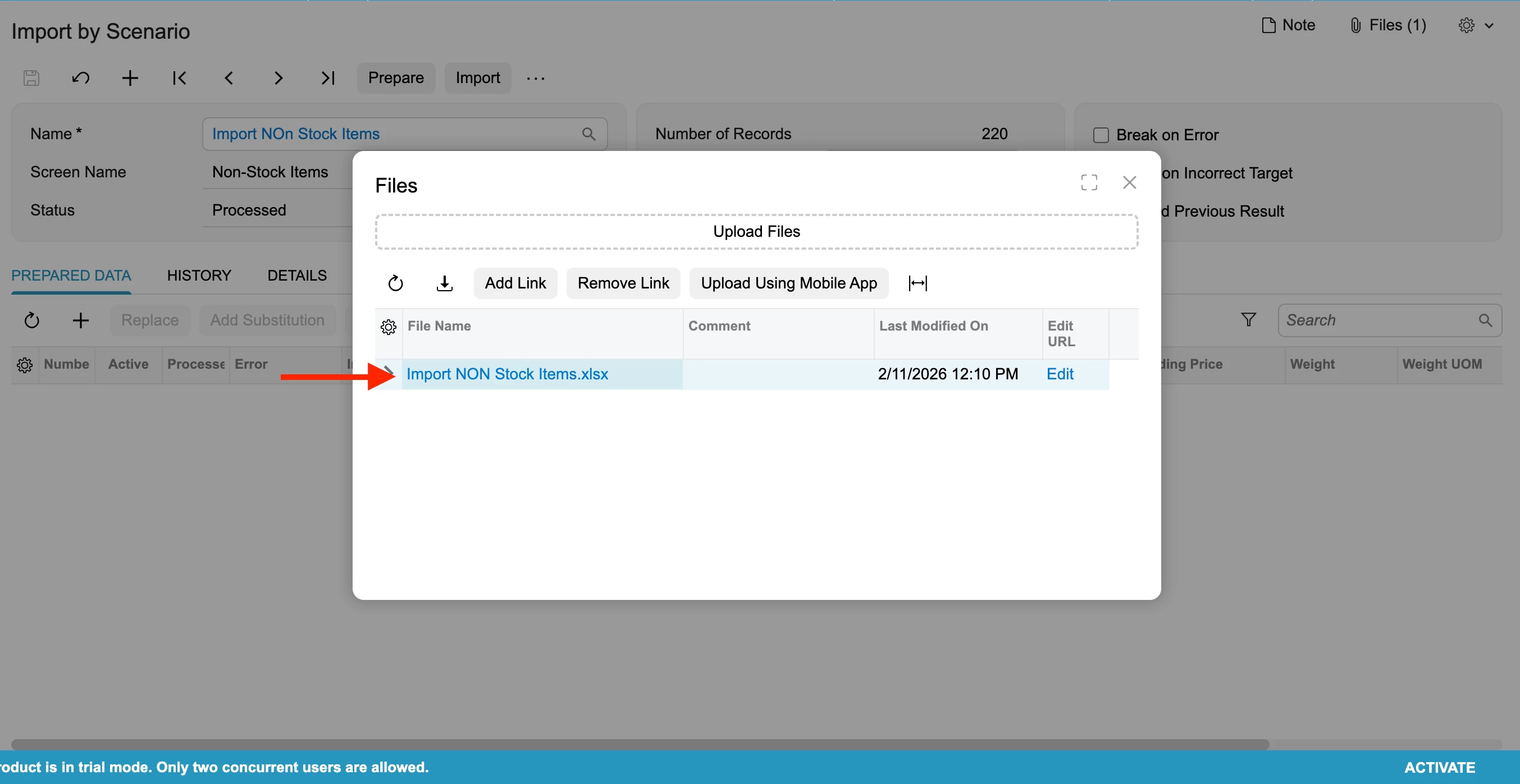
hey ​@josh43 , can you also make sure the file exist in the external path that has been provided and also you have access to it if you click on the hyperlink as shown below:


You can click on the hyperlink and verify whether the file is accessible. If not then you’d need to validate the access to the folder/external site wherever the file has been uploaded.


nhatnghetinh
Captain II
Forum|alt.badge.img+13
  • Captain II
  • February 11, 2026

Hi ​@josh43 

It seems your "Import NON Stock Items.xlsx" file is having problems. I cannot open this file. I recreated the .xlsx template file and successfully imported it. Please refer to the attached XML Import Scenarios file.


Best Regards,

NNT