Question

Engineering Change Order Import

  • Nov 5, 2026 12:41 PM UTC
  • 4 replies
  • 15 views
  • Translate All

dalesimmerly58
Pro I
Forum|alt.badge.img+1

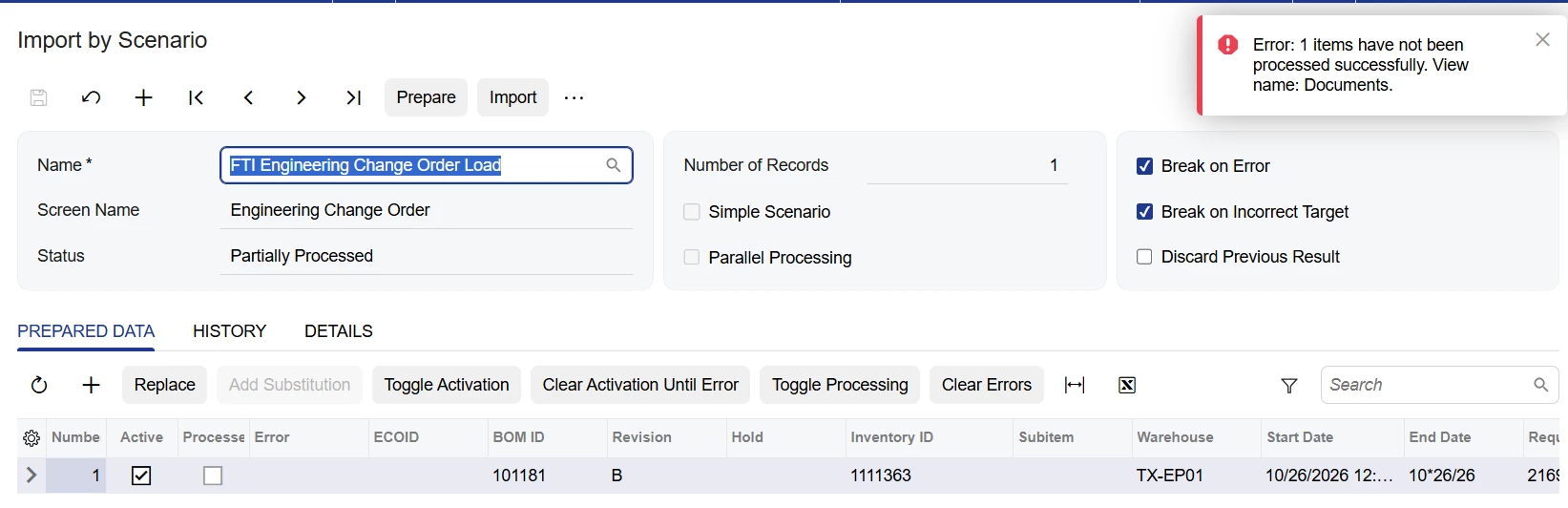
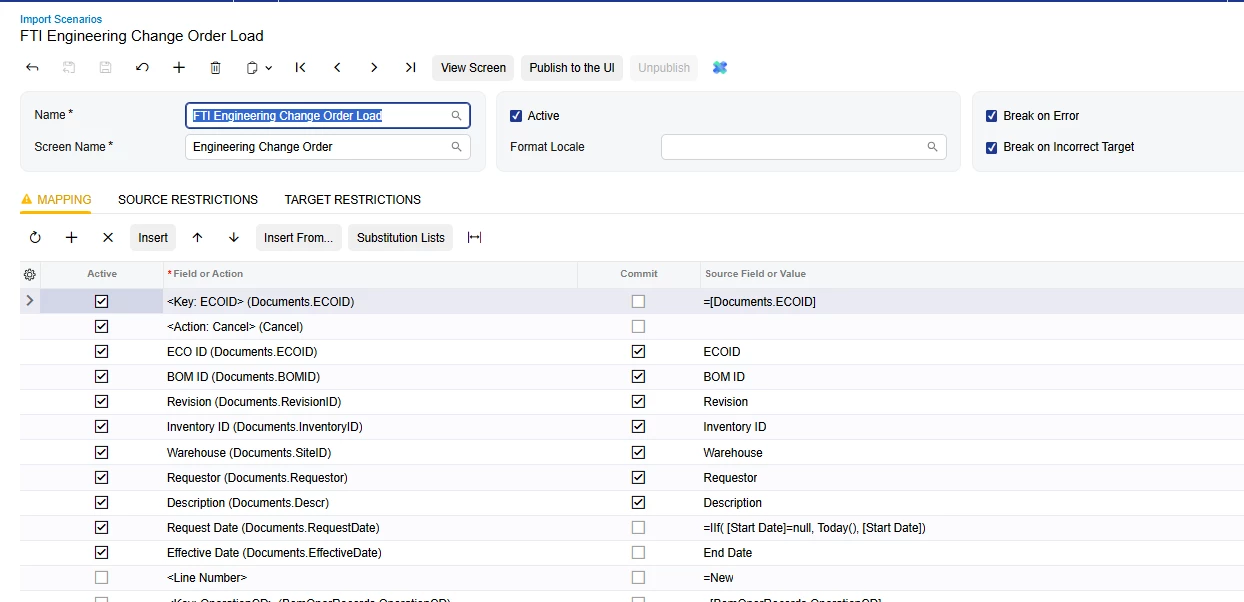
Could someone help troubleshoot my import for Engineering Change Orders (25R2)

I have deactivated details lines to just try to get header import to work 


4 replies

lauraj46
Captain II
Forum|alt.badge.img+9
  • Captain II
  • Nov 5, 2026 1:16 PM UTC

Hi ​@dalesimmerly58 ,

You can only create an engineering change order (ECO) directly if the Require ECR Before Creating ECO check box is cleared on the BOM Preferences form.

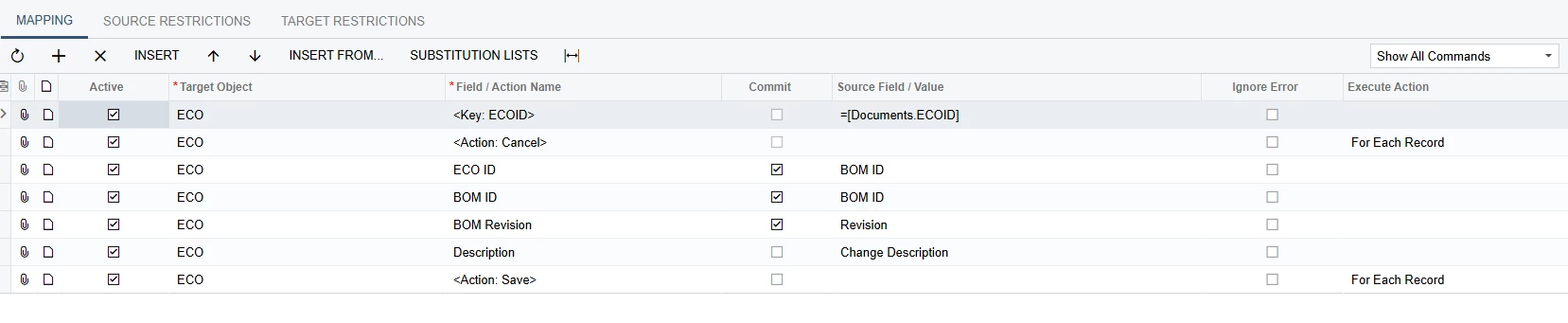
Assuming that’s the case, below is an example of a scenario that works for us.  You don’t need the Inventory ID or warehouse because these will populate based on the BOM.

Hope this helps!

Laura

Translate

dalesimmerly58
Pro I
Forum|alt.badge.img+1

​@lauraj46 

issue may be we have auto number on ECO and looks likes you are creating ECO with same ID as BOM - it that a correct statement ?


Translate

lauraj46
Captain II
Forum|alt.badge.img+9
  • Captain II
  • Nov 5, 2026 1:48 PM UTC

Hi ​@dalesimmerly58 ,

We are actually autonumbering the ECOs - the BOMID is just used as a proxy to group together the detail lines.

Translate

Steve Milner
Varsity III
Forum|alt.badge.img+6

@dalesimmerly58 the row to look at is Revision. You've mapped Revision (Documents.RevisionID). Laura's scenario maps BOM Revision, which is Documents.BOMRevisionID. They're two different fields on the ECO.

BOM Revision is the existing BOM revision the ECO starts from, and it's required. Once BOM ID and BOM Revision are both set, the ECO fills in Inventory ID and Warehouse from the BOM and copies that revision's operations and materials onto the ECO. That's why Laura says you can leave Inventory ID and Warehouse out. Both are read-only on the ECO anyway.

Revision is the new revision the ECO will create when you commit it. It's hidden on the form. The system sets it to the next revision after the highest one already used on that BOM, and it rejects a revision the BOM already has. So B won't go in there if B already exists.

Change that row's field to BOM Revision, keep your Revision column as the source, and drop the Inventory ID and Warehouse rows. When you turn your detail lines back on, the BOM's existing operations and materials will already be on the ECO.

Also fix the End Date in your file. It reads 10*26/26.

Translate