Answer

Date Error while importing time card

  • March 1, 2024
  • 4 replies
  • 153 views

Forum|alt.badge.img

Hello community,

i have been trying to import sample time cards into the system, but the scenario triggers the following error:
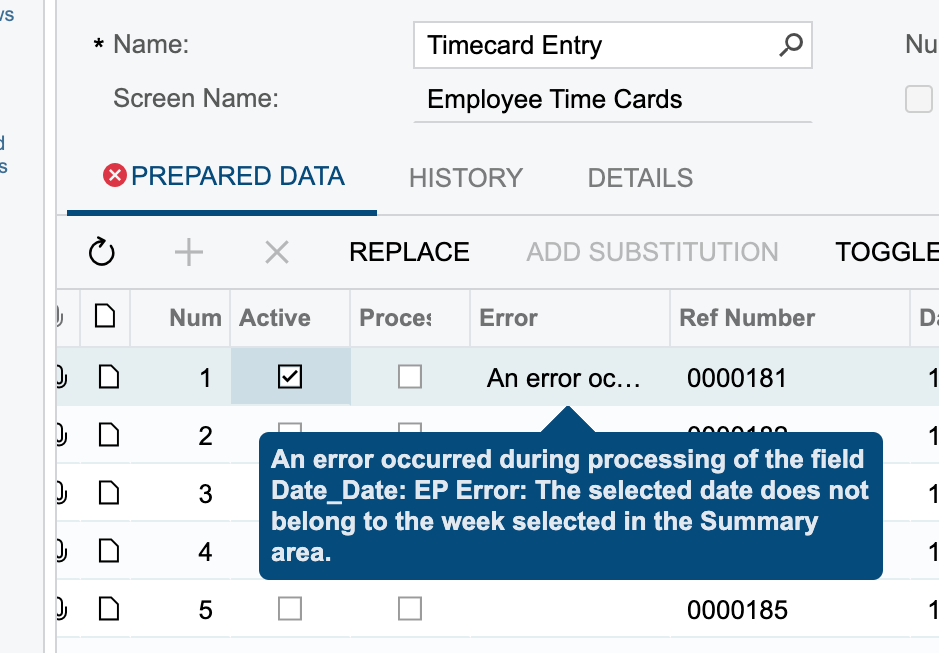
how to resolve this?

I also have attached the xml file for the scenario.

Best answer by meganfriesen37

I have seen the error in 23R1 last year when I was importing time cards for a round of UAT.  I think I ended up importing all the records as time activities and then creating the time cards (which pulled in all the activities I had loaded) because the week validation was annoying.

4 replies

  • Freshman I
  • August 15, 2024

I was just getting that error.  It made me type the Pay Period 202427 for 27-2024.  It wouldn’t take it any other way.  I have never gotten that error before in all of my years..,


meganfriesen37
Captain II
Forum|alt.badge.img+12

I have seen the error in 23R1 last year when I was importing time cards for a round of UAT.  I think I ended up importing all the records as time activities and then creating the time cards (which pulled in all the activities I had loaded) because the week validation was annoying.


Forum|alt.badge.img
  • Author
  • Semi-Pro II
  • August 19, 2024

I have seen the error in 23R1 last year when I was importing time cards for a round of UAT.  I think I ended up importing all the records as time activities and then creating the time cards (which pulled in all the activities I had loaded) because the week validation was annoying.

Hey @meganfriesen37 , yes, even I ended up in importing the Time Activities instead of the Time Cards.And it worked out for me.


SamMemar
Freshman II
  • Freshman II
  • July 24, 2025

Hello ​@Harry 

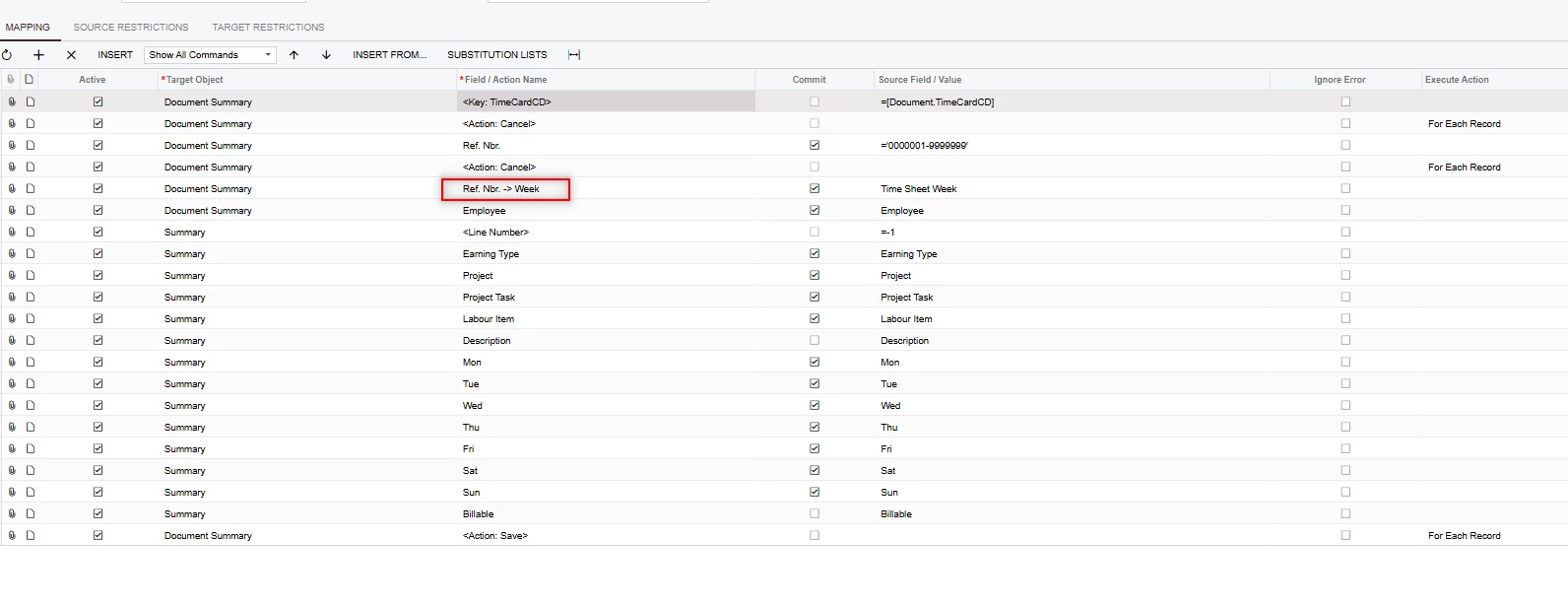
In the Import scenario, I used the following Field/Action Name for Week and it worked for me: