I am trying to add a file path to the Data Provider File Name field. When I click on Update Schema I get the following error:
File 'C:\OTSShare\Import_Scenario_Files\APIMPORT.csv' is not found.
I have made sure that all IIS accounts have rights to the file and folder etc.
Best answer by KrunalDoshi
Hi @GREG32,
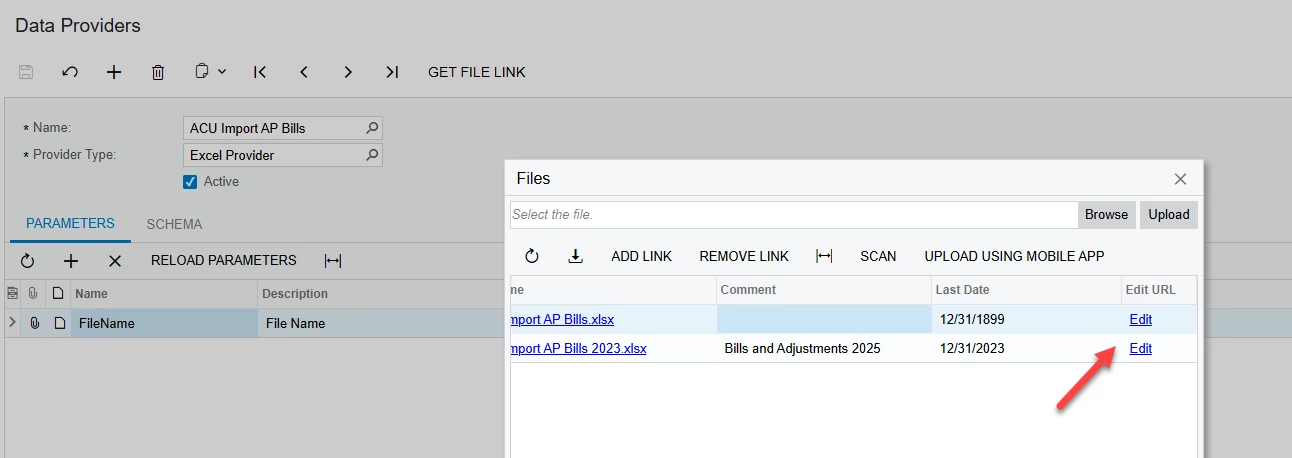
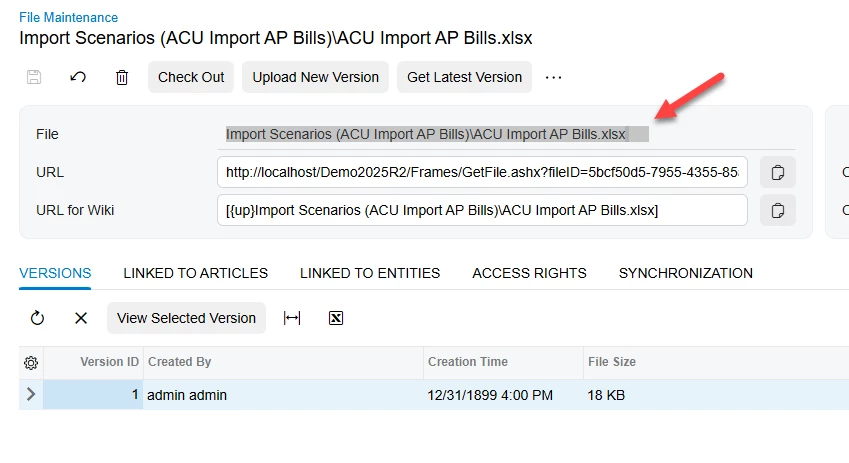
You cannot give local path in Data Provider. Instead, once you upload the file to Data Provider, you can click on FILES > Edit. On the File Maintenance screen, you can copy the path mentioned on File. See below screenshot for your reference.
You cannot give local path in Data Provider. Instead, once you upload the file to Data Provider, you can click on FILES > Edit. On the File Maintenance screen, you can copy the path mentioned on File. See below screenshot for your reference.