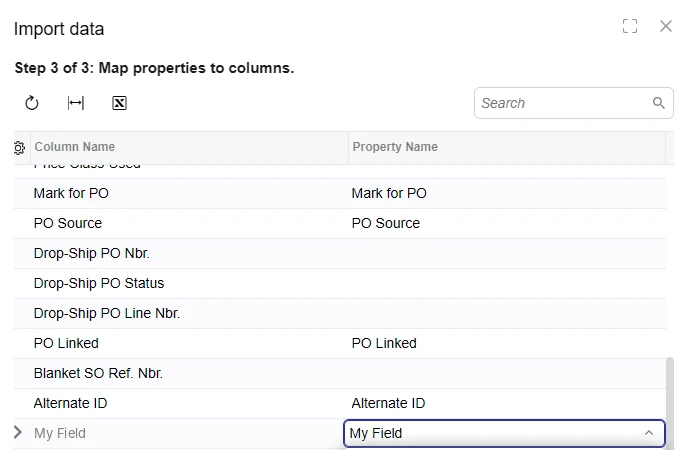
I added a custom field to the Details grid on Sales Orders (SO301000) through a DAC extension on SOLine. Exporting the grid to Excel works fine, and the custom column is included. When I upload that same exported file, the custom field isn’t available in the Property Name list in Step 3 of 3 (Map properties to columns). The Column Name row is there, but the dropdown has nothing to map it to.
What I found so far:
The field originally had Enabled = false in its attribute:
[PXDBInt]
[PXUIField(DisplayName = "My Field", Enabled = false)]
public int? UsrMyField { get; set; }
Removing Enabled = false made the field appear in the mapping in one case. Standard read-only columns on the same grid (e.g. Drop-Ship PO Nbr.) also have no Property Name, so disabled fields seem to be excluded.
On another order, the custom field was editable in the grid but still didn’t appear in the mapping.
Questions:
Is it documented anywhere that Import data / Load Records from File only lists fields that are enabled and visible at the cache level, and that columns shown only through Column Configuration aren’t mappable?
Does IsReadOnly = true / SetReadOnly exclude a field from the mapping the same way Enabled = false does?
What’s the recommended pattern for a field that should be hidden or locked for some order types but still importable? Is per-row SetEnabled (instead of a cache-level SetVisible or Enabled = false) the right approach?
With Enabled = false I think it is expected behaviour for it to not show as the import uses the same restrictions as editing/adding records through the UI.
After changing ‘Enabled = false’ did you restart the application? Sometimes that could be the reason between it working on one record and not another.
To allow editing for importing, I think you should configure this via access rights. The access rights should be ‘view only’ for everyone that will not be importing the record, and ‘Edit’ for the role that will be importing the record.
My replies are created in part with the help of proprietary AI, built with my AI skills, curated and maintained myself. Most replies are tested on local instances before they go up, and all are reviewed before posted.
@Halarnkar The Property Name list only includes a field if its state is Visible, Enabled and not IsReadOnly. The list is built in PXImportAttribute.PXImporter.ForceInitPropertiesInfo. That method goes through the cache’s fields and reads each field’s state without a row. The help doesn’t spell this out. We read it in the 26.101 code.
So IsReadOnly = true and SetReadOnly drop the field the same way Enabled = false does. Column Configuration doesn’t decide it, because the list comes from the cache’s fields, not the grid’s columns. A field with Visibility = PXUIVisibility.Invisible still shows up, at the bottom of the dropdown.
The “without a row” part is why it didn’t help that the field was editable on your second order. The list never looks at a line. Only the cache-level state counts: the attribute itself, or SetEnabled, SetVisible or SetReadOnly called with a null row.
For the order-type case, lock it per row. Call SetEnabled with e.Row in the SOLine RowSelected, after the null check, and the field stays in the list on every order type. Hiding it is what breaks this. A cache-level SetVisible(false) removes it from the list for as long as it’s hidden.
aiwan’s access-rights route also works if the lock is about who can change the field, not which order type. Field-level rights feed the same Enabled flag. A role without Edit on the field won’t see it in the list, and a role with Edit will.