Question

Creating multiple Transactions from Import Scenario

  • November 21, 2022
  • 7 replies
  • 139 views

Forum|alt.badge.img+1

Good morning,


I am currently running into Issues trying to create multiple Transactions (one per line) from the Import scenario.
It gives me the following Error on the second line of Processing:

Another process has updated the 'INRegister' record. Your changes will be lost.


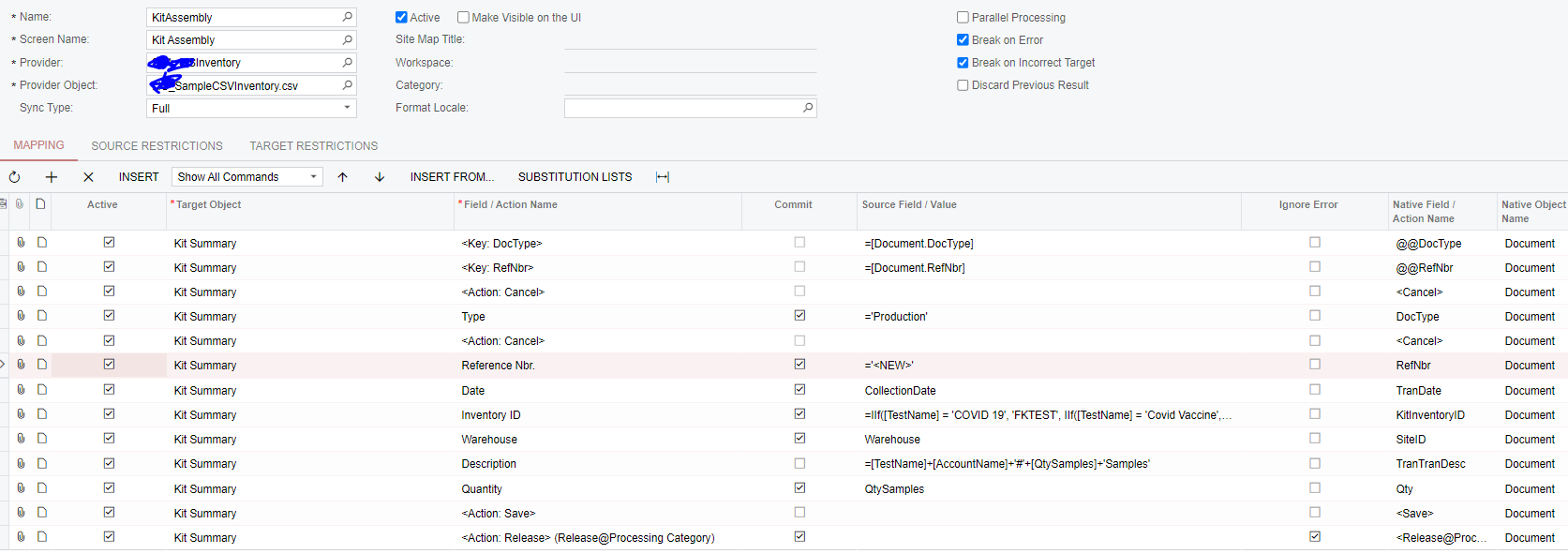
I have attached the .xml file as well as a screenshot:
 

7 replies

Kandy Beatty
Captain II
Forum|alt.badge.img+17
  • Captain II
  • November 21, 2022

HI @krausef77 

Try to commit the Save and add the Remove hold and Release to the scenario:


Forum|alt.badge.img+1
  • Author
  • Semi-Pro II
  • November 21, 2022

HI @krausef77 

Try to commit the Save and add the Remove hold and Release to the scenario:


Thanks for the input. Unfortunately, the same Error message comes up.
any other Ideas what could cause it?


Kandy Beatty
Captain II
Forum|alt.badge.img+17
  • Captain II
  • November 21, 2022

HI @krausef77 

Try this one:

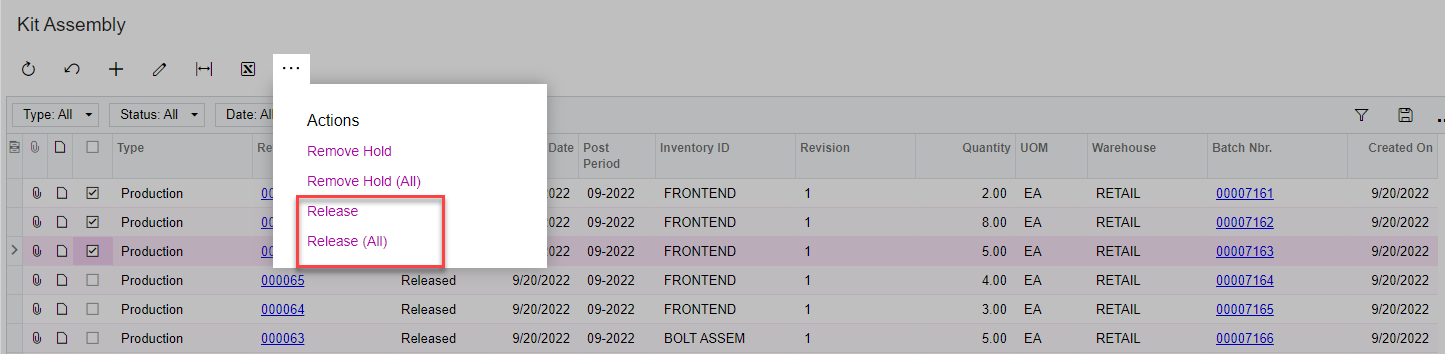
You may only be able to Remove the Hold on them and then you can mass release them from the GI. 


Kandy Beatty
Captain II
Forum|alt.badge.img+17
  • Captain II
  • November 21, 2022

HI @krausef77 

Do you have any customizations that might affect inventory?


Forum|alt.badge.img+1
  • Author
  • Semi-Pro II
  • November 21, 2022

HI @krausef77 

Do you have any customizations that might affect inventory?

No customizations in place.
I tried your second suggestion as well. Unfortunately, no luck - but I love the approach.


Kandy Beatty
Captain II
Forum|alt.badge.img+17
  • Captain II
  • November 21, 2022

HI @krausef77 

Do you have any customizations that might affect inventory?

No customizations in place.
I tried your second suggestion as well. Unfortunately, no luck - but I love the approach.

Unfortunately, those different ways have worked for me. I’ll be curious to see if anyone else has tips that we both could learn!


Chris Hackett
Community Manager
Forum|alt.badge.img
  • Acumatica Community Manager
  • January 18, 2023

Hi @krausef77 were you able to find a solution? Thank you!