Answer

Creating Bom with business event

  • December 4, 2025
  • 10 replies
  • 48 views

Forum|alt.badge.img

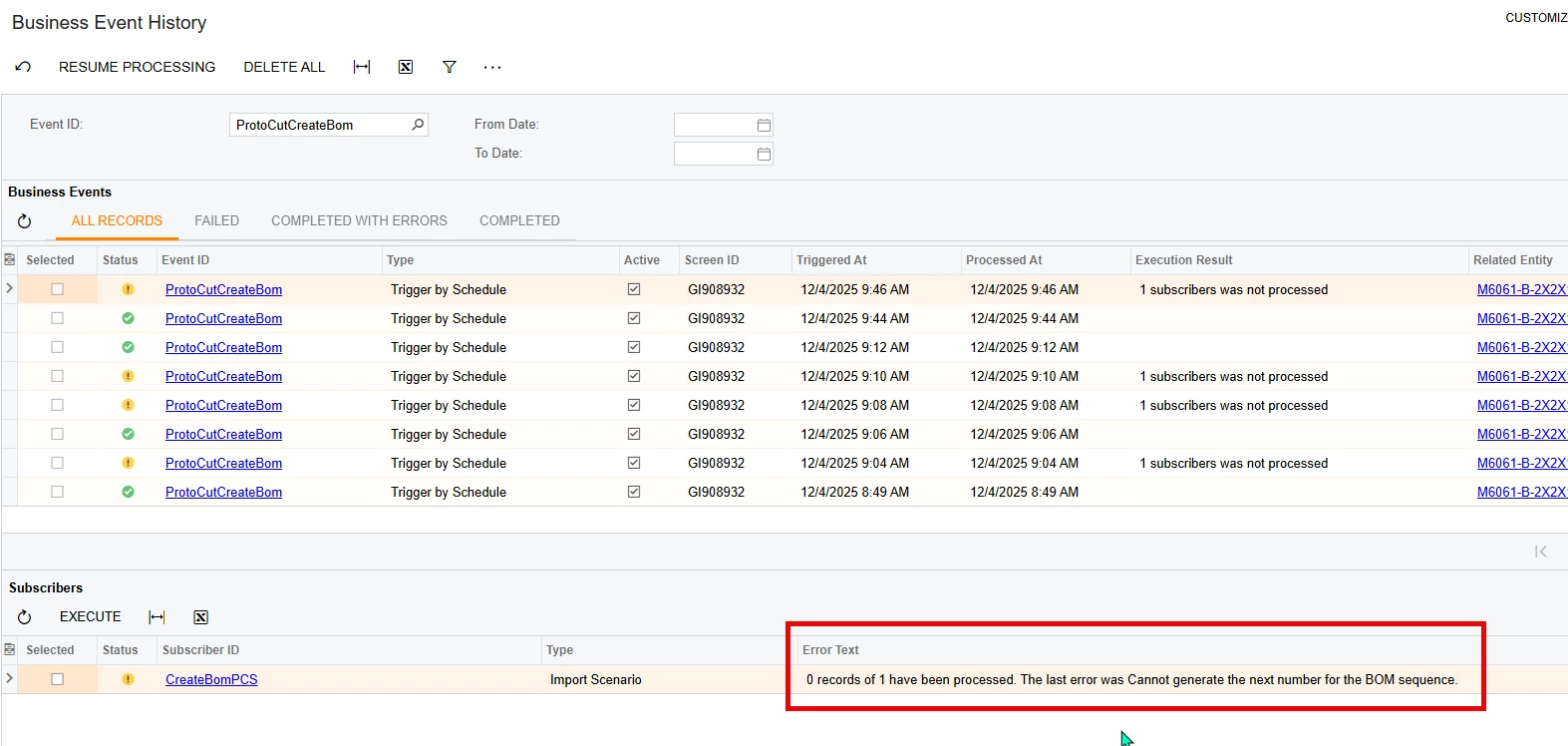
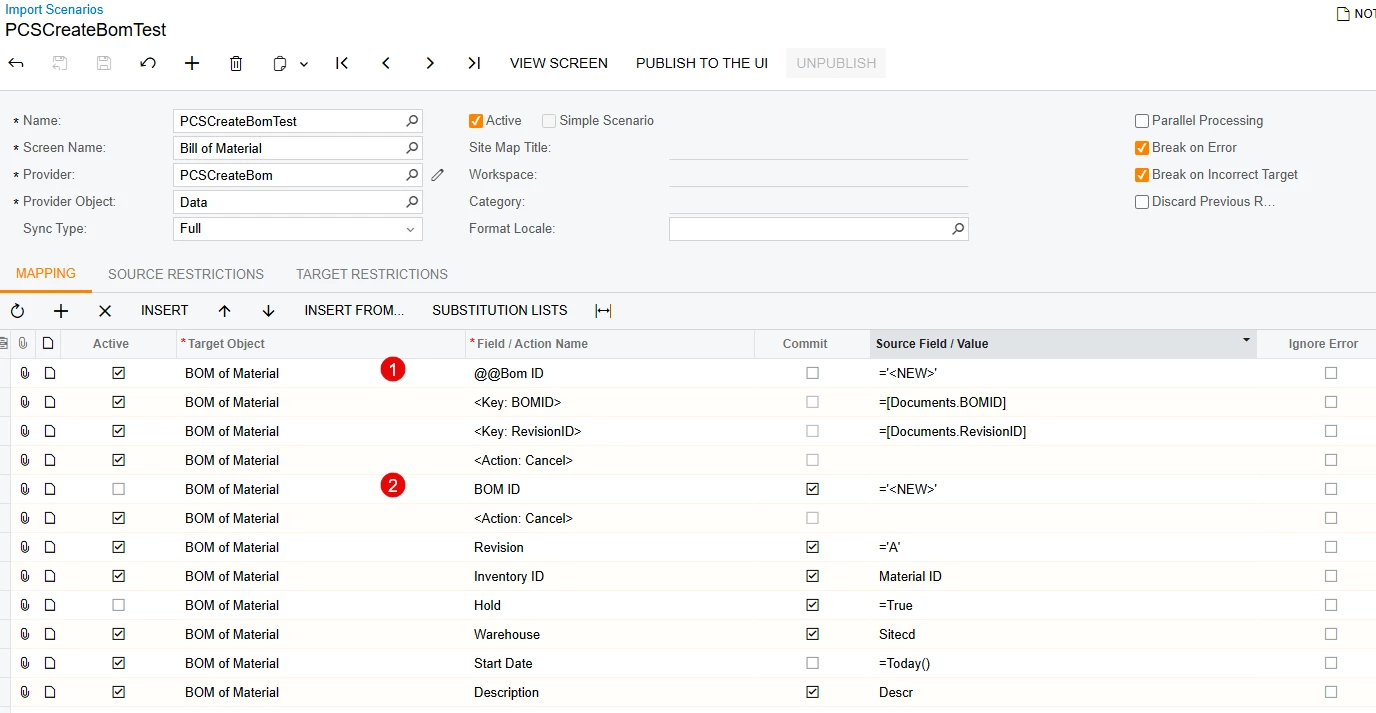
Good morning everyone. I am trying to create a new bom with a business event using a GI and an import scenario on a schedule. I am getting the error “The last error was Cannot generate the next number for the BOM sequence.”. To diagnose it easier, I exported the GI to excel and made a data provider, new import scenario, and used import by scenario to upload. i used the community post below to find a solution that worked. This post used option 1 in the below screenshot. It worked fine and created a new bom with the next autonumber with everything correct on it. I then made the change to the business event subscriber import scenario and I got the “cannot generate next number” error. I then tried option 2 below and the business event history shows that it ran successfully with no errors but it didnt actually create the bom. I saw another post where someone could only get the header to get created and had to add materials later so I tried making the GI as simple as possible and use only the inventoryitem table and only try to create a bom header also. It still didnt work. I know that business events with import scenarios can be a little finnicky sometimes, so I tried different combinations and different orders for the steps but i havent been able to get it to work. Does anyone have any suggestions?
 

Best answer by MissyMain41

I am also a little curious why a custom key configuration is needed on this as well, if it is just making new records and not modifying already existing records (maybe theres something with the BOM screen specifically I am not aware of?). 
Either way, definitely watch that webinar video, it should help! :)

10 replies

mohammadnawaz51
Jr Varsity I
Forum|alt.badge.img+4

@justen0351 Are you able to create the BOM Manually as a first steps, As per the error it is referring the sequence is autonumbering which is not set properly.


Forum|alt.badge.img
  • Author
  • Varsity III
  • December 4, 2025

@mohammadnawaz51 I can manually create the bom, and I can create the bom with an import using an excel as a data provider. 


mohammadnawaz51
Jr Varsity I
Forum|alt.badge.img+4

@justen0351 can you share the Business event Mapping, On what basis you are triggering an import scenario.


Forum|alt.badge.img
  • Author
  • Varsity III
  • December 4, 2025

@mohammadnawaz51 attached is the simple one i was trying. i had a gi with only the inventoryitem table and only the fields used in the import scenario in it. i have the @@bomid turned on in it because that is the way it works when using excel as a provider instead of a gi.


MissyMain41
Jr Varsity I
Forum|alt.badge.img
  • Jr Varsity I
  • December 4, 2025

Hello,

The first line of the @@ custom key in this does not look properly configured. 
The internal field for the first line of the @@ would not be <new>, it would usually be the dac/field name.
If auto numbering is turned on, the second line of the @@ would then be 1, 2, 3, 4, etc (usually pulled from the data provider), it will auto number itself.

I also highly advise to first test this outside of business event entirely, you can use a data provider of the type “GI” to simulate it perfectly. There is also a section in this webinar regarding testing imports that are tied to business events as well if further troubleshooting assistance is needed on that aspect. 

Please review the following webinar (this information can also be found in i100 training) 
I made sure to break down custom key configurations in this webinar line by line, you can start at the 25 minute mark, or the 21 minute mark for the entire section. 

July 2025 Partner Support Webinar | Community


Forum|alt.badge.img
  • Author
  • Varsity III
  • December 4, 2025

@MissyMain41 Thank you for your response. i get an error when i click on that link. ill check the I100 training and see if i find the answer there.


MissyMain41
Jr Varsity I
Forum|alt.badge.img
  • Jr Varsity I
  • December 4, 2025

@MissyMain41 Thank you for your response. i get an error when i click on that link. ill check the I100 training and see if i find the answer there.

Here’s the video file pulled from that webinar 
July 2025 Partner Support Webinar-Troubleshoot Import Scenarios


MissyMain41
Jr Varsity I
Forum|alt.badge.img
  • Jr Varsity I
  • Answer
  • December 4, 2025

I am also a little curious why a custom key configuration is needed on this as well, if it is just making new records and not modifying already existing records (maybe theres something with the BOM screen specifically I am not aware of?). 
Either way, definitely watch that webinar video, it should help! :)


Forum|alt.badge.img
  • Author
  • Varsity III
  • December 4, 2025

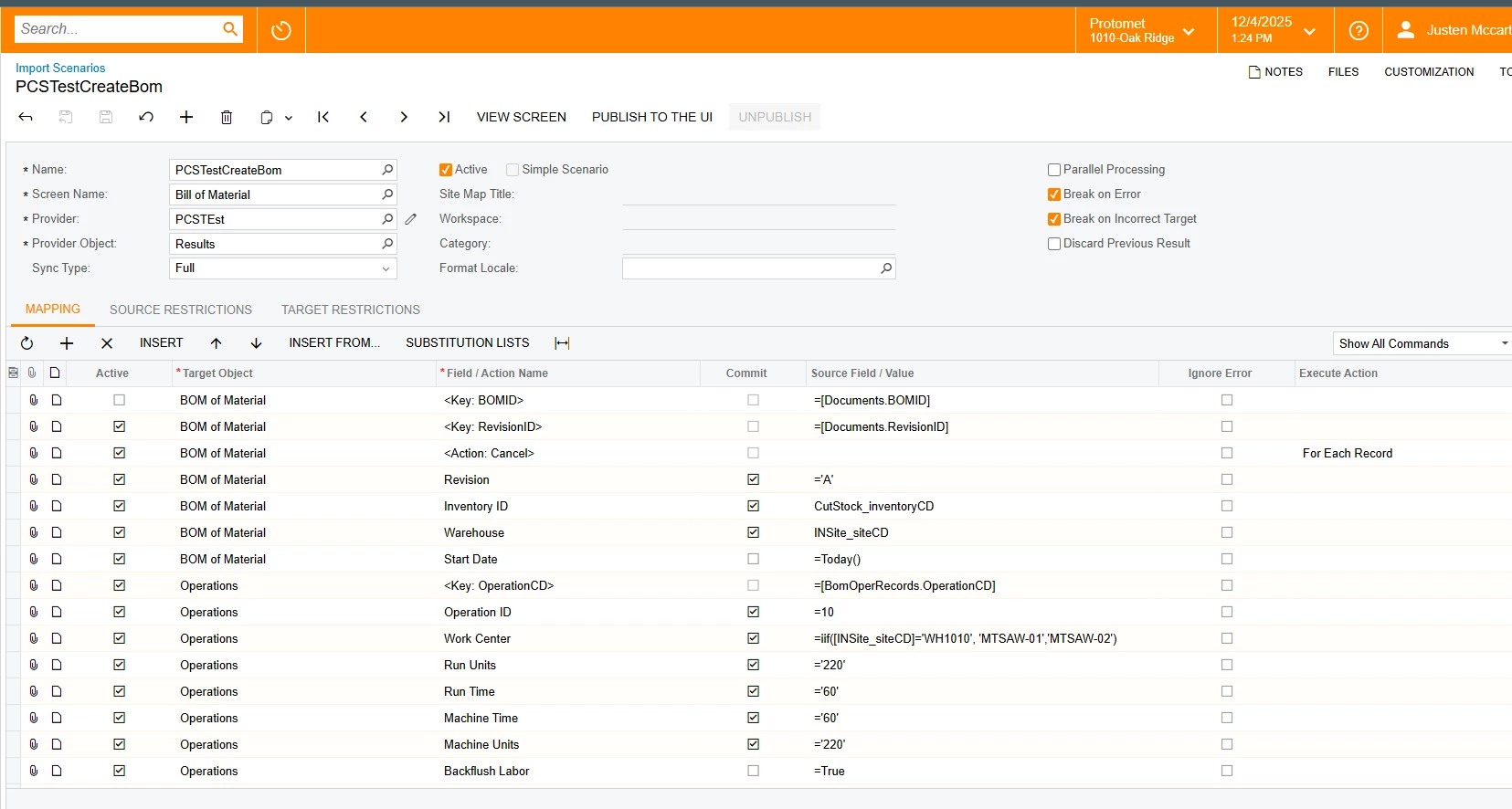
@MissyMain41 Thank you for the video! that is really helpful and i will definitely be using that as a reference. I see what you mean about the key for bomid. I remade it using the GI as a data provider and it created the bom. I then made a new business event and then used create subscriber button to create the new import scenario and copied it over exactly. i still got the same error. below are some screen shots.

Used the GI as a Data provider and then used import by scenario to upload.
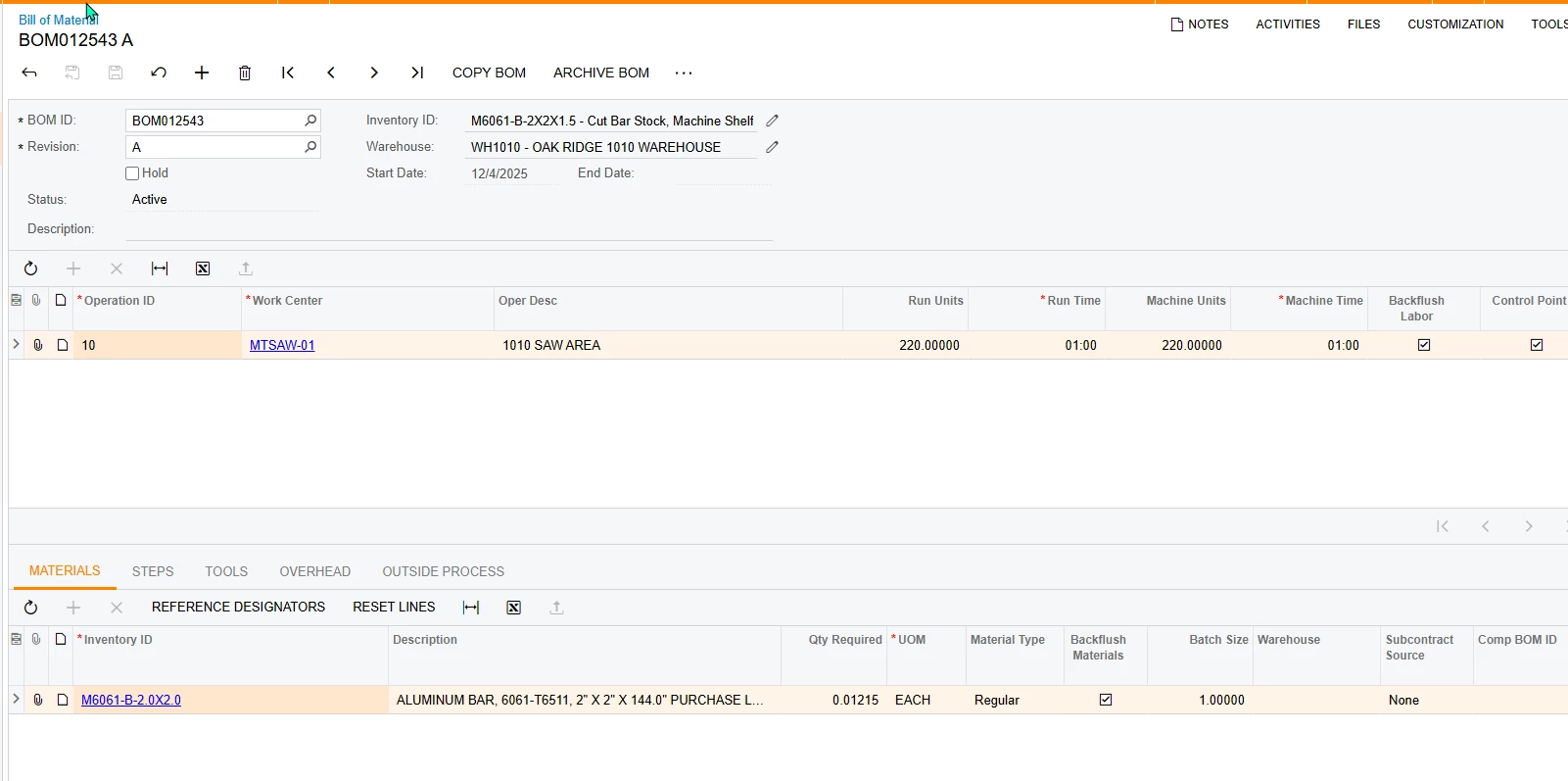
Using import by scenario successfully created the bom.

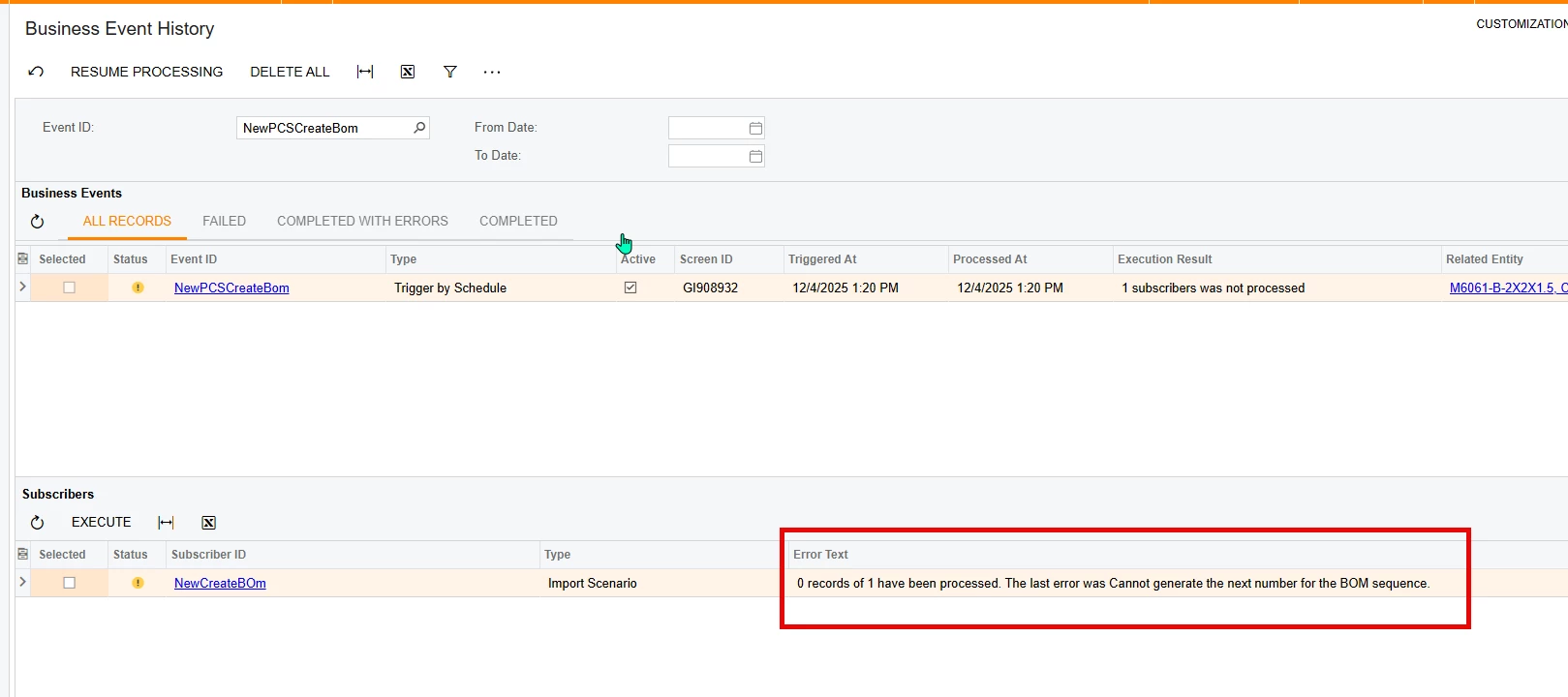
I then deleted the bom (so it would be back in the GI to create it again) and made a new business event and copied the import scenario over as a subscriber to the business event. i then scheduled it to run and below is the error.

Still receiving the same error.


Forum|alt.badge.img
  • Author
  • Varsity III
  • December 4, 2025

@MissyMain41 I just tried the updated one i made based off your suggestion in our sandbox Saas version and it works fine. there must just be something weird about my local that i will have to investigate. Thank you for the help!