Solved

Business Event to edit an email before it is processed

  • April 22, 2025
  • 3 replies
  • 80 views

Forum|alt.badge.img+1

I may be out of my league with this, but I really thought I was going to be able to edit an email before it gets processed using a GI and a business event, with maybe an Import scenario?


The goal is to add an email into a CC and then process the email.


My GI pulls the Purchase Order Notification emails that are pending processing, and cross checks the items in that PO for specific items. These are items that a specific email needs to know about. And I have that email on every line in that GI as well. So every pending email on this GI needs the email on the same row, added to the CC. 


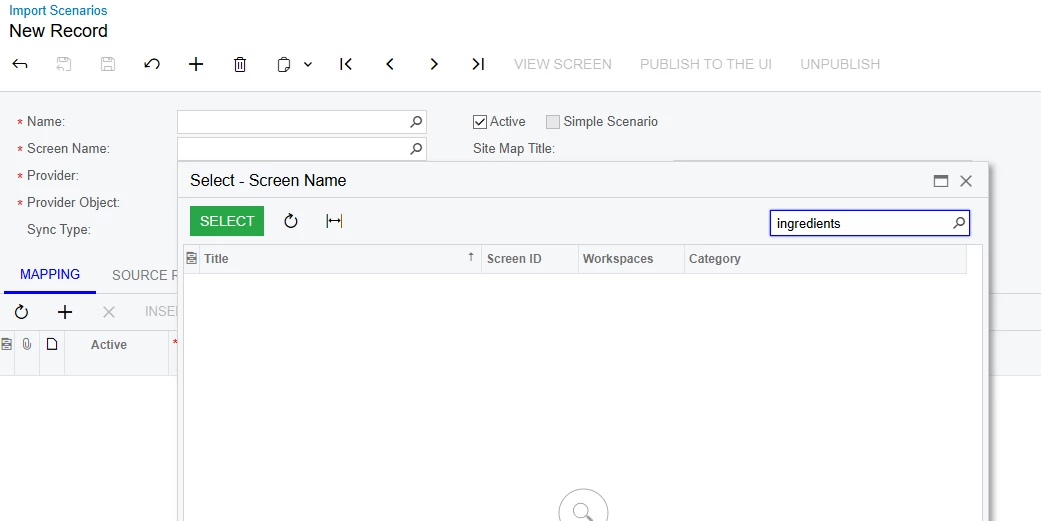
However, after creating the GI and Business event. I cannot use my GI or any email screens in the Screen Name field of the Import Scenario. So now I am stuck.


Am I able to use an Action Scenario for this? Or am I out of luck on this task? 

I have no experience with Action Scenarios, but I am able to pick my GI in the Screen Name Field of an Action Scenario.


Would love to make this happen! And I attached my GI just in case.

Best answer by lbarker

No the screen name is the one you are changing with the import scenario so its the Email Activity screen.

Something like in this

But I think it might be @@MessageID to find the email

3 replies

lbarker
Semi-Pro II
Forum|alt.badge.img+3
  • Semi-Pro II
  • April 23, 2025

Why don’t you just create a new email and send it to the person rather than cc the original email?  Might be more reliable as the original email can be processed and then its too late.

If you are going to edit the original email using an import scenario the screen name is available?  You find it using refnoteid if I remember correctly or maybe it was noteid


Forum|alt.badge.img+1
  • Author
  • Semi-Pro II
  • April 23, 2025

Thanks ​@lbarker , 

This other person is in charge of keeping track of the items that are being purchased, so if the Vendor responds with shipping updates back to that same thread, this other person would need to receive those emails. And as easy as it would be to just have a Business event send the PO email to her separately, I am trying to avoid multiple email threads.


When trying to create an import scenario, the second line asking for Screen Name, Is that not supposed to match the screen name that I am pulling information for my business event?

I am not able to find my GI screen name when searching in this field. 


Unless I set up my GI wrong somehow, or I am misunderstanding the Screen Name Field.


lbarker
Semi-Pro II
Forum|alt.badge.img+3
  • Semi-Pro II
  • Answer
  • April 23, 2025

No the screen name is the one you are changing with the import scenario so its the Email Activity screen.

Something like in this

But I think it might be @@MessageID to find the email