Question

Business Event Attachment is not sending the Updated Export Scenario

  • August 27, 2025
  • 6 replies
  • 79 views

Forum|alt.badge.img

Good day,

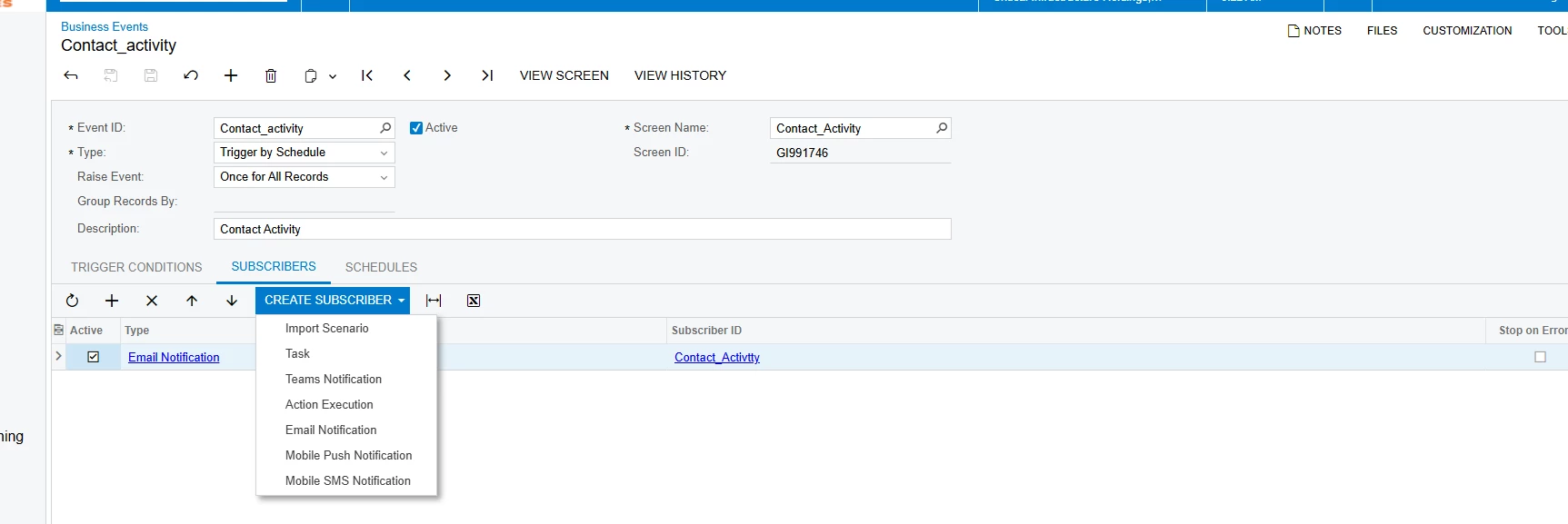
I know something is wrong with my Business event/export scenario.  The processing schedule works.  I get an email with a file attachment.  The issue it is first fille; the original data.  However, on subsequent run, i get the same file not an updated exported file..  I am not getting new file with updated rows.  The export is being processed on schedule and the results are updated.  The email is being sent on schedule; email received.  The only issue the file is old.  How do get the new file attached?  

I added this to my business event this morning.  Who knows if this work?

Everything works except the export file is old; the same file sent during testing.

Any ideas, assistance would be much appreciated.

Evan
 

6 replies

Forum|alt.badge.img
  • Varsity I
  • August 28, 2025

1. Verify Subscriber Type

Go to the Subscribers tab of your Business Event.

Confirm that the subscriber is of type Generic Inquiry (GI) Results → File or Push Notification → File.

If you directly attached a static file template, Acumatica will just keep re-attaching the same old file.

2. Use "GI Results Export" as File Source

The subscriber should use Generic Inquiry Results to dynamically regenerate the export each time.

When configuring the file attachment, make sure you select “Export to Excel” (or whichever format is required) from the GI used in the Business Event.

That way, the file is rebuilt fresh on each run.

3. Check Your Trigger Condition

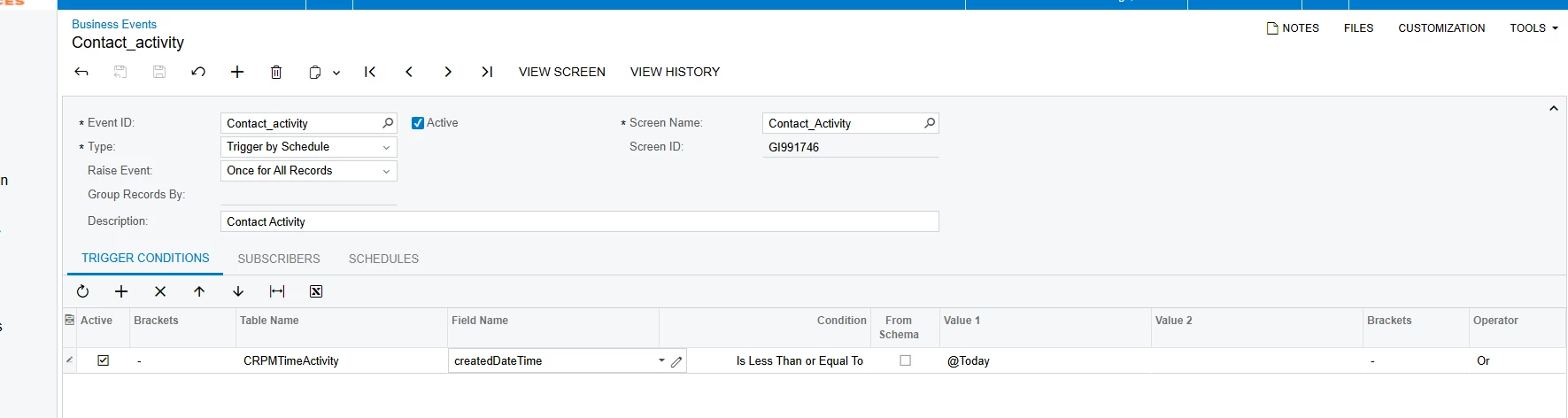
From the screenshot:

You’re filtering on CRPMTimeActivity.createdDateTime ≤ @Today.

This condition will always be true for all past records, so the same set is exported again and again.

If you want only new rows since last run, you should use something like:

createdDateTime >= @Today


or better,

createdDateTime >= @StartOfDay


depending on whether you want today’s new rows only.

Another option is to use @Now or store the Last Run Date in a customization, then compare against it. Otherwise, it will always pull the same records.

4. Schedule Clearing of Cache

Sometimes Acumatica caches export files. Ensure you’re not reusing the same filename in your subscriber.

Use a dynamic filename token (example: Contact_Activity_@DateTime) in the File Name Mask so each run creates a new attachment.

In short:

Make subscriber type = GI Results not static file.

Fix trigger condition to capture new data only.

Use dynamic filename mask so Acumatica generates a fresh file.


Forum|alt.badge.img
  • Author
  • Jr Varsity III
  • August 29, 2025

@smuddurthi81 Thank you for the detail response.  I got stuck on the first step;  Subscriber type.  

We are using 2025R1.  Thoughts?


Forum|alt.badge.img
  • Varsity I
  • September 3, 2025

@grillevan Try action execution once.


Forum|alt.badge.img+2
  • Acumatica Employee
  • September 3, 2025

Hello ​@grillevan 

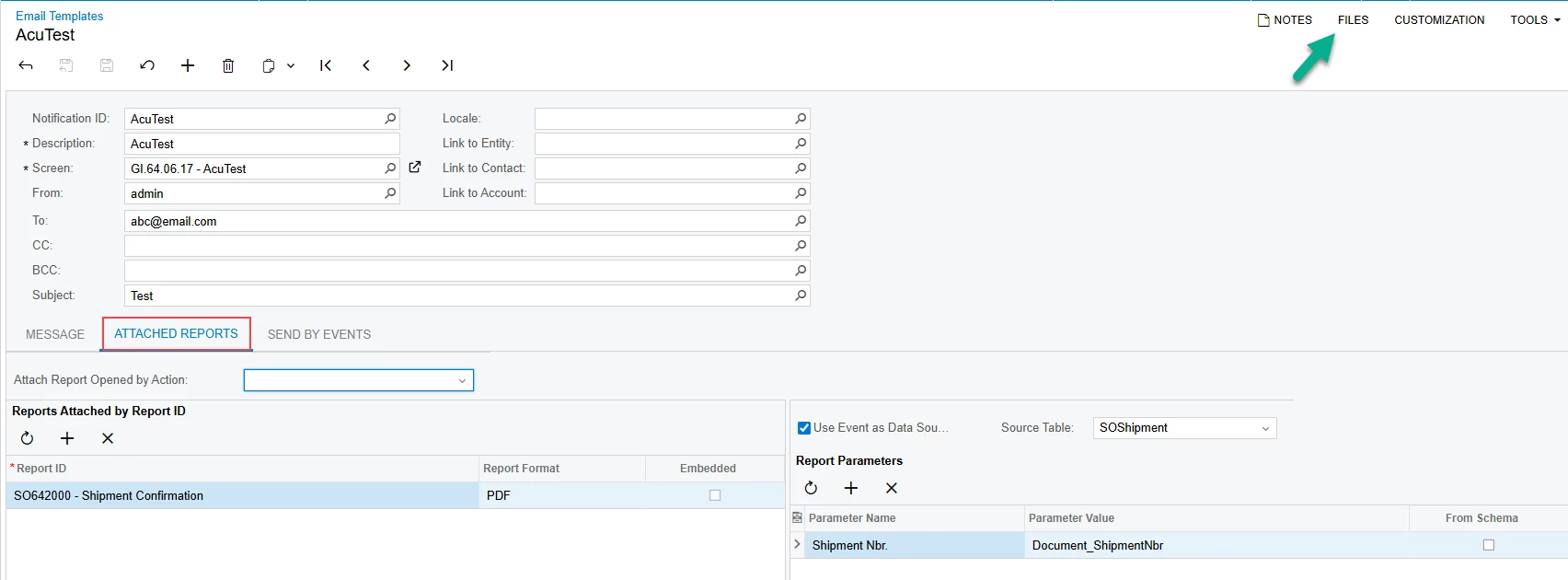
Since the subscriber is set as Email notification make sur ethe file is not attached to the Files button on top right corner but the report is specified under Attached reports form so it uses the parameters and produces a new file to be attached


Forum|alt.badge.img
  • Author
  • Jr Varsity III
  • September 3, 2025

@pallikasharma11 

I removed the file; makes sense.  However, this is not an Acumatica report.  It is the results of Export Scenario.  Not a report.  Hence nothing to attached.  Not sure what the next step is from this point.


Chris Hackett
Community Manager
Forum|alt.badge.img
  • Acumatica Community Manager
  • September 30, 2025

Hi ​@grillevan were you able to find a solution? Thank you!