Answer

Automation Schedule not Actioning

  • July 4, 2025
  • 8 replies
  • 177 views

Hi All,

Wanted to get some help on figuring out why my automation schedule is not firing as intended. 

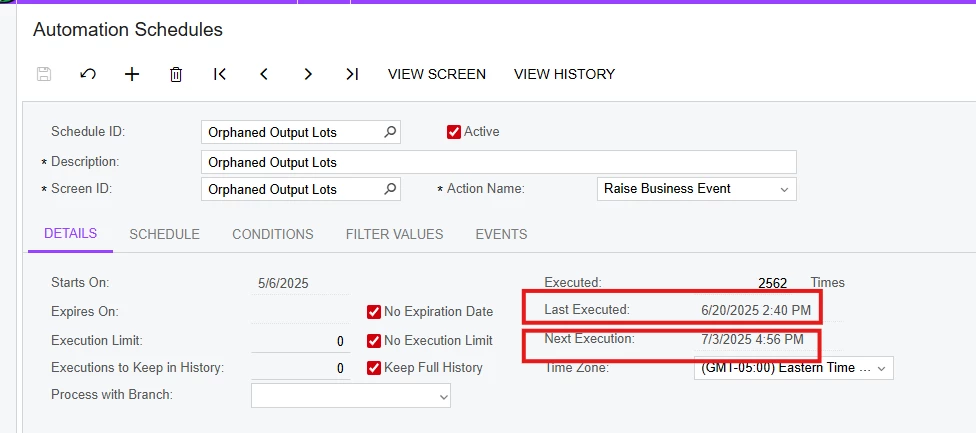
We are using the schedule to trigger a business event, triggering daily every 5 minutes. It basically checks an existing GI for any records and triggers and import against the return. As you can see from the screenshot, last executed date was on 6/20/2025, it is 7/4/2025 today.

I’ve tried manually triggering the import, and it works perfectly. 
 

Best answer by valentynbeznosiuk

@ealvez 

To confirm, the time you set it up was before 10:05?

In this case I would suggest to restart application using Apply Updates screen and try again

8 replies

valentynbeznosiuk
Jr Varsity I
Forum|alt.badge.img+3

Hi ​@ealvez 

Please verify your settings on the ‘Schedule’ tab to make sure it’s set to run as often as you expected. For reference, you can use this help topic, then change Next Execution Date and Time to something in the future, for example, in 2 minutes.

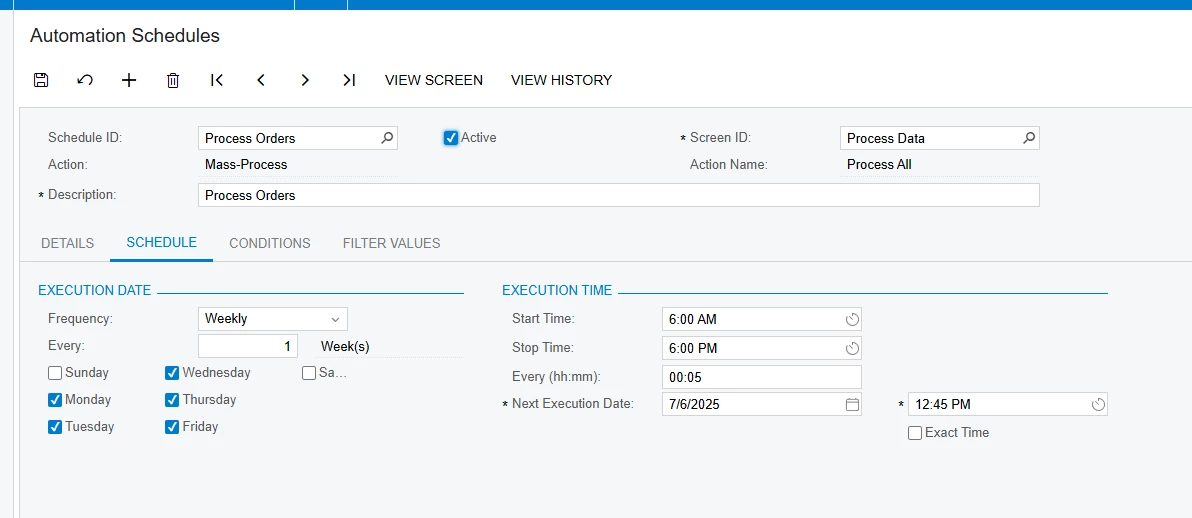
Below is an example of settings to be run each working day (Monday-Friday) every 5 minutes in the range from 6 am to 6 pm


Forum|alt.badge.img+1
  • Semi-Pro III
  • July 7, 2025

@ealvez Did you tried Restart application from the Apply update screen.

Hope this helps!


mohammadnawaz51
Jr Varsity I
Forum|alt.badge.img+4

@ealvez 

Please create a new scheduler and set it to run after 30mins, for an example if you are setting the scheduler to trigger an business event at 3.45 PM EST, Please set it to run at 4PM EST by giving the time to execute the scheduler, 

once restart the application.


  • Author
  • July 7, 2025

Thanks everyone for your response! I will give these a try!


  • Author
  • July 7, 2025

@valentynbeznosiuk 


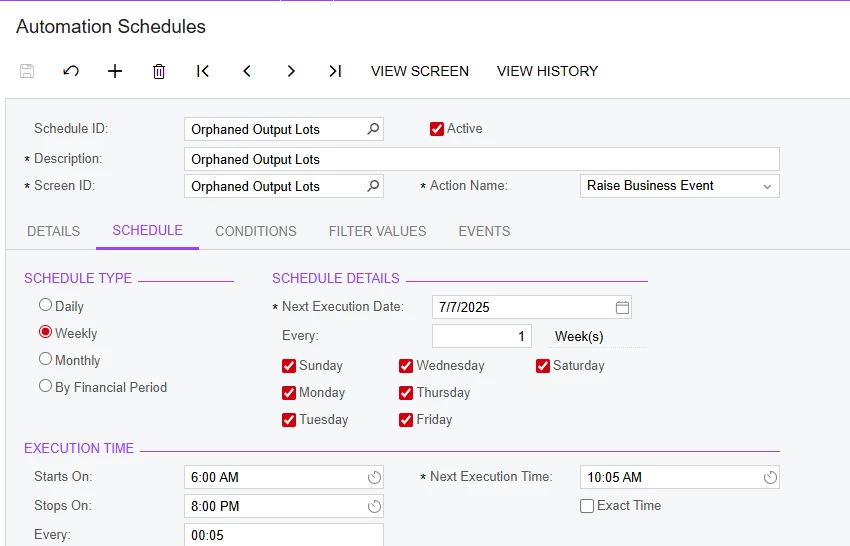
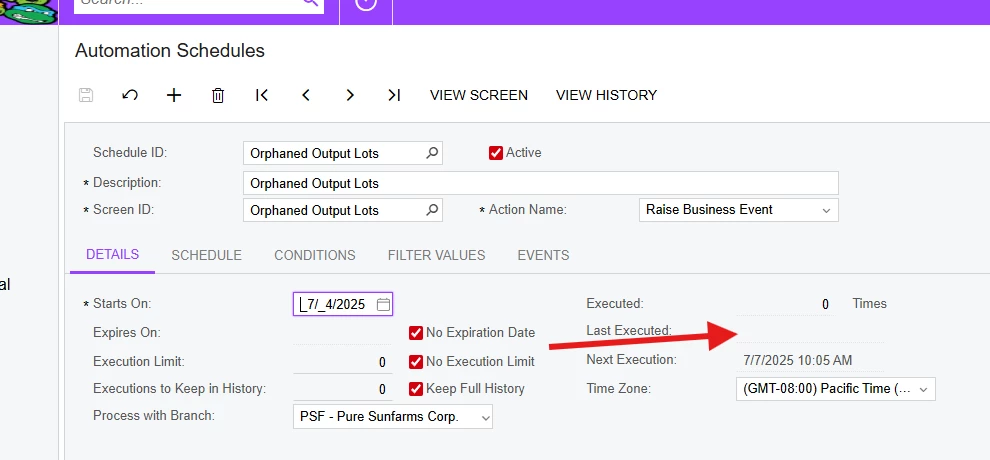
Here is my current schedule:


It is 11:00 AM my time now and it still did not fire.


valentynbeznosiuk
Jr Varsity I
Forum|alt.badge.img+3

@ealvez 

To confirm, the time you set it up was before 10:05?

In this case I would suggest to restart application using Apply Updates screen and try again


  • Author
  • July 7, 2025

@valentynbeznosiuk after restarting staging, it seems to firing fine now!

Thank you for the help! I did want to ask why it was failing? Is the fix to only restart the site?


valentynbeznosiuk
Jr Varsity I
Forum|alt.badge.img+3

@ealvez 

I don’t have the exact answer to this question, but this problem appears from time to time within Acumatica users, and the only solution I know at this point is to regularly restart the application, but unfortunately, Acumatica cannot do it automatically